⚡ Quick answerMake Time by Jake Knapp & John Zeratsky gets 4.4/5 from me. A gentle, flexible daily system for making room for what matters. Anyone who wants to feel less frazzled without adopting a strict system.
What is Make Time about?
Knapp and Zeratsky offer a light, flexible daily framework for reclaiming your time and attention from busyness and distraction, built around choosing one daily highlight and defending your focus.
Make Time summary
The authors, who worked on products designed to grab your attention, turned that knowledge around to help people take their attention back. Their framework has four simple steps, repeated each day rather than followed as a rigid system.
First, Highlight: choose one thing each day you want to make time for, your single priority or the thing you will be glad you did. Second, Laser: defend your focus on that highlight by beating the distractions, especially phones and endless feeds, that they call infinity pools. Third, Energise: look after your body with movement, food, sleep and real breaks, because attention runs on energy. Fourth, Reflect: note what worked and adjust tomorrow.
The book offers dozens of small, optional tactics under each step, and the whole point is to pick the few that suit you rather than adopt everything. It is friendlier and less demanding than Deep Work, aimed at people who want to feel less frazzled and more intentional without overhauling their entire life.
Published in 2018 by two former Google and Google Ventures designers, it drew on their experience building attention-grabbing products. It is aimed at people who feel busy and distracted and want a flexible way to reclaim their time.
The one idea worth the price: Choose one highlight each day, the thing you most want to make time for, and build the day around protecting it.
Key ideas and takeaways
Pick a daily highlight. Choose one priority you will be glad you made time for.
Beat the infinity pools. Defend your focus from endless feeds and notifications.
Energise. Attention runs on sleep, movement and real breaks.
Reflect and adjust. Tweak your approach a little each day.
My honest take
This is the gentle, flexible cousin of Deep Work, and for a lot of people it is the easier place to start. Rather than a demanding system, it gives you a menu of small tactics and tells you to pick the handful that fit your life, which suits the messy reality of self-employment.
The daily-highlight idea is the keeper. Choosing one thing each day you actually want to make time for cuts through the noise of a hundred competing tasks and gives the day a spine. Coming from two people who helped build the very apps that steal our attention, the advice on beating distraction carries some weight. It is light, kind and practical, if not especially deep.
Because it is a pick-and-mix of tactics rather than a single strong argument, it can feel a little slight, and you get out what you put in. But that flexibility is deliberate, and it makes the book approachable for people who bounce off stricter systems.
The honest caveat: It is light and a little unfocused by design, a menu rather than a method, so readers who want one strong system may find it thin. Take the four-step spine and a few tactics.
Where it falls short
The pick-and-mix format can feel slight and scattered.
Lighter and less rigorous than Deep Work, so it may underwhelm serious productivity readers.
How it compares
Deep Work is the demanding, all-in approach to focus; Make Time is the gentle, flexible on-ramp. Read Make Time to start and Deep Work when you want to go further.
Who should read it (and who should skip it)
Anyone who wants to feel less frazzled without adopting a strict system. Skip it if you want one rigorous, demanding method instead.
Best format: Kindle or audio; the tactics list is handy to have on Kindle for dipping back into.
How to actually use it if you are self-employed
Each morning, pick one highlight you want to make time for.
Remove one distraction, mute an app or leave the phone in another room, while you work on it.
Protect your energy with a proper break and some movement.
⚡ The 60-second recap
Choose one daily highlight.
Defend your focus from distraction.
Protect your energy and adjust daily.
A book is a shortcut. A second pair of eyes is faster.
Twenty years self-employed, 500+ people coached. If you want help applying this to your own situation, book a free discovery call.
One thing you choose each day to make time for, your single priority or the thing you will be glad you did.
Is it a strict system?
No. It is a flexible menu of tactics; you pick the few that suit you rather than follow it rigidly.
How does it compare to Deep Work?
It is lighter and friendlier. Deep Work is more demanding and rigorous; Make Time is easier to start.
Do I need to use all the tactics?
No. The authors explicitly say to pick a handful that work for you and ignore the rest.
Is it good for beginners?
Yes. It is one of the more approachable productivity books, especially if strict systems put you off.
Final verdict
Make Time earns 4.4/5. A gentle, flexible daily system for making room for what matters. If it is the stage you are at, the cheapest way in is a free Audible trial or Kindle Unlimited.
Disclosure: Some links in this article are affiliate links. If you buy through them I may earn a small commission, at no extra cost to you. Star ratings are my own editorial scores.
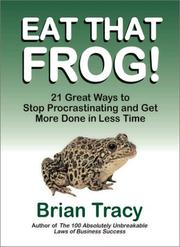
⚡ Quick answerEat That Frog! by Brian Tracy gets 4.5/5 from me. Do the worst task first. That is the book, and it works. Chronic procrastinators who want a simple, memorable fix they can use today.
What is Eat That Frog! about?
Tracy's whole book turns on one image: if the first thing you do each morning is eat a live frog, nothing worse can happen all day. The frog is your biggest, most important and most avoided task, and the advice is to do it first.
Eat That Frog! summary
Tracy takes a single idea, tackle your most important task first thing, and expands it into twenty-one short, practical chapters. The frog is a metaphor borrowed from a Mark Twain line: your frog is the one task you are most likely to put off but that would have the biggest positive impact if you did it.
Around that core, he offers a set of well-worn but useful time-management principles. Plan every day in advance, ideally the night before. Apply the 80-20 rule to focus on the vital few tasks. Consider the long-term consequences of what you do. Break big tasks down, work in focused blocks, and single-handle: start the most important task and stay on it until it is finished.
Each chapter is short and ends with a clear action, which makes the book itself easy to act on. It is not original or deep, but it is a tidy, motivating collection of the fundamentals of getting important things done, aimed at chronic procrastinators.
First published in 2001 and updated since, it became a perennial bestseller on beating procrastination. It is aimed at anyone who puts off important tasks and wants a simple, memorable way to stop.
The one idea worth the price: Identify your biggest, most avoided task and do it first, before anything else has a chance to get in the way.
Key ideas and takeaways
Eat the frog first. Do your most important, most avoided task before anything else.
Plan the day ahead. Decide tonight what tomorrow's frog is.
Apply the 80-20 rule. A few tasks drive most of your results; do those.
Single-handle. Start the key task and stay on it until it is done.
My honest take
Some books earn their place by being deep. This one earns it by being short and immediately usable. The core idea, do the hardest important thing first, is not new, but it is packaged so simply that you can apply it the morning you read it, and that counts for a lot.
For the self-employed, procrastination is expensive, because no one else is going to make you do the awkward sales call or the tax return. Tracy's frog is a memorable, slightly silly hook that changes behaviour. I use the language myself: naming the frog for the day and doing it first is a habit worth building. Do not expect profundity; expect a useful kick.
It is a collection of fundamentals rather than anything you have not heard before, so seasoned productivity readers will find little new. But the brevity is the point: it is the kind of book you can reread in an hour whenever your discipline slips.
The honest caveat: It is basic and unoriginal, a repackaging of standard time-management advice. If you have read widely in the area, you already know most of it.
Where it falls short
Nothing here is new; it is familiar advice, tidily packaged.
Light and motivational rather than deep, so it will feel thin to experienced readers.
How it compares
The One Thing helps you find your single most important task; Eat That Frog gives you the nudge to actually do it first. Read The One Thing to choose the frog and this to eat it.
Who should read it (and who should skip it)
Chronic procrastinators who want a simple, memorable fix they can use today. Skip it if you have already read widely on productivity.
Best format: Audio; it is short and works well as a listen you replay when you are slipping.
How to actually use it if you are self-employed
Each evening, name tomorrow's frog: the one task you are avoiding that matters most.
Do it first thing, before email.
Break a big frog into smaller ones if it feels too large to start.
⚡ The 60-second recap
Do your biggest, most avoided task first.
Plan tomorrow tonight.
Stay on the key task until it is finished.
A book is a shortcut. A second pair of eyes is faster.
Twenty years self-employed, 500+ people coached. If you want help applying this to your own situation, book a free discovery call.
Your biggest, most important and most avoided task, the one that would have the greatest positive impact if you did it.
Is it just one idea?
Largely, yes, expanded into short practical chapters. The simplicity is what makes it easy to apply.
Who is it for?
Chronic procrastinators who want a quick, memorable method rather than a deep system.
Is it worth reading if I know the 80-20 rule?
The value is the memorable frog habit and the brevity, even if the underlying principles are familiar.
How long does it take?
An hour or two. It is deliberately short and easy to revisit.
Final verdict
Eat That Frog! earns 4.5/5. Do the worst task first. That is the book, and it works. If it is the stage you are at, the cheapest way in is a free Audible trial or Kindle Unlimited.
Disclosure: Some links in this article are affiliate links. If you buy through them I may earn a small commission, at no extra cost to you. Star ratings are my own editorial scores.
⚡ Quick answerThe One Thing by Gary Keller & Jay Papasan gets 4.6/5 from me. One focusing question that cuts a long list down to what matters. Anyone whose to-do list feels endless and equally urgent.
What is The One Thing about?
Keller and Papasan argue that success comes from focusing on one thing at a time rather than juggling many. Their focusing question helps you identify the single most important task that makes everything else easier or unnecessary.
The One Thing summary
The book's argument is that extraordinary results come from narrowing your focus, not widening it. Trying to do many things at once spreads your energy thin; putting it all behind one priority is what creates momentum.
The centrepiece is the focusing question: what is the one thing I can do such that by doing it everything else becomes easier or unnecessary? Applied to your life, year, month, day and even the next hour, it forces you to find the single most leveraged action and do that first. The authors debunk common myths, that everything matters equally, that multitasking works, that discipline and willpower are limitless, and argue for time-blocking your one thing early each day before the world crowds in.
It is a simple idea, repeated and applied across different areas, with practical advice on protecting the time to act on it. Like several productivity books, its power is in the discipline of applying one clear question relentlessly.
Published in 2013, it became a bestseller on focus and prioritisation, drawing on Keller's experience building a large business. It is aimed at anyone spread across too many tasks who wants a simple way to prioritise.
The one idea worth the price: Ask what is the one thing I can do such that everything else becomes easier or unnecessary, then do that first.
Key ideas and takeaways
The focusing question. One question that finds your most leveraged action.
Say no to multitasking. Doing many things at once does all of them worse.
Time-block the one thing. Protect time for your priority before the day fills up.
Dominoes. The right one thing knocks over everything behind it.
My honest take
This is the sharpest, simplest focusing tool on the list. Where Essentialism gives you a whole philosophy, The One Thing hands you a single question you can use in the moment, and that question is genuinely useful. Ask it of your week and your day, and the fog of a long to-do list clears fast.
For the self-employed, drowning in tasks that all feel urgent, the discipline of identifying the one action that makes the rest easier is worth a great deal. The idea of time-blocking that one thing first thing, before email and everyone else's priorities arrive, is a simple habit with a big payoff. The book is repetitive, but the core question is one I use constantly.
It covers similar ground to Essentialism and Deep Work, so if you have read those, some will feel familiar. But the focusing question is distinct and portable enough that it earns its place even alongside them.
The honest caveat: It is padded around one idea and strays into life-coaching territory in places. Take the focusing question and the time-blocking habit; skim the rest.
Where it falls short
One strong idea stretched to book length.
Wanders into broader life-advice territory that dilutes the sharp core.
How it compares
Essentialism is the philosophy of doing less; The One Thing is the single practical question that puts it to work each day. Read The One Thing for the tool and Essentialism for the wider discipline.
Who should read it (and who should skip it)
Anyone whose to-do list feels endless and equally urgent. Skip it if you already work from a single clear priority each day.
Best format: Audio or Kindle; the idea is simple enough to absorb in either.
How to actually use it if you are self-employed
Ask the focusing question of your week and pick the single most leveraged task.
Time-block that task first thing tomorrow, before email.
Repeat the question daily until it becomes a habit.
⚡ The 60-second recap
Focus on one leveraged thing, not many.
Time-block it before the day fills.
Multitasking does everything worse.
A book is a shortcut. A second pair of eyes is faster.
Twenty years self-employed, 500+ people coached. If you want help applying this to your own situation, book a free discovery call.
What is the one thing I can do such that by doing it everything else becomes easier or unnecessary?
Is it just about to-do lists?
It is about prioritisation and focus more broadly, applied from your day right up to your life goals.
Who is it for?
Anyone overwhelmed by tasks that all feel equally urgent and wanting a simple way to prioritise.
Is it similar to Essentialism?
Yes, same territory. The One Thing is a sharper single tool; Essentialism is the broader philosophy.
Is it repetitive?
Somewhat. The core question is simple and the book stretches around it, so you can move quickly.
Final verdict
The One Thing earns 4.6/5. One focusing question that cuts a long list down to what matters. If it is the stage you are at, the cheapest way in is a free Audible trial or Kindle Unlimited.
Disclosure: Some links in this article are affiliate links. If you buy through them I may earn a small commission, at no extra cost to you. Star ratings are my own editorial scores.
⚡ Quick answerEssentialism by Greg McKeown gets 4.6/5 from me. The disciplined pursuit of less, for anyone busy and going nowhere. Capable people who are busy, stretched and stuck because they have said yes to too much.
What is Essentialism about?
McKeown argues that we spread ourselves thin trying to do everything, and that the answer is essentialism: the disciplined pursuit of less. By focusing only on what truly matters and cutting the rest, you achieve more of importance.
Essentialism summary
McKeown's premise is that being busy is not the same as being productive, and that trying to do it all leaves you stretched, exhausted and making no real progress. The essentialist takes a different path: do less, but do the right things, and do them well.
He frames it as a discipline with three parts. First, explore and evaluate: consider many options but be highly selective, asking what is truly essential and treating almost everything else as noise. Second, eliminate: cut the non-essential ruthlessly, which means learning to say no gracefully and stop committing out of guilt or habit. Third, execute: build systems and buffers so that doing the essential things becomes easier and more consistent.
A recurring idea is that if it is not a clear yes, it is a no. The book is practical and repeats its message deliberately, aimed at capable people who have said yes to too much and lost focus on what matters.
Published in 2014, it became a bestseller on focus and doing less in an overcommitted world. It is aimed at capable, busy people who have taken on too much and lost sight of what matters.
The one idea worth the price: If it is not a clear yes, it is a no. Do less, but do the right things properly, and stop spreading yourself thin.
Key ideas and takeaways
Less but better. Focus on the vital few, not the trivial many.
The power of no. Saying no to the non-essential protects the essential.
If it is not a clear yes. Ambivalence about a commitment means decline it.
Design for the essential. Build systems and buffers so the right things get done.
My honest take
This is the book for the person who is busy all the time and cannot understand why they are not getting anywhere, which describes a lot of self-employed people. McKeown's argument, that spreading yourself across everything guarantees you do nothing well, is uncomfortable and correct.
The most useful, and hardest, lesson is saying no. When you are self-employed, every opportunity feels like one you cannot afford to turn down, so you say yes to too much and your focus shatters. Essentialism gives you both the permission and the framework to decline, so your energy goes to the few things that actually matter. It repeats itself, but the message is one most of us need drummed in.
It pairs naturally with The One Thing and Four Thousand Weeks, all three circling the same truth from different angles: your power is in focus and subtraction, not in doing more. Of the three, Essentialism is the most complete as a practical philosophy.
The honest caveat: It is repetitive, making the same point in several ways, and light on how to apply it when you genuinely cannot drop obligations. Take the principle and adapt it to real constraints.
Where it falls short
Repetitive, circling one core idea for a whole book.
Easier to preach than to practise when you have obligations you cannot simply cut.
How it compares
The One Thing narrows you to a single priority; Essentialism gives you the broader discipline of cutting everything non-essential. Read Essentialism for the philosophy and The One Thing for the sharp focusing tool.
Who should read it (and who should skip it)
Capable people who are busy, stretched and stuck because they have said yes to too much. Skip it if you already focus ruthlessly on a few priorities.
Best format: Audio or Kindle; the message carries well either way.
How to actually use it if you are self-employed
Apply the clear-yes test to your next three requests and decline the maybes.
Identify the one or two things that matter most and protect time for them.
Practise saying no gracefully to one commitment this week.
⚡ The 60-second recap
Do less, but better.
Say no to protect the essential.
If it is not a clear yes, it is a no.
A book is a shortcut. A second pair of eyes is faster.
Twenty years self-employed, 500+ people coached. If you want help applying this to your own situation, book a free discovery call.
The disciplined pursuit of less: focusing only on what truly matters and cutting the rest, so you do fewer things better.
Is it just about saying no?
Saying no is central, but it also covers how to identify the essential and build systems to protect it.
Who is it for?
Busy, capable people who are stretched thin and not making progress on what matters.
Is it repetitive?
Somewhat, yes. It makes its point in several ways, which reinforces it but can feel padded.
How is it different from The One Thing?
The One Thing narrows you to a single priority; Essentialism is the wider discipline of cutting the non-essential.
Final verdict
Essentialism earns 4.6/5. The disciplined pursuit of less, for anyone busy and going nowhere. If it is the stage you are at, the cheapest way in is a free Audible trial or Kindle Unlimited.
Disclosure: Some links in this article are affiliate links. If you buy through them I may earn a small commission, at no extra cost to you. Star ratings are my own editorial scores.
⚡ Quick answerGetting Things Done by David Allen gets 4.5/5 from me. The original capture-everything system, fiddly to set up but powerful once running. Anyone juggling many commitments who keeps dropping things or feeling overwhelmed.
What is Getting Things Done about?
Allen's GTD system is built on one idea: your mind is for having ideas, not holding them. By capturing every task and commitment into a trusted external system, you free your head and stop things falling through the cracks.
Getting Things Done summary
Allen's core insight is that trying to keep everything in your head is both stressful and unreliable. His system is a method for getting all of it out of your head and into a trusted external setup, so your mind is free to focus rather than nag.
The method has five stages: capture everything that has your attention, clarify what each item actually is and whether it needs action, organise it into the right lists and places, reflect by reviewing regularly, and engage by simply doing. Along the way he introduces well-known ideas: the two-minute rule, do it now if it takes under two minutes; the next-action habit, always define the very next physical step; and the weekly review that keeps the whole system trustworthy.
It is a comprehensive, somewhat fiddly system, and setting it up takes real effort. But the payoff, what Allen calls a mind like water, a calm, clear head because nothing is being held in memory, is real once it is running. Many people adopt parts of it rather than the whole.
First published in 2001 and revised since, it became one of the most influential productivity books ever and spawned a devoted following. It is aimed at anyone overwhelmed by commitments who wants a reliable system to manage them.
The one idea worth the price: Your head is for having ideas, not holding them. Get everything into a trusted system and your mind clears.
Key ideas and takeaways
Capture everything. Get every task and idea out of your head into a trusted system.
Next action. Always define the very next physical step, not a vague goal.
The two-minute rule. If it takes under two minutes, do it now.
The weekly review. Regularly review so the system stays trustworthy.
My honest take
This is the granddaddy of task-management systems, and even if you never adopt the whole thing, a few of its ideas will change how you work. The next-action habit alone, always asking what is the very next physical step, cuts through the vague, stuck feeling of a big to-do list.
For the self-employed, who juggle many clients and commitments with no one else tracking them, the value is real: a trusted system means nothing gets dropped and your head stays clear. The honest catch is that full GTD is fiddly to set up and maintain, and plenty of people bounce off the complexity. My advice is to steal the best bits, capture everything, define next actions, do a weekly review, rather than treat it as all or nothing.
It predates most modern apps, so the specific tools feel dated, but the thinking underneath has aged well and quietly influences almost every task manager you use today. Read it for the principles, then apply them with whatever tools you like.
The honest caveat: The full system is complex and high-maintenance, and many people abandon it. The tool references are dated. Take the core habits rather than forcing the whole method.
Where it falls short
The complete system is fiddly and hard to maintain long term.
Written before modern apps, so the specific tools and examples feel dated.
How it compares
Deep Work is about protecting focus; Getting Things Done is about capturing and organising everything so nothing is lost. Use GTD to clear the decks and Deep Work to spend the cleared time well.
Who should read it (and who should skip it)
Anyone juggling many commitments who keeps dropping things or feeling overwhelmed. Skip it if you already have a task system that works for you.
Best format: Kindle or paper, because you will want to reference the workflow as you set it up.
How to actually use it if you are self-employed
Do a full brain-dump of every task and commitment into one list.
For each item, write the very next physical action.
Book a recurring weekly review to keep the system alive.
⚡ The 60-second recap
Get everything out of your head into a system.
Define the next physical action for everything.
Review weekly to keep it trustworthy.
A book is a shortcut. A second pair of eyes is faster.
Twenty years self-employed, 500+ people coached. If you want help applying this to your own situation, book a free discovery call.
Getting Things Done, the name of David Allen's system for capturing and organising all your commitments.
Is it hard to set up?
The full system takes real effort to set up and maintain. Many people adopt parts of it rather than the whole.
What is the next-action habit?
Always defining the very next physical step for any task, rather than leaving it as a vague goal.
Is it dated?
The tool references are, but the underlying principles have aged well and influence most modern task apps.
Do I need special software?
No. The method works on paper or in any app. It is about the process, not the tool.
Final verdict
Getting Things Done earns 4.5/5. The original capture-everything system, fiddly to set up but powerful once running. If it is the stage you are at, the cheapest way in is a free Audible trial or Kindle Unlimited.
Disclosure: Some links in this article are affiliate links. If you buy through them I may earn a small commission, at no extra cost to you. Star ratings are my own editorial scores.
⚡ Quick answerADHD 2.0 by Edward M. Hallowell & John J. Ratey gets 4.5/5 from me. A clear, compassionate guide to a brain that works differently. People with ADHD, or who suspect it, and those close to them, especially the many self-employed who work differently.
What is ADHD 2.0 about?
Hallowell and Ratey, both psychiatrists who have ADHD themselves, give an up-to-date, compassionate account of how the ADHD brain works and practical strategies for managing it, drawing on recent research and their own experience.
ADHD 2.0 summary
The book reframes ADHD not as a simple deficit but as a different way the brain is wired, with real challenges and genuine strengths. The authors, who both have ADHD, write with warmth and first-hand understanding rather than clinical distance.
They explain the current science, including the roles of two brain networks and how they can misfire in ADHD, and introduce ideas like the negativity and harsh self-criticism that often come with it. The bulk of the book is practical: strategies around exercise, sleep, nutrition, structure and environment, the value of the right kind of stimulation, medication and when it helps, and building a life and work setup that plays to ADHD strengths rather than fighting them.
It is short, readable and non-judgemental, aimed at people with ADHD and those close to them. For the many self-employed people who work differently, it offers both explanation and a toolkit.
Published in 2021, it is an updated take on ADHD from two long-standing experts in the field who have the condition themselves. It is aimed at adults with ADHD and the people around them who want understanding and practical help.
The one idea worth the price: ADHD is a different wiring, not a character flaw. Build your work and life around how your brain actually works, rather than fighting it.
Key ideas and takeaways
Difference, not deficit. ADHD brings genuine strengths alongside real challenges.
Structure helps. External systems and environment do the work willpower cannot.
Body affects brain. Exercise, sleep and nutrition matter more than most realise.
Play to strengths. Design work that suits your wiring rather than fighting it.
My honest take
This is not a business book, but it earns its place because so many self-employed people work differently, and this explains why with compassion rather than judgement. Written by two psychiatrists who have ADHD themselves, it avoids both the doom and the hype and simply helps you understand your own wiring.
The practical strategies are the valuable part, and many suit the self-employed well: building external structure, using the right environment, leaning into the kind of stimulating work that ADHD brains do brilliantly. If you have ever wondered why standard productivity advice does not work for you, this is a gentle, useful place to start. Worth saying plainly: it is a guide, not a diagnosis, and a qualified professional is the person for that.
What sets it apart is the tone. It is hopeful without being naive, honest about the difficulties without being bleak, and it treats the reader as capable rather than broken. For anyone recently making sense of how their brain works, that matters.
The honest caveat: It is an accessible overview rather than a deep clinical text, so specialists or those wanting depth may find it light. It informs, but it is no substitute for a professional assessment.
Where it falls short
Accessible rather than in-depth, so it may feel light to those wanting the full science.
As a general guide, it is no replacement for a proper professional assessment.
How it compares
Where most productivity books assume a neurotypical brain, ADHD 2.0 is written for one that works differently. Pair it with Atomic Habits, using its systems in the ADHD-friendly ways this book suggests.
Who should read it (and who should skip it)
People with ADHD, or who suspect it, and those close to them, especially the many self-employed who work differently. Skip it if you want a deep clinical text rather than a practical guide.
Best format: Audio or Kindle; it is short and accessible in any format.
How to actually use it if you are self-employed
Build one external structure, a list, alarm or routine, to carry what willpower does not.
Add regular exercise, which the book links strongly to focus.
Design your work around stimulating tasks you naturally engage with.
⚡ The 60-second recap
ADHD is different wiring, with strengths as well as struggles.
Use structure and environment to do what willpower cannot.
Look after the body to help the brain.
A book is a shortcut. A second pair of eyes is faster.
Twenty years self-employed, 500+ people coached. If you want help applying this to your own situation, book a free discovery call.
Neither exactly, but its strategies are highly relevant to the many self-employed people who have ADHD or work differently.
Who wrote it?
Two psychiatrists, Hallowell and Ratey, who both have ADHD themselves, which gives it first-hand understanding.
Can it diagnose me?
No. It helps you understand and manage ADHD, but a proper diagnosis needs a qualified professional.
Is it up to date?
Yes, it reflects more recent research than the authors' earlier work.
Is it useful for partners or family?
Yes. It is written to help both people with ADHD and those close to them.
Final verdict
ADHD 2.0 earns 4.5/5. A clear, compassionate guide to a brain that works differently. If it is the stage you are at, the cheapest way in is a free Audible trial or Kindle Unlimited.
Disclosure: Some links in this article are affiliate links. If you buy through them I may earn a small commission, at no extra cost to you. Star ratings are my own editorial scores.
⚡ Quick answerFour Thousand Weeks by Oliver Burkeman gets 4.5/5 from me. The anti-productivity productivity book, and it is oddly freeing. Anyone overwhelmed by an endless to-do list and a sense of being behind.
What is Four Thousand Weeks about?
Burkeman confronts the uncomfortable fact that a human life is only about four thousand weeks long, and argues that most productivity advice makes us miserable by pretending we can do it all. The answer is to choose what matters and let the rest go.
Four Thousand Weeks summary
Burkeman starts from a blunt calculation: live to eighty and you get roughly four thousand weeks. From there he dismantles the modern obsession with productivity and time management, arguing it is built on a false promise, that if you are just efficient enough, you will finally get on top of everything and earn the right to relax.
You never will, he says, because the to-do list is infinite and the more efficient you become, the more you take on. The real problem is not time management but our refusal to accept our limits. His answer is a kind of liberation through acceptance: you cannot do everything, so the task is to choose consciously what matters, make peace with neglecting the rest, and actually live in the finite time you have rather than treating the present as a stepping stone to some future when you are finally sorted.
It is more philosophy than method, thoughtful and a little melancholy, but ultimately freeing. It gives you permission to stop chasing an impossible standard.
Published in 2021, it became a bestseller for pushing back against hustle culture and productivity obsession. It is aimed at people worn down by the pressure to do everything and optimise every hour.
The one idea worth the price: You will never get on top of everything, and accepting that is the point. Choose what matters and let the rest go, on purpose.
Key ideas and takeaways
Life is finite. About four thousand weeks, which changes how you should spend them.
The efficiency trap. Getting more done just makes room for more to do.
Choose and neglect. You must consciously decide what matters and let the rest go.
Live now. Stop treating the present as a stepping stone to a sorted future.
My honest take
This is the book that gave me permission to stop feeling guilty about an unfinished to-do list, and that turned out to be more useful than any productivity hack. Burkeman's insight, that you will never get to the bottom of everything, sounds bleak but lands as a relief.
For the self-employed, who tend to carry an endless list and a nagging sense of being behind, it is genuinely valuable. Once you accept you cannot do it all, the real question becomes which few things actually matter, and that is a far healthier place to work from than the impossible dream of getting on top of everything. It is a productivity book that quietly argues against the whole genre, and it is better for it.
It is more meditation than manual, so if you want a system you will finish it thoughtful rather than equipped. But paired with a practical book, it provides the wisdom that stops you using productivity as another way to punish yourself.
The honest caveat: It is philosophical rather than practical, so it will not hand you a system or a method. If you want concrete steps, pair it with something tactical.
Where it falls short
Light on practical method; it reframes rather than instructs.
The reflective, philosophical tone will not suit readers wanting an upbeat how-to.
How it compares
Deep Work helps you do your chosen work with full focus; Four Thousand Weeks helps you choose what is worth doing at all. Read Burkeman for the why and Newport for the how.
Who should read it (and who should skip it)
Anyone overwhelmed by an endless to-do list and a sense of being behind. Skip it if you want a concrete productivity system rather than a reframe.
Best format: Audio or Kindle; it is reflective and reads well either way.
How to actually use it if you are self-employed
Accept you cannot do it all, and choose the few things that genuinely matter.
Cut something from your list on purpose and stop feeling guilty about it.
Protect time for what matters now, not only for future goals.
⚡ The 60-second recap
Your time is finite; spend it deliberately.
You cannot do everything, so choose.
Live now rather than deferring life.
A book is a shortcut. A second pair of eyes is faster.
Twenty years self-employed, 500+ people coached. If you want help applying this to your own situation, book a free discovery call.
Almost the opposite. It argues against the productivity obsession and for accepting your limits, which is oddly freeing.
Is it practical?
More philosophical than practical. It reframes how you think about time rather than giving a system.
Why the title?
A human life of about eighty years is roughly four thousand weeks, a number meant to focus the mind.
Is it depressing?
It confronts mortality, but most readers find it freeing rather than bleak.
What should I pair it with?
A practical book like Deep Work or Essentialism, which supply the method to its wisdom.
Final verdict
Four Thousand Weeks earns 4.5/5. The anti-productivity productivity book, and it is oddly freeing. If it is the stage you are at, the cheapest way in is a free Audible trial or Kindle Unlimited.
Disclosure: Some links in this article are affiliate links. If you buy through them I may earn a small commission, at no extra cost to you. Star ratings are my own editorial scores.
⚡ Quick answerDeep Work by Cal Newport gets 4.6/5 from me. The best case going for protecting focus in a world built to shatter it. Anyone whose important work keeps getting eaten by admin and distraction.
What is Deep Work about?
Newport argues that the ability to focus without distraction on a demanding task, what he calls deep work, is becoming both rarer and more valuable, and that cultivating it is the key to producing your best and most valuable output.
Deep Work summary
Newport splits work into two kinds. Deep work is cognitively demanding, distraction-free effort that creates real value and is hard to replicate. Shallow work is the logistical, low-value busywork, email, admin, meetings, that fills most days and feels productive without being so.
The first half argues why deep work matters: it is increasingly rare as distraction rises, increasingly valuable in a knowledge economy, and the source of almost all meaningful output. The second half is practical, offering strategies to build a deep-work habit: scheduling focused blocks, embracing boredom rather than reaching for your phone, quitting or limiting social media, and ruthlessly draining the shallow work from your day.
Newport writes clearly and backs his case with examples from high performers. For anyone whose best work keeps getting eaten by notifications and admin, the book is both a diagnosis and a plan.
Published in 2016, it became a defining book on focus and productivity in the distraction age. It is aimed at knowledge workers whose most valuable work keeps losing to busywork and interruption.
The one idea worth the price: The ability to focus deeply is a rare skill that produces your most valuable work. Protect it like the asset it is.
Key ideas and takeaways
Deep vs shallow. Distinguish valuable focused work from busywork that only feels productive.
Focus is a skill. Deep concentration can be trained and strengthened.
Embrace boredom. Stop feeding constant distraction, or you cannot focus when it counts.
Drain the shallow. Ruthlessly cut low-value work from your day.
My honest take
If your best, most valuable work keeps losing to email, notifications and admin, this is the book. Newport makes a compelling case that the ability to focus is becoming both rarer and more valuable, and then gives you practical ways to reclaim it.
For the self-employed, this hits hard, because you are the whole team and your attention is the bottleneck. The hours you spend in genuine deep work are the ones that actually move things forward, and everything else is often just noise wearing a productive costume. The strategies, scheduling focus blocks, weaning yourself off constant distraction, are demanding but they work. It changed how I structure my days.
Newport can come across as a little severe, and some of his advice, like quitting social media, is easier for an academic than for someone whose business lives on those platforms. Take the principle, protecting deep focus, and adapt the tactics to your reality.
The honest caveat: Some advice suits an academic more than a business owner who needs social media, and the tone can feel purist. Adapt the tactics rather than following them to the letter.
Where it falls short
Certain tactics, like cutting social media entirely, do not fit businesses that rely on it.
The tone can feel purist and a little judgemental of shallow work that some jobs require.
How it compares
Four Thousand Weeks argues you cannot do everything and must choose; Deep Work shows you how to do the chosen things with full focus. Read them together for a full picture of attention.
Who should read it (and who should skip it)
Anyone whose important work keeps getting eaten by admin and distraction. Skip it if you already protect long, focused blocks well.
Best format: Kindle or paper, because you will want to note the strategies and revisit them.
How to actually use it if you are self-employed
Schedule one distraction-free deep-work block into tomorrow and defend it.
Move email and admin into set windows rather than all day.
Cut one source of constant distraction for a week and see what changes.
⚡ The 60-second recap
Deep, focused work produces your real value.
Focus is a trainable skill.
Cut distraction and shallow work ruthlessly.
A book is a shortcut. A second pair of eyes is faster.
Twenty years self-employed, 500+ people coached. If you want help applying this to your own situation, book a free discovery call.
Focused, distraction-free work on a demanding task, which creates the most value and is hard to replicate.
Is it practical?
Yes. The second half is full of concrete strategies for building focus and cutting distraction.
Who is it for?
Anyone whose valuable work keeps being eaten by email, admin and interruptions.
Do I have to quit social media?
No. Newport suggests it, but the core principle is protecting deep focus, which you can do while still using platforms mindfully.
How is it different from Atomic Habits?
Atomic Habits builds habits in general; Deep Work is specifically about protecting focus and attention.
Final verdict
Deep Work earns 4.6/5. The best case going for protecting focus in a world built to shatter it. If it is the stage you are at, the cheapest way in is a free Audible trial or Kindle Unlimited.
Disclosure: Some links in this article are affiliate links. If you buy through them I may earn a small commission, at no extra cost to you. Star ratings are my own editorial scores.
⚡ Quick answerAtomic Habits by James Clear gets 4.8/5 from me. The most usable habit book there is, and the one I recommend more than any other. Almost everyone, but especially anyone whose problem is consistency rather than knowledge.
What is Atomic Habits about?
Clear's core claim is that you do not rise to the level of your goals, you fall to the level of your systems. Tiny changes repeated daily compound, and lasting change comes from identity ("I am someone who…") far more than from motivation.
Atomic Habits summary
Clear structures the whole book around a single reframe: stop obsessing over goals and fix your systems instead. Goals set the direction, but your daily systems decide whether you get there. Two people with the same goal succeed or fail on the strength of their systems alone.
The engine of the book is the four laws of behaviour change. To build a habit, make it obvious, make it attractive, make it easy and make it satisfying; to break one, invert each law. Around that he stacks genuinely practical tools: habit stacking, where you attach a new habit to one you already do; environment design, where you arrange your surroundings so the good choice is the easy one; the two-minute rule for getting started; and habit tracking to keep the streak alive.
Underneath the tactics sits the idea that does the heavy lifting: identity. Every action is a vote for the type of person you want to become. You do not try to write a book, you become a writer one small action at a time. Clear ties it together with the plateau of latent potential, the reason habits feel pointless right up until they suddenly pay off.
Published in 2018, it became one of the best-selling non-fiction books of its generation, and for once the sales match the substance. It is written for anyone who knows what they should be doing but cannot get themselves to do it consistently, which describes most self-employed people at some point.
The one idea worth the price: Every action is a vote for the person you are becoming. Cast enough small votes and the identity, then the results, follow.
Key ideas and takeaways
The 1% principle. Small improvements are invisible day to day and enormous over a year. The maths of compounding applies to habits, not just money.
The four laws. Make it obvious, attractive, easy and satisfying. Flip them to break a bad habit.
Habit stacking. Bolt a new habit onto one you already do, so an existing routine becomes the trigger.
Identity over outcomes. You do not chase the goal, you become the kind of person for whom the goal is normal.
My honest take
For the self-employed this might be the most important book on the whole list, because nobody is making you do the work. Motivation is useless on a wet Tuesday when you are your own boss, and Clear's systems survive that exact moment. I have watched clients go from chaotic to consistent on the back of habit-stacking alone, without any grand plan.
It is practical without being preachy and short enough that you will actually finish it, which matters, because a habit book you abandon is its own small irony. This is the one I reach for first when someone tells me they know what to do but cannot make themselves do it.
The reason I recommend it more than any other book here is that you cannot finish it and have nothing to do on Monday. Most self-help leaves you inspired and stuck. This leaves you with two or three specific changes to your actual working day, which for the self-employed is the whole game.
The honest caveat: The ideas are not wholly original. Duhigg and BJ Fogg covered a lot of this ground first, and Clear's real gift is packaging. If you have read deeply in the area, some of it will feel familiar.
Where it falls short
If you have read Duhigg or BJ Fogg, some of it will feel like familiar ground in a tidier wrapper.
It is strong on personal habits and lighter on the messier, people-based habits of running a business.
How it compares
The Slight Edge makes the philosophical case for small actions; Atomic Habits gives you the mechanics to install them. If you only read one, read this, then use The Slight Edge to keep your resolve up on the hard days.
Who should read it (and who should skip it)
Almost everyone, but especially anyone whose problem is consistency rather than knowledge.
Best format: Works in any format. Kindle if you want to keep the four-laws checklists to hand, audio if you just want the ideas in your head.
How to actually use it if you are self-employed
Stack one work habit onto something you already do daily, like reviewing your day right after your morning coffee.
Design your desk so the most important task is the default thing in front of you.
Write one identity line: I am someone who ships work before checking email.
⚡ The 60-second recap
Systems beat goals; build the system.
Use the four laws to design habits on purpose.
Change the identity and the behaviour follows.
A book is a shortcut. A second pair of eyes is faster.
Twenty years self-employed, 500+ people coached. If you want help applying this to your own situation, book a free discovery call.
For practical use, most people find it easier to apply. The Power of Habit is stronger on the science and the stories; Atomic Habits is stronger on what to actually do.
How long does it take to read?
A few hours of reading or listening. It is deliberately concise, which is part of why it works.
Does it work for business habits, not just personal ones?
Yes. The systems apply cleanly to sales follow-up, content, admin and anything else you need to do without being told.
Do I need a physical copy?
Only if you want the checklists to hand. The audiobook carries the ideas perfectly well.
Is it worth reading if my habits are already decent?
Yes, because it helps you fix the one or two that keep slipping, which is usually where the money is.
Final verdict
Atomic Habits earns 4.8/5. The most usable habit book there is, and the one I recommend more than any other. If it is the stage you are at, the cheapest way in is a free Audible trial or Kindle Unlimited.
Note: Cover image via the Open Library Covers API. Rating is my own editorial score. Affiliate links are marked and support the site at no cost to you. Publish reminder: set the featured image and meta description; confirm the /book-reviews/ category is assigned.
The best Stream Deck for YouTube creators in 2026 is the Elgato Stream Deck MK.2 at £149 for most creators, the Stream Deck + at £199 for creators needing dials and displays, and the Stream Deck Mini at £89 for budget or portable setups. Stream Decks are programmable button panels that trigger macros, scenes, audio changes and application controls — a real workflow upgrade for streamers, multi-app creators and anyone running complex production. For solo YouTubers recording edited videos, they’re far less essential. For live streamers and multi-camera production, they’re close to mandatory.
This list is based on Stream Deck deployments across managed channels running complex streaming and multi-camera workflows. For broader context, see my Ultimate Creator Equipment Guide 2026.
Some product links below are affiliate links, so I may earn a small commission at no cost to you. It never changes the ranking — and as you’ll see, my honest advice for a lot of solo YouTubers is to skip a Stream Deck entirely.
Quick Comparison: Best Stream Decks for YouTube 2026
Stream Deck
Best For
Price
Buttons
Elgato Stream Deck Mini
Budget / portable
£89
6
Elgato Stream Deck Neo
Compact integrated
£99
8 + 2 touch
Elgato Stream Deck MK.2
Most creators
£149
15
Elgato Stream Deck +
Power users
£199
8 + 4 dials + touchstrip
Elgato Stream Deck XL
Advanced multi-scene
£249
32
Elgato Stream Deck Pedal
Hands-free control
£89
3 pedals
Elgato Stream Deck Mobile
Software-only on phone
£2.99/month
6-64 (adjustable)
Loupedeck Live S
Alternative brand
£199
15 + touch displays
1. Elgato Stream Deck Mini — Best Budget / Portable
The Elgato Stream Deck Mini is the entry point to Elgato’s ecosystem: six programmable buttons with individual LCD displays, the same core technology as the larger models with fewer keys. It covers the basic workflows — scene switching, mic mute, light toggle, record start/stop — in a body small enough to travel with (8.5 × 6 × 2.5 cm), over USB-C, on the same software as every other model. The honest limit is obvious: six buttons fill up fast once your workflow gets complex.
Pros: cheapest Stream Deck, portable, LCD keys Cons: six buttons fill up fast for complex workflows
2. Elgato Stream Deck Neo — Best Compact Integrated
Price: £99 · Buttons: 8 LCD keys + 2 touchpoints Best for: modern desk integration, multi-profile creators
The Elgato Stream Deck Neo (2024) is the updated compact model — eight LCD buttons plus two touch points for page navigation, in a flat modern design that sits better on a desk than the Mini’s chunkier shape. The page-switching touch points are the useful bit: swipe between profiles without spending buttons on page changes. For creators running two or three workflow profiles (recording / streaming / editing), that saves real button estate. The one quibble is you’re paying a little more than the Mini for two extra buttons.
Pros: modern design, touch navigation, 8 LCD keys Cons: slightly pricier than the Mini for two extra buttons
3. Elgato Stream Deck MK.2 — Best for Most Creators
Price: £149 · Buttons: 15 LCD keys Best for: most streaming and multi-camera creators
The Elgato Stream Deck MK.2 is the default recommendation for serious creator use — 15 buttons in a 5 × 3 grid, enough for scene switching, audio, lighting, chat commands and shortcuts without running out on page one. It’s the model on most streamer desks, and reviewers rate it as the industry standard for good reason: swappable faceplates, a sturdy adjustable stand, and Elgato’s software at its most mature. Worth knowing if you own the original Stream Deck: the MK.2 is a refinement, not a reason to upgrade on its own.
Pros: right button count for most workflows, proven design, swappable faceplates Cons: larger desk footprint than the Mini, premium pricing
4. Elgato Stream Deck + — Best for Power Users
Price: £199 · Buttons: 8 LCD keys + 4 dials + touchstrip Best for: audio-focused creators, video editors, power users
The Elgato Stream Deck + adds four rotary dials and a touchstrip to the button layout. The dials are the draw — continuous control over audio levels, light brightness, camera zoom or grading values, which discrete buttons can’t do well. For anyone working with continuous values (audio, video editing in DaVinci Resolve or Premiere, managing multiple audio sources), the dials change the experience. For scene-switching streamers who only need buttons, they’re not essential — and you’re paying more for fewer buttons than the MK.2.
Pros: rotary dials for continuous control, touchstrip Cons: premium price, fewer buttons than the MK.2 at a higher cost
5. Elgato Stream Deck XL — Advanced Multi-Scene
Price: £249 · Buttons: 32 LCD keys Best for: complex multi-scene streaming, agency work
The Elgato Stream Deck XL doubles the count to 32 buttons (8 × 4). For truly complex setups — multi-camera productions, chat command panels, music boards, live event switching — that real estate removes page-switching for most operations. But the diminishing returns are real: 32 buttons is more than most creators need. For a production studio or someone with 50+ discrete actions it’s worth it; for a single-camera streamer it’s overkill.
Pros: huge button count, everything on one page Cons: expensive, larger footprint, overkill for most
The Elgato Stream Deck Pedal brings Stream Deck control to your feet — three large programmable pedals for any Stream Deck action. It’s ideal when your hands are busy (gaming, handheld filming, playing an instrument) or for accessibility-focused setups. It isn’t a replacement for a button deck, though; it’s usually complementary. The common pairing is an MK.2 on the desk plus the Pedal underneath for mute or scene-switch while gaming.
Pros: hands-free control, real accessibility value Cons: limited to three actions, needs floor placement
Elgato’s Stream Deck Mobile app turns any phone or tablet into a Stream Deck, on the same software ecosystem as the hardware, with fully programmable layouts. It’s useful for trialling the workflow before buying hardware, or as a secondary control surface. The trade-offs: the screen stays on (battery drain), there’s no tactile feedback, and it ties up a device while in use. The subscription is also less appealing than a one-time buy — £2.99/month is £36/year, so the £89 Mini pays for itself in about 2.5 years.
Pros: flexible button count, no hardware needed, good for trialling Cons: subscription, no tactile feedback, battery drain
8. Loupedeck Live S — Best Non-Elgato Alternative
Price: £199 · Buttons: 15 LCD buttons + touch displays Best for: creators wanting a non-Elgato ecosystem
The Loupedeck Live S is the main alternative to Elgato — 15 LCD buttons plus touch-sensitive side displays, with strong integration into Adobe Creative Cloud, DaVinci Resolve, Final Cut Pro and Photoshop. It’s real competition in specific workflows (video and photo editing); the ecosystem is smaller than Elgato’s but mature, and for anyone working heavily in Adobe products its integration can be the better option.
Pros: Adobe integration, touch displays, real competition Cons: smaller ecosystem, less streamer-community support
Honourable Mentions
Elgato Stream Deck Studio (£649) — 32 physical buttons in a 1U rack form factor. Professional broadcast tier.
Mountain DisplayPad (£169) — 15 LCD buttons, an MK.2 competitor at a similar price.
Blackmagic Speed Editor (£329) — built specifically for the DaVinci Resolve editing workflow.
Tourbox Neo (£159) — a unique form factor with rotary controllers, popular with photo editors.
A Stream Deck speeds up a workflow — it doesn’t grow a channel.
Production polish helps, but it’s not what wins subscribers. If you’re kitting out a streaming setup and want to be sure your effort is going where the growth is, book a free 30-minute discovery call.
You record multi-camera content that needs frequent switching
You work in applications with extensive keyboard shortcuts you use daily
You want polished on-air production without technical distraction
You don’t need one if:
You record single-camera YouTube videos that are edited afterwards
Your workflow doesn’t involve OBS or live switching
You use keyboard shortcuts efficiently already
Your budget is better spent elsewhere (camera, audio, lighting)
For solo YouTubers recording pre-edited videos, a Stream Deck is a “nice to have”, not an essential. For streamers, it’s close to mandatory for professional production.
The Elgato Ecosystem — Why Most Creators Choose Elgato
Elgato Stream Decks integrate natively with Elgato’s other products, which increasingly dominate creator desks:
That’s the “proper streamer” setup — everything Stream Deck-integrated and working together. The Key Light Air pairs especially well here (soft, even light with one-button control), and the MV7+ rejects a lot of room noise for untreated rooms. See my gaming channel equipment guide.
Frequently Asked Questions
Can I use Stream Deck without OBS?
Yes. Stream Deck works as a programmable shortcut panel for any Windows or Mac application. Useful for video editors (Premiere/Resolve shortcuts), graphic designers (Photoshop tool switching), or general productivity. OBS integration is the killer feature for streamers but not required.
How hard is Stream Deck to set up?
Easy for basic use, deep for advanced. Download Elgato’s Stream Deck software, drag plugins from the sidebar onto buttons, configure actions. Basic OBS scene switching setup: 10 minutes. Complex multi-action macros with conditional logic: several hours of experimentation. Well-documented with strong community tutorials.
Will Stream Deck work on Linux?
Official Elgato software is Windows/Mac only. Third-party Linux alternatives (streamdeck-ui, Stream Deck Linux) work with reduced functionality. For Linux users, functionality exists but workflow is less polished than on supported platforms.
Do I need special drivers?
No drivers required — Stream Deck uses standard USB HID. The Elgato software handles all communication. Plug in, install software, done.
Can I use multiple Stream Decks simultaneously?
Yes. Elgato software supports running multiple Stream Decks on one computer. Common setups: MK.2 for OBS scenes + Stream Deck + for audio mixing + Pedal for hands-free triggers.
Does Stream Deck work with Xbox / PS5?
Not directly — Stream Decks are computer peripherals. For console streaming, the Stream Deck controls your streaming PC (running OBS with capture card input from console). See my best capture card guide.
Is Stream Deck worth it if I only stream occasionally?
For occasional streamers, Stream Deck Mini (£89) is the pragmatic choice — gets you the benefits without over-committing. If you stream less than once a month, the subscription Stream Deck Mobile app (£2.99/mo or £36/year) may be more appropriate.
How long do Stream Decks last?
Physically, 5-10+ years of normal use. LCD screens under buttons rarely fail. The plastic button caps can show wear after 3-5 years of heavy use but don’t affect functionality. Elgato’s software continues updating, so older hardware models remain supported for years after launch.
For streamers and multi-camera creators, the Elgato Stream Deck MK.2 (£149) is the standard answer. Scale down to the Mini (£89) for budget or simple workflows; scale up to the Stream Deck + (£199) for continuous-control work or the XL (£249) for complex production. For solo YouTubers recording pre-edited content, a Stream Deck is a “nice to have” rather than an essential — spend on camera, audio or lighting first. Match the tool to your actual workflow complexity, not your aspiration.
Side hustles can be a great way to make some extra money outside of your 9-5 job.
With the rise of the gig economy, there are now more opportunities than ever to earn money on the side.
Whether you’re looking to pay off debt, save for a vacation, or just have a little extra spending money, a side hustle can help you reach your financial goals.
One of the biggest advantages of side hustles is that they can often be done remotely and on your own schedule. This allows you to fit them in around your full-time job and other commitments.
For example, if you’re a graphic designer, you can take on freelance projects in the evenings or on weekends. If you’re a virtual assistant, you can work remotely and provide administrative or technical support to businesses or individuals.
Another advantage of side hustles is that they can be a great way to explore new interests and passions. For example, if you love animals, pet-sitting or dog-walking can be a great side hustle. If you enjoy working with kids, babysitting can be a great option. If you’re handy and enjoy home improvement tasks, handyman services can be a great way to earn extra money.
Online Tutoring/Teaching
Leverage your knowledge in a specific subject area to educate and mentor students through online tutoring or teaching. By using platforms such as Zoom or Skype, you can offer your services remotely and tailor your schedule to fit your primary job.
Freelance Writing or Video Editing
Offer your writing or video editing skills to create engaging articles, blog posts, or visual content for websites, businesses, and publications. With the option to work remotely and set your own hours, you can easily juggle freelance projects alongside your day job.
Graphic Design Services
Utilize your design expertise to craft eye-catching graphics, logos, and other visual elements for businesses or individuals. Offering your services remotely, you can work on design projects at your convenience without disrupting your regular work hours.
Virtual Assistance
Provide administrative or technical support to businesses or individuals from the comfort of your home. As a virtual assistant, you can manage tasks like data entry, scheduling appointments, and handling emails, making it a flexible side hustle to complement your 9-to-5 job.
Pet-sitting or Dog-walking
For animal lovers, caring for pets while their owners are away or busy can be a fulfilling and enjoyable side gig. Offer pet-sitting or dog-walking services in your local area to build a clientele that fits your schedule.
Babysitting Services
If you enjoy working with children, consider offering babysitting services to help parents who need a break or are occupied with work. With flexible hours, you can provide childcare on evenings or weekends without interfering with your day job.
House Cleaning Services
Offer your skills in tidying and cleaning to help individuals who are unable to maintain their homes themselves or simply lack the time. By setting your own hours, you can accommodate house cleaning tasks around your primary job.
Personal Shopping and Errand Running
Assist those who are unable to run errands or shop for themselves, or who simply need a helping hand due to their busy schedules. By being efficient and reliable, you can effectively manage your time while fulfilling the needs of your clients.
Photography Services
Put your photography skills to use by capturing precious moments for events, families, or businesses. With the flexibility to choose your projects and schedule, photography can be a lucrative and enjoyable side hustle.
Handyman Services
Offer your expertise in minor repairs and home improvement tasks to help people who require assistance with various household projects. By setting your own hours and selecting the jobs you take on, you can easily balance handyman services with your day job.
Note: These are just a few examples of potential side hustles, but there are many more options available depending on your skills and interests. It’s also important to note that side hustles may require some startup costs, and it’s always a good idea to research and plan before starting a new venture.
Stats About Side Hustles
Side hustle prevalence:
45% of working Americans reported having a side hustle in 2021.
The percentage of millennials with a side hustle was 50%, compared to 40% for Gen X and 28% for Baby Boomers.
Income generated by side hustles:
On average, a side hustler earns an extra $1,122 per month.
15% of side hustlers earn over $2,000 per month from their side hustle.
Examples of side hustles include freelancing, pet-sitting, dog-walking, tutoring, writing or editing, graphic design, virtual assistant, photography, personal shopping and errand running, and handyman services.
Can I do a side hustle if I have a full-time job?
Yes, many side hustles can be done on your own schedule and remotely, allowing you to fit them in around your full-time job.
How much money can I make from a side hustle?
The amount of money you can make from a side hustle depends on the type of side hustle you choose, the amount of time and effort you put into it, and your level of skill and expertise. Some people make a full-time income from their side hustle, while others make extra money on the side.
Do I need any special skills or qualifications to start a side hustle?
It depends on the side hustle you choose. Some side hustles require specific skills or qualifications, while others do not. It’s important to research and plan before starting a new venture.
Can I use my side hustle as a replacement for my full-time job?
There are many ways to find side hustle opportunities, including online platforms, local classifieds, and networking with other entrepreneurs and professionals.
How much startup costs should I expect with a side hustle?
The startup costs will depend on the side hustle you choose. Some side hustles may have little to no startup costs, while others may require a significant investment. It’s important to research and plan before starting a new venture.
How can I balance a side hustle with a full-time job?
It’s important to set realistic goals and manage your time effectively. It’s also important to communicate with your employer and make sure your side hustle does not interfere with your full-time job.
How do I market my side hustle to attract customers?
There are a variety of ways to market your side hustle, including social media, online platforms, referral marketing, and networking.
How can I manage my finances when running a side hustle?
It’s important to keep track of your income and expenses, and set aside money for taxes. You should also consider setting up a separate bank account for your side hustle finances.
How do I know if a side hustle is right for me?
Consider your skills, interests, and goals when choosing a side hustle. Research the market and the competition, and make sure you have a plan for how to balance it with your full-time job.
Can I get insurance for my side hustle?
It depends on the type of side hustle you have, but there are insurance options available for some side hustles such as pet-sitting or handyman services. It’s important to research and consider insurance options before starting your side hustle.
How can I scale my side hustle to make more money?
Consider expanding your services, increasing your prices, or taking on more clients. It’s also important to continue to market and promote your side hustle to attract new customers.
How can I make my side hustle stand out from the competition?
Offer unique services, build a strong brand, and provide excellent customer service. Networking and building relationships with other entrepreneurs and professionals can also help you stand out.
How can I network and find other like-minded individuals in the side hustle industry?
You can network and find like-minded individuals in the side hustle industry by attending networking events, joining online communities, or reaching out to other entrepreneurs and professionals in your field.
How can I measure my success and track my progress when running a side hustle?
You can measure your success and track your progress by keeping track of your income and expenses, setting goals, and regularly reviewing your progress.
How do I know when it’s time to quit my side hustle?
It’s important to regularly review your progress and consider factors such as income, time, and stress. If your side hustle is no longer meeting your financial or personal goals, it may be time to consider quitting.
How can I find resources and support when running a side hustle?
There are many resources and support available for side hustlers, including online communities, networking groups, local small business resources, and entrepreneurial programs.
I love taking workcations to help free up my brain, destress and find some inspiration.
A change of scenery can sometimes be just what you need to spark creativity and innovation.
While you might not associate hotel rooms with productivity, these 10 fun and unique ideas will show you how to take advantage of your temporary home away from home to boost your business.
What Alan… What is a Workcation? – Don’t worry, I have a deep dive blog on workcations for you to binge.
Create a vision board
Turn your hotel room into a creative workshop by using the walls and surfaces to create a vision board.
Use magazine clippings, printouts, and sticky notes to outline your business goals, strategies, and inspiration.
You’ll have a visual representation to keep you motivated and on track.
Host a virtual networking event
Organize a virtual happy hour or coffee break with other professionals from your industry.
Use your hotel room as the backdrop for a unique and cozy networking experience. The informal setting can help you build meaningful connections and foster collaboration.
Explore local business opportunities
Use your time in the hotel room to research the local business scene. Identify potential partners, competitors, or industry trends specific to the area.
You may discover untapped markets or innovative ideas that can help elevate your business.
Film a video blog
Turn your hotel room into a makeshift studio and create engaging content for your audience.
Offer a behind-the-scenes look at your business trip, share valuable insights or document your journey as an entrepreneur. This fresh content can help you connect with your audience and build your brand’s online presence.
Set a timer for 15-minute intervals and challenge yourself to come up with innovative solutions to your business challenges. Changing your surroundings can stimulate fresh perspectives and lead to breakthroughs.
Practice mindfulness and meditation
Taking time for mental wellbeing can have a significant impact on your business success. Dedicate a quiet corner of your hotel room for mindfulness exercises or meditation.
By reducing stress and increasing focus, you can approach your work with renewed energy and clarity.
Hold a team-building session
Organize a virtual team-building activity with your employees from the comfort of your hotel room.
Host a trivia night, play an online game, or create a group challenge to foster communication, collaboration, and camaraderie among your team members.
Create an Instagrammable corner
Design a visually appealing corner of your hotel room to serve as a backdrop for social media content.
Take advantage of your change in environment to perform a SWOT analysis (Strengths, Weaknesses, Opportunities, Threats) of your business.
Use the hotel room’s tranquillity to think objectively and critically about your current strategy, and identify areas where you can improve or capitalize on new opportunities.
Host a mini-mastermind
Invite fellow entrepreneurs, colleagues, or industry professionals to join you in a virtual mini-mastermind session.
Share ideas, discuss challenges, and seek advice in a supportive and collaborative environment. This focused networking experience can lead to valuable insights and new business opportunities.
Conclusion
Don’t let the confined space of a hotel room hold you back from boosting your business. Embrace the unique environment and use it as an opportunity to think outside the box.
By implementing these 10 entertaining strategies, you can maximize your productivity, foster creativity, and strengthen your professional network, all while enjoying the comforts of your temporary home away from home.
Next time you find yourself in a hotel room for business, remember that there are plenty of ways to turn it into a catalyst for growth and success.
Perfection Is YOUR Enemy — YouTube Productivity #RANT // Churchill once said — Perfection is the Enemy of Progress! Quality vs Quality is an argument we all have with ourselves but the search for perfection maybe slowing you down and harming the growth of your channel. If you don’t get out there and #StartCreating then you will always be stuck tweaking and waiting for perfection. Just get it uploaded and you can remake it in a few months time if you feel you can do better.
“When I get this content perfect, then I’ll share it with people.” “When I retire, then I’ll get to (do all the things I’ve been putting off for the last 35 years).”
Perfection(ism) — as Winston best put it, is the enemy of progress. When we decide we want to try something new, the opportunity and fear of failure and rejection come knocking. Should we let them in? Heck yes. Should we let them stop us. Heck no. And that’s where great things happen. At the end of fear.
“The person who fails the most, wins.” -Seth Godin.
You know whats really cool about fear? It’s in our control. You get to decide whether you take advantage of this control or let that fear control you. This is what defines your path.