UK Based - YouTube Certified Expert Alan Spicer is a YouTube and Social Media consultant with over 2 Decades of knowledge within web design, community building, content creation and YouTube channel building.
Last updated: 14 September 2026 · By Alan Spicer, YouTube Certified Expert
Waking up to “this account has been terminated” with no obvious reason is disorienting. YouTube does terminate channels for specific, knowable reasons, and identifying yours is the first step to fixing it. This guide walks through every common reason, how to find out which applies to you, and what to do next. For the full recovery playbook, see my channel banned guide.
The short answer
Channels are terminated for three Community Guidelines strikes in 90 days, three copyright strikes, a single severe violation, spam and deceptive practices, or a hijacked account. Read YouTube’s email to find your exact reason.
Why listen to me
I’m Alan Spicer, a YouTube Certified Expert with six Silver Play Buttons and 500+ creators coached. I help people through strikes, suspensions and terminations, so this is the calm, accurate version.
The usual reasons are three Community Guidelines strikes in 90 days, three copyright strikes in 90 days, or a single severe violation such as child-safety, violent-extremism or large-scale spam content, which triggers immediate termination. A hijacked account or removal from a Brand Account can also look like a termination.
Every reason explained
Reason
What triggers it
Three Community Guidelines strikes
Three strikes inside a 90-day window. The first violation is usually a warning (appeal a strike).
Three copyright strikes
Three copyright strikes in 90 days, on a separate track, which also deletes the videos (appeal a copyright strike).
A single severe violation
Child-safety, violent-extremism or coordinated spam content can terminate a channel immediately, with no strikes.
Spam and deceptive practices
Mass, repetitive, misleading or manipulative behaviour that breaks the policies.
A hacked account
A hijacked account posting spam can trigger automatic termination (hacked-account recovery).
Brand Account change
Being removed from a shared channel can look like a ban but is an access issue.
How to find out why
⚡ QUICK ANSWER
How do I find out why my channel was terminated?
Read the email YouTube sent when the channel was removed, and check the notice in YouTube Studio if you can still access it. Both name the specific policy behind the termination. That policy is what your appeal has to address.
YouTube always tells you the reason, you just have to read carefully. Here is how to pin it down.
1Read the termination email
YouTube emails the owning account when it removes a channel. It names the policy behind the termination. This is your primary evidence and the thing your appeal must answer.
2Check the notice in YouTube Studio
If you can still open Studio, the notifications panel shows the termination notice and the cited policy. Screenshot it.
3Match it to a reason
Compare the cited policy to the common reasons: three Community Guidelines strikes, three copyright strikes, a single severe violation, spam, or a hack. This tells you how serious and how reversible it is.
4Rule out a hack or Brand Account issue
If you did nothing wrong and see strange logins or spam, suspect a hack. If you were removed from a channel you shared, it may be a Brand Account access change, not a termination.
Not sure why you were terminated?
Book a free discovery call and I’ll help you decode the notice and plan the right response.
Not all terminations are equal. Three Community Guidelines strikes can often be appealed by showing the underlying strikes were wrong. A single severe violation requires proving the violation did not happen or was misclassified. Copyright terminations are the hardest to reverse. And YouTube itself says most appealed terminations are upheld, so go in with a clear, honest case. Full detail on your options in how to get unbanned.
What to do next
⚡ QUICK ANSWER
What do I do after my channel is terminated?
Identify the exact policy from YouTube’s email, then file one calm, factual appeal within a year. If it fails and you are eligible, the Second Chances pilot may let you request a new channel after twelve months.
Once you know the reason, act in order: file one factual appeal within the one-year window, and if it fails, look at Second Chances for a new channel a year on. If the cause was a hack, secure and recover your account first. Do not open sneaky new channels to evade the ban, which only makes things worse.
People also ask
Why did YouTube ban my channel for no reason?
There is almost always a stated reason in YouTube’s email, even if it feels unfair. If you truly did nothing wrong, suspect a hack or a misclassification and appeal with that case.
Can YouTube delete your channel without telling you?
YouTube notifies the owning account by email when it terminates a channel. If you got no email, check spam and confirm you are looking at the right account.
How do I know if I was hacked or banned?
If you are locked out with strange logins or spam uploads, suspect a hack. If you can sign in and see a policy notice, it is an enforcement action.
Is a terminated channel gone forever?
Not always. Appeals can restore it within a year, and Second Chances may allow a new channel later. Copyright and severe-violation terminations are usually permanent.
Frequently asked questions
Why was my YouTube channel terminated?
The usual reasons are three Community Guidelines strikes in 90 days, three copyright strikes in 90 days, or a single severe violation such as child-safety, violent-extremism or large-scale spam content, which triggers immediate termination with no strikes. A hijacked account or removal from a Brand Account can also look like a termination.
How do I find out why my channel was terminated?
Read the email YouTube sent when the channel was removed, and check the notice in YouTube Studio if you can still access it. Both name the specific policy behind the termination. That policy is what your appeal has to address.
Can YouTube terminate your channel without warning?
Yes. A single severe violation, such as child-safety content, violent extremism or coordinated large-scale spam, can terminate a channel immediately with no prior strikes. Most other terminations follow a pattern of strikes.
Was my channel terminated or just suspended?
Suspended is used loosely. If your videos are gone and you cannot access the channel, it is a termination. If your videos are still up but earnings stopped, that is a Partner Program suspension, which is far less serious than a ban.
Can a terminated channel be recovered?
Sometimes. A successful appeal within one year restores the original channel, and the Second Chances pilot may let you request a new channel later. Copyright and severe-violation terminations are the hardest to reverse.
Why was my channel terminated for spam?
Mass, repetitive, misleading or manipulative activity breaches the spam and deceptive-practices policies. A hijacked account that starts posting spam can also trigger an automatic termination, which is a security issue rather than something you did.
Does copyright terminate a channel?
Yes. Three copyright strikes within 90 days terminate a channel and delete the affected videos, on a track separate from Community Guidelines strikes. Copyright terminations are among the hardest to reverse.
What do I do after my channel is terminated?
Identify the exact policy from YouTube’s email, then file one calm, factual appeal within a year. If it fails and you are eligible, the Second Chances pilot may let you request a new channel after twelve months.
The bottom line
Your channel was terminated for a specific reason, and YouTube named it in the email. Match that reason to the list above, judge how serious and reversible it is, then act: appeal within a year, look at Second Chances if it fails, or recover your account if you were hacked. The complete step-by-step lives in my how to get your channel back guide.
About the author
Alan Spicer is a YouTube Certified Expert and founder of alanspicer.com, with six Silver Play Buttons and 500+ creators coached one to one.
Last updated: 14 September 2026 · By Alan Spicer, YouTube Certified Expert
A copyright strike is more dangerous than most creators realise: three of them delete your videos and terminate your channel, on a track entirely separate from Community Guidelines strikes. This guide explains how to appeal a copyright strike, when to file a DMCA counter-notification, the real risks, and how to avoid strikes in the first place. For the full banned-channel picture, see my channel banned guide.
Serious warning
A counter-notification is a legal filing. It shares your contact details with the claimant and can lead to court action. Only file one if you are confident the claim is wrong or your use is legally permitted. This article is guidance, not legal advice.
Why listen to me
I’m Alan Spicer, a YouTube Certified Expert with six Silver Play Buttons and 500+ creators coached. I help people through strikes, suspensions and terminations, so this is the calm, accurate version.
You have three options: wait for it to expire, ask the claimant to retract it, or submit a counter-notification if you believe the claim is wrong or your use is legally permitted. A counter-notification is a formal legal request filed through YouTube Studio, so use it only when you are confident of your position.
Strike vs Content ID claim
⚡ QUICK ANSWER
What is the difference between a copyright strike and a Content ID claim?
A Content ID claim is automated and usually just affects monetisation or adds restrictions on that one video, without a strike. A copyright strike is a formal legal removal that penalises your whole channel, and three in 90 days terminates it. Strikes are far more serious than claims.
Do not confuse the two. A Content ID claim is common, automated, and often harmless, it may just route ad revenue to the rights holder on that video. A copyright strike is a formal legal takedown that harms your whole channel. Check which you have before you act, because the response is completely different.
Your three options
Option
When to use it
Wait it out
The claim is valid; let the strike expire after 90 days and avoid more
Request a retraction
You can contact the claimant and ask them to withdraw it, often the safest fix
Counter-notification
You are confident the claim is wrong or your use is licensed or fair use
For most creators, waiting or asking for a retraction is safer than a legal counter-notification. Only escalate to a counter-notification when you have a genuine, provable case.
Filing a counter-notification
⚡ QUICK ANSWER
What is a DMCA counter-notification?
A counter-notification is a legal statement that a copyright claim against your video is mistaken or that your use is authorised or a fair use. If you file one and the claimant does not take you to court within a set number of business days, YouTube typically restores your video and removes the strike.
If you are confident, here is the process.
1Confirm it is a strike, not a claim
Check in YouTube Studio whether you have a copyright strike or a Content ID claim. A claim usually only affects that video’s monetisation; a strike penalises the whole channel and needs action.
2Weigh your three options
You can wait for the strike to expire, request a retraction from the claimant, or file a counter-notification. Pick based on how confident you are that the claim is wrong.
3Gather your evidence
If you counter-notify, be ready to show your licence, permission, or a clear fair-use argument. A weak or false counter-notification can backfire badly.
4File the counter-notification in Studio
Submit the counter-notification through YouTube Studio’s copyright section, including the required legal statements and your contact details, which are shared with the claimant.
5Wait out the response window
If the claimant does not file a court action within the set number of business days, YouTube typically restores your video and removes the strike.
YouTube’s official counter-notification help covers the exact form. Take it seriously and be truthful, because a false counter-notification carries legal consequences.
Unsure whether to counter-notify?
Book a free discovery call and I’ll help you weigh a retraction request against a counter-notification for your case.
Only if you truly believe the claim is wrong or your use is legally permitted, such as licensed content or a solid fair-use case. A counter-notification shares your contact details with the claimant and can lead to legal action, so it is not a step to take lightly.
A counter-notification is not a casual appeal. It puts your name and contact details in front of the claimant and opens the door to a lawsuit if they choose to pursue it. Filed dishonestly, it can cost you far more than a single strike. If your case is shaky, a retraction request or simply waiting is the wiser path.
How to avoid copyright strikes
⚡ QUICK ANSWER
How do I avoid copyright strikes?
Use original content, properly licensed music and footage, or material in the public domain. Learn how much of a song you can use, and do not rely on the myth that a few seconds or a disclaimer makes infringement legal.
The best defence is never earning a strike. Use original or licensed material, rely on royalty-free or public-domain sources, and ignore the myths, there is no magic number of seconds and no disclaimer that legalises using someone else’s work. My guide on how much of a song you can use clears up the biggest misconception.
People also ask
Can you appeal a copyright strike?
Yes, by requesting a retraction from the claimant or filing a counter-notification if the claim is wrong or your use is permitted. Valid strikes otherwise expire after 90 days.
How many copyright strikes get you banned?
Three copyright strikes terminate your channel and delete the affected videos. They are separate from Community Guidelines strikes.
Is a Content ID claim a strike?
No. A Content ID claim is not a strike and usually just affects that video’s monetisation. A copyright strike is a formal legal penalty on the whole channel.
Does fair use protect me from a strike?
Fair use is a legal defence, not an automatic shield. You can still receive a strike and may need to argue fair use through a counter-notification, which carries legal risk.
Frequently asked questions
How do you appeal a copyright strike on YouTube?
You have three options: wait for it to expire, ask the claimant to retract it, or submit a counter-notification if you believe the claim is wrong or your use is legally permitted. A counter-notification is a formal legal request filed through YouTube Studio, so use it only when you are confident of your position.
What is a DMCA counter-notification?
A counter-notification is a legal statement that a copyright claim against your video is mistaken or that your use is authorised or a fair use. If you file one and the claimant does not take you to court within a set number of business days, YouTube typically restores your video and removes the strike.
What is the difference between a copyright strike and a Content ID claim?
A Content ID claim is automated and usually just affects monetisation or adds restrictions on that one video, without a strike. A copyright strike is a formal legal removal that penalises your whole channel, and three of them in 90 days terminates it. Strikes are far more serious than claims.
How many copyright strikes until YouTube terminates your channel?
Three copyright strikes result in channel termination, and they also delete the affected videos. Copyright strikes run on their own track, separate from Community Guidelines strikes.
Should I file a counter-notification?
Only if you truly believe the claim is wrong or your use is legally permitted, such as licensed content or a solid fair-use case. A counter-notification shares your contact details with the claimant and can lead to legal action, so it is not a step to take lightly.
How long does a copyright strike last?
A copyright strike lasts 90 days, and historically you must complete Copyright School for it to expire. Avoid further strikes in that window, because three copyright strikes terminate the channel.
Can a copyright strike be removed?
Yes, in three ways: the claimant retracts it, you file a successful counter-notification, or it expires after 90 days once you have completed the required steps. There is no way to simply pay to remove a valid strike.
How do I avoid copyright strikes?
Use original content, properly licensed music and footage, or material in the public domain. Learn how much of a song you can use, and do not rely on the myth that a few seconds or a disclaimer makes infringement legal.
The bottom line
Copyright strikes are the fast track to termination, so treat them with respect. Confirm you have a strike, not a claim, then choose the safest route: wait, request a retraction, or, only if you are confident, file a counter-notification. Best of all, avoid strikes entirely with clean, licensed content. For Community Guidelines strikes instead, see how to appeal a YouTube strike.
About the author
Alan Spicer is a YouTube Certified Expert and founder of alanspicer.com, with six Silver Play Buttons and 500+ creators coached one to one.
Last updated: 14 September 2026 · By Alan Spicer, YouTube Certified Expert
A YouTube strike is a warning shot, and how you handle it decides whether your channel survives. Three Community Guidelines strikes in 90 days ends a channel, so getting a wrongful strike removed matters. This guide covers how the strike system works, how to appeal and get a strike removed, the timing, and how to make sure you never reach strike three. For the bigger picture, see my channel banned guide.
Strikes, in one line
First violation is a warning; strike one is a one-week block; strike two, two weeks; three strikes in 90 days terminates the channel. Appeal a wrong strike in Studio, and strikes otherwise expire after 90 days.
Why listen to me
I’m Alan Spicer, a YouTube Certified Expert with six Silver Play Buttons and 500+ creators coached. I help people through strikes, suspensions and terminations, so this is the calm, accurate version.
In YouTube Studio, open the notice for the strike, select the option to appeal or request a review, and explain factually why the content followed the Community Guidelines. Keep it short and specific. YouTube reviews it and either reinstates the content and removes the strike, or upholds it.
How the strike system works
⚡ QUICK ANSWER
How does the YouTube strike system work?
The first violation is usually a one-time warning, not a strike. The first strike blocks uploads, live streams and posts for one week. A second strike within 90 days blocks posting for two weeks. A third strike in the same 90-day window can terminate the channel.
Step
What happens
Warning
First violation is usually a one-time warning, no penalty
If you believe the strike was a mistake, appeal it promptly.
1Find the strike in YouTube Studio
Open Studio and the notifications or content page to see which video triggered the strike and which policy it cites. You need the exact policy to appeal well.
2Decide if the strike was wrong
Appeal only if you truly believe the content followed the guidelines or was misclassified. A weak appeal on a clear violation wastes your shot.
3Open the appeal option
On the strike notice, select the option to appeal or request a review. This sends the decision back to YouTube for another look.
4Explain factually and briefly
State plainly why the content met the Community Guidelines or fair use, referencing the policy. Keep it calm and specific, not angry or long.
5Submit and avoid a second strike
Send the appeal once and wait. Meanwhile, do not risk another strike inside the 90-day window, because escalation is what leads to termination.
Got a strike you think is wrong?
Book a free discovery call and I’ll help you decide if it is worth appealing and word it properly.
Yes. A strike is removed if your appeal succeeds. Otherwise a Community Guidelines strike expires on its own after 90 days, as long as you do not get further strikes. Completing the relevant policy training does not remove a strike but helps you avoid the next one.
There are only two ways a strike goes away: a successful appeal removes it immediately, or it expires after 90 days if you collect no more. There is no button to pay it off or clear it early, and anyone promising that is not legitimate. Appeal if it is wrong; otherwise keep clean and let the clock run.
Timing and expiry
⚡ QUICK ANSWER
How long does a YouTube strike last?
A Community Guidelines strike stays on your channel for 90 days and then expires, provided you do not receive more strikes in that time. The temporary upload restriction attached to it lifts sooner, after one or two weeks depending on the strike.
The restriction (no uploads or posts) lifts after one or two weeks, but the strike itself sits on your record for 90 days. The danger window is those 90 days: a second or third strike inside it stacks toward termination. Treat every strike as a 90-day probation and be extra careful with what you publish.
How to avoid strikes
⚡ QUICK ANSWER
How do I avoid getting strikes?
Learn the Community Guidelines and advertiser-friendly rules, check anything borderline before publishing, and fix flagged content quickly. Most terminations are the end of a strike pattern, so stopping the first strike from becoming a third is everything.
Prevention beats appeals. Read the Community Guidelines, treat borderline topics carefully, and if you use music or clips, learn how much you can safely use. If you already have one strike, go into cautious mode until it expires. The goal is simple: never let a first strike become a third.
People also ask
How many strikes before YouTube bans you?
Three Community Guidelines strikes within a 90-day window terminates a channel. The first violation is usually a warning rather than a strike.
Do YouTube strikes go away?
Yes, after 90 days, as long as you get no further strikes in that time. A successful appeal removes one sooner.
Can you appeal a strike more than once?
You get one review per strike. Make it a strong, factual appeal the first time.
Does deleting the video remove the strike?
No. Deleting the flagged video does not remove the strike. Only a successful appeal or the 90-day expiry clears it.
Frequently asked questions
How do you appeal a YouTube strike?
In YouTube Studio, open the notice for the strike, select the option to appeal or request a review, and explain factually why the content followed the Community Guidelines. Keep it short and specific. YouTube reviews the appeal and either reinstates the content and removes the strike, or upholds it.
Can you get a YouTube strike removed?
Yes. A strike is removed if your appeal succeeds. Otherwise a Community Guidelines strike expires on its own after 90 days, as long as you do not get further strikes. Completing the relevant policy training does not remove a strike but helps you avoid the next one.
How does the YouTube strike system work?
The first violation is usually a one-time warning, not a strike. The first strike blocks uploads, live streams and posts for one week. A second strike within 90 days blocks posting for two weeks. A third strike in the same 90-day window can terminate the channel.
How long does a YouTube strike last?
A Community Guidelines strike stays on your channel for 90 days and then expires, provided you do not receive more strikes in that time. The temporary upload restriction attached to it lifts sooner, after one or two weeks depending on the strike.
How long do I have to appeal a strike?
Appeal as soon as you can through YouTube Studio. Do not wait, because the restrictions apply while the strike stands and a second strike in the same window escalates the penalty. One clear, factual appeal is your best move.
What happens if my strike appeal is denied?
The strike stays and expires after its 90 days as long as you avoid further strikes. Focus on not adding a second or third strike inside the window, since three in 90 days can end the channel.
Do YouTube strikes affect monetisation?
They can. Active strikes and repeated policy violations can restrict features and put monetisation at risk, and three strikes terminate the channel entirely. Keeping a clean record protects your earnings.
How do I avoid getting strikes?
Learn the Community Guidelines and advertiser-friendly rules, check anything borderline before publishing, and fix flagged content quickly. Most terminations are the end of a strike pattern, so stopping the first strike from becoming a third is everything.
The bottom line
A single strike is survivable; three in 90 days is not. If a strike is wrong, appeal it in Studio, once, factually. If it stands, protect the channel by avoiding any further strikes until it expires. And build the habits that keep your record clean, because that is what really keeps you on YouTube. Copyright strike instead? See how to appeal a copyright strike.
About the author
Alan Spicer is a YouTube Certified Expert and founder of alanspicer.com, with six Silver Play Buttons and 500+ creators coached one to one.
Last updated: 14 September 2026 · By Alan Spicer, YouTube Certified Expert
For most of its history, a YouTube termination was for life. That changed with Second Chances, a pilot that lets some terminated creators request a brand-new channel. This is the full explainer: what it is, who qualifies, what you do and do not get back, and how it differs from appealing. If you were banned, this may be your route back.
Second Chances, in one line
A pilot letting eligible terminated creators request a new channel one year after a ban. It is a fresh start (no old content or subscribers restored), and it excludes copyright and Creator Responsibility terminations.
Why listen to me
I’m Alan Spicer, a YouTube Certified Expert with six Silver Play Buttons and 500+ creators coached. I help people through strikes, suspensions and terminations, so this is the calm, accurate version.
Second Chances is a pilot that lets some previously terminated creators request a brand-new channel instead of restoring the old one. Announced in October 2025, it moves YouTube away from lifetime bans. It is a fresh start, so your old content and subscribers are not returned, though you can re-upload prior videos that follow the guidelines.
What is Second Chances?
In October 2025, YouTube announced Second Chances, acknowledging that lifetime terminations are hard on creators and that the platform itself has changed over 20 years. The pilot gives some terminated creators the option to request a new channel and rebuild. It is rolling out gradually, and YouTube reviews each request. For the wider context of bans and appeals, see my channel banned guide.
How it works
Here is the process from termination to a fresh channel.
1Wait until one year after termination
You cannot request a new channel until a year has passed since your channel was terminated. Use that year to file your one appeal, since a successful appeal restores everything.
2Sign in to YouTube Studio on desktop
Log in with your previously terminated channel’s Google account on desktop. Eligible creators see an option to request a new channel.
3Request a new channel
If you are eligible, select the option to request a new channel and follow the prompts. YouTube reviews requests and not every termination type qualifies.
4Rebuild from a clean base
If accepted, create your new channel, re-upload only prior videos that meet the Community Guidelines, and grow a fresh audience. Follow the rules closely this time.
5Reapply for monetisation when ready
Once your new channel meets the Partner Program criteria, apply to monetise, just like any new channel.
Who is eligible
⚡ QUICK ANSWER
Who is eligible for a new channel?
YouTube weighs whether you committed particularly severe or persistent violations, or whether your activity harmed the community, such as endangering kids’ safety. The pilot excludes creators terminated for copyright infringement or Creator Responsibility violations, and anyone who deleted their channel or Google account.
Eligible
Not eligible
Many Community Guidelines terminations, one year on
No. Second Chances is a fresh start, not a reinstatement. You do not get your old subscribers back, but you can re-upload any prior videos that follow the Community Guidelines and rebuild your community from there.
Set expectations honestly: this is starting over. Your subscriber count resets to zero and your old channel stays gone. What you can do is re-upload your compliant back catalogue, which gives your new channel content from day one, and lean on the audience you can bring from other platforms. Treat it as a clean slate with a head start, not a restore.
Appeal vs new channel
These are two different routes and the order matters. An appeal asks YouTube to re-review the original decision, and success reinstates your old channel intact. A Second Chances request starts a fresh channel with nothing carried over. Because the appeal is the only path that restores your content and subscribers, file it first, within the one-year window, and treat a new channel as the fallback.
How to prepare
While you wait out the year, get ready: sort which old videos are safe to re-upload, tighten your understanding of the policies that got you terminated, plan a cleaner content approach, and secure your account. Walk into the fresh start having learned the lesson, so the new channel lasts.
People also ask
Can terminated YouTube channels come back?
Through a successful appeal the original channel returns; through Second Chances you get a new one. Copyright and severe-violation terminations usually cannot come back either way.
How long after a ban can you make a new channel?
One year after termination, if you are eligible for the Second Chances pilot.
Does Second Chances restore monetisation?
Not automatically. You reapply to the Partner Program once your new channel meets the criteria.
Can you re-upload old videos to a new channel?
Yes, as long as those videos follow the current Community Guidelines. Anything that broke the rules should stay down.
Frequently asked questions
What is YouTube’s Second Chances program?
Second Chances is a pilot that lets some previously terminated creators request a brand-new channel instead of restoring the old one. Announced in October 2025, it moves YouTube away from lifetime bans. It is a fresh start, so your old content and subscribers are not returned automatically.
How do you request a new channel through Second Chances?
Eligible creators see an option to request a new channel when they sign in to YouTube Studio on desktop with their previously terminated channel. If your request is accepted, you can create a new channel and start rebuilding.
Who is eligible for a new channel?
YouTube weighs factors like whether you committed particularly severe or persistent violations, or whether your activity harmed the community, such as endangering kids’ safety. The pilot is not open to creators terminated for copyright infringement or Creator Responsibility violations, or to anyone who deleted their channel or Google account.
Do you get your old videos and subscribers back?
No. Second Chances is a fresh start, not a reinstatement. You do not get your old subscribers back, but you can re-upload any prior videos that follow the Community Guidelines and rebuild your community from there.
When can you apply for a new channel after being terminated?
One year after your channel was terminated. During that year you can still appeal the original termination, and a successful appeal restores everything, so try the appeal first.
Can you monetise a Second Chances channel?
Yes, in time. You can apply to the YouTube Partner Program once your new channel meets the programme criteria, the same as any other channel.
What is the difference between an appeal and requesting a new channel?
An appeal asks YouTube to re-review the original termination, and if it succeeds your old channel is reinstated with its content and subscribers. Requesting a new channel is a fresh start with none of that carried over. The appeal is available for a year; the new-channel option opens a year after termination.
Is Second Chances available to everyone?
Not yet. It is a pilot rolling out to eligible creators over time, and not every type of termination qualifies. If you deleted your channel or Google account, you will not see the request option at this stage.
The bottom line
Second Chances is a real route back for terminated creators who do not qualify for reinstatement, but it is a fresh start, not a rewind. Appeal first within the year; if that fails and you are eligible, request a new channel after twelve months, re-upload your compliant videos, and rebuild properly. For the complete banned-channel playbook, start with my how to get your channel back guide.
About the author
Alan Spicer is a YouTube Certified Expert and founder of alanspicer.com, with six Silver Play Buttons and 500+ creators coached one to one.
Last updated: 14 September 2026 · By Alan Spicer, YouTube Certified Expert
Waking up to a banned YouTube channel is gutting, especially if it is your livelihood. Take a breath, because you have more options than the panic suggests. This guide walks you through exactly what happened, why, how to appeal, YouTube’s new Second Chances pilot for a fresh channel, and how to make sure it never happens again. Work through it in order.
⚡ Do this first
Read the exact email or notice from YouTube and note the word it uses: strike, suspended, or terminated. If you are locked out or see logins you do not recognise, you were likely hacked, not banned, and that is a different, faster fix. The word decides everything that follows.
The short version
Terminated? Appeal within one year to restore your original channel. If that fails, the Second Chances pilot may let you request a new channel a year after termination. Hacked? Secure your Google account and use account recovery. Copyright or severe-violation bans are the hardest to reverse.
Why listen to me
I’m Alan Spicer, a YouTube Certified Expert with six Silver Play Buttons and 500+ creators coached. I have helped people through strikes, suspensions and terminations, so this is the calm, accurate playbook, not false hope or a sales pitch.
Sometimes. If your channel was terminated, appeal within one year and a successful appeal restores your original channel, content and subscribers included. If the appeal fails, the Second Chances pilot may let you request a fresh channel one year after termination. Copyright, child-safety, extremism and fraud terminations are not reversible.
First, what happened to your channel?
⚡ QUICK ANSWER
What is the difference between banned, suspended and terminated?
A strike is a temporary upload block. A Partner Program suspension stops your earnings but leaves your videos up. A termination removes the whole channel. Being hacked is a security problem, not an enforcement action. Read YouTube’s email: the word it uses tells you which situation you are in.
Before you do anything, work out which of these you are facing. People call them all “banned,” but each has a different fix.
If your videos are still visible and only your earnings stopped, that is a monetisation issue, not a ban, and will you lose YouTube monetisation explains it. Everything below is for an actual termination or hack.
Why was my channel banned?
⚡ QUICK ANSWER
Why was my YouTube channel terminated?
The usual causes are three Community Guidelines strikes in 90 days, three copyright strikes in 90 days, or a single severe violation such as child-safety, violent-extremism or large-scale spam content, which triggers immediate termination. A hijacked account or removal from a Brand Account can also look like a termination.
YouTube terminates channels for a few specific reasons, set out in its Community Guidelines. Knowing which one applies shapes your entire appeal.
Reason
What triggers it
Three Community Guidelines strikes
Three strikes inside a 90-day window. Each strike comes from a policy-violating video, and the first violation is usually a warning (strike basics).
Three copyright strikes
Three copyright strikes in 90 days, on a separate track from Community Guidelines. This also deletes the affected videos (stay copyright-safe).
A single severe violation
Child-safety content, violent extremism, coordinated large-scale spam or similar can terminate a channel immediately, with no prior strikes.
Spam, scams or deceptive practices
Mass, repetitive, misleading or manipulative behaviour that breaks the policies.
A hacked account
A hijacked Google account gets filled with spam or scams, which can trigger an automatic termination (see the hacked section).
What to do right now
In your first hour, do these in order and nothing else. Panic-uploading appeals or new channels makes things worse.
Read the notice. Find the exact policy YouTube named. That is what your appeal must address.
Confirm it is you. Check you can sign in with the owning account. If you cannot, or see logins you do not recognise, treat it as a hack, not a ban.
Screenshot everything. The notice, the email, the date. You have one year to appeal a termination, but sooner is better.
Do not create a sneaky new channel. Opening another account to dodge a termination breaks policy and can block your legitimate options later.
Draft a calm, factual appeal. Then submit it once, using the steps below.
How to appeal a YouTube channel termination
You get one appeal per termination, and up to a year to file it. Make it count.
1Sign in with the account that owns the channel
Use the exact Google account that owned the terminated channel. An appeal filed from the wrong account is closed without review, so confirm you are signed in as the owner first.
2Open YouTube Studio and find the termination notice
Go to YouTube Studio on desktop and open the notifications panel. Locate the email or notice that names the termination and the policy behind it. If you are locked out, follow the appeal link in the email YouTube sent you.
3Click Begin Review or Submit appeal
Open the termination notice and select Begin Review or Submit appeal. You get one appeal per termination, so do not rush a weak one. Read the cited policy carefully before you write.
4Explain factually how your content followed the guidelines
Keep it calm, specific and short. State how the flagged content met the Community Guidelines or qualified as fair use, and reference the policy directly. Avoid anger, threats and long essays, which do not help your case.
5Submit one appeal and wait
Send it once and give YouTube time to review. Submitting repeat appeals or building sneaky new channels can hurt you. If the appeal succeeds, your original channel is reinstated with its content and subscribers.
6If denied, note your Second Chances option
If the appeal fails, you may be able to request a new channel through the Second Chances pilot one year after termination, unless the termination was for copyright or Creator Responsibility.
Write it like this
Calm, factual, specific. Name the video and the policy, explain plainly why it complied or qualified as fair use, and stop. No anger, no threats, no wall of text. Appeals are judged on how the policies apply now, so if a rule has changed or was misapplied, say so clearly.
Your realistic chances
⚡ QUICK ANSWER
What are my chances of getting my channel back?
Be realistic. YouTube says the majority of appealed terminations are upheld, so most appeals do not succeed. Your best odds come from a clear, honest appeal showing a mistake or misclassification. Copyright and severe-violation terminations are the hardest to reverse.
The honest truth
YouTube states plainly that the majority of appealed terminations are upheld, meaning most creators do not win the appeal. That is not said to crush hope, but to set expectations: a rushed, angry or vague appeal almost never works. A calm one that proves a genuine mistake has a real, if not guaranteed, chance. And even a denial is not always the end, thanks to Second Chances below.
Hacked, not banned?
⚡ QUICK ANSWER
Was my channel banned or hacked?
If you can sign in but see a strike or termination notice, it is an enforcement action. If you are locked out, see unfamiliar logins, or your channel is suddenly full of spam or streams you did not post, it was likely hacked. A hack has a different, faster recovery path than an appeal.
A hijacked channel is a security problem, not a policy ban, and it usually resolves faster. If your channel was hacked, move quickly:
Change your Google account password immediately and sign out other sessions.
Run Google’s Security Checkup and review recent login activity.
Turn on 2-Step Verification so it cannot happen again.
YouTube’s Second Chances: requesting a new channel
⚡ QUICK ANSWER
What is YouTube’s Second Chances program?
Second Chances is a pilot that lets some previously terminated creators request a brand-new channel instead of restoring the old one. It is a fresh start, so you do not get your old content or subscribers back, though you can re-upload prior videos that follow the guidelines. You can apply one year after termination.
In October 2025, YouTube announced a shift away from lifetime bans. Its Second Chances pilot lets some terminated creators request a new channel, rolling out in YouTube Studio on desktop over time. It is a genuine fresh start, not a restore: no old videos or subscribers returned automatically, though you can re-upload past videos that meet the guidelines and rebuild from there.
Second Chances: the key facts
Detail
What you get
The option to request a new channel and start again
When
One year after your channel was terminated
Content and subs
Not restored; re-upload compliant prior videos yourself
Not eligible
Copyright terminations, Creator Responsibility violations, or if you deleted your channel or Google account
Monetisation
Reapply to the Partner Program once the new channel qualifies (2027 requirements)
Follow the Community Guidelines and copyright rules, clear strikes and never let three stack up in 90 days, turn on 2-Step Verification to block hijacking, and avoid spammy or deceptive tactics. Most terminations are the end of a pattern, so fixing issues early is the best protection.
Almost every termination is avoidable. Build these habits and you will likely never need the rest of this page.
Know the rules. Read the Community Guidelines and the advertiser-friendly guidelines, and check anything borderline before you publish.
Manage strikes fast. If you get a strike, appeal it if it is wrong and never let three land inside 90 days.
Lock down security. Turn on 2-Step Verification and review account access so you are never hijacked.
Avoid spammy tactics. No misleading metadata, mass duplicate uploads or engagement tricks. Not sure a tool is safe? See whether your channel is shadowbanned.
Avoid recovery scams
Desperation attracts predators
When people are banned, scammers appear promising guaranteed reinstatement. A legitimate service never asks for your password and never guarantees your channel back, because only YouTube can make that call. Do not pay anyone who promises certainty, and never hand over your login. The real appeal is free and you file it yourself in Studio.
People also ask
Can a terminated YouTube channel be recovered?
Yes, in some cases. A successful appeal within one year restores the original channel. If that fails, the Second Chances pilot may allow a new channel after a year. Copyright and severe-violation terminations usually cannot be recovered.
How many strikes until YouTube bans you?
Three Community Guidelines strikes within a 90-day window terminates a channel, and three copyright strikes in 90 days does the same on a separate track. The first violation is usually a one-time warning rather than a strike.
Does an appeal bring my old channel back?
If it succeeds, yes. A successful termination appeal reinstates your original channel with its videos and subscribers intact. A new channel through Second Chances does not, because that is a fresh start.
Can I make a new channel after being banned?
Not straight away, and not by simply opening another account to dodge the ban, which violates policy. The proper route is the Second Chances pilot, available to eligible creators one year after termination.
How long until I can request a new channel?
One year after your channel was terminated, if you qualify for the Second Chances pilot. Use that year to file your one appeal first, since a successful appeal restores everything rather than starting over.
Frequently asked questions
Can you get a banned YouTube channel back?
Sometimes. If your channel was terminated, you can appeal within one year and, if the appeal succeeds, your original channel with its content and subscribers is reinstated. If the appeal fails, YouTube’s new Second Chances pilot may let you request a fresh channel one year after termination. Terminations for copyright, child safety, violent extremism or fraud are not reversible.
Why was my YouTube channel terminated?
The common reasons are three Community Guidelines strikes in 90 days, three copyright strikes in 90 days, or a single severe violation such as child-safety, violent-extremism or large-scale spam content, which brings immediate termination with no strikes. A hijacked account filled with spam, or removal from a Brand Account, can also look like a ban.
What is the difference between suspended and terminated?
Suspended is used loosely for three different things: a short upload block from a strike, a Partner Program suspension that stops your earnings while your videos stay up, and a full channel termination. Read the email YouTube sent you, because the exact word it uses decides which process you follow.
How do I appeal a YouTube channel termination?
Sign in to YouTube Studio with the Google account that owns the channel, open the notification with the termination notice, click Begin Review or Submit appeal, and explain factually how your content followed the Community Guidelines or fair use. You get one appeal per termination and up to a year to file it.
How long do YouTube channel appeals take?
Most appeals get a response within a few business days to a couple of weeks, though cases involving copyright or a full Google Account suspension can run longer. There is no guaranteed timeline. File a strong, factual appeal once, then wait rather than submitting repeatedly.
What are my chances of getting my channel back?
Be realistic. YouTube says the majority of appealed terminations are upheld, meaning most appeals do not succeed. Your best odds come from a clear, honest appeal that shows the decision was a mistake or a misclassification. Copyright and severe-violation terminations are the hardest to reverse.
What is YouTube’s Second Chances program?
Second Chances is a pilot that lets some previously terminated creators request a brand-new channel rather than restore the old one. It is a fresh start: you do not get your old content or subscribers back, though you can re-upload prior videos that follow the guidelines. You can apply one year after termination.
When can I request a new channel after termination?
One year after your channel was terminated, if you are eligible for the Second Chances pilot. During that year you can still appeal the original termination. The new-channel option is not available for copyright terminations, Creator Responsibility violations, or if you deleted your channel or Google account.
Was my channel banned or hacked?
If you can still sign in but see a strike or termination notice, it is an enforcement action. If you are locked out, see unfamiliar logins, or your channel is suddenly full of spam or livestreams you did not post, it was likely hacked. A hack is a security problem with a different, faster recovery path than an appeal.
How do I stop my YouTube channel being banned?
Follow the Community Guidelines and copyright rules, clear any strikes and never let three stack up in 90 days, turn on 2-Step Verification to prevent hijacking, and avoid spammy or deceptive tactics. Most terminations are the end of a pattern, so fixing issues early is your best protection.
The bottom line
First, work out what happened: a strike, a Partner Program suspension, a full termination, or a hack. If it is a termination, file one calm, factual appeal within a year, knowing most appeals are upheld but a clear case still has a real chance. If that fails, Second Chances may let you rebuild a year on. If it is a hack, secure your account and recover it. And once you are back, follow the rules and lock down your security so you never face this again. For the wider picture on staying safely monetised, read will you lose YouTube monetisation in 2027.
Last updated: 14 September 2026 · By Alan Spicer, YouTube Certified Expert
If your channel is banned, the word you want is “unbanned” and the route to it depends entirely on how you were banned. This is the step-by-step: work out what happened, file the right appeal the right way, know how long it takes, and understand your options if the appeal does not land. Panicking or spamming appeals only makes it worse.
The fast answer
Identify the ban (strike, suspension, termination, or hack), then file the matching appeal in YouTube Studio with a calm, factual explanation. A successful termination appeal restores everything. If it fails, Second Chances may let you start a new channel in a year.
Why listen to me
I’m Alan Spicer, a YouTube Certified Expert with six Silver Play Buttons and 500+ creators coached. I help people through strikes, suspensions and terminations, so this is the calm, accurate version.
Identify what happened, then file the matching appeal. For a termination, open the notice in YouTube Studio, click Begin Review or Submit appeal, and explain factually how your content followed the guidelines. For a hacked account, secure your Google account and use account recovery instead. A successful termination appeal restores your channel.
What kind of ban do you have?
You cannot get unbanned until you know what you are appealing. A short upload block is a strike, earnings stopping is a Partner Program suspension, the whole channel vanishing is a termination, and being locked out with strange activity is a hack. The full diagnostic is in my channel banned guide, and if only your money stopped, see will you lose YouTube monetisation instead.
How to get unbanned (step-by-step)
Once you know the ban type, here is the process to get unbanned.
1Work out what kind of ban you have
Read YouTube’s email and note the word: strike, suspended, or terminated. If you are locked out or see logins you do not recognise, it is a hack, not a ban, and needs account recovery instead.
2Sign in with the owning account
Use the exact Google account that owns the channel. An appeal from the wrong account is closed without review.
3Open the notice in YouTube Studio
On desktop, open the notifications panel and find the strike or termination notice and the policy it names. If locked out, use the appeal link in YouTube’s email.
4Submit one factual appeal
Click Begin Review or Submit appeal. Explain calmly and specifically how the content followed the guidelines or fair use. No anger, no threats, no essays.
5Wait, then consider Second Chances
Send it once and wait for the review. If a termination appeal fails, you may request a new channel through the Second Chances pilot one year after termination.
There is no guaranteed timeline. Most appeals get a response within a few business days to a couple of weeks. Copyright cases and full Google Account suspensions can take longer. File one strong appeal and wait rather than resubmitting.
Appeal times vary. Simple strike appeals can be quick; terminations, especially copyright-related ones, take longer. Resist the urge to fire off repeat appeals, which does not speed things up and can hurt your case. Send one, wait, and keep the confirmation.
If the appeal fails
Be realistic: YouTube says most appealed terminations are upheld. If yours is denied, your remaining route is the Second Chances pilot, which lets eligible creators request a new channel one year after termination. It is a fresh start, not a restore. Copyright and Creator Responsibility terminations are excluded.
How to stay unbanned
⚡ QUICK ANSWER
How do I stop getting banned again?
Learn the Community Guidelines and copyright rules, deal with strikes quickly and never let three stack up in 90 days, turn on 2-Step Verification against hijacking, and drop any spammy tactics. Prevention is far easier than any appeal.
Getting unbanned is hard; staying unbanned is simple. Follow the Community Guidelines, keep copyright-clean (learn how much of a song you can use), enable 2-Step Verification, and avoid spammy metadata or engagement tricks. Check you are not quietly shadowbanned while you are at it.
People also ask
Can you get unbanned from YouTube?
Yes in some cases, through a successful appeal within a year for a termination, or by a strike expiring or being overturned. Copyright and severe-violation bans are usually permanent.
How many appeals do you get?
One appeal per termination. Make it count with a calm, factual, specific explanation rather than a rushed or angry one.
Can you get unbanned without appealing?
Strikes clear on their own after 90 days, and a hacked-account ban is fixed by recovering the account. A termination, though, only lifts through a successful appeal.
What if I was banned by mistake?
Say so clearly in your appeal and show why the content complied. Genuine misclassifications are exactly what the appeal process exists to catch.
Frequently asked questions
How do you get a YouTube channel unbanned?
Identify what happened first, then file the matching appeal. For a termination, sign in to YouTube Studio with the owning account, open the termination notice, click Begin Review or Submit appeal, and explain factually how your content followed the guidelines. For a strike, appeal it in Studio. For a hacked account, secure your Google account and use account recovery instead.
Can a banned YouTube channel be unbanned?
Sometimes. A successful termination appeal within one year restores your original channel with its content and subscribers. Strikes can be appealed and otherwise clear after 90 days. Copyright and severe-violation terminations are the hardest to reverse and often cannot be undone.
How long does it take to get unbanned on YouTube?
There is no guaranteed timeline. Most appeals get a response within a few business days to a couple of weeks. Copyright cases and full Google Account suspensions can take longer. File one strong appeal and wait rather than resubmitting.
How do I appeal a YouTube ban?
Sign in with the Google account that owns the channel, open YouTube Studio on desktop, find the strike or termination notice, and select Begin Review or Submit appeal. Write a short, factual explanation of how the content met the Community Guidelines or fair use, then submit once.
Why can’t I get my channel unbanned?
Terminations for copyright infringement, child safety, violent extremism, harassment or monetisation fraud are treated as final and are rarely reversible. If your one appeal is denied, the remaining route is the Second Chances pilot to request a new channel a year later, where you are eligible.
Can I make a new channel if I can’t get unbanned?
Not by simply opening another account to dodge the ban, which breaks policy. The proper route is YouTube’s Second Chances pilot, which lets eligible terminated creators request a new channel one year after termination.
Does a YouTube ban go away on its own?
A strike-related upload block lifts after its period and the strike clears from your channel after 90 days. A termination does not go away on its own; you have to appeal it. A hacked-account ban is resolved by recovering and securing the account.
How do I stop getting banned again?
Learn the Community Guidelines and copyright rules, deal with strikes quickly and never let three stack up in 90 days, turn on 2-Step Verification against hijacking, and drop any spammy tactics. Prevention is far easier than any appeal.
The bottom line
Getting your YouTube channel unbanned comes down to diagnosing the ban and filing the right appeal, once, calmly, with the facts. A successful termination appeal restores everything; a failed one still leaves the Second Chances door a year later. Whatever happens, lock down your channel afterwards so you never repeat it. Start with the full channel banned guide if you are still unsure what happened.
About the author
Alan Spicer is a YouTube Certified Expert and founder of alanspicer.com, with six Silver Play Buttons and 500+ creators coached one to one.
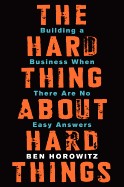
A Hard Thing About Hard Things review and summary: Ben Horowitz on the brutal realities of building and running a company that no one prepares you for.
★★★★½4.6/5
The verdict: Honest about the mess of running something, which most business books are not.
⚡ Quick answerThe Hard Thing About Hard Things by Ben Horowitz gets 4.6/5 from me. Honest about the mess of running something, which most business books are not. Anyone carrying the weight of a business who wants honest company rather than tidy theory.
What is The Hard Thing About Hard Things about?
Horowitz, a founder turned venture capitalist, writes candidly about the hardest parts of running a business, the decisions, crises and lonely calls that the usual success stories skip over entirely.
The Hard Thing About Hard Things summary
Horowitz sets out to write the book he wishes he had had: not the tidy success story, but an honest account of the brutal, uncertain parts of running a company that most business books ignore. Drawing on his own turbulent experience building and nearly losing companies, he covers the hard things there is no formula for.
He writes frankly about making decisions with incomplete information, managing your own psychology when everything is falling apart, laying people off and demoting friends, firing executives, and the loneliness of being the one who has to make the final call. He is candid about how close his own companies came to failure, and about the gap between the theory of management and the messy reality. Along the way he shares hard-won lessons on hiring, company culture, and leading through crises, delivered bluntly and without the usual gloss.
It is more memoir and reflection than step-by-step manual, and it is pitched at people running venture-backed companies. But the honesty about the emotional and practical difficulty of leadership is rare and valuable, and it translates to anyone carrying the weight of a business.
Published in 2014 by a prominent founder turned venture capitalist, it became a favourite among entrepreneurs for its unusual candour. It is aimed at people building and running companies who want honesty about how hard it really is.
The one idea worth the price: There are no easy formulas for the hardest calls; the job is to keep making decisions and keep going when there is no clear right answer.
Key ideas and takeaways
There is no recipe. The hardest problems have no formula; you decide and live with it.
Manage your own head. Leading through crisis means managing your own psychology first.
The struggle. Every founder faces the grind where it might all fall apart.
Honest leadership. Tell hard truths, make hard calls, and own them.
My honest take
Most business books tell you how it should go. This one tells you how it actually feels when it is going wrong, and that honesty is exactly what makes it valuable. Horowitz does not pretend there is a neat formula for the hardest decisions, because there is not, and saying so plainly is more useful than another tidy framework.
The scale is different for most of us, few readers here are running venture-backed firms on the brink, but the emotional truth carries. The loneliness of the final call, making decisions without enough information, keeping going when it might all collapse: any self-employed person who has lain awake over their business will recognise it. It is oddly reassuring to hear someone successful admit how hard and uncertain it really is. Read it for the honesty and the perspective, not for a checklist.
Because it is drawn from the high-stakes world of funded startups, some of the specifics, firing executives, board battles, will not map onto a solo business. But the underlying message, that leadership is mostly about handling hard things without a map, is universal.
The honest caveat: It is pitched at venture-backed company leaders, so a lot of the specific scenarios will not apply to a solo operator. Read it for the emotional honesty and perspective rather than directly transferable tactics.
Where it falls short
Aimed at funded-startup leaders, so many specifics do not fit a one-person business.
More candid memoir than practical manual, so those wanting step-by-step guidance will not find it.
How it compares
Good to Great researches what makes companies succeed; The Hard Thing About Hard Things tells you honestly how it feels to run one when it might fail. Read Collins for the patterns and Horowitz for the reality.
Who should read it (and who should skip it)
Anyone carrying the weight of a business who wants honest company rather than tidy theory. Skip it if you want a practical how-to or are very early in your journey.
Best format: Audio or Kindle; it reads like Horowitz talking, which suits listening.
How to actually use it if you are self-employed
When facing a hard call with no clear answer, accept there is no formula and decide anyway.
Look after your own head; you cannot lead well while running on empty.
Tell the hard truths in your business rather than avoiding them.
⚡ The 60-second recap
The hardest calls have no formula.
Managing your own psychology comes first.
Honesty about the struggle is the real value.
A book is a shortcut. A second pair of eyes is faster.
Twenty years self-employed, 500+ people coached. If you want help applying this to your own situation, book a free discovery call.
Not really. It is a candid memoir and reflection on the hardest parts of leadership, not a step-by-step manual.
Is it only for startup founders?
It is pitched at them, but the honesty about the emotional weight of running a business resonates more widely.
Why is it well regarded?
Because it is unusually honest about failure, difficulty and uncertainty, where most business books only show success.
Will it help a solo business?
Some specifics will not apply, but the perspective and honesty are valuable for anyone carrying a business.
Is it a positive or negative read?
It is honest about how hard things get, but many readers find that reassuring rather than discouraging.
Final verdict
The Hard Thing About Hard Things earns 4.6/5. Honest about the mess of running something, which most business books are not. If it is the stage you are at, the cheapest way in is a free Audible trial or Kindle Unlimited.
Disclosure: Some links in this article are affiliate links. If you buy through them I may earn a small commission, at no extra cost to you. Star ratings are my own editorial scores.
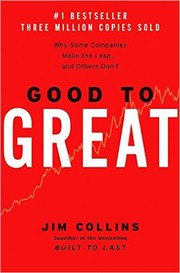
⚡ Quick answerGood to Great by Jim Collins gets 4.5/5 from me. Rigorous research on why some companies leap and others just plod. Owners of growing businesses, and solo operators who want evidence-based principles to scale by.
What is Good to Great about?
Collins and his research team studied companies that went from merely good to genuinely great and sustained it, comparing them with similar firms that did not, to find the factors that made the difference.
Good to Great summary
Good to Great is built on a large research project: Collins and his team analysed decades of data to identify companies that made a sustained leap from good to great performance, then compared them against similar companies that did not, to isolate what the great ones did differently.
Several findings became famous. Level 5 leadership: the best leaders combined deep personal humility with fierce professional will, the opposite of the ego-driven celebrity chief executive. First who, then what: they got the right people on board before deciding exactly where to go. Confront the brutal facts while keeping faith you will prevail, which he calls the Stockdale Paradox. The Hedgehog Concept: focus relentlessly on the intersection of what you can be best at, what drives your economics, and what you are deeply passionate about. And the flywheel: greatness comes from consistent pushing in one direction that builds momentum, not a single dramatic move.
It is a business-school staple, rigorous and evidence-based, aimed at companies and leaders. Some concepts scale down to a solo business, though the research subjects are large corporations.
Published in 2001, it became one of the best-selling business books of all time and a management-education staple. It is aimed at leaders and companies wanting to understand what drives sustained great performance.
The one idea worth the price: Focus relentlessly on the one thing you can be best at, are passionate about, and can be paid well for. That intersection is your hedgehog.
Key ideas and takeaways
Level 5 leadership. The best leaders pair deep humility with fierce will.
First who, then what. Get the right people in place before setting the exact direction.
The Hedgehog Concept. Focus where your best skill, passion and economics meet.
The flywheel. Momentum builds from consistent pushing, not one big move.
My honest take
This is the most research-heavy book in the scaling section, and that rigour is its strength. Rather than one person's opinions, Collins gives you patterns drawn from real data about what separates companies that make the leap from those that stall. Ideas like the Hedgehog Concept and the flywheel have entered the language for good reason.
The honest caveat for this audience is that the research subjects are large corporations, so you have to translate. But the core ideas scale down well. The Hedgehog Concept, focusing where your best skill, your passion and your ability to get paid all overlap, is a genuinely useful prompt for a solo business deciding what to double down on. And Level 5 leadership, humility plus determination, is a healthier model than the ego-driven hustle-guru template. Read it for the principles and apply them at your scale.
Some of the specific companies Collins praised later stumbled, which critics rightly point out and which dents the book's air of certainty. That does not invalidate the patterns, but it is a reminder to treat them as useful ideas rather than guaranteed formulas.
The honest caveat: The research is on big corporations, so a solo operator translates a lot, and some of the celebrated companies later faltered, which undercuts the certainty. Take the concepts as useful patterns, not laws.
Where it falls short
Research subjects are large companies, distant from a one-person business.
Several praised companies later declined, denting the book's air of certainty.
How it compares
Zero to One argues for building something distinctive; Good to Great researches how the best organisations sustain greatness over time. Read Thiel for the bold start and Collins for the long game.
Who should read it (and who should skip it)
Owners of growing businesses, and solo operators who want evidence-based principles to scale by. Skip it if you want quick tactics rather than researched concepts.
Best format: Kindle or paper, because you will want to note the concepts and revisit them.
How to actually use it if you are self-employed
Define your hedgehog: where your best skill, your passion and your income overlap.
Focus your effort there and cut what falls outside it.
Aim for consistent momentum over one dramatic move.
⚡ The 60-second recap
Great leaders pair humility with fierce will.
Get the right people, then set direction.
Focus on your hedgehog and build the flywheel.
A book is a shortcut. A second pair of eyes is faster.
Twenty years self-employed, 500+ people coached. If you want help applying this to your own situation, book a free discovery call.
Focusing on the intersection of what you can be best at, what you are passionate about, and what drives your income.
What is Level 5 leadership?
Collins' term for leaders who combine deep personal humility with fierce professional will.
Is it only for big companies?
The research is on large firms, but concepts like the Hedgehog and flywheel scale down to smaller and solo businesses.
Is the research reliable?
It is rigorous, though some featured companies later declined, so treat the findings as useful patterns rather than guarantees.
Do I need to read Built to Last too?
Not necessarily. Good to Great stands alone; Collins' other books extend the ideas but are not required.
Final verdict
Good to Great earns 4.5/5. Rigorous research on why some companies leap and others just plod. If it is the stage you are at, the cheapest way in is a free Audible trial or Kindle Unlimited.
Disclosure: Some links in this article are affiliate links. If you buy through them I may earn a small commission, at no extra cost to you. Star ratings are my own editorial scores.
Last updated: 16 August 2026 · By Alan Spicer, YouTube Certified Expert
Should you chase Shorts or long-form to get monetised in 2027? They are two different doors into the YouTube Partner Program, with very different effort and very different pay. This is the honest comparison: which is faster to the threshold, which really pays, and why the smartest creators refuse to pick just one.
The verdict, in one line
For most channels, long-form is faster to monetise and pays far more per view. Shorts win on reach and subscribers. Use Shorts to get discovered, long-form to get paid, and run both.
Why listen to me
I’m Alan Spicer, a YouTube Certified Expert with six Silver Play Buttons and 500+ creators coached. I have grown channels on both formats, so here is the real trade-off rather than the hype either camp sells.
Shorts vs long-form: which gets you monetised faster?
For most channels, long-form. You need 8,000 qualified watch hours in 365 days for long-form, versus 20 million qualified Shorts views in 90 days (about 222,000 a day) for Shorts. Long-form is the more reachable target and pays far more per view. Shorts are faster for reach and subscribers, not for hitting the threshold or earning.
The two routes at a glance
Long-form
Shorts
Entry threshold
8,000 watch hours in 365 days
20 million views in 90 days
Daily pace to hit it
Steady, e.g. a few hundred views per video
About 222,000 views every day
Typical RPM
$3–$8+ per 1,000 views
$0.03–$0.07 per 1,000 views
Pay per view
High
Very low
Best for
Depth, teaching, income
Reach, discovery, subscribers
Ongoing to keep earning
Keep uploading
10 million views per rolling 90 days for the Shorts pool
Thresholds per YouTube’s 2027 announcement. RPM figures are widely reported 2026 ranges and vary by niche and audience.
Which is faster to monetise?
Line the two thresholds up and the answer is clear for most people. 8,000 qualified watch hours over a year is a steady climb a focused channel can plan for. 20 million qualified Shorts views in 90 days is roughly 222,000 views every single day, which only a narrow set of fast, repeatable, high-completion formats can sustain. Unless you have a proven viral Shorts machine, long-form is the more reliable and usually faster route to the threshold. The full Shorts maths is in how to get 20 million Shorts views in 90 days, and the long-form playbook in how to get 1,000 subscribers and 8,000 watch hours.
Which pays more?
⚡ QUICK ANSWER
Which pays more, Shorts or long-form?
Long-form, by a wide margin per view. Long-form ad RPM is commonly $3 to $8 or more per 1,000 views, while Shorts RPM is around $0.03 to $0.07 per 1,000. That makes long-form roughly 50 to 100 times more valuable per view. Shorts earn from reach and scale, not from a high rate.
The pay gap is enormous
Long-form earns dollars per thousand views; Shorts earn cents. Hitting the 20-million Shorts entry bar produces only around $600 to $1,400 in direct Shorts revenue, while the same effort on long-form, at a fraction of the views, can pay many times more. This is the number the “just do Shorts” crowd never shows you. For how the rate works, see what YouTube RPM means.
Pros and cons of each
Long-form strengths: far higher pay per view, watch hours that compound, favoured by YouTube Premium pools, and content that builds authority and a returning audience. Weaknesses: slower to start, more effort per video.
Shorts strengths: fast reach, brilliant for winning new subscribers, cheap and quick to produce, and a strong discovery engine. Weaknesses: tiny pay per view, a brutal 20-million entry bar, and viewers who do not always cross over to your long-form. More on that in can YouTube Shorts be monetised.
The hybrid strategy (do both)
Here is what experienced creators do: they stop treating it as a choice. Shorts and long-form are not rivals, they are two stages of one funnel. Shorts pull in new viewers and grow subscribers; long-form banks the watch hours and earns the real money. Run them together and each makes the other stronger.
1Pick a long-form format that banks watch hours
Choose a show, podcast or tutorial series people finish. This is where your 8,000 watch hours and most of your income come from, so make it the backbone of the channel.
2Cut Shorts from your best long-form moments
Turn the strongest 30 to 60 seconds of each long video into Shorts. It fills your Shorts schedule from one recording session and keeps both formats on the same theme.
3Point every Short at your long-form
Pin a long-form video or link a playlist so Shorts viewers have somewhere to go. This is the funnel that turns Shorts reach into watch hours and subscribers.
4Post Shorts often, long-form consistently
A daily or near-daily Short for reach, plus a reliable weekly long-form upload for depth. Consistency on both builds the habit that grows a channel.
5Track which format drives subscribers and hours
In Studio, watch where your subscribers and watch time come from, then lean into what works for your niche rather than guessing.
Lead with long-form if you want the fastest reliable route to monetisation and the higher pay, and use Shorts to grow reach and subscribers on top. Only lead with Shorts if you have a fast, repeatable, high-completion format that can realistically reach 20 million views in 90 days.
Quick guide by situation. Building for income and authority: lead with long-form (shows, podcasts, tutorials), add Shorts for reach. Starting from zero and need momentum: use Shorts to get discovered fast, then convert to long-form. You have a proven viral Shorts format: the Shorts route can work, but plan the long-form funnel so the views turn into income. Whatever you pick, make sure your activity counts by understanding qualified watch hours and views.
People also ask
Is 20 million Shorts views harder than 8,000 watch hours?
For most channels, yes. Twenty million Shorts views in 90 days is about 222,000 a day, every day. Eight thousand watch hours over a year is a steadier, more reachable target for a focused long-form channel.
Do Shorts and long-form watch time count together?
No. Long-form watch hours and Shorts views are measured separately and never combine. You qualify for the Partner Program through the long-form hours route or the Shorts views route, not a mix of the two.
Which makes more money per view?
Long-form, by a long way. It earns roughly 50 to 100 times more per view than Shorts, because long-form ad RPM is dollars per thousand views while Shorts RPM is cents. Shorts make money through sheer volume instead.
Can Shorts grow a long-form channel?
Yes, when you use a funnel. Shorts are excellent at reaching new viewers and winning subscribers, and pointing those viewers to your long-form content turns that reach into watch hours and income.
Frequently asked questions
Is it easier to get monetised with Shorts or long-form?
For most channels, long-form is easier. You need 8,000 qualified watch hours in 365 days for long-form, or 20 million qualified Shorts views in 90 days for the Shorts route. That Shorts figure works out to about 222,000 views a day, which is a punishing pace for most creators. Long-form suits depth; Shorts suit fast, high-volume formats.
Which pays more, Shorts or long-form?
Long-form, by a wide margin per view. Long-form ad RPM is commonly $3 to $8 or more per 1,000 views, while Shorts RPM is around $0.03 to $0.07 per 1,000. That makes long-form roughly 50 to 100 times more valuable per view. Shorts earn from reach and scale, not from a high rate.
How many Shorts views equal 8,000 watch hours?
They do not cross-count, so there is no direct conversion. The two routes are separate: 8,000 qualified watch hours from long-form, or 20 million qualified Shorts views from Shorts. You qualify through one path or the other, not by combining hours and Shorts views.
Can you monetise both Shorts and long-form?
Yes. Once you are in the Partner Program you earn from long-form ads and Premium, and from the Shorts Creator Pool if you hold 10 million qualified Shorts views over a rolling 90 days. Most established creators earn from both, using Shorts for reach and long-form for income.
Which is better for beginners?
Shorts are better for fast reach and early subscribers, while long-form builds the watch hours and income. The strongest start for most beginners is a hybrid: use Shorts to get discovered and grow subscribers, then convert that attention into long-form videos that bank watch hours.
Do Shorts hurt your long-form views?
They can if your Shorts audience never crosses over, because Shorts viewers behave differently from long-form viewers. The fix is a funnel: point Shorts viewers to a pinned long-form video or series so the reach turns into watch time rather than competing with it.
Should I switch from long-form to Shorts to get monetised faster?
Usually no. Twenty million Shorts views in 90 days is harder than 8,000 watch hours for most channels, and Shorts pay far less. Switching only makes sense if you have a proven, viral, repeatable Shorts format. Otherwise keep building long-form and use Shorts to support it.
What’s the best mix of Shorts and long-form?
Use Shorts to pull in new viewers and grow subscribers, and long-form to bank watch hours and earn properly. A common rhythm is daily or near-daily Shorts feeding a weekly long-form upload, with every Short pointing viewers toward your longer content.
The bottom line
Long-form is the faster, better-paying route to monetisation for most channels; Shorts are the better reach-and-subscriber engine. They are not a choice, they are a funnel: Shorts to get found, long-form to get paid. Build the long-form backbone, feed it with Shorts, and point every Short at your longer content. For the complete rulebook behind both routes, read the 2027 monetisation requirements guide.
p style=”font-size:14px;color:#555;”>YouTube Official Blog (10 August 2026) for the 2027 thresholds and Shorts Creator Pool mechanics; YouTube Help for eligibility. RPM figures reflect widely reported 2026 creator-earnings ranges and vary by niche and audience location. Programme terms are set by YouTube and can change.
⚡ Quick answerZero to One by Peter Thiel & Blake Masters gets 4.5/5 from me. Contrarian, quotable, and a good corrective to me-too thinking. Anyone about to build a me-too business who needs pushing to find a distinctive angle.
What is Zero to One about?
Thiel argues that real progress and real value come from going from zero to one, creating something genuinely new, rather than from one to many, copying what already works. It is a book about building the future rather than competing in the present.
Zero to One summary
Based on Thiel's Stanford lectures and written up with Blake Masters, the book makes a contrarian case about innovation and business. Going from one to many, he says, is copying things that already exist; going from zero to one is creating something genuinely new, and that is where real value is made.
His most provocative argument is about competition. Most people assume competition is healthy, but Thiel argues that fierce competition destroys profit, and that the goal should be to build a monopoly, something so distinctive it has no real competitors, at least for a while. He explores how to do that: starting by dominating a small niche, building a genuine edge, thinking for yourself rather than following the crowd, and the surprising importance of sales and distribution even for great products. A recurring theme is his contrarian question: what important truth do very few people agree with you on.
It is short, dense and quotable, more a set of provocations about building the future than a step-by-step manual. Some of it is pitched at ambitious startups, but the core challenge, build something distinctive rather than another copy, applies more widely.
Published in 2014, based on Thiel's Stanford startup lectures, it became a widely read book on innovation and building companies. It is aimed at founders and ambitious builders, though its core ideas apply more broadly.
The one idea worth the price: Do not build a slightly better copy of what exists; build something new and distinctive enough that you are not really competing at all.
Key ideas and takeaways
Zero to one. Create something new rather than copying what works.
Competition is overrated. Fierce competition destroys profit; distinctiveness protects it.
Start with a niche. Dominate a small market before expanding.
Think for yourself. Ask what important truth few people agree with you on.
My honest take
This is a book to read when you are about to build another me-too version of something that already exists, which is what a lot of new businesses are. Thiel's central challenge, to create something genuinely distinctive rather than compete on being marginally better or cheaper, is a valuable corrective.
For the self-employed, the scale of Thiel's startup examples can feel remote, but the principle scales down. Being the obvious, distinctive choice in a small niche beats being one of twenty near-identical freelancers competing on price. His contrarian question, what do you believe that few others do, is a genuinely useful prompt for finding your own angle. It is quotable and thought-provoking, even where you disagree with him, and it is short enough to read in a couple of sittings.
Thiel is a divisive figure and some of his broader worldview will not sit well with every reader. Taken purely as a book about building something distinctive, though, it is sharp and worth the time, disagreements and all.
The honest caveat: The examples are pitched at venture-scale startups, which can feel remote from a solo business, and Thiel's wider views divide opinion. Take the principle of distinctiveness and scale it to your situation.
Where it falls short
Startup and venture-scale framing feels distant from a one-person business.
Some arguments are provocative for effect, and the author is a polarising figure.
How it compares
Where most business books help you compete better, Zero to One argues you should avoid competition by being distinctive. Pair it with Start with Why to turn that distinctiveness into a clear message.
Who should read it (and who should skip it)
Anyone about to build a me-too business who needs pushing to find a distinctive angle. Skip it if you want practical, small-business steps rather than big-picture provocation.
Best format: Kindle or paper; it is short and quotable, good to note the ideas.
How to actually use it if you are self-employed
Ask what makes your offer genuinely different, not just cheaper or slightly better.
Pick a small niche you could realistically dominate first.
Answer Thiel's question: what do you believe that few others do.
⚡ The 60-second recap
Build something new, not a copy.
Distinctiveness beats competition.
Start by owning a small niche.
A book is a shortcut. A second pair of eyes is faster.
Twenty years self-employed, 500+ people coached. If you want help applying this to your own situation, book a free discovery call.
Creating something genuinely new (zero to one) rather than copying what already exists (one to many).
Is it only for tech startups?
The examples are, but the core idea, build something distinctive rather than a copy, applies to any business.
What is the contrarian question?
What important truth do very few people agree with you on? Thiel uses it to find original ideas and opportunities.
Is it practical?
More provocation than step-by-step, though it will sharpen how you think about what you are building.
Is it a quick read?
Yes, it is short and quotable, readable in a couple of sittings.
Final verdict
Zero to One earns 4.5/5. Contrarian, quotable, and a good corrective to me-too thinking. If it is the stage you are at, the cheapest way in is a free Audible trial or Kindle Unlimited.
Disclosure: Some links in this article are affiliate links. If you buy through them I may earn a small commission, at no extra cost to you. Star ratings are my own editorial scores.
⚡ Quick answerThe Almanack of Naval Ravikant by Eric Jorgenson gets 4.7/5 from me. A free-flowing collection on wealth and happiness you will reread for years. Anyone building online who wants a fresh way to think about wealth and reach, and a philosophical take on happiness.
What is The Almanack of Naval Ravikant about?
Jorgenson gathers a decade of Naval Ravikant's thoughts, from tweets, podcasts and interviews, into a curated collection on two themes: how to build wealth, and how to be happy. It is a compilation rather than a conventional book.
The Almanack of Naval Ravikant summary
The book is organised into two halves: wealth and happiness. It is not a narrative but a curated collection of Ravikant's ideas in his own words, drawn from years of his public thinking and arranged by theme.
The wealth section argues that wealth is not about trading time for money but about owning things that earn while you sleep, equity, products, media, code, and about building specific knowledge, the rare skills that cannot easily be taught or outsourced. It champions what Naval calls leverage, using code, media and capital so that one person can reach millions, and the idea of productising yourself. The happiness section turns inward, treating happiness as a skill and a choice, covering desire as a source of suffering, the value of peace over excitement, and the importance of health, presence and clear thinking.
Because it is a compilation of short, quotable passages, it is easy to dip into and reread, and different bits land at different stages of your life. It is less a system to follow than a collection of provocations to think with.
Published in 2020 and offered free as an ebook, it gathered the widely shared wisdom of investor and founder Naval Ravikant into one volume. It is aimed at people who want to think differently about building wealth and living well.
The one idea worth the price: Build rare, specific knowledge and multiply it with code, media and capital, so your income stops being tied to the hours you work.
Key ideas and takeaways
Specific knowledge. Develop rare skills that cannot easily be taught or outsourced.
Leverage. Use code, content and capital to reach far beyond your own hours.
Own equity. Real wealth comes from owning, not renting out your time.
Happiness is a skill. Peace and contentment can be practised, like anything else.
My honest take
This is the one on the list to keep on the shelf and return to, because it is less a book to read once than a collection to reread as you change. Ravikant thinks unusually clearly about wealth and happiness, and having his best ideas gathered in one place is genuinely valuable.
The wealth section is the sharpest thing I have read on why trading time for money is a trap and how the modern tools of code and content change the game, letting one person reach millions. For anyone building an audience or a business online, it reframes what is possible. The happiness half is quieter and more philosophical, and it lands differently depending on where you are in life. It is highlighter-friendly, and the fact that it is free as an ebook makes it an easy recommendation.
Because it is a compilation rather than a crafted argument, it can feel scattered, and it is short on step-by-step how-to. It gives you the principles and the provocations; the application is left to you, which suits some readers and frustrates others.
The honest caveat: It is a curated collection of quotes and ideas, not a structured book, so it can feel scattered and light on practical steps. Take the principles and work out the application yourself.
Where it falls short
A compilation rather than a coherent argument, so it can feel disjointed.
Big on principles and provocations, short on concrete how-to.
How it compares
The Millionaire Fastlane rants about escaping the time-for-money trap; the Almanack thinks about it more calmly through specific knowledge and modern reach. Read DeMarco for the fire and Ravikant for the clarity.
Who should read it (and who should skip it)
Anyone building online who wants a fresh way to think about wealth and reach, and a philosophical take on happiness. Skip it if you want a step-by-step plan.
Best format: Kindle for highlighting, or the free ebook; audio works for the happiness half but you will miss noting the wealth lines.
How to actually use it if you are self-employed
Identify the specific knowledge only you can build, and lean into it.
Add one thing, content, code or a product, that reaches beyond your own hours.
Treat happiness as a practice, starting with health and presence.
⚡ The 60-second recap
Build specific knowledge and multiply it with code and media.
Own equity rather than renting out your hours.
Treat happiness as a skill you can practise.
A book is a shortcut. A second pair of eyes is faster.
Twenty years self-employed, 500+ people coached. If you want help applying this to your own situation, book a free discovery call.
It collects his ideas, curated by Eric Jorgenson from years of Naval's public writing and talks, rather than being written by Naval directly.
Is it free?
Yes, it is available as a free ebook, as well as in paid formats.
What is it about?
Two themes: how to build wealth through specific knowledge and modern reach, and how to be happy.
Is it practical?
More principles and provocations than step-by-step. It reframes how you think rather than giving a plan.
Why reread it?
Because it is a collection of short passages, different ideas land at different stages of your life.
Final verdict
The Almanack of Naval Ravikant earns 4.7/5. A free-flowing collection on wealth and happiness you will reread for years. If it is the stage you are at, the cheapest way in is a free Audible trial or Kindle Unlimited.
Disclosure: Some links in this article are affiliate links. If you buy through them I may earn a small commission, at no extra cost to you. Star ratings are my own editorial scores.
⚡ Quick answerBuy Back Your Time by Dan Martell gets 4.6/5 from me. The practical playbook for delegating so your calendar stops running you. Freelancers and owners who have become the bottleneck and are ready to delegate for real.
What is Buy Back Your Time about?
Martell gives a practical system for buying back your time: working out what your time is worth, offloading the low-value work to others, and building a business that grows without burning you out.
Buy Back Your Time summary
Martell's core argument is that most entrepreneurs scale by piling more onto themselves until they burn out, when they should be systematically handing work off. The book is a hands-on guide to doing that properly rather than just being told to delegate.
He introduces ideas like the buyback principle, hiring not to grow the business as fast as possible but to buy back your own time, starting with the tasks that drain you most. He offers the buyback rate, a simple way to work out what an hour of your time is worth so you know what is worth offloading. He covers auditing where your time actually goes, the order in which to offload tasks, how to hand work over so it is done well, what he calls playbooks for documenting how things should be done, and how to hire and manage the people who take the work on.
It is practical, direct and aimed squarely at the freelancer or owner who has become the bottleneck. Where mindset books tell you to delegate, this one shows you the mechanics of how.
Published in 2023 by a well-known entrepreneur and investor, it became a popular guide to scaling without burning out. It is aimed at business owners and freelancers who have become the bottleneck in their own business.
The one idea worth the price: Do not hire to grow as fast as possible; hire to buy back your own time, starting with the tasks that drain you most.
Key ideas and takeaways
The buyback principle. Hire to reclaim your time, not just to grow faster.
Know your buyback rate. Work out what your time is worth to decide what to offload.
Audit your time. Find the draining, low-value tasks to hand off first.
Build playbooks. Document how things are done so others can do them well.
My honest take
This is the practical counterpart to Who Not How, and the one to reach for once you accept you need to delegate and want to know exactly how. Martell has clearly done this himself, and the book is full of usable specifics rather than motivational fluff.
The buyback rate idea alone is worth the read: once you know roughly what an hour of your time is worth, it becomes obvious that doing your own admin or bookkeeping is a false economy. For the self-employed drowning in their own success, unable to grow because they are the bottleneck, this is a clear, actionable route out. It leans a little towards Martell's own world and can feel salesy, but the system underneath is genuinely useful.
It sits perfectly alongside Who Not How and The E-Myth. Who Not How gives you the mindset, The E-Myth gives you the reason, and Buy Back Your Time gives you the step-by-step mechanics of actually offloading the work.
The honest caveat: It leans towards Martell's own coaching world and can feel self-promotional, and its advice suits businesses with some money to reinvest more than someone on their very first client. Take the frameworks and apply them at your scale.
Where it falls short
A self-promotional undertone pointing to the author's wider programmes.
Assumes you have some income to reinvest in help, so very early-stage readers adapt it.
How it compares
Who Not How gives you the mindset to delegate; Buy Back Your Time gives you the system to actually do it. Read Sullivan and Hardy for the shift and Martell for the mechanics.
Who should read it (and who should skip it)
Freelancers and owners who have become the bottleneck and are ready to delegate for real. Skip it if you are pre-revenue or happy staying strictly solo.
Best format: Kindle or paper, because you will want the frameworks and the buyback-rate maths to hand.
How to actually use it if you are self-employed
Audit a week of your time and mark the draining, low-value tasks.
Work out a rough buyback rate for an hour of your time.
Offload one task below that rate, and write a simple playbook for it.
⚡ The 60-second recap
Hire to buy back your time, not just to grow.
Know your buyback rate and offload below it.
Document playbooks so work is done well without you.
A book is a shortcut. A second pair of eyes is faster.
Twenty years self-employed, 500+ people coached. If you want help applying this to your own situation, book a free discovery call.
A simple calculation of what an hour of your time is worth, used to decide which tasks are worth paying someone else to do.
Is it practical?
Very. It is a hands-on system for delegating, with clear steps rather than just motivation.
Who is it for?
Freelancers and owners who are the bottleneck in their business and ready to delegate.
Do I need money to apply it?
Some, yes. It suits businesses with a little to reinvest in help more than someone with no income yet.
How does it compare to Who Not How?
Who Not How is the mindset; Buy Back Your Time is the practical method. They pair very well.
Final verdict
Buy Back Your Time earns 4.6/5. The practical playbook for delegating so your calendar stops running you. If it is the stage you are at, the cheapest way in is a free Audible trial or Kindle Unlimited.
Disclosure: Some links in this article are affiliate links. If you buy through them I may earn a small commission, at no extra cost to you. Star ratings are my own editorial scores.
⚡ Quick answerWho Not How by Dan Sullivan & Benjamin Hardy gets 4.5/5 from me. The mindset shift that finally makes delegation feel possible. Solo operators and business owners who do everything themselves and know they need to stop.
What is Who Not How about?
Sullivan and Hardy argue that the question that unlocks growth is not how do I do this, but who can do this for me. Shifting from how to who is the key to escaping the trap of doing everything yourself.
Who Not How summary
The book's premise is deceptively simple. When faced with a goal or task, most driven people instinctively ask how do I do this, and then try to do it themselves, which caps what they can achieve at their own time and skills. Sullivan and Hardy argue you should instead ask who can do this, and find or hire the right person.
They make the case that this shift is not just about efficiency but about freedom and results: the right whos achieve things faster and better than you could, free your time for what only you can do, and let you pursue much bigger goals. They address the emotional barriers too, the perfectionism, control and misplaced pride that make high achievers cling to doing everything, and reframe asking for help as a strength rather than a weakness.
It is a short book built around one powerful idea, drawn from Sullivan's coaching work with entrepreneurs and written up by Hardy. Like several one-idea books, it repeats itself, but the central reframe is genuinely useful for anyone stuck being the bottleneck in their own business.
Published in 2020, it packaged a signature idea from Dan Sullivan's entrepreneur coaching into a bestselling book written with Benjamin Hardy. It is aimed at driven people who limit themselves by trying to do everything alone.
The one idea worth the price: Stop asking how can I do this and start asking who can do this. That one swap is what lets you grow beyond your own hours.
Key ideas and takeaways
Who, not how. Find the right person instead of doing it all yourself.
Free your time. Delegating the how frees you for what only you can do.
Bigger goals. With the right whos, you can aim far higher.
Let go of control. Perfectionism and pride are what keep you the bottleneck.
My honest take
For the freelancer or solo operator who insists on doing everything, this book delivers a single, well-aimed reframe that can genuinely change how you work. Asking who rather than how sounds obvious, but the number of self-employed people strangling their own growth by refusing to delegate suggests it is not.
The deeper value is emotional. It tackles the real reasons we cling to doing it all, control, perfectionism, the belief that no one else will do it properly, and reframes finding the right people as the mark of ambition, not laziness. It is repetitive and stretched thin, as one-idea books tend to be, but the idea itself is worth internalising, especially as you move from doing the work to building something bigger.
Do not expect a practical how-to on hiring and delegating; that is not really what it is. It is a mindset book, and its job is to break the reflex of self-reliance. Pair it with something operational, like Buy Back Your Time, for the mechanics.
The honest caveat: It is one idea stretched to book length and repeats itself, and it is light on the practical mechanics of actually finding and managing your whos. Take the reframe and get the how-to elsewhere.
Where it falls short
Padded around a single idea, like many books of its kind.
Strong on mindset but thin on the practical detail of delegating and hiring.
How it compares
Who Not How gives you the mindset to delegate; Buy Back Your Time gives you the practical system for doing it. Read this for the shift and Martell for the mechanics.
Who should read it (and who should skip it)
Solo operators and business owners who do everything themselves and know they need to stop. Skip it if you already delegate well.
Best format: Audio or Kindle; it is short and the idea absorbs quickly.
How to actually use it if you are self-employed
Take one task on your list and ask who could do this instead of you.
Delegate or outsource one thing this month, even something small.
Notice where perfectionism or control is stopping you handing work over.
⚡ The 60-second recap
Ask who can do this, not how.
Delegating frees you for what only you can do.
Let go of the control that keeps you stuck.
A book is a shortcut. A second pair of eyes is faster.
Twenty years self-employed, 500+ people coached. If you want help applying this to your own situation, book a free discovery call.
When facing a task or goal, ask who can do this rather than how do I do this, and find the right person.
Is it practical?
It is more mindset than method. It changes how you think about delegation but is light on the mechanics.
Who is it for?
Driven people, especially the self-employed, who limit their growth by doing everything themselves.
Does it tell me how to hire?
Not in detail. For the practical side of delegating and hiring, pair it with Buy Back Your Time.
Is it repetitive?
Yes, it is one idea stretched across a short book. The idea is strong enough to carry it.
Final verdict
Who Not How earns 4.5/5. The mindset shift that finally makes delegation feel possible. If it is the stage you are at, the cheapest way in is a free Audible trial or Kindle Unlimited.
Disclosure: Some links in this article are affiliate links. If you buy through them I may earn a small commission, at no extra cost to you. Star ratings are my own editorial scores.
⚡ Quick answerTraction by Gino Wickman gets 4.6/5 from me. A practical operating system for getting a business out of your head and onto rails. Small business owners and growing solo operators ready to move from chaos to structure.
What is Traction about?
Wickman lays out the Entrepreneurial Operating System, or EOS: a practical set of tools and disciplines for running a small business, covering vision, people, data, process and accountability, so it runs on systems rather than on the owner's constant firefighting.
Traction summary
Traction is built around the idea that most small businesses are held back not by their market but by a lack of the basic disciplines that make a company run smoothly. Wickman's answer is EOS, which he breaks into six key components.
Vision: getting everyone seeing the same clear direction, captured in a simple shared document. People: having the right people in the right seats. Data: running the business on a handful of meaningful numbers, a weekly scorecard, rather than gut feel. Issues: surfacing problems honestly and solving them for good. Process: documenting the core ways things are done so they are consistent. And Traction, the component that names the book: bringing it all down to earth through disciplined quarterly goals, called rocks, and a structured weekly meeting.
It is a hands-on, template-driven book aimed at businesses ready to move from chaos to structure. Some of it assumes a team, but the underlying disciplines scale down usefully to a solo operator preparing to grow.
Published in 2011, it became a widely used framework among small and mid-sized businesses through the EOS system it introduced. It is aimed at owners ready to bring structure and discipline to a growing business.
The one idea worth the price: Run the business on a few clear numbers and disciplined quarterly priorities, so it depends on a system rather than on you firefighting.
Key ideas and takeaways
Vision shared. Get everyone, even a small team, seeing the same direction.
Run on data. A weekly scorecard of key numbers beats gut feel.
Rocks. Set a few disciplined quarterly priorities and hit them.
Process documented. Write down how core things are done so they stay consistent.
My honest take
This is the book for the point where a solo operator or small business is ready to stop being a one-person firefighting service and start running on systems. Where The E-Myth diagnoses the problem, Traction hands you an actual operating system to fix it, with templates you can use.
Not all of it fits a business of one, and some assumes a team you may not have yet. But the core disciplines, a clear vision, running on a few key numbers, setting quarterly priorities and holding a proper weekly review, scale down and are exactly the habits that let a business grow beyond the owner. If you are at the stage where growth means chaos, this is a practical, unglamorous fix.
It is dry and corporate in places, and it is unmistakably a gateway to Wickman's wider EOS ecosystem of coaches and tools. But the framework genuinely works, and you can implement the essentials yourself straight from the book without buying anything else.
The honest caveat: It is dry, template-heavy and clearly a funnel into the paid EOS ecosystem. Some tools assume a team, so a solo operator adapts and adopts the essentials.
Where it falls short
Corporate and dry in tone, more manual than enjoyable read.
Parts assume a team and act as a lead-in to paid EOS services.
How it compares
The E-Myth explains why you must build systems; Traction hands you a ready-made operating system to do it. Read Gerber for the why and Wickman for the how.
Who should read it (and who should skip it)
Small business owners and growing solo operators ready to move from chaos to structure. Skip it if you are very early stage or committed to staying a company of one.
Best format: Kindle or paper, because the value is in the tools and templates you will implement.
How to actually use it if you are self-employed
Pick three to five key numbers and start a simple weekly scorecard.
Set one big quarterly priority, a rock, and protect time for it.
Document one core process so it does not live only in your head.
⚡ The 60-second recap
Get the business onto systems, not firefighting.
Run on a few key numbers.
Set quarterly rocks and review weekly.
A book is a shortcut. A second pair of eyes is faster.
Twenty years self-employed, 500+ people coached. If you want help applying this to your own situation, book a free discovery call.
The Entrepreneurial Operating System: Wickman's set of tools for running a business on vision, people, data, process and accountability.
Is it only for bigger companies?
It suits small and growing businesses best. Some tools assume a team, but the disciplines scale down to a solo operator.
What are rocks?
Disciplined quarterly priorities, the few most important things to get done in the next ninety days.
Do I need to hire an EOS coach?
No. The book is designed so you can implement the essentials yourself, though paid help is available.
Is it practical?
Very. It is template-driven and hands-on, more manual than theory.
Final verdict
Traction earns 4.6/5. A practical operating system for getting a business out of your head and onto rails. If it is the stage you are at, the cheapest way in is a free Audible trial or Kindle Unlimited.
Disclosure: Some links in this article are affiliate links. If you buy through them I may earn a small commission, at no extra cost to you. Star ratings are my own editorial scores.
⚡ Quick answerThe 48 Laws of Power by Robert Greene gets 4.5/5 from me. Cynical, amoral and uncomfortable, and worth reading with your eyes open. Anyone who wants to understand the darker mechanics of power and protect themselves from them.
What is The 48 Laws of Power about?
Greene sets out forty-eight laws of power, drawn from history and strategy, describing how power is gained, kept and lost. It is amoral by design: a description of how power games are played, not an endorsement of playing them.
The 48 Laws of Power summary
Greene distils centuries of history, from courtiers and generals to con artists and monarchs, into forty-eight laws, each illustrated with historical stories of people who followed or broke it. The laws are blunt and often ruthless: never outshine the master, conceal your intentions, court attention at all costs, get others to do the work but take the credit, crush your enemy totally.
The book does not pretend to be nice. It is a clear-eyed, at times chilling account of how power actually operates beneath the polite surface, and how ambitious people through history have manoeuvred, manipulated and protected themselves. Each law comes with a reversal, a note on when it does not apply, which adds some nuance to the ruthlessness.
It is long, densely packed with stories, and deliberately provocative. Readers tend to fall into two camps: those who take it as a manual to follow, and those who take it as a map of the games being played around them so they can recognise and defend against them. The second reading is the more useful and the more defensible.
Published in 1998, it became a cult bestseller and a fixture on many an ambitious reading list, as controversial as it is popular. It is aimed at anyone curious about how power really works, though it is best read critically.
The one idea worth the price: Power games are being played whether you join in or not. Reading the rules lets you recognise them, even if you choose not to play dirty.
Key ideas and takeaways
Power is a game. There are recognisable patterns to how power is won and lost.
Manage perception. How you are seen often matters more than what you do.
Guard yourself. Much of the value is spotting these tactics used on you.
Every law has a reversal. Context decides when a law applies and when it backfires.
My honest take
Let me be honest about this one: taken as a to-do list, it is a recipe for becoming someone unpleasant, and I would not recommend living by it. Taken as a map, though, it is genuinely valuable, because it names the manipulations and power plays that happen in business whether you engage in them or not.
For the self-employed dealing with clients, competitors and the occasional bad actor, recognising these games is a form of self-defence. You do not have to stab anyone in the back to benefit from spotting when someone is trying it on you. Read it with your eyes open, keep your ethics intact, and treat it as an education in human behaviour rather than a rulebook. On those terms, it earns its place.
It is worth saying plainly that plenty of the laws are ugly, and the book has a whiff of the sociopathic if you read it uncritically. The reversals and the historical framing help, but this is one to read as an observer, not a disciple.
The honest caveat: Read as a manual to live by, it is cynical and corrosive. Its real value is defensive: recognising these tactics when they are used on you. Keep your own ethics firmly in place.
Where it falls short
Amoral by design, and genuinely unpleasant if taken as life advice.
Long and repetitive, with historical stories that sometimes stretch to fit the law.
How it compares
Where Influence explains everyday persuasion with research and ethics front and centre, The 48 Laws of Power maps the harder, darker end of human strategy. Read Cialdini to persuade well and Greene to recognise when you are being played.
Who should read it (and who should skip it)
Anyone who wants to understand the darker mechanics of power and protect themselves from them. Skip it if cynical, amoral content puts you off, or you would be tempted to follow it literally.
Best format: Kindle or paper; it is long and reference-like, good to dip into by law.
How to actually use it if you are self-employed
Read it to recognise power plays, not to run them.
When a deal feels off, check it against these laws to see what is being attempted.
Keep your own conduct straight; use the book for awareness, not tactics.
⚡ The 60-second recap
Power follows recognisable patterns.
The best use is spotting the games played on you.
Keep your ethics; read it as a map, not a manual.
A book is a shortcut. A second pair of eyes is faster.
Twenty years self-employed, 500+ people coached. If you want help applying this to your own situation, book a free discovery call.
It describes manipulation rather than endorsing it. Most readers get the most value using it defensively, to spot the tactics.
Is it worth reading?
Yes, if read critically as a map of power rather than a rulebook to live by.
Is it dark?
Very. It is amoral by design, so approach it with your own ethics firmly in place.
Should I actually follow the laws?
Following them literally would make you someone unpleasant. The smarter use is recognising them in others.
Is it long?
Yes, it is dense and story-heavy. It works well dipped into rather than read straight through.
Final verdict
The 48 Laws of Power earns 4.5/5. Cynical, amoral and uncomfortable, and worth reading with your eyes open. If it is the stage you are at, the cheapest way in is a free Audible trial or Kindle Unlimited.
Disclosure: Some links in this article are affiliate links. If you buy through them I may earn a small commission, at no extra cost to you. Star ratings are my own editorial scores.
The bar just moved. Getting monetised on YouTube used to mean 1,000 subscribers and 4,000 watch hours. From 1 February 2027 it is 1,000 subscribers and 8,000 watch hours (or 20 million Shorts views). This is the exact plan I would follow to start a brand-new channel today and hit those numbers: pick the right topic, build the right content mix, brand it, and stay consistent.
What you need, in one line
1,000 subscribers (a one-time baseline) and 8,000 qualified public watch hours in a rolling 365 days. Subscribers come from reach and community; watch hours come from longer content people finish. This post is how you build both on purpose.
Last updated: 16 August 2026 · By Alan Spicer, YouTube Certified Expert
Why listen to me
I’m Alan Spicer, a YouTube Certified Expert with six YouTube Silver Play Buttons and 500+ creators coached. I built a second channel from scratch and monetised it in about three months, and I’ve grown this one to nearly 80,000 subscribers. You can see client results and testimonials here. The plan below is exactly what I’d do again.
How do you get 1,000 subscribers and 8,000 watch hours on YouTube?
Pick one topic you can talk about for hours, build a mix of Help, Hub and Hero videos around it, brand the channel clearly, and post on a consistent schedule. Subscribers come from broad Hero and community Hub content; watch hours come from longer videos people finish. Keep going until you pass 1,000 subscribers and 8,000 public watch hours in a rolling 365 days, then apply.
Source: YouTube Official Blog. The subscriber count is a one-time baseline, not a yearly target; the watch hours roll over the last 365 days.
One myth to kill early: the 1,000 subscribers are not “within 12 months.” They are a one-time baseline you unlock once. It is the 8,000 watch hours that roll on a 365-day window. For the full rundown of every 2027 change and who is grandfathered, read the complete 2027 requirements guide.
How watch hours work (and how many views 8,000 hours is)
⚡ QUICK ANSWER
How many views is 8,000 watch hours?
8,000 hours is 480,000 minutes. If your average view duration is 4 minutes, that is 120,000 views. At 5 minutes it is 96,000 views, and at 10 minutes it is 48,000 views. Longer, more engaging videos reach 8,000 hours with far fewer views.
Watch hours are simple maths: views multiplied by how long people watch. If a one-hour video is watched from start to finish by 4,000 people, that is 4,000 watch hours from one upload. Double that and you are monetised on hours alone. Here is what 8,000 hours looks like at different average view durations.
Average view duration
Views needed for 8,000 hours
2 minutes
240,000
4 minutes
120,000
5 minutes
96,000
10 minutes
48,000
20 minutes
24,000
8,000 hours = 480,000 minutes. The longer people watch, the fewer views you need. That is the whole case for longer content.
This is why understanding watch time matters more than chasing raw view counts, and why a strong retention that holds people past the first 30 seconds is worth so much. Want the number for your own channel? Use the calculator.
Monetisation Progress Calculator
Enter your current numbers and pace to see how long both thresholds take, and which one is your bottleneck.
⚡ Monetisation Progress Calculator
See how long it takes to reach both 1,000 subscribers and 8,000 watch hours at your current pace.
A planning estimate from the figures you enter, not a guarantee. Real results depend on retention, back-catalogue views and how your videos age.
Step 1: Pick a topic (the spider web method)
⚡ QUICK ANSWER
What is the spider web method for picking a niche?
Put your core topic in the middle of a spider web, then branch out to every related sub-topic around it. You make videos across the whole web, not just the single strand in the middle. It keeps the channel focused on one theme while giving you more to talk about and a wider audience to reach.
The spider web method: one core topic in the middle, related strands branching out.
You have heard “pick a niche” a hundred times, but do not drill so narrow that nobody is searching. I could make endless videos about one specific TV remote, and the three people who own that model would love it, but that is not an audience. Go the other way and cover everything, and the channel has no identity. The spider web method sits in between.
Put the topic you could talk about for hours in the centre. Then map every related strand around it. When I started a weight-loss channel, the centre was my own journey. Around it I branched to why I gained weight, what GLP-1 medication is, Slimming World, fasting, exercise, foods to eat and avoid, and the kit I tried. That web widened the channel’s reach and gave me endless keywords to rank for, and it monetised in about three months. Pick your centre, then map the web. Need help choosing? Work through my YouTube niche selection guide, and if you are tempted to cover everything, read why you must niche down first.
Step 2: Build a Help, Hub, Hero content mix
⚡ QUICK ANSWER
What is Help, Hub, Hero content?
Help content answers what your audience searches for, like how-to videos that seed you in search. Hub content is made for your existing subscribers to build community and loyalty. Hero content swings for the fences with broad, big-reach ideas that pull in brand-new viewers. A healthy channel runs all three.
Help, Hub, Hero: the three content types every growing channel needs.
Once you have your web, split your ideas across three types of content. This is the framework I come back to for every channel, and I have a full Help, Hub, Hero guide if you want the deep dive.
Help is search content: the questions people type in. For a camping channel that is how to pitch a tent, where you can wild camp, how to put up a hammock. These are seeds. Most get a handful of views a day, some never take off, but together they build a back catalogue that makes you the answer in your niche, teach the algorithm what your channel is about, and show you what your audience keeps asking. They seed you into search and build authority, which is just reputation for what you do.
Hub is for the people already there. It is community content: answering the questions in your comments, follow-ups your regulars asked for, the videos that make the same names show up again and again. You will not win many new subscribers from Hub content, but you build loyalty and trust, so when you later ask them to do something, back a project, grab a product, they are with you.
Hero is where you swing for the fences. Broader, bigger-reach ideas: I tested five bikes, which won; I ran every day for a week, here are the results. They do not map neatly to a search term, they pull in people who have never seen you, and they are your tentpoles. Get the mix right and viewers never get bored, but every video still sits under one clear theme. My own early mistake was making 1,200 pure how-to videos, all Help. It still pulls over 100,000 views a month passively, but without Hub and Hero the channel was one-dimensional.
The quick version
Help gets found in search and builds authority. Hub talks to your community and builds loyalty. Hero swings big and brings new subscribers in. Run all three under one theme and you grow subscribers and watch hours at the same time.
Step 3: Brand your channel so people remember it
Once you know your theme, package it. Give the channel a clear name tied to the topic, a banner that catches the eye, and a one-line pitch you could say in a lift. A fitness-and-food channel called “Skydiving Ralph” is jarring, and a name nobody can spell or explain is a dead weight. If someone asks what your channel is and you cannot answer in a sentence, the branding needs work. My channel setup guide walks through setting this up properly.
Step 4: Post consistently
⚡ QUICK ANSWER
How often should I post to grow a new channel?
Pick a pace you can hold and stick to it, whether that is one, two or three videos a week. Consistency beats intensity. Uploading on a regular pattern builds the viewing habit, the way a weekly TV show or a football fixture does. Bursts followed by long silences kill momentum.
Consistency is the one that separates channels that make it from channels that do not. Tell people when you upload and then do it. You cannot post 17 videos in one day, vanish for three months, and expect an audience. Think about why you keep watching a weekly show or a football team: they show up on a schedule, and that builds the habit. Premier League clubs play every weekend for a whole season, so fans tune in on a rhythm. Drop ten episodes at once and then go quiet for two years and people lose the spark.
It works like the gym. You will not get fit from one huge session, and you cannot cram a year of training into one day. Turn up regularly and you improve, at form, at fitness, at whatever you are chasing. YouTube is the same. Post one, two or three times a week and you get better on camera, in the edit, and at reading what your audience wants. It took me years and a video a week to reach nearly 80,000 subscribers. There is no version of consistent effort that produces no improvement. For more on compounding growth, see how to grow a YouTube channel fast.
Want a plan built around your channel?
I’ve coached 500+ creators to their first 1,000 subscribers and beyond. Bring your idea and I’ll map the fastest realistic route to 8,000 hours for your niche.
Case study: how I monetised a channel from scratch in about three months
This is not theory. About 18 months ago I started a brand-new channel in the weight-loss space, off the back of losing seven stone on a GLP-1 (Mounjaro) journey. I put my own story in the centre of the spider web and built outward, and it crossed the old monetisation threshold in roughly three months.
Here is what I did, mapped to the steps above:
Centre of the web: my own weight-loss journey, filmed honestly week to week. That gave people a story to follow and a reason to return, which is watch time on tap.
Branching out: why I gained weight, what GLP-1 medication is, Slimming World, fasting, exercise, foods to eat and avoid, the kit I tried. Each strand was a new set of search terms and a wider audience, all still on-theme.
Help, Hub, Hero in practice: Help videos answered what people searched about the medication and the diets; Hub videos replied to my community’s questions; the occasional Hero video (big before-and-after, honest results) pulled in new viewers.
Consistency: a steady schedule so the returning audience knew when to come back.
The returning audience is the part that did the heavy lifting. You cannot lose seven stone in a week, so viewers came back as cheerleaders, week after week, and that repeat viewing stacked watch hours far faster than one-off videos ever could. That is the whole method on this page, applied to a real channel. If you want proof I do this with clients too, my case studies and testimonials are here.
1,000 subscribers vs 8,000 hours: which is harder, and which to focus on first
⚡ QUICK ANSWER
Should I focus on subscribers or watch hours first?
For most new channels, 8,000 watch hours is the harder and slower of the two, so build for watch hours first. Subscribers tend to follow good, longer content anyway. Make videos people finish and come back to, and the subscriber count usually crosses 1,000 before you reach 8,000 hours.
1,000 subscribers
8,000 watch hours
Type of target
One-time baseline
Rolling 365-day total
Can it drop?
No, once met it stays met
Yes, old hours fall off after a year
Usually the…
Easier of the two
Harder and slower
Driven by
Reach and a reason to subscribe
Length multiplied by retention multiplied by views
Build for the hours and the subscribers tend to come along for the ride. The calculator above tells you which one is your personal bottleneck, so let your own numbers decide where to push.
How long does it take to hit 8,000 hours?
It depends entirely on format and consistency. Rough guide, assuming a few hundred engaged views per video:
Approach
Typical output
Rough time to 8,000 hours
Short one-off videos
1–2 short clips/week
18 months or more
Consistent standard uploads
2 ten-minute videos/week
~12 months
Show or series driven
Weekly 15–20 min episodes
6–9 months
Podcast driven
Weekly 40–60 min episodes
3–6 months
Estimates for planning, not promises. Longer, bingeable formats bank hours fastest. See also how long it takes to monetise.
The fastest lever is length with retention. A weekly show or series that people binge, or longer tutorials that hold attention, bank hours far quicker than two-minute clips. Build playlists so one video leads into the next and the session keeps running.
Beat the deadline if you can
There is a window worth using
Anyone assessed before 1 February 2027 is measured against the old 4,000-hour bar. If you can reach 1,000 subscribers and 4,000 hours before then, apply and grandfather yourself in at the lower number. The how to get monetised in 2027 and full requirements guide walk through applying step by step.
Prefer to skip long-form entirely? There is a Shorts route: 20 million qualified Shorts views in 90 days instead of 8,000 hours. It is a high-volume path, covered in full in how to get 20 million Shorts views in 90 days.
If your growth stalls (troubleshooting)
Most channels hit a wall somewhere on the way to 1,000 and 8,000. Here is how to read the usual ones and what to do about each.
The problem
Likely cause
The fix
Watch hours have stalled
Videos too short, or people dropping off early
Make longer content and fix your first 30 seconds (retention fixes)
Subscribers plateaued
All Help content, no reach
Add Hero videos that pull in new viewers, and ask for the subscribe
Views but no subscribers
No clear reason to subscribe, or unclear niche
Tighten your channel promise (niche) and say what subscribers get
Good videos, low views
Weak titles and thumbnails
Rework packaging and target searchable topics (more watch time)
Hours climb then fall back
Old hours ageing out of the 365-day window
Keep a steady upload pace so fresh hours outrun the drop-off
Mistakes to avoid
Niching too narrow. A topic nobody searches for has no audience. Use the spider web, not a single strand.
Only making Help videos. Great for search, but without Hub and Hero the channel stays flat. Mix all three.
Confusing branding. A name that does not match your content loses people before they watch.
Inconsistent posting. Bursts then silence kills the viewing habit. Pick a pace and hold it.
Chasing subscribers, ignoring watch hours. Subs are a one-time baseline; hours are the rolling target. Plan for the hours.
Only short clips. They are the slowest route to 8,000 hours. Add longer content (build more watch time).
People also ask
How many videos do you need to get 8,000 watch hours?
There is no fixed number. If a video earns about 250 views at five minutes average view duration, that is roughly 21 watch hours each, so around 380 videos. Longer videos or higher view counts get you there with far fewer uploads.
Do subscribers have to be gained within 12 months?
No. The 1,000-subscriber requirement is a one-time baseline with no time window. Only the 8,000 watch hours are measured over a rolling 365 days. A slow month will not reset your subscriber count for monetisation.
What kind of videos get the most watch time?
Longer content people finish and come back to: shows, podcasts, tutorials and series. One hour-long video watched fully by 100 people is 100 watch hours. Short one-off clips are the slowest way to build hours.
How do you get your first 1,000 subscribers fast?
Make broad Hero videos that reach new viewers, answer your community in Hub content so they stay, and give people a clear reason to subscribe. A clear niche and a consistent schedule do most of the work over time.
Frequently asked questions
How do you get 1,000 subscribers and 8,000 watch hours on YouTube?
Pick one topic you can talk about for hours, build a mix of Help, Hub and Hero videos around it, brand the channel clearly, and post on a consistent schedule. Subscribers come from broad Hero and community Hub content; watch hours come from longer videos people finish. Keep going until you pass 1,000 subscribers and 8,000 public watch hours in a rolling 365 days, then apply for the Partner Program.
How many watch hours do you need to get monetised in 2027?
From 1 February 2027 you need 8,000 qualified public watch hours in the previous 365 days, alongside 1,000 subscribers. That is double the old 4,000-hour rule. If you would rather qualify through Shorts, the alternative is 20 million qualified Shorts views in 90 days.
Is 1,000 subscribers a one-time target or per year?
It is a one-time baseline, not a yearly target. Once you pass 1,000 subscribers that requirement stays met. Only the 8,000 watch hours roll on a 365-day window, so a quiet month does not drop your subscriber count below the line.
How many views is 8,000 watch hours?
It depends on how long people watch. 8,000 hours is 480,000 minutes. If your average view duration is 4 minutes, that is 120,000 views. At 5 minutes it is 96,000 views, and at 10 minutes it is 48,000 views. Longer, more engaging videos reach 8,000 hours with far fewer views.
How long does it take to get 8,000 watch hours?
For a focused channel posting two solid videos a week, roughly a year is realistic, and faster with longer content. Shows, podcasts and longer tutorials bank hours quickest because each view is worth more watch time. One viral hit is not enough on its own, because hours older than 365 days drop off.
What is Help, Hub, Hero content?
Help content answers what your audience searches for, like how-to videos that seed you in search. Hub content is made for your existing subscribers to build community and loyalty. Hero content swings for the fences with broad, big-reach ideas that pull in brand-new viewers. A healthy channel runs all three.
What is the spider web method for picking a niche?
Put your core topic in the middle of a spider web, then branch out to every related sub-topic around it. You make videos across the whole web, not just the single strand in the middle. It keeps the channel focused on one theme while giving you far more to talk about and a wider audience to reach.
How often should I post to grow a new channel?
Pick a pace you can hold and stick to it, whether that is one, two or three videos a week. Consistency beats intensity. Uploading on a regular pattern builds the viewing habit, the way a weekly TV show or a football fixture does. Bursts followed by long silences kill momentum.
Can I get monetised without 8,000 watch hours?
Yes, through the Shorts route. Instead of 8,000 watch hours you can qualify with 20 million qualified Shorts views in 90 days, plus the same 1,000 subscribers. It is a high-volume path that suits fast, repeatable Shorts formats rather than every channel.
Update log
16 Aug 2026: First published with the confirmed 2027 thresholds (8,000 watch hours or 20 million Shorts views, from 1 February 2027). I’ll update this page as YouTube shares more detail and again once the rules take effect, so it stays the current, accurate guide.
The bottom line
Getting to 1,000 subscribers and 8,000 watch hours is not luck. Pick a topic with room to grow, build a Help, Hub and Hero mix around it, brand it so people remember you, and post on a schedule you can keep. Make longer content people finish, track your rolling hours in Studio, and keep going. Do that and monetisation is a milestone you pass, not a wall you hit. If you can reach the old 4,000-hour bar before February 2027, move now and lock it in.
About the author
Alan Spicer is a YouTube Certified Expert and the founder of alanspicer.com. He holds six YouTube Silver Play Buttons, has coached 500+ creators one to one, and has spent 20 years working for himself online. He has taken channels through monetisation both before and after YouTube changed the rules.
p style=”font-size:14px;color:#555;”>YouTube Official Blog – Partner Program updates for 2027 (10 August 2026) for the 2027 thresholds; YouTube for Creators and YouTube Help for eligibility, qualified watch hours and Studio metrics. Watch-hours figures are simple arithmetic (views multiplied by average view duration). Programme terms are set by YouTube and can change.
⚡ Quick answerMake Time by Jake Knapp & John Zeratsky gets 4.4/5 from me. A gentle, flexible daily system for making room for what matters. Anyone who wants to feel less frazzled without adopting a strict system.
What is Make Time about?
Knapp and Zeratsky offer a light, flexible daily framework for reclaiming your time and attention from busyness and distraction, built around choosing one daily highlight and defending your focus.
Make Time summary
The authors, who worked on products designed to grab your attention, turned that knowledge around to help people take their attention back. Their framework has four simple steps, repeated each day rather than followed as a rigid system.
First, Highlight: choose one thing each day you want to make time for, your single priority or the thing you will be glad you did. Second, Laser: defend your focus on that highlight by beating the distractions, especially phones and endless feeds, that they call infinity pools. Third, Energise: look after your body with movement, food, sleep and real breaks, because attention runs on energy. Fourth, Reflect: note what worked and adjust tomorrow.
The book offers dozens of small, optional tactics under each step, and the whole point is to pick the few that suit you rather than adopt everything. It is friendlier and less demanding than Deep Work, aimed at people who want to feel less frazzled and more intentional without overhauling their entire life.
Published in 2018 by two former Google and Google Ventures designers, it drew on their experience building attention-grabbing products. It is aimed at people who feel busy and distracted and want a flexible way to reclaim their time.
The one idea worth the price: Choose one highlight each day, the thing you most want to make time for, and build the day around protecting it.
Key ideas and takeaways
Pick a daily highlight. Choose one priority you will be glad you made time for.
Beat the infinity pools. Defend your focus from endless feeds and notifications.
Energise. Attention runs on sleep, movement and real breaks.
Reflect and adjust. Tweak your approach a little each day.
My honest take
This is the gentle, flexible cousin of Deep Work, and for a lot of people it is the easier place to start. Rather than a demanding system, it gives you a menu of small tactics and tells you to pick the handful that fit your life, which suits the messy reality of self-employment.
The daily-highlight idea is the keeper. Choosing one thing each day you actually want to make time for cuts through the noise of a hundred competing tasks and gives the day a spine. Coming from two people who helped build the very apps that steal our attention, the advice on beating distraction carries some weight. It is light, kind and practical, if not especially deep.
Because it is a pick-and-mix of tactics rather than a single strong argument, it can feel a little slight, and you get out what you put in. But that flexibility is deliberate, and it makes the book approachable for people who bounce off stricter systems.
The honest caveat: It is light and a little unfocused by design, a menu rather than a method, so readers who want one strong system may find it thin. Take the four-step spine and a few tactics.
Where it falls short
The pick-and-mix format can feel slight and scattered.
Lighter and less rigorous than Deep Work, so it may underwhelm serious productivity readers.
How it compares
Deep Work is the demanding, all-in approach to focus; Make Time is the gentle, flexible on-ramp. Read Make Time to start and Deep Work when you want to go further.
Who should read it (and who should skip it)
Anyone who wants to feel less frazzled without adopting a strict system. Skip it if you want one rigorous, demanding method instead.
Best format: Kindle or audio; the tactics list is handy to have on Kindle for dipping back into.
How to actually use it if you are self-employed
Each morning, pick one highlight you want to make time for.
Remove one distraction, mute an app or leave the phone in another room, while you work on it.
Protect your energy with a proper break and some movement.
⚡ The 60-second recap
Choose one daily highlight.
Defend your focus from distraction.
Protect your energy and adjust daily.
A book is a shortcut. A second pair of eyes is faster.
Twenty years self-employed, 500+ people coached. If you want help applying this to your own situation, book a free discovery call.
One thing you choose each day to make time for, your single priority or the thing you will be glad you did.
Is it a strict system?
No. It is a flexible menu of tactics; you pick the few that suit you rather than follow it rigidly.
How does it compare to Deep Work?
It is lighter and friendlier. Deep Work is more demanding and rigorous; Make Time is easier to start.
Do I need to use all the tactics?
No. The authors explicitly say to pick a handful that work for you and ignore the rest.
Is it good for beginners?
Yes. It is one of the more approachable productivity books, especially if strict systems put you off.
Final verdict
Make Time earns 4.4/5. A gentle, flexible daily system for making room for what matters. If it is the stage you are at, the cheapest way in is a free Audible trial or Kindle Unlimited.
Disclosure: Some links in this article are affiliate links. If you buy through them I may earn a small commission, at no extra cost to you. Star ratings are my own editorial scores.
Last updated: 16 August 2026 · By Alan Spicer, YouTube Certified Expert
The monetisation bar doubles to 8,000 watch hours on 1 February 2027. Until then, the old 4,000-hour rule still works, and getting in under it grandfathers you at the lower bar for good. If you are anywhere near the numbers, this is the most important window you will get. Here is the countdown, the cut-off date that is earlier than you think, and how to reach 4,000 hours in time.
⏳ The window is closing
As of 16 August 2026, roughly 169 days (about 24 weeks) remain until the 4,000-hour rule ends on 1 February 2027. And because you need to be accepted, not just applied, treat your real deadline as the end of December 2026.
In one line
Reach 1,000 subscribers and 4,000 qualified watch hours and get accepted before 1 February 2027, and you lock in at the old bar permanently. Miss it, and the target becomes 8,000 hours.
Why listen to me
I’m Alan Spicer, a YouTube Certified Expert with six Silver Play Buttons and 500+ creators coached. I have taken channels to monetisation before deadlines like this, so here is the honest plan, not hype.
Yes, but only until 31 January 2027. Applications assessed before 1 February 2027 use the old rule of 1,000 subscribers and 4,000 qualified watch hours in 365 days, or 10 million Shorts views in 90 days. From 1 February 2027 the bar doubles to 8,000 watch hours or 20 million Shorts views.
Can you still get monetised at 4,000 hours?
Yes. Until the rules change on 1 February 2027, the old requirement still applies: 1,000 subscribers and 4,000 qualified watch hours over the last 365 days, or 10 million Shorts views over 90 days. Get accepted under that rule and you are grandfathered in, which means the jump to 8,000 hours never touches you. That is confirmed in YouTube’s grandfathering of existing partners. It is the single biggest reason to move now if you are close.
The real deadline is earlier than you think
⚡ QUICK ANSWER
What is the real cut-off date to apply?
Aim to apply by the end of December 2026, not late January. Review can take around a month, and you need to be accepted, not just applied, before 1 February 2027. Leaving it to the last week risks your application being assessed under the new 8,000-hour rule.
This is the part people get wrong. The rule change is dated 1 February 2027, so everyone circles 31 January. But your application has to be assessed and accepted before then, and review can take around a month. Apply on 28 January and you may well be judged against the new 8,000-hour bar. Treat the end of December 2026 as your practical deadline, and you leave room for review. Reach the numbers, apply, and give it buffer.
How many views is 4,000 watch hours?
⚡ QUICK ANSWER
How many views is 4,000 watch hours?
4,000 hours is 240,000 minutes. If your average view duration is 4 minutes, that is 60,000 views. At 5 minutes it is 48,000 views, and at 10 minutes it is 24,000 views. Longer, more engaging videos reach 4,000 hours with far fewer views.
Knowing your target in views makes the sprint concrete. 4,000 hours is 240,000 minutes, so the views you need depend on your average view duration.
Average view duration
Views needed for 4,000 hours
2 minutes
120,000
4 minutes
60,000
5 minutes
48,000
10 minutes
24,000
4,000 hours = 240,000 minutes. Longer content clears the bar with fewer views, which is why it is the fastest route before the deadline. See how to get more watch time.
Should you rush?
⚡ QUICK ANSWER
Should I rush to apply before the deadline?
If you can realistically reach 1,000 subscribers and 4,000 watch hours before the cut-off, yes, it locks you in at the lower bar. If you are a long way off, do not submit a weak channel just to beat the date. Plan for 8,000 hours instead and build properly.
Be honest with yourself. If you are at, say, 2,500 hours with a steady channel, a focused push over the next few months is well worth it, because grandfathering in at 4,000 is a permanent advantage. If you are at 300 hours and just starting, chasing the deadline will only tempt you to churn out weak content that does not get accepted anyway. In that case, build for 8,000 hours the right way. Either path is fine; just pick the one that matches where you honestly are.
Not sure if you can make the deadline?
Book a free discovery call and I’ll look at your real numbers and tell you honestly whether a 4,000-hour sprint is realistic for your channel.
If the deadline is realistic for you, here is the focused plan.
1Check how close you are in YouTube Studio
Open Analytics and note your current subscribers and your rolling 365-day watch hours. Knowing the exact gap tells you whether the deadline is realistic for your channel.
2Prioritise longer content people finish
Watch hours are views multiplied by how long people watch, so a few longer videos with strong retention move the needle fastest. Lean on your best-performing topics.
3Push your back catalogue
Refresh titles and thumbnails on older videos and point new viewers at them with playlists and end screens. Every existing video is still banking qualified hours.
4Apply as soon as you hit the numbers, with review buffer
The moment you pass 1,000 subscribers and 4,000 hours, apply in Studio. Do it by the end of December 2026 so review completes before 1 February 2027.
5Accept your terms once approved
When you are accepted, sign the monetisation modules in Studio to switch earning on. You are then grandfathered in at the lower bar for good.
Missing the deadline is not the end of anything. From 1 February 2027 the target is simply 8,000 qualified watch hours or 20 million Shorts views, alongside the same 1,000 subscribers. It takes longer, but the method is identical: a clear niche, longer content people finish, and consistency. The full plan is in the 2027 requirements guide, and if Shorts are your route, how to get 20 million Shorts views. Make sure your hours count by understanding qualified watch hours and views.
People also ask
How many days are left to get monetised at 4,000 hours?
As of 16 August 2026, there are roughly 169 days until the 1 February 2027 cut-off, about 24 weeks. Because you need to be accepted before that date, treat your real deadline as the end of December 2026.
Is it too late to apply before 2027?
Not if you are close. With a focused push, a channel near the numbers can still reach 1,000 subscribers and 4,000 watch hours and be accepted before the deadline. If you are starting from zero, plan for the 8,000-hour rule instead.
Do I need to be accepted before February or just applied?
Accepted, not just applied. Your application has to be assessed before 1 February 2027 to use the old rule, and review takes time, so apply with a buffer rather than on the final day.
What is the fastest way to get 4,000 watch hours?
Longer content people finish, plus playlists that carry viewers from one video to the next. One 40-minute video watched fully by a few hundred people banks hours far faster than short one-off clips.
Frequently asked questions
Can you still get monetised at 4,000 watch hours?
Yes, but only until 31 January 2027. Applications assessed before 1 February 2027 use the old rule of 1,000 subscribers and 4,000 qualified watch hours in the last 365 days, or 10 million Shorts views in 90 days. From 1 February 2027 the bar doubles to 8,000 watch hours or 20 million Shorts views.
When is the deadline to get monetised under the old rules?
The old 4,000-hour rule applies to applications assessed before 1 February 2027. Because review takes time, you should reach the numbers and apply well before that date, ideally by the end of December 2026, so your application is assessed in the window.
What happens if I apply before 1 February 2027?
If you meet 1,000 subscribers and 4,000 watch hours and are accepted before 1 February 2027, you join under the old rule and are grandfathered in. Your monetisation is not removed later just because the entry bar rises to 8,000 hours.
How many views is 4,000 watch hours?
4,000 hours is 240,000 minutes. If your average view duration is 4 minutes, that is 60,000 views. At 5 minutes it is 48,000 views, and at 10 minutes it is 24,000 views. Longer, more engaging videos reach 4,000 hours with far fewer views.
Should I rush to apply before the deadline?
If you can realistically reach 1,000 subscribers and 4,000 watch hours before the cut-off, yes, it locks you in at the lower bar. If you are a long way off, do not submit a weak channel just to beat the date. Plan for 8,000 hours instead and build properly.
What is the real cut-off date to apply?
Aim to apply by the end of December 2026, not late January. Review can take around a month, and you need to be accepted, not just applied, before 1 February 2027. Leaving it to the last week risks your application being assessed under the new 8,000-hour rule.
What happens if I miss the 4,000-hour deadline?
You are not locked out of monetisation, the target just becomes 8,000 qualified watch hours or 20 million Shorts views. It takes longer, but the path is the same. Keep building and apply once you reach the higher threshold.
Do I keep the lower requirement forever once I’m in?
Yes. Once you are accepted into the Partner Program you are grandfathered in and keep your status. The higher 2027 thresholds apply only to new applicants, so getting in before the deadline secures your place for good.
The bottom line
The 4,000-hour door is still open, but not for long. If you can reach 1,000 subscribers and 4,000 watch hours and get accepted before 1 February 2027, you lock in at the lower bar for good, so aim to apply by the end of December 2026 with review time to spare. If the deadline is out of reach, build for 8,000 the right way. Either way, start now, because every week you wait is watch time you are not banking. Not sure which path is yours? here is how monetisation works in 2027.
p style=”font-size:14px;color:#555;”>YouTube Official Blog (10 August 2026) for the 4,000 to 8,000 hour change and the 1 February 2027 date. Watch-hours figures are simple arithmetic (views multiplied by average view duration). Apply via YouTube Help. Programme terms are set by YouTube and can change.