UK Based - YouTube Certified Expert Alan Spicer is a YouTube and Social Media consultant with over 2 Decades of knowledge within web design, community building, content creation and YouTube channel building.
To light YouTube videos in a small room, position a key light at 45 degrees and slightly above eye level, add a fill light at half the intensity from the opposite side, use a softbox or diffuser to spread the light softly, and control background spill by lighting only what’s in frame. Three-point lighting works in spaces as small as 2m × 2m with LED panels or key lights — you just need to scale down rather than skip steps. Small rooms force compromise on light placement, but good lighting comes down to light quality and position far more than equipment cost or room size.
This guide is based on lighting setups across hundreds of managed channel builds for creators filming in bedrooms, home offices, spare rooms and converted cupboards. For the broader equipment stack, see my Ultimate Creator Equipment Guide 2026.
Some product links below are affiliate links, so I may earn a small commission at no cost to you. It never changes the advice — most of this guide is about technique, and the cheapest fixes here work best.
Why Small Rooms Are Good for Lighting
Small rooms give you an underrated advantage: control. Large studios with high ceilings and white walls bounce light everywhere, which makes it harder to decide where light lands. Small rooms with walls close to your subject let you bounce, flag and shape light with barely any kit.
The downsides are real. You can’t get lights far from the subject (which makes them harsher), the background sits close (so every surface matters), and multiple lights in a tight space physically collide. None of it is unsolvable with the right setup.
Three-Point Lighting Scaled for Small Rooms
Three-point lighting is the foundation of professional video: key light, fill light, back/rim light. Here’s how to apply it when the room is against you.
Key light: your main source
The key is your brightest light, and it shapes your face. In a small room:
Position: 45 degrees off the camera axis, slightly above eye level, angled down at you
Distance: as far back as the room allows (usually 1.5–2m)
Height: centre of the panel a little above your forehead
Modifier: softbox, umbrella or diffusion fabric — never a bare LED
The fill lifts the shadows your key creates. In a small room:
Position: opposite side to the key, at a similar 45-degree angle
Intensity: about half the key’s brightness (or the same light, further back or more diffused)
Alternative: bounce the key off a white wall or reflector instead of buying a second light
This is where small rooms actively help you. A white wall opposite the key fills your shadows for free — the room does the work. A 5-in-1 reflector disc (~£30) on a stand gives you the same effect with more control.
Back/rim light: separation from the background
The back light puts a subtle edge of light on your hair and shoulders so you don’t blend into the wall behind you. In a small room:
Position: behind you and slightly to one side, aimed at the back of your head and shoulders
Intensity: lower than the fill — just enough to lift you off the background
Workaround: use something tiny like the Aputure MC (~£89) — battery-powered, magnetic, easy to hide. Owners rate it as a superb accent light, and that’s exactly the job: it’s far too small to be a key.
In really tight rooms the rim light is the first thing to go, because you can’t get it behind you without it appearing in shot. Options: mount it high on a shelf pointing down, hide it behind a bookcase on a floor stand, or drop it entirely and put your effort into good key-to-fill contrast.
Lighting the Background
In a small room your background is only a metre or two behind you, so every surface in frame counts:
Practical lights: visible lamps, LED strips and accent lights in shot add colour and depth
Background wash: one panel aimed at the back wall creates separation, and you can colour it for mood
Depth through contrast: keep the subject brighter than the background
Avoid flat lighting: light your subject and background equally and you’ll look pasted onto a photo
A single Aputure MC or a practical lamp hidden out of frame, aimed at the background, buys a lot of production value for very little money.
Solving Common Small-Room Lighting Problems
The light is too harsh because it’s too close
Bigger diffusion means softer light. If your softbox is small or the light can’t move back any further, add more diffusion in front of it. Diffusion fabric, baking paper stretched over a frame, or a white shower curtain on a stand all work. Cheap diffusion changes small-room lighting more than any expensive fixture will.
Light spills onto the background
Use flags — black card or board — to block light from hitting what you don’t want lit. A pop-up flag (~£20), or honestly a cut-up cardboard box, does the job. Place it between the light and the background to cut a clean edge.
The ceiling is too low for stands
Most panels and softboxes want 1.8–2.2m of vertical clearance. If your ceiling is lower, go wall-mounted, clamp to shelves, or use short stands with more tilt. Compact lights like the Elgato Key Light Mini (~£109) mount on a desk clamp and work in cupboard-height spaces — it’s battery-powered and portable, if noticeably dimmer than its bigger siblings, so treat it as a fill or a very close key.
Colour casts from the walls
Coloured walls bounce that colour straight back onto your skin. Three fixes: paint one wall a neutral white or grey where your setup lives; hang a neutral backdrop behind you; or shoot at an angle that avoids bouncing light off a coloured wall into your face.
Window light keeps changing
Daylight shifts with cloud, time of day and season, so your videos won’t match. Blackout curtains give you back control. Or face the window consistently and supplement with artificial light — but accept your footage will vary day to day.
Great lighting won’t fix a channel that isn’t growing.
Lighting is one of the highest-impact things you can fix — but if the videos look good and still aren’t landing, the problem is upstream in the format, the hook or the packaging. Book a free 30-minute discovery call and I’ll tell you where your effort should go instead.
One-light setup: a single Elgato Key Light Air (~£129) at 45°, with a white wall doing the fill. Its built-in diffusion is the reason it works this close to you.
Two-light setup: add an Aputure MC (~£89) as a background accent — small enough to hide anywhere in a room this size.
Skip: the rim light. There’s no room for it.
Small (3m × 3m — 9 square metres)
Key:Aputure Amaran 100d S (~£179) with a softbox — the colour accuracy is the reason to pay up here
Use the height: clamp lights to shelves, doorframes and the top of a wardrobe to save floor space
Bounce off the ceiling: point the key up and let the bounced light fill the room softly
Use white walls: paint or hang white fabric opposite your lights as a free reflector
Mini stands: tabletop or short floor stands fit where full stands can’t
Get dimmable lights: small rooms exaggerate harsh light, and dimming is how you tame it
Kill the ceiling light: overheads throw ugly shadows and fight your setup — turn them off and use practicals
Plan your cables: tight rooms mean cables everywhere; work out your power runs before you place lights
The One-Light Hero: What to Buy First
If you can only afford one light for a small room, buy the Elgato Key Light Air (~£129). It’s built for desk use, has diffusion baked in, gives you colour-temperature control, and adjusts from an app or a Stream Deck. Owners rate the soft, even output; the honest trade-offs are that everything runs over WiFi with no physical buttons, and it’s about half the brightness of the full-size Key Light. In a small room, that lower output is rarely a problem — you’re close to it anyway.
One good light beats three cheap ones almost every time. Buy quality, start with a single light, then expand.
Frequently Asked Questions
What’s the minimum room size to light YouTube videos properly?
You can light effectively in as little as 2m × 2m (4 square metres). Below that, you lose the ability to separate subject from background and struggle with light placement. For flexibility, 3m × 3m is ideal for talking-head YouTube content.
Can I film YouTube videos with just a ring light?
Yes, but results are limited. Ring lights give flat, even illumination with distinctive circular eye reflections — fine for makeup tutorials or presenters, weak for cinematic content. For professional YouTube talking-head, soft directional lighting (key + fill) beats ring lights for most content types.
How bright should my YouTube lights be?
For a treated room and decent camera: 100-200W LED equivalent key light, dimmable. For darker setups: 200-300W equivalent. The specific brightness depends on your aperture, ISO, and camera sensor — measure with light meter or trial and error. Target clean exposure at your preferred aperture (usually f/2.8-f/4) at ISO 100-400.
Do I need softboxes for YouTube?
Some form of diffusion, yes. Softboxes are one option. Umbrellas (bounce or shoot-through), diffusion fabric, or built-in diffuser panels (like on Elgato Key Lights) all work. Bare LED panels create harsh light and should always have diffusion in front.
How do I light YouTube videos without a window?
Artificial lighting can produce professional results without any window light — most professional studios have no windows. Use a 100-200W key light at 45°, bounced fill from a white surface or second light, and background separation from a small accent light. Blackout rooms are easier to light consistently than rooms with variable natural light.
Should I light my background for YouTube?
Yes, if the background is in frame. Lighting subject without lighting background creates a flat, pasted-on look. Add background interest with a practical lamp, LED panel, or accent light. Keep background lighting subtler than subject lighting to maintain visual hierarchy.
Can I use regular household LED bulbs for YouTube?
Not ideal. Household LEDs often have poor colour rendering (CRI under 80), inconsistent colour temperature, and flicker on camera. Proper video LEDs are CRI 95+ and flicker-free. For occasional use, household bulbs can work — for consistent YouTube production, dedicated video lights give much cleaner results.
What’s the difference between a softbox and a diffuser?
A softbox is an enclosed fabric box with a diffusion panel, forcing all the light through the diffuser to soften the source. A diffuser is just the diffusion material (panel, scrim, umbrella) placed in front of a hard light. Softboxes are more controlled and directional; bare diffusers spread light more widely.
Small rooms don’t stop you lighting a YouTube video properly — they force you to be deliberate, which usually beats the “turn everything on” approach people take in bigger spaces. Start with one quality light, shape it with diffusion, bounce your fill off a wall, and add a little background interest. That’s broadcast-standard lighting for under £200 and half an hour of setup.
How to Increase YouTube Watch Time with 24/7 Livestreams
Watch time is the currency of YouTube. It determines whether you qualify for monetisation, how the algorithm ranks and recommends your content, and ultimately how much money your channel generates. In over 20 years of working with YouTube channels — from tiny starter accounts to multi-million subscriber operations — I have never found a strategy that builds watch time as efficiently and consistently as running a 24/7 livestream.
I am not talking about theory here. I am talking about documented, verified numbers from real channels using Gyre.pro to run always-on streams. A kids channel that accumulated 787,207 watch hours in 90 days. A gaming channel where streams account for 87% of total channel watch time. A music channel where 99.3% of all watch time comes from streaming. These are not outliers — they are representative of what happens when you install a watch time machine and let it run continuously.
In this guide I will walk through the data, explain exactly why 24/7 streams have such a disproportionate impact on watch hours, and give you the specific strategies to maximise watch time from your own always-on stream. Whether you are chasing the 4,000-hour monetisation threshold or trying to push an established channel to the next level, this is the most comprehensive guide I have written on the subject. For context on the tool itself, see my complete Gyre.pro review.
The Fastest Way to Increase YouTube Watch Time
Gyre.pro has generated 500 million hours of watch time for creators. Try it free for 7 days and see the difference a 24/7 stream makes to your channel.
The Watch Time Data: What Real Channels Are Achieving
Before I get into strategy, let me lay out the numbers. These are documented case studies from Gyre.pro’s verified user base — not estimates, not projections, not best-case scenarios. Real channels, real data.
Case Study 1: Kids Channel — 787,207 Hours in 90 Days
A kids channel with 4.06 million subscribers ran a 24/7 stream through Gyre.pro and accumulated 787,207.5 watch hours in a single 90-day period. That stream represented 40.1% of the channel’s total watch time contribution for that period. To put that in perspective: 40% of an enormous channel’s watch hours came from a single always-on stream running content the channel had already produced.
The implications for smaller channels are even more dramatic. If a percentage of your watch hours equal to what that stream contributed to a 4-million-subscriber channel were added to a 10,000-subscriber channel, you would be looking at a complete transformation of your YouTube analytics.
Case Study 2: StrEat Gaming — 87% of Watch Time from Streams
StrEat Gaming, a gaming channel with 2.78 million subscribers, found that their Gyre.pro-powered streams generated 87% of their total channel watch time. Not 87% of their livestream watch time — 87% of everything. Their standard uploaded videos, despite presumably getting views, contributed just 13% of total watch hours. Meanwhile, streams also accounted for 82.4% of the channel’s revenue.
This is one of the most striking statistics in the entire Gyre case study library, and it illustrates a fundamental truth about how watch time accumulates: a well-run 24/7 stream creates continuous, compounding watch hour accumulation that individual video uploads simply cannot match.
Case Study 3: Music Channel — 99.3% of Watch Time from Streams
A music channel with 8,450 subscribers achieved 1.88 million views and an extraordinary average view duration of 1 hour 30 minutes 48 seconds. The stat that makes this remarkable: 99.3% of the channel’s total watch time came from its streams. This channel had essentially converted its YouTube presence into a 24/7 radio station model — and the watch time numbers reflect exactly how effective that approach is.
Case Study 4: Grace Wins — View Duration 5:44 → 31:10
Grace Wins, a channel with 182,000 subscribers, saw views climb from 2.72 million to 6.58 million after implementing Gyre.pro streams. But the metric I find most compelling is the average view duration change: from 5 minutes 44 seconds to 31 minutes 10 seconds. That is a 5.4x improvement in how long the average viewer watches — and it directly translates to a massive increase in total watch hours even on the same number of views.
The Average: +30% Watch Time Across All Users
Gyre documents an average 30% increase in watch time for users across the platform. This is the baseline expectation — not the ceiling. The case studies above represent channels that maximised the approach, but even the average result is a meaningful and measurable improvement.
Key Takeaway: Gyre.pro has generated 500 million hours of watch time for creators across its platform. The aggregate data is unambiguous — 24/7 streams systematically and dramatically increase watch hour accumulation across channels of every size and niche.
Why 24/7 Streams Generate So Much Watch Time
The numbers are impressive, but understanding why 24/7 streams generate so much watch time is essential if you want to optimise your own stream. There are several compounding mechanisms at work simultaneously.
Mechanism 1: Continuous Accumulation, 24 Hours a Day
A standard uploaded video generates watch time in bursts — heavily when it is first published, then tapering off as it ages. A 24/7 stream generates watch time every hour of every day, indefinitely. Even if only 10 people are watching at 3am on a Tuesday, that is still watch time accumulating. Multiply those low-traffic hours across 365 days a year and the cumulative contribution becomes enormous.
Mechanism 2: Extended Viewing Sessions
When someone discovers a livestream, they tend to stay longer than when they watch a finite video. There is no end point triggering them to click away. The content just continues. Ambient streams, music streams, educational streams — all of these create “lean back” viewing experiences where people leave the stream running in the background for hours. This is why the music channel case study showed a 1:30:48 average view duration. Individual video uploads rarely achieve that kind of session length at scale.
Mechanism 3: Always Discoverable
A live stream appears in YouTube search results with a “LIVE” badge — a visual signal that triggers clicks. When your stream is always running, it is always appearing in search results with that badge, always giving viewers something to click on right now. Compare this to an uploaded video, which may rank well but lacks the immediacy of the live indicator. Read my full analysis in my post on how the YouTube algorithm treats live streams.
Mechanism 4: Algorithmic Momentum
YouTube’s algorithm rewards watch time at a channel level. As your stream accumulates hours, it signals to YouTube that your channel is producing content people watch for extended periods. This improves your channel’s overall standing in YouTube’s recommendation systems, potentially improving the performance of your uploaded videos as well. The effect compounds over time — more watch time leads to better algorithmic positioning, which leads to more viewers, which leads to more watch time.
Watch Time and the YouTube Partner Program Threshold
The YouTube Partner Program (YPP) requires 4,000 public watch hours in the past 12 months to qualify for monetisation. For new channels, this is often the most frustrating hurdle. It can take months or years through standard video publishing — but a 24/7 stream changes the equation fundamentally.
Watch time from public livestreams counts toward the 4,000-hour YPP threshold. A 24/7 stream running continuously, even with modest viewership, can accumulate watch hours at a rate that compresses months of effort into weeks. I have seen channels hit their 4,000-hour requirement in as little as 30-60 days after launching a 24/7 stream — compared to the year or more it might have taken through uploaded videos alone.
If you are in that pre-monetisation phase, a 24/7 stream is arguably the single most impactful thing you can do. See my post on how to make a 24/7 YouTube channel and profit for the full strategy.
YPP Watch Time Calculation: The 4,000-hour threshold equals 240,000 minutes. A 24/7 stream with just 2 concurrent viewers at any given time accumulates approximately 2,880 minutes per day — meaning you would reach 240,000 minutes in about 83 days with just 2 average viewers. As your viewership grows, you get there significantly faster.
How Watch Time Impacts YouTube Algorithm Ranking
Watch time does not just affect monetisation eligibility — it is one of YouTube’s most heavily weighted signals for content recommendation and search ranking. Understanding how this works helps you appreciate why the 24/7 stream advantage extends far beyond the raw hours accumulated.
Search Ranking
YouTube’s search algorithm considers total watch time and average view duration as signals of content quality. A video or stream that people watch for a long time is rewarded with higher search placement. When your 24/7 stream accumulates massive watch hours, it signals to YouTube that your content is worth promoting — not just the stream itself, but potentially your channel’s uploaded content as well.
Browse Features and Homepage Recommendations
YouTube’s browse features (homepage recommendations) are heavily personalised and driven by predicted watch time — the algorithm estimates how long a viewer is likely to watch a given piece of content based on their history and the content’s general watch time performance. High-performing streams can appear in browse features for relevant viewers, driving additional discovery beyond search.
Suggested Videos
After a viewer finishes watching one video, YouTube suggests what to watch next. Channels with high watch time perform significantly better in suggested placements — YouTube is more likely to suggest your content if it knows viewers tend to watch for extended periods. Your 24/7 stream’s long view duration data feeds positively into this, improving suggested placement for your entire channel.
Strategies to Maximise Watch Time from Your 24/7 Stream
Running a 24/7 stream is not enough on its own — how you run it determines whether you get average results or exceptional ones. Here are the specific tactics I apply when setting up streams for maximum watch time:
1. Prioritise Long-Form Content
Short videos in your playlist mean more transition points where viewers might click away. Long-form content — 30-minute deep dives, hour-long interviews, multi-part tutorials — creates extended viewing sessions that dramatically inflate average view duration. The music channel’s 1:30:48 average view duration is a direct result of using extended musical content in its stream.
2. Create Seamless Transitions Between Videos
Use Gyre.pro’s playlist management to sequence videos so the transition from one to the next feels natural. Similar pacing, similar visual style, logical topic progression — these reduce the likelihood of viewers clicking away when a new video begins. Think of it like a TV channel rather than a random playlist: consistent atmosphere and tone encourages continued viewing.
3. Choose “Lean Back” Content Formats
The best content for 24/7 streams encourages passive viewing — content that people can engage with while doing other things. Music, ambient video, background study content, podcast-style interviews, nature documentaries. These formats drive the longest viewing sessions because viewers do not feel obligated to pause or fully concentrate. They simply leave the stream running.
4. Optimise Your Stream Title for Relevant Search Traffic
A stream title that targets high-intent search queries will attract viewers who are specifically looking for that type of content — and those viewers are more likely to watch for extended periods. Compare “24/7 Lo-Fi Study Music 🎵 — Focus & Relaxation Stream” to just “Live Stream.” The specific title attracts viewers who want exactly that content, leading to longer sessions and lower bounce rates.
5. Use the Scheduler for Peak Traffic Hours
Gyre.pro’s stream scheduler (available on Start+ and Pro+ plans) lets you set precise start and end times for your streams. While for maximum watch time you generally want a permanently running stream, you can use the scheduler to ensure specific high-value playlist configurations run during peak viewing hours in your target timezone. This maximises concurrent viewership during the times most likely to generate the highest watch time volumes.
6. Promote Your Stream Actively
Your 24/7 stream benefits from every viewer you actively send to it. Feature your stream link in your video descriptions, end screens, community posts, and social media channels. Each viewer you direct to the stream adds their session to your watch time totals — and if the content is compelling enough, they may watch for far longer than they would have watched a standard upload.
7. Refresh Your Playlist Regularly
Repeat viewers will notice if your stream always shows the same content in the same order. Add new videos every 4-8 weeks and reorder your playlist to maintain freshness. This encourages viewers to return, increasing the number of distinct viewing sessions contributing to your watch hours.
8. Use Traffic Redirection Strategically
Gyre.pro’s built-in traffic redirection feature lets you redirect stream viewers to specific videos or playlists on your channel. Use this to send engaged stream viewers to your most important uploaded content — this extends the total watch session beyond the stream itself and boosts watch time across your entire channel.
Setting Up Your 24/7 Stream with Gyre.pro
The practical setup is simpler than most creators expect. Gyre.pro is designed to be operational within minutes, not hours. Here is the streamlined process:
Start your free trial at Gyre.pro — 7 days, no credit card required on the trial
Upload your videos to your personal Gyre cloud server — the video converter optimises them automatically
Create your playlist (Start+ or above) and sequence your videos for maximum session length
Get your YouTube RTMP stream key from YouTube Studio → Go Live → Stream → Copy Stream Key
Configure your Gyre stream with your stream key, title, and description
Launch your stream and verify it appears live on YouTube
Monitor via Gyre’s analytics dashboard and YouTube Studio to track watch time growth
Watch Time vs. Other Metrics: Getting the Balance Right
I want to address a concern I hear from creators who are new to 24/7 streaming: will inflating watch hours through streams distort my other channel metrics negatively?
The evidence suggests the opposite. Average view duration typically increases dramatically when streams are implemented — as the Grace Wins case study demonstrates (5:44 to 31:10). Click-through rates on your uploaded videos may improve as your channel gains algorithmic momentum from the stream’s watch time. Subscriber growth accelerates as more people discover your channel through the always-present stream. The YEES channel documented a 79% increase in total channel watch time in six months, plus 40,090 new subscribers.
The only caveat: your subscriber-to-view ratio for individual uploads may look different once your channel has significant stream watch time, because streams add watch hours without necessarily proportional subscriber conversions from every viewer. This is not a problem — it simply reflects a different content consumption pattern. Your uploaded video metrics remain independently trackable in YouTube Studio.
“Watch time is not just a number on a dashboard — it is YouTube’s primary signal that your content is worth recommending to more people. A 24/7 stream that generates continuous watch hours is, in effect, a permanent algorithmic asset working for your channel every hour of every day.”
Which Gyre.pro Plan Is Right for Watch Time Growth?
The right plan depends on your current situation and goals:
Free Trial (7 days): Test the platform with one stream and up to 20GB of content. Perfect for proving the concept before committing.
Start ($49/month): One continuous stream, no playlist management. Works for simple looping content but limits your ability to curate watch-time-optimised sequences.
Start+ ($99/month): Four streams with full playlist management and scheduling. This is the minimum I recommend for serious watch time growth — the playlist feature is essential for optimising viewing sessions.
Pro+ ($169/month): Eight streams. Run multiple streams targeting different audiences or topics simultaneously, multiplying your total watch time accumulation.
Ready to Start Building Watch Hours Around the Clock?
Gyre.pro’s 7-day free trial gives you everything you need to test 24/7 streaming with zero upfront commitment. Start today and watch the hours accumulate.
How much watch time can a 24/7 livestream add to my YouTube channel?
Results vary by channel size and content quality, but the data from Gyre.pro users is striking. One kids channel accumulated 787,207 hours in just 90 days from streams. StrEat Gaming attributed 87% of its total channel watch time to streams. The average Gyre user sees a 30% increase in total watch time. Even smaller channels consistently see measurable gains within the first 30 days.
Does livestream watch time count toward the 4,000-hour YouTube Partner Program threshold?
Yes. Watch time accumulated from public livestreams counts toward your 4,000-hour YouTube Partner Program (YPP) threshold, just like watch time from regular uploaded videos. This makes 24/7 streams a highly efficient strategy for new channels trying to reach monetisation eligibility quickly.
Does YouTube count watch time from looping livestreams?
Yes. YouTube counts genuine viewer watch time regardless of whether the content is a standard video, a live event, or a continuously looping stream. As long as real viewers are watching, that time counts toward your channel’s watch hours.
How long does it take to see watch time results from a 24/7 stream?
Most creators begin seeing measurable watch time increases within the first 2-4 weeks of launching a 24/7 stream. The stream needs time to be indexed and discovered by the YouTube algorithm before it starts attracting significant organic traffic. Channels with existing audiences tend to see faster initial results.
What type of content generates the most watch time on a 24/7 stream?
Long-form content with high retention rates works best. Interview compilations, documentary-style videos, extended tutorials, and ambient or music content tend to generate the longest average view durations. The Grace Wins case study shows view duration increasing from 5 minutes 44 seconds to 31 minutes 10 seconds after switching to stream-focused content — a dramatic improvement driven by longer-form material.
Can a small channel with few subscribers benefit from 24/7 streams?
Absolutely. Small channels often see the most dramatic relative improvements because they start from a low baseline. A 24/7 stream gives a small channel a permanent presence in YouTube search results and an always-available watch time accumulation engine. The 7-day free trial on Gyre.pro makes it risk-free to test with no upfront cost.
Will a 24/7 stream hurt my channel’s average view duration metrics?
Contrary to what some creators fear, 24/7 streams typically dramatically increase average view duration — not decrease it. Livestreams naturally encourage longer sessions because viewers tend to watch continuously rather than clicking away. The Grace Wins case study documented view duration increasing from 5:44 to 31:10 after implementing stream-based content.
How do I set up a 24/7 stream to maximise watch time?
Focus on three things: (1) Choose long-form, evergreen content that rewards sustained viewing. (2) Sequence your playlist to create a logical progression that keeps viewers watching through natural transition points. (3) Optimise your stream title and description with relevant keywords so YouTube surfaces it to the right audience. Start with Gyre.pro’s 7-day free trial to test your setup before committing to a paid plan.
About Alan Spicer
Alan Spicer is a YouTube Certified Expert and 20+ year content creator with 6 Silver Play Buttons. He uses Gyre.pro daily to run 24/7 livestreams across multiple channels and has earned over $10,000 through the Gyre affiliate program. Follow his work at alanspicer.com.
A Think and Grow Rich review and summary: reading past the 1930s language to find why Napoleon Hill's principles still underpin every hustle book since.
★★★★½4.4/5
The verdict: The granddaddy of the genre. Dated, but the bones are still good.
⚡ Quick answerThink and Grow Rich by Napoleon Hill gets 4.4/5 from me. The granddaddy of the genre. Dated, but the bones are still good. Anyone who wants to understand where modern success thinking came from.
What is Think and Grow Rich about?
Hill's 1937 study of successful people distils success into principles: a definite purpose, burning desire, faith, persistence and the mastermind. It is the source code for most modern success writing.
Think and Grow Rich summary
Hill claims to have spent twenty years studying hundreds of successful people, including the industrialists of his era, to work out what they had in common. The result is thirteen principles, though a handful do the real work.
He opens with desire, arguing that vague wishes achieve nothing and that you need a burning, specific, written goal with a deadline and a plan. He adds faith and autosuggestion, the practice of feeding your own mind the belief that you will succeed. He stresses specialised knowledge over general education, and organised planning over hoping. Then comes persistence, the refusal to quit that he treats as the most common trait among people who eventually win.
The idea with the longest shelf life is the mastermind, the deliberate use of a group whose combined knowledge and energy lifts every member. Much of the modern coaching, networking and accountability world is a descendant of that single chapter. The language is very much of 1937 and a few sections have not aged well, but the skeleton underneath is the source of a whole genre.
First published in 1937 during the Great Depression, it is one of the best-selling personal development books ever written and the taproot of the whole genre. It is aimed at anyone willing to look past dated language to find the origins of ideas they have met a hundred times since.
The one idea worth the price: Write your goal as a precise sum with a deadline and a plan, then read it daily. Vague ambition is the enemy of achievement.
Key ideas and takeaways
Definiteness of purpose. Decide precisely what you want. Vague goals get vague results.
The mastermind. Surround yourself with a group whose combined thinking lifts everyone. Still one of the most useful ideas in business.
Persistence. The willingness to keep going past the point most people quit.
Specialised knowledge. General knowledge is nearly useless for making money. Deep, applied knowledge in one area is where the value sits.
My honest take
You have to read past the seance-era language and one or two chapters that have not aged well at all. But the core, decide exactly what you want and then refuse to quit, is the spine of nearly every success book written since. The mastermind idea alone changed how I work; I have been in one form of it or another for years, and the compounding effect of the right room of people is real.
Read it as a historical source rather than a modern manual and it earns its place easily. It is where the whole genre started, and going back to the original is often more useful than reading the hundredth copy of it.
Going back to the original is more useful than people expect. So many modern books are just one of these thirteen ideas restated, so reading the source gives you the whole map at once. The mastermind chapter alone reshaped how I structure my working life, and it earns the entry price by itself.
The honest caveat: Some chapters are genuinely dated and a couple veer into pseudoscience. Read it critically and keep what works.
Where it falls short
The 1937 language and worldview take patience, and a couple of chapters drift into pseudoscience.
It is long on principle and short on modern, practical steps, so pair it with something tactical.
How it compares
The 10X Rule is the modern, louder descendant of this book's message about desire and massive action. Read Hill for the original blueprint and Cardone for the high-energy remix.
Who should read it (and who should skip it)
Anyone who wants to understand where modern success thinking came from. Skip it if archaic language grates on you.
Best format: Audio or Kindle, and it is often free or on Kindle Unlimited as an older classic.
How to actually use it if you are self-employed
Write your single most definite goal with a real deadline attached.
Form or join a mastermind, even an informal one with two other people.
Name the one specialised skill worth going deep on this quarter.
⚡ The 60-second recap
Set a definite goal with a deadline.
Persist past the point where most people quit.
Build a mastermind around you.
A book is a shortcut. A second pair of eyes is faster.
Twenty years self-employed, 500+ people coached. If you want help applying this to your own situation, book a free discovery call.
As the origin of the genre, yes. Read it as a source rather than a step-by-step, and the core principles hold.
Is it outdated?
The language and some examples are, but the central ideas about purpose and persistence are not.
What is the mastermind idea?
Working with a group whose combined focus and contacts lift every member. It remains one of the book's most practical takeaways.
Is there a free version?
As an older classic it is often free or cheap, and frequently on Kindle Unlimited.
Which chapter matters most?
Desire and the mastermind. Get precise about what you want, then surround yourself with the right people.
Final verdict
Think and Grow Rich earns 4.4/5. The granddaddy of the genre. Dated, but the bones are still good. If it is the stage you are at, the cheapest way in is a free Audible trial or Kindle Unlimited.
Note: Cover image via the Open Library Covers API. Rating is my own editorial score. Affiliate links are marked and support the site at no cost to you. Publish reminder: set the featured image and meta description; confirm the /book-reviews/ category is assigned.
A War of Art review and summary: Steven Pressfield names the force that stops you doing the work, and refuses to let you dress procrastination up as anything else.
★★★★½4.5/5
The verdict: A short, sharp kick for anyone who keeps not starting.
⚡ Quick answerThe War of Art by Steven Pressfield gets 4.5/5 from me. A short, sharp kick for anyone who keeps not starting. Every creator, freelancer or founder who keeps stalling.
What is The War of Art about?
Pressfield gives a name to the force that stops you doing your work: Resistance. The book argues that turning pro means showing up and doing the work regardless of how you feel about it on the day.
The War of Art summary
Pressfield splits the book into three short parts. The first, and the reason most people love it, defines the enemy: Resistance. It is his name for the invisible force that appears whenever you try to do work that matters, disguising itself as procrastination, distraction, self-doubt, even a sudden urge to tidy the house. He catalogues its many faces so you can spot it in yourself.
The second part is about beating it by turning professional. The amateur waits for inspiration and treats the work as a hobby. The professional shows up every day on a schedule, sits down whether the mood is there or not, and treats the work with the seriousness of a job. This is where the book earns its keep for anyone self-employed, because nobody else is imposing that discipline for you.
The third part turns metaphysical, with talk of muses, angels and a higher creative realm. It is the most divisive section and the one that loses some readers. You can take it or leave it without losing the value of the first two-thirds.
Published in 2002 by a novelist who found success late, it has become a cult favourite among creators, founders and anyone who works for themselves. It is short by design, closer to a series of blows than a manual, and aimed at people who keep not starting.
The one idea worth the price: Turning pro is a decision, not a promotion. You make it by showing up to the work on a schedule, whatever your mood is doing.
Key ideas and takeaways
Resistance. The universal internal enemy that shows up the moment work matters. Naming it makes it easier to fight.
Amateur vs pro. The amateur waits to feel ready. The pro shows up on schedule, mood be damned.
The muse rewards consistency. Inspiration turns up for people who are already at the desk working, not for people waiting for it.
Fear as a compass. The work that scares you most is usually the work that matters most.
My honest take
This one I actually reread. It is tiny, almost aphoristic, and it hits because it refuses to let you pretend procrastination is anything other than fear wearing a disguise. For anyone building something alone, where the only deadline is the one you invent, that is exactly the medicine you need.
I keep a copy on the desk. When I am avoiding the hard task and finding suspiciously urgent small ones instead, a few pages of Pressfield names what I am doing and I get back to work. Few books earn a permanent spot within arm's reach. This is one.
The reason it stays on my desk is that it is honest in a way most productivity advice is not. It offers no system and no hack. It just points at the fear you are dressing up as being busy and refuses to look away. Some days that is exactly the shove you need.
The honest caveat: The final third drifts into mysticism, with muses and angels that will not land for everyone. Take the first two-thirds and you have the gold.
Where it falls short
The final third leans into mysticism that will not suit more practical readers.
It diagnoses the problem brilliantly but offers less concrete method beyond sit down and do the work.
How it compares
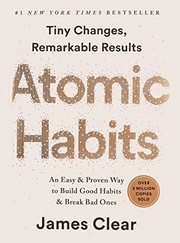
Atomic Habits gives you the system to show up; The War of Art tells you why your excuses are lying to you. One is method, the other is motivation, and they work well back to back.
Who should read it (and who should skip it)
Every creator, freelancer or founder who keeps stalling. Skip it if you want a structured how-to.
Best format: Audio is perfect. It is short and punchy, an hour or two, and works as a listen you replay.
How to actually use it if you are self-employed
Set a non-negotiable daily start time for your most important work.
Ship something today at eighty percent rather than never at a hundred.
When you stall, say out loud that it is Resistance, then start anyway.
⚡ The 60-second recap
Name the enemy: Resistance.
Go pro and show up on a schedule.
The work that scares you is usually the work that counts.
A book is a shortcut. A second pair of eyes is faster.
Twenty years self-employed, 500+ people coached. If you want help applying this to your own situation, book a free discovery call.
Not directly, but it is one of the best books going for anyone who has to self-start, which is every freelancer and founder.
How long is it?
Very short. You can read or listen to it in one sitting, which is part of the appeal.
What does he mean by Resistance?
The internal force that makes you avoid important work. Naming it is the first step to beating it.
Is it only for artists and writers?
No. Pressfield writes for anyone doing self-directed creative or entrepreneurial work, which is most freelancers.
Should I skip the spiritual section?
If it does not land for you, yes. The first two parts hold the practical heart of the book.
Final verdict
The War of Art earns 4.5/5. A short, sharp kick for anyone who keeps not starting. If it is the stage you are at, the cheapest way in is a free Audible trial or Kindle Unlimited.
Note: Cover image via the Open Library Covers API. Rating is my own editorial score. Affiliate links are marked and support the site at no cost to you. Publish reminder: set the featured image and meta description; confirm the /book-reviews/ category is assigned.
Gyre.pro for Crypto & Finance Channels — 24/7 Market Streams
I have been working with YouTube creators across dozens of niches for over 20 years, and I can tell you honestly that crypto and finance channels sit in a completely different league when it comes to monetisation potential. The RPM numbers in financial content — regularly $15 to $30 or more per thousand views — dwarf what you see in most entertainment niches. The question I get asked constantly by finance creators is: how do I maximise those numbers without being glued to my camera 24 hours a day?
The answer I keep coming back to is Gyre.pro. As a VIP Gyre Partner who has been using the platform daily across multiple channels, I have watched finance creators leverage 24/7 automated livestreams to turn their existing video libraries into always-on revenue machines — perfectly suited to the fact that crypto markets never sleep.
In this post I will walk you through exactly how crypto and finance channels are using Gyre.pro to run 24/7 market streams, what content types work best, how to handle the regulatory and COPPA considerations unique to financial content, and the monetisation strategies that make this niche so extraordinarily lucrative when done right. I have also covered the broader setup process in my complete guide to building a 24/7 YouTube channel with Gyre.pro if you want the full picture.
Run Your Finance Channel 24/7 — Even While You Sleep
Gyre.pro is the YouTube-certified tool powering always-on streams for thousands of creators. Try it free for 7 days.
Why Crypto and Finance Channels Are Perfect for 24/7 Streaming
The crypto market operates around the clock. Bitcoin does not close at 5pm on Friday. Ethereum does not take bank holidays. Your audience — the traders, investors, and curious learners following these markets — is active at 2am on a Tuesday just as much as noon on a weekday. Traditional YouTube publishing, where you upload a video and hope it catches at the right moment, cannot match the always-on nature of these markets.
A 24/7 livestream powered by Gyre.pro solves this elegantly. Your channel is always live. A viewer searching YouTube for crypto education at 3am finds your stream running. They join, they watch, they stick around. And because finance content commands premium advertiser rates, every minute of watch time accumulates revenue at a rate that most creators in other niches can only dream of.
I have seen this play out with channels I have advised directly. The combination of high RPM and continuous watch time accumulation through 24/7 streams creates a compounding effect that simply does not exist with standard uploaded videos.
The RPM Reality in Finance Content
To put the finance RPM advantage in concrete terms, consider how this stacks up against other popular niches:
Niche
Typical RPM Range
Finance / Crypto
$15 – $30+
Technology
$8 – $15
Education
$6 – $12
Gaming
$2 – $6
Entertainment
$1 – $4
When you run a 24/7 stream in the finance niche and accumulate tens of thousands of watch hours every month, those RPM multipliers translate into a revenue difference that is staggering. This is why finance is consistently one of the most profitable niches to focus on with Gyre.pro. I cover this in more detail in my post on the best niches for Gyre.pro automation.
Content Types That Work Best for 24/7 Finance Streams
Not every piece of financial content is equally suited to looping on a 24/7 stream. Through my own testing and the case studies from creators I have worked with, the following content types consistently perform best:
1. Price Ticker Overlay Videos
These are pre-recorded videos featuring a visual of market data — crypto price charts, candlestick patterns, or portfolio tracker displays — overlaid with educational voiceover or ambient music. The key is that the content itself is evergreen. A video explaining how to read a Bitcoin chart or understand market cap concepts does not expire. Loop it 24/7 and it continues to attract searchers interested in those topics indefinitely.
I want to be explicit here: Gyre.pro streams pre-recorded video files, not live data feeds. So you are not streaming a live price ticker that updates in real time. Instead, you record videos that feature price data visualisations or chart analysis as the visual element, then loop those. This is an important distinction to understand before you plan your content strategy.
2. Financial Education Compilations
Compilation playlists of your existing educational content are a natural fit for 24/7 streaming. If you have a back catalogue of videos explaining DeFi, Bitcoin fundamentals, how to read an order book, or understanding tokenomics, you can sequence these into a learning playlist that loops continuously. A newcomer to crypto who discovers your stream at any point will find themselves dropped into a structured education experience.
The playlist management feature in Gyre.pro’s Start+ and Pro+ plans is essential for this. You can curate the order strategically — perhaps starting with entry-level content that hooks new viewers, progressing to intermediate material that keeps them watching, then cycling back. Read my Gyre.pro playlist tutorial for the full walkthrough.
3. Market Analysis Replays
If you produce regular market commentary videos — weekly reviews, monthly outlooks, technical analysis breakdowns — you can recycle these as stream content. Yes, the specific price targets may be outdated, but the analytical frameworks and methodology remain educational. Tag these clearly in your stream title so viewers understand they are watching archived analysis, and you sidestep any misleading content concerns.
4. Interview and Panel Discussion Archives
Long-form interviews with industry figures, developer Q&As, panel discussions — this type of content is perfect for extended watch time sessions. Viewers who are interested in a particular guest will sit through an hour or more easily, which dramatically increases your average view duration and signals quality to the YouTube algorithm. I have seen finance channels achieve view durations of over 30 minutes from streams featuring interview compilations.
5. Evergreen Deep-Dive Documentaries
Longer-form documentary-style videos — the history of Bitcoin, how blockchain technology works, the story of a major market event — have indefinite shelf life and command long watch sessions. A 45-minute documentary on the origins of decentralised finance will be just as relevant in three years as it is today, making it ideal for a looping stream.
How to Set Up Your Gyre.pro Finance Stream
The setup process for a finance-focused 24/7 stream is straightforward. Here is how I approach it when setting up a new channel:
Step 1: Audit Your Content Library
Start by identifying which of your existing videos are genuinely evergreen. Anything that references specific price predictions, time-sensitive news, or “this week’s” market events should be excluded or clearly timestamped in your stream title. Evergreen educational content — how-tos, concept explainers, technology breakdowns — is your foundation.
Step 2: Build a Curated Playlist
Sequence your selected videos into a logical playlist. For a crypto education channel, I recommend starting with fundamentals, moving through intermediate concepts, and including at least one long-form interview or documentary to extend session length. Aim for a total playlist duration of at least 6-8 hours so the loop feels varied rather than repetitive.
Step 3: Upload to Gyre and Configure
Upload your videos to your dedicated Gyre.pro cloud server. Gyre’s video converter automatically optimises your files for smooth streaming — no buffering, no encoding errors. Then configure your stream with a compelling title, add your YouTube channel’s RTMP stream key, and you are ready to go live. The full process takes around 10-15 minutes. See my Gyre.pro setup tutorial for the step-by-step detail.
Step 4: Write a Compelling Stream Description with Disclaimers
Your stream description is critical for SEO and for regulatory compliance. Include your target keywords naturally, explain what viewers will learn, and — this is non-negotiable for financial content — include a clear disclaimer. Something like: “This channel is for educational and informational purposes only. Nothing in this content constitutes financial advice. Always consult a qualified professional before making investment decisions.”
Monetisation Strategies for Finance 24/7 Streams
The monetisation potential of a well-run finance 24/7 stream is exceptional. Here are the primary revenue streams and how I recommend approaching each one:
YouTube Ad Revenue: The High-RPM Advantage
This is where the finance niche truly shines. Advertisers in financial services — banks, investment platforms, crypto exchanges, trading apps, insurance companies — pay a significant premium to reach financially engaged audiences. When your stream is running 24/7 and accumulating continuous watch hours, ad revenue compounds in a way that is genuinely difficult to achieve through standard uploads alone.
Mid-roll ads in livestreams fire automatically at intervals, meaning every extended viewing session generates multiple ad impressions. A viewer who watches two hours of your crypto education stream will see significantly more ads than if they watched a single 10-minute video — and at the premium finance RPM rate, those extra impressions add up fast.
Affiliate Links to Crypto Exchanges and Financial Platforms
Pin your affiliate links in the stream chat and description. Crypto exchanges typically offer generous affiliate commissions — often a percentage of trading fees from referred users, which can be recurring income as long as those users remain active traders. If your stream is running 24/7, you have a continuously visible promotional channel working around the clock.
I use a similar model with my own Gyre.pro affiliate links — the platform itself pays 10% recurring commission, which I have built into $400+ per month in passive income. The principle translates perfectly to crypto exchange partnerships.
Super Chat and Channel Memberships
When your stream is always live, it becomes a hub for your community. Regular viewers can support you through Super Chat and channel memberships. Finance audiences tend to be high-income and willing to pay for premium access — exclusive analysis, early access to your takes, members-only Q&A sessions. An always-on stream is the perfect infrastructure for building this kind of engaged, paying community.
Digital Products and Courses
A 24/7 educational stream is a perpetual marketing funnel for your paid products. If you sell a crypto trading course, a DeFi masterclass, or a premium newsletter, every viewer of your free stream is a potential customer. Pin your sales links in the chat and description, reference them in your video content, and let the always-on stream do the lead generation for you.
Important Compliance and Disclaimer Considerations
Running a finance channel comes with responsibilities that do not apply in the same way to other niches. I want to address these directly because I have seen creators get into trouble by ignoring them.
Important Disclaimer: Nothing in this post or in any Gyre.pro-powered stream constitutes financial or investment advice. If you are creating a finance channel, ensure all your content includes appropriate disclaimers and you are not providing personalised financial advice without the relevant qualifications and authorisation in your jurisdiction.
Financial Disclaimer Requirements
At minimum, include a clear disclaimer in your stream description, in a pinned comment, and verbally within your videos. This should state that your content is for educational purposes only, not financial advice, and that viewers should consult qualified professionals before making any investment decisions. If you are in a regulated jurisdiction and your content could constitute financial promotion, you may need legal advice specific to your situation.
COPPA and Age Gating
Finance and crypto content is not directed at children, but you must correctly label your content in YouTube Studio. Mark your channel and individual streams as “not made for kids.” This ensures YouTube does not restrict features like personalised ads (which you need for high RPM) and monetisation tools.
Advertising Policy Compliance
YouTube has specific policies around financial products advertising. Your content promoting crypto exchanges or investment products may need to meet additional advertiser requirements. Review YouTube’s monetisation policies for financial content and ensure your affiliate disclosures are clear — you must disclose when you have a financial relationship with products you recommend.
Gyre.pro Pricing for Finance Channel Operators
For a finance creator serious about running a professional 24/7 stream, here is how I would assess the Gyre.pro plans:
Start ($49/month): One stream, no playlist management. Workable if you have a single compilation video you want to loop, but limiting if you want to curate content order.
Start+ ($99/month): Four streams, playlist management, and the scheduler. This is the sweet spot for most finance creators — you can run multiple themed streams (a beginner stream, an advanced stream, an interview archive stream) simultaneously.
Pro+ ($169/month): Eight simultaneous streams. If you are managing multiple finance channels or want to go deep with specialisation (crypto, stocks, real estate, DeFi each on their own dedicated stream), this is the tier that enables that scale.
When your finance stream is generating $15-30+ RPM across tens of thousands of monthly watch hours, the platform cost is a rounding error compared to the revenue. See the full breakdown in my Gyre.pro pricing breakdown.
Building a 24/7 Crypto Stream: Realistic Expectations
I want to be honest about what you can realistically expect. A 24/7 stream does not magically generate millions of views overnight. The algorithmic and SEO benefits build over time as your stream accumulates watch hours, your channel grows, and YouTube’s recommendation engine starts surfacing your always-on content to relevant audiences.
What I have seen across Gyre’s documented case studies is an average 30% increase in watch time and a 20% increase in RPM for users running 24/7 streams. For a finance channel already earning strong ad revenue, that RPM uplift on top of dramatically increased watch hours creates a compounding effect on monthly revenue. The YEES channel documented approximately a 1.5x RPM increase after implementing continuous streaming — and while the exact niche varies, that kind of improvement is achievable in finance content too.
The channel that most excites me in Gyre’s case study library is the music channel that achieved 99.3% of its total watch time from streams, with 1.88 million views and an average view duration of 1 hour 30 minutes. The principles translate directly to finance: evergreen content, long viewing sessions, and continuous availability create extraordinary watch time accumulation. For the full collection of documented results, see my Gyre.pro case studies post.
“The crypto market never closes, and neither does a well-run 24/7 YouTube finance stream. When your content is always available, you capture every viewer regardless of their timezone or schedule — and in a high-RPM niche, that constant availability compounds into exceptional revenue.”
Tips for Maximising Your Finance Stream Performance
After months of running and advising on finance-focused 24/7 streams, here are the tactics that consistently move the needle:
Optimise your stream title for search. Your stream title is a live SEO asset. Include your primary keyword (e.g., “Crypto Education 24/7 — Learn Bitcoin, Ethereum & DeFi”) and update it periodically to reflect trending topics.
Pin a value-add comment immediately. Pin a comment with links to your most important resources, your disclaimer, and your affiliate/product links. This is the first thing an engaged viewer will see.
Refresh your playlist quarterly. Add new videos every few months so your stream does not become stale. Gyre’s playlist management makes this simple — just upload new files and reorder as needed.
Use the traffic redirection feature. Gyre’s built-in traffic redirection lets you point viewers from your live stream to specific uploaded videos or landing pages. Use this to funnel stream viewers to your highest-converting content or affiliate pages.
Run multiple themed streams simultaneously. On Start+ or Pro+, run separate streams for different audience segments — a beginner crypto stream, an advanced DeFi stream, a stock market stream. Each serves a different search intent and expands your total reach.
Monitor with Gyre’s analytics dashboard. Track which streams are performing, watch peak concurrent viewer times, and identify which content segments are generating the most sustained viewing.
Is Gyre.pro Right for Your Finance Channel?
If you have an existing finance or crypto channel with a library of evergreen educational content, Gyre.pro is one of the most powerful tools you can add to your strategy. The platform is YouTube-certified, requires no technical expertise to operate, and the 7-day free trial lets you test it with no commitment.
The case for 24/7 streaming is especially compelling in the finance niche because of the combination of always-active markets, high advertiser spend, and an audience that is genuinely motivated to consume educational content across all hours of the day. You are not just looping videos for the sake of it — you are making your channel a genuine resource that is always open.
Join 15,000+ creators using Gyre.pro to grow their channels around the clock. No software needed, no hardware required — just cloud-powered 24/7 streaming.
Is Gyre.pro legal to use for crypto and finance content on YouTube?
Yes. Gyre.pro is a YouTube-certified streaming provider listed in the YouTube Services Directory. The tool itself is fully compliant. You are responsible for ensuring your content meets YouTube’s policies and any applicable financial content guidelines, including adding appropriate disclaimers.
What RPM can finance YouTube channels expect from 24/7 streams?
Finance is one of the highest-RPM niches on YouTube, typically ranging from $15 to $30+ RPM depending on audience geography and content specifics. Crypto content often sits at the higher end due to advertiser competition in financial products, exchanges, and investment platforms.
Do I need to add financial disclaimers to my 24/7 crypto streams?
Yes. Any content that could be construed as financial advice should carry a clear disclaimer — for example, “This content is for educational purposes only and is not financial advice.” Add this to your stream overlay, video description, and pinned comment. Consult a qualified professional if you are unsure about your specific situation.
Can I use Gyre.pro to stream crypto price trackers continuously?
You can stream pre-recorded video loops continuously with Gyre.pro. For live updating price data, you would need to record price-tracker segments or create compilation-style content. Gyre streams pre-recorded files, not live screen captures or real-time data feeds.
How does a 24/7 crypto stream fit with COPPA regulations?
Finance and crypto content is generally not directed at children, so COPPA is less of a concern for this niche than for kids channels. However, you should ensure your channel and stream are correctly marked as “not made for kids” in YouTube Studio, and avoid content that could attract a child audience.
What is the best playlist format for a 24/7 finance YouTube stream?
The most effective playlists mix evergreen educational content with market commentary and interview replays. A typical structure might be: 2-3 educational deep-dives, 1-2 market analysis replays, then an interview or panel discussion — cycling on repeat so viewers always find something relevant regardless of when they tune in.
About Alan Spicer
Alan Spicer is a YouTube Certified Expert and 20+ year content creator with 6 Silver Play Buttons. He uses Gyre.pro daily to run 24/7 livestreams across multiple channels and has earned over $10,000 through the Gyre affiliate program. Follow his work at alanspicer.com.
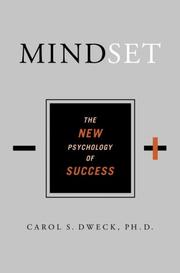
A Mindset by Carol Dweck review and summary: how the fixed-versus-growth idea changes the way the self-employed handle failure, feedback and hard skills.
★★★★½4.5/5
The verdict: One idea, but an idea that quietly runs your whole career.
⚡ Quick answerMindset by Carol S. Dweck gets 4.5/5 from me. One idea, but an idea that quietly runs your whole career. Anyone avoiding a skill because they have decided they are just not that kind of person.
What is Mindset about?
Dweck's research splits people into a fixed mindset, where ability is seen as innate and set, and a growth mindset, where ability grows with effort. The story you hold about yourself shapes how you handle challenge, feedback and failure.
Mindset summary
Dweck spent decades researching why some people crumble at setbacks while others treat them as fuel, and traces it to a single underlying belief. People with a fixed mindset believe their abilities are set, so every challenge becomes a test of whether they have it. People with a growth mindset believe abilities are built through effort, so challenges become chances to improve.
The book walks through how each mindset plays out across school, sport, business and relationships. The fixed mindset dodges challenges, gives up easily, sees effort as pointless and feels threatened by other people's success. The growth mindset does the opposite, and Dweck argues persuasively that the second group ends up further ahead precisely because they are not busy protecting a fragile self-image.
Crucially, she shows mindset is not itself fixed. You can catch fixed-mindset thinking and reframe it, most simply with the word yet. She also digs into how praise shapes both children and adults, warning that praising talent rather than effort quietly installs the very mindset you are trying to avoid.
Published in 2006 by a Stanford psychologist, it took the phrase growth mindset from academic research into everyday language, for better and occasionally for worse. It is written for anyone who wants to understand why they avoid certain challenges, and how to change that.
The one idea worth the price: Add the word yet to any sentence where you have written yourself off. I can't sell becomes I can't sell yet, and the whole game changes.
Key ideas and takeaways
Fixed vs growth. Do you believe you either can or cannot do something, or that you can get better at it? The answer changes everything downstream.
The power of yet. Not "I cannot do sales" but "I cannot do sales yet." Small change in words, large change in behaviour.
Effort as the path. In a growth mindset, effort is how ability is built, not proof you lack talent.
How praise backfires. Praising talent over effort can quietly install a fixed mindset, in you and in others.
My honest take
The self-employed live or die on how they handle being bad at things at first. Sales, marketing, saying no, pricing yourself properly: you will be clumsy at all of them early on. A fixed mindset turns every one of those early failures into a verdict about who you are. Dweck hands you a different frame, and the shift from "I am not a salesperson" to "I am not good at sales yet" is small to say and enormous in practice.
I catch myself using her language with clients constantly, because it works. It gives people permission to be a beginner without deciding they are a failure.
The self-employed are constantly made to do things they are not yet good at, in public, for money. That is fertile ground for a fixed mindset to talk you out of trying. Dweck's frame is the antidote I reach for most with nervous clients, because it makes being a beginner feel survivable rather than shameful.
The honest caveat: It is stretched thin over a full book and the research has faced replication questions in recent years. The core still stands; the padding you can comfortably skim.
Where it falls short
The single idea is stretched across a full book, with a lot of examples making the same point.
Parts of the underlying research have faced replication challenges, so hold the specifics loosely while keeping the practical frame.
How it compares
The War of Art tackles avoidance from the angle of fear and Resistance; Mindset tackles it from the angle of what you believe about your own ability. Read together, they cover most of the reasons people talk themselves out of trying.
Who should read it (and who should skip it)
Anyone avoiding a skill because they have decided they are just not that kind of person.
Best format: Audio is fine. It is conceptual rather than tactical, so you lose nothing by listening.
How to actually use it if you are self-employed
Catch one "I am not a X person" this week and add the word yet.
Ask for feedback on the exact thing you have been avoiding.
Treat your most recent failure as data about a method, not a verdict about you.
⚡ The 60-second recap
Ability grows with effort, and believing that changes behaviour.
Use yet to reframe every I-can't.
Praise effort and process, not talent.
A book is a shortcut. A second pair of eyes is faster.
Twenty years self-employed, 500+ people coached. If you want help applying this to your own situation, book a free discovery call.
The core idea is sound and useful, though some of the research has faced replication scrutiny. As a practical frame, it earns its keep.
How does it apply to business?
It changes how you approach every skill you are not good at yet, which as a solo operator is most of them at some point.
Do I need the whole book?
The central idea lands early. If you are short on time, the first half gives you the working model.
Is it aimed at parents or professionals?
Both. There is plenty on raising children, but the business and self-development uses are just as strong.
Can you really change your mindset?
Dweck argues yes, and the tools for doing it are the most useful part of the book.
Final verdict
Mindset earns 4.5/5. One idea, but an idea that quietly runs your whole career. If it is the stage you are at, the cheapest way in is a free Audible trial or Kindle Unlimited.
Note: Cover image via the Open Library Covers API. Rating is my own editorial score. Affiliate links are marked and support the site at no cost to you. Publish reminder: set the featured image and meta description; confirm the /book-reviews/ category is assigned.
To record clean audio for YouTube, use a cardioid dynamic microphone 5-10 cm from your mouth, record into a quiet treated room with soft furnishings, apply a high-pass filter at 80 Hz to remove rumble, gate background noise between sentences, and monitor levels to peak around -12 dBFS with headphones on throughout the recording. Clean audio is the single biggest quality differentiator between amateur and professional YouTube content — viewers tolerate mediocre video but abandon videos within seconds of poor audio. Getting it right requires attention to room, technique, mic choice, and levels, but the fundamentals are learnable in a weekend.
This guide is based on audio production across 500+ channel audits and setup consultations for creators upgrading from built-in camera mics to professional audio chains. For the full equipment stack, see my Ultimate Creator Equipment Guide 2026.
The Clean Audio Hierarchy: What Actually Matters
Clean YouTube audio is not about buying expensive equipment — it’s about getting five fundamentals right, in order of importance:
Room acoustics: Is there echo? Room tone? HVAC noise?
Microphone distance: Are you close enough (5-20 cm depending on mic type)?
Microphone choice: Right mic type for your environment?
Input levels: Recording loud enough to avoid noise floor, quiet enough to avoid clipping?
A £80 microphone used correctly in a treated room at the right distance and levels sounds dramatically better than a £500 microphone used incorrectly. Fix the room and technique first — always. Equipment upgrades come last in the optimisation order.
Step 1: Treat Your Recording Space
Room acoustics determine the ceiling of what your audio can sound like. No equipment or processing can fully rescue a badly-recorded room — but good room treatment makes even cheap mics sound broadcast-quality.
Target the three primary reflection surfaces:
Behind the mic (where you’re facing): Hard wall directly reflects sound back. Fix with curtain, duvet, heavy blanket, packed bookshelf, or acoustic panels.
Floor: Hard floors reflect upward into the mic. Fix with thick rug under desk and chair.
Ceiling: Flat ceilings reflect straight down. Harder to treat — consider fabric canopy or textured ceiling treatment in dedicated studios.
Secondary surfaces (desk surface, side walls, windows) matter too, but primary surfaces give 80% of the benefit with 20% of the effort. A bedroom with soft furnishings (bed, duvet, carpet, curtains) is actually one of the best rooms in most houses for voice recording — often better than a kitchen or open-plan living space.
Step 2: Eliminate Background Noise Sources
Before recording, audit every noise source in your space:
Computer fans: Move the PC under the desk with cables running into a desk grommet, or use a laptop on battery power
HVAC/central heating: Turn off heating/AC while recording — schedule recording sessions for temperature-moderate times
Fridges/washing machines: Pause them, or close doors between rooms
Traffic noise: Record at quieter times, close windows, add mass-loaded vinyl or heavy curtains
Street footfall: Move away from windows, add rugs underfoot for you and upstairs
Electrical hum: Keep mic cables away from power cables, check ground loops, use balanced XLR where possible
Keyboard clicks: Use a silent keyboard or position keyboard outside cardioid pickup pattern
Record 30 seconds of room silence before each session and listen back at high gain — you’ll hear noise you weren’t consciously aware of. Fix those sources before recording content.
Step 3: Choose the Right Microphone for Your Space
Live streaming/gaming: Dynamic on boom arm — rejects keyboard and room sound
Match mic type to environment. A condenser in a bedroom sounds worse than a dynamic in the same room. A shotgun in a small treated room often sounds worse than a dynamic. Use the right tool.
Step 4: Get the Mic Distance Right
Distance to the mic controls the ratio of direct sound to room sound. Target distances:
Dynamic mic: 5-10 cm from mouth (the “fist rule” — your fist should fit between mouth and mic)
Condenser: 15-20 cm
USB condenser (Yeti, Quadcast): 15-20 cm
On-camera shotgun: 30-50 cm, aimed at mouth
Lavalier: 15-20 cm below chin
Most amateur recordings are too far from the mic. Close proximity is the #1 technique change that improves amateur audio. Use a boom arm, lavalier, or accept a visible mic in frame — don’t compromise distance for aesthetics.
Step 5: Set Input Levels Correctly
Levels too low produce noisy audio (hiss audible when normalised). Levels too high clip and distort. Target:
Set levels by speaking at your loudest performance volume (not test voice — actual recording volume) and adjusting gain so peaks hit -12 dBFS. If you can’t reach -12 dBFS at your interface’s max gain on a dynamic mic (SM7B, PodMic), you need a cleangain preamp like the Cloudlifter CL-1 (£139) to add 25 dB clean gain.
Never use “normalisation” as a substitute for proper input levels — you’re amplifying the noise floor along with your voice. Record right at the source.
Step 6: Monitor with Headphones
Never record without monitoring the output through headphones. You’ll hear problems (plosives, mouth clicks, clipping, background noise) while recording, not after editing for two hours. Closed-back headphones (Sony MDR-7506, Audio-Technica ATH-M50x, Sennheiser HD280 Pro) isolate you from room sound and prevent bleed into the mic.
Monitor the input from your interface, not playback after-the-fact. Zero-latency monitoring on your interface (direct monitor switch on Scarlett, Volt, etc.) lets you hear what you sound like in real time.
Step 7: Apply Post-Production Processing
In order, apply:
High-pass filter at 80 Hz: Removes rumble, HVAC, handling noise without affecting voice clarity
De-noise if needed: iZotope RX, Accusonus ERA, or Adobe Audition’s noise reduction for hiss and constant background noise
EQ for clarity: Small cut around 200-400 Hz removes muddiness; gentle boost at 3-5 kHz adds presence; shelf cut above 10 kHz tames harshness
Compression: 3:1 ratio, medium attack, medium release, 3-6 dB gain reduction on average — evens out dynamics without pumping
De-esser: Reduces harsh S sounds around 6-8 kHz if needed
Gate: Closes during silence so room tone isn’t audible between sentences
Limiter: Brick-wall limit at -1 dBFS to prevent any clipping
LUFS normalise: Target -14 LUFS integrated for YouTube
Processing is subtractive — you’re removing problems, not adding magic. If the source is clean, minimal processing is needed. If the source is dirty, heavy processing damages quality.
Step 8: Double-Check Before Rendering
Before committing to a final export, do a listen-through with fresh ears:
Check for mouth clicks, swallows, and breath noises
Listen for plosives (“p” and “b” pops) — reduce with pop filter during recording, de-pop plugin in post
Verify consistent loudness — no sudden jumps
Check for room tone between sentences — should be inaudible
Play back on multiple systems: phone speaker, laptop speaker, headphones, actual TV — audio should translate well across all
Equipment Stack for Clean YouTube Audio
Entry-level (~£200):
Rode PodMic USB (£180) — dynamic, USB+XLR, great for bedrooms
What is the best microphone for YouTube clean audio?
For indoor talking head in untreated rooms, a dynamic mic on a boom arm (Shure MV7+, Rode PodMic USB) is the most forgiving option. For treated studios, condensers reveal more detail. For vlogging, on-camera shotguns or wireless lavaliers. There’s no single “best” — the right mic depends on your recording environment.
Why does my YouTube audio sound hissy?
Three common causes: (1) input levels too low, requiring normalisation that amplifies noise floor; (2) using a dynamic mic without enough preamp gain — add a Cloudlifter or similar; (3) noisy preamp in cheap audio interface. Fix levels first, then preamp quality.
Do I need an audio interface for clean YouTube audio?
If you’re using a USB microphone, no. If you’re using XLR microphones, yes. Interfaces like the Focusrite Scarlett 2i2 give you cleaner preamps, phantom power for condensers, and zero-latency monitoring. USB mics have built-in interfaces and skip this step.
What’s the right LUFS level for YouTube?
YouTube normalises to -14 LUFS integrated. Mix your final audio to -14 LUFS integrated and -1 dBTP true peak for optimal playback without YouTube’s normalisation altering your loudness.
Should I use a pop filter for YouTube?
Yes, especially with dynamic mics at close range. Plosives (“p” and “b” bursts) hit the diaphragm hard and cause distortion. A pop filter or mic windshield prevents this. Cheap pop filters work fine — £10 is enough.
How do I remove background noise from YouTube audio?
Best fix: eliminate noise sources at recording time (fans, HVAC, traffic). For residual noise: use de-noise plugins (iZotope RX, Accusonus ERA, Adobe Enhance Speech). Apply conservatively — aggressive noise reduction creates artifacts that sound worse than the original noise.
Is USB or XLR better for YouTube microphones?
USB is simpler and cheaper (one device, plug and play). XLR is more flexible (upgrade interfaces separately, better preamps, professional signal chain). For most YouTubers, USB is sufficient. For creators planning to grow into professional production, XLR scales better. No audio quality difference at the mic level for equivalent models.
How do I make my voice sound richer on YouTube?
Three techniques: (1) get closer to the mic to exploit proximity effect — boosts bass naturally; (2) add a gentle EQ boost at 80-120 Hz if your voice is thin; (3) add light compression to smooth dynamics. Don’t over-process — natural is better than over-EQ’d.
Clean audio is a technique problem wearing an equipment problem’s mask. Fix the room, get closer, set levels right, and monitor with headphones — and your £180 microphone will sound better than most £500 setups in untreated rooms. Equipment only amplifies whatever technique you bring to it.
⚡ Quick answerThe 7 Habits of Highly Effective People by Stephen R. Covey gets 4.6/5 from me. Dated on the surface, timeless underneath. Anyone who wants principles that outlast trends.
What is The 7 Habits of Highly Effective People about?
Covey builds from private victory (be proactive, begin with the end in mind, put first things first) to public victory (win-win, seek first to understand, synergise) and finishes with renewal (sharpen the saw). It is a principles book, not a hacks book.
The 7 Habits of Highly Effective People summary
Covey organises the book as a progression, not a checklist. The first three habits cover what he calls private victory, the work you do on yourself. Be proactive, which means owning your responses and focusing on what you can influence. Begin with the end in mind, which means defining success before you chase it. And put first things first, using his famous matrix to protect what is important from the tyranny of what is merely urgent.
The next three habits move to public victory, how you work with others. Think win-win rather than treating every deal as one winner and one loser. Seek first to understand, then to be understood, which is really just listening properly before you make your case. And synergise, where good collaboration produces more than the sum of its parts.
The seventh habit, sharpen the saw, wraps around all of them: renew yourself physically, mentally, socially and spiritually, or the other six degrade over time. It is a book about character and principles rather than quick wins, which is its weakness for impatient readers and its strength for anyone who wants something that lasts.
First published in 1989, it has sold tens of millions of copies and shaped decades of leadership training. It is aimed at people who want a durable framework for effectiveness rather than a bag of tricks, and it rewards patience in a way few modern books ask for.
The one idea worth the price: Pour your energy into your circle of influence and starve your circle of concern. Most of your stress lives in the gap between the two.
Key ideas and takeaways
Circle of influence. Spend your energy on what you can affect and stop bleeding it on what you cannot. For the self-employed, worry is a daily tax and this is the cure.
Begin with the end in mind. Decide what the finished thing looks like before you start moving.
The time-management matrix. Urgent and important are not the same. Most people drown in urgent and neglect important.
Sharpen the saw. Maintain the person doing the work, or the work degrades.
My honest take
I resisted this for years because it looked like corporate-training wallpaper. I was wrong. The circle of influence idea alone is worth the whole book for anyone self-employed, where it is easy to spend all day worrying about clients, algorithms and the economy, none of which you control on a Tuesday afternoon.
It reads slower than modern books and you have to mine it a little, but the substance underneath is deeper than most of what has followed. This is a book you keep and reread at different stages, getting something new each time.
For someone self-employed, the win-win habit quietly reshapes how you price and negotiate. Once you stop treating every client conversation as a fight to win, you strike better deals and keep clients longer. That one shift has probably earned me more than any tactic in a flashier book.
The honest caveat: The prose is heavy and the examples are of their era. You have to do a bit of digging to get to the gold, and impatient readers bounce off it.
Where it falls short
The writing is dense and dated, and you have to work to extract the value.
It is pitched at a corporate and family audience, so you translate some of it to a solo context yourself.
How it compares
Where most productivity books hand you tactics, Covey hands you the principles sitting underneath them. Pair it with The One Thing if you want the sharp, practical counterpart to Covey's slower, deeper approach.
Who should read it (and who should skip it)
Anyone who wants principles that outlast trends. Skip it if you want a quick tactical hit today.
Best format: Kindle or paperback. This is one to underline and revisit, not a passive listen.
How to actually use it if you are self-employed
Draw your circle of influence and consciously drop one worry that sits outside it.
Write a one-line mission for your business you can actually remember.
Block a weekly slot for important-but-not-urgent work before the urgent floods in.
⚡ The 60-second recap
Own your responses; work your circle of influence.
Protect important-but-not-urgent work every week.
Renew yourself or the good habits decay.
A book is a shortcut. A second pair of eyes is faster.
Twenty years self-employed, 500+ people coached. If you want help applying this to your own situation, book a free discovery call.
More than most books its age. The principles are about human behaviour, which has not changed, even if the examples have.
Which habit matters most for the self-employed?
The circle of influence idea inside be proactive. It stops you wasting energy on things you cannot change.
Is it a hard read?
Slower than modern books, yes. Treat it as a mine, not a sprint, and it pays out.
Is a summary enough, or do I need the full book?
The matrix and the circle of influence you can grasp from a summary, but the depth on character rewards the full read.
Where should a beginner start?
Habits one to three. Get proactive, define your end goal, and protect your priorities first.
Final verdict
The 7 Habits of Highly Effective People earns 4.6/5. Dated on the surface, timeless underneath. If it is the stage you are at, the cheapest way in is a free Audible trial or Kindle Unlimited.
Note: Cover image via the Open Library Covers API. Rating is my own editorial score. Affiliate links are marked and support the site at no cost to you. Publish reminder: set the featured image and meta description; confirm the /book-reviews/ category is assigned.
Gyre.pro for Podcasters — How to Repurpose Your Episodes as a 24/7 YouTube Stream
If you’re a podcaster who hasn’t fully committed to YouTube yet, you’re leaving an enormous amount of discoverability — and money — on the table. YouTube is the #2 podcast platform in the world, larger than Spotify for podcast listening in many demographics. And here’s the thing most podcasters don’t realise: all those episodes you’ve already recorded? They’re sitting in a library that could be streaming 24/7 on YouTube right now, generating watch time, attracting new listeners, and earning YouTube ad revenue — entirely on autopilot.
I’m Alan Spicer — YouTube Certified Expert, 20+ year content creator, and 6X YouTube Silver Play Button winner. I use Gyre.pro daily to run 24/7 livestreams and have earned over $10,000 through their affiliate program. In this guide, I’m going to walk you through exactly how podcasters can use Gyre pro podcast strategy to turn a back catalog into a podcast 24/7 stream on YouTube — covering visual format options, playlist strategy, discovery benefits, monetisation, and a complete HowTo.
Whether you have 20 episodes or 500, whether you’re a solo podcast or a full production, the repurpose podcast YouTube approach using Gyre is one of the most efficient content leverage strategies I know.
Your Podcast Back Catalog Deserves to Stream 24/7
Gyre.pro makes it simple to loop your podcast episodes as a live YouTube stream — no PC, no tech headaches. Start free for 7 days.
The podcast landscape has shifted dramatically over the past few years, and the biggest story is YouTube’s emergence as a primary podcast consumption platform. According to Edison Research’s data, YouTube has overtaken Spotify and Apple Podcasts in podcast listenership among many demographics — particularly younger audiences who are accustomed to consuming audio content on YouTube even when they’re not watching the screen.
YouTube has leaned hard into this trend. They’ve introduced dedicated podcast shelves in YouTube Music, added podcast-specific SEO features, and created ways for creators to designate their playlists as podcast series. The platform is actively working to attract podcasters — and the audience is already there waiting.
For podcasters, this creates an urgent and concrete opportunity: your content is already produced, you just need to get it onto YouTube in a format that maximises visibility and engagement. That’s precisely what the Gyre 24/7 streaming approach delivers.
How People Discover Podcasts on YouTube
YouTube podcast discovery works through several distinct mechanisms, each of which a 24/7 Gyre stream takes advantage of:
YouTube Search: People search for podcast topics, guest names, and show titles. A 24/7 stream with a well-optimised title and description appears in search results with a live badge — dramatically higher click-through rates than standard VODs.
Suggested Videos: YouTube recommends content based on what viewers are watching. A live stream appears in suggested video panels across millions of videos related to your podcast’s topics.
Browse and Home Feed: Channels that are currently live are promoted in YouTube’s home feed with priority. Your podcast stream can appear on home feeds of non-subscribers who YouTube thinks would enjoy your content.
YouTube Music: As YouTube integrates podcast content into YouTube Music more deeply, having your content properly formatted and tagged increases its chance of appearing in that environment.
Visual Format Options for Podcast Streams
YouTube requires video. Even if your podcast is audio-only, you need a visual component to stream it on YouTube. Here are the main approaches, from simplest to most production-intensive, each with real tradeoffs I’ve observed in practice.
Option 1: Static Image Format
The simplest approach: a static image (your podcast logo or episode thumbnail) displayed for the entire episode duration, with the audio playing underneath. This is exactly what thousands of audio-first podcast channels do successfully on YouTube.
Pros: Extremely easy to produce at scale. One template + your audio file = done. No video editing required beyond pairing the audio with the static image.
Cons: Lowest engagement rates. Static images don’t hold visual attention, which can increase drop-off rates. YouTube’s algorithm may also be less inclined to promote purely static content over time.
Best for: Established podcasts with loyal audiences who come specifically for the audio content, or podcasters who want to get on YouTube quickly without production overhead.
Option 2: Audiogram-Style Animated Waveform
An audiogram adds an animated audio waveform that pulses with the podcast audio, set against your podcast branding. Tools like Headliner, Descript, and Canva’s audio visualiser feature make these easy to produce. You can also add scrolling subtitles in this format, which significantly boosts accessibility and watch time.
Pros: Visually more engaging than static images. The animated waveform provides visual interest and signals to both viewers and YouTube that “something is happening.” Subtitles version dramatically improves viewer retention and accessibility.
Cons: Slightly more production time than pure static. Auto-generated subtitles need accuracy checking, especially for technical or niche vocabulary.
Best for: Most podcasters — it’s the best balance of production effort to visual quality. I recommend this format as the starting point for anyone new to podcast streaming on YouTube.
Option 3: Video Podcast Clips and Full Video Recording
The highest-engagement format: actual video of the podcast being recorded. Camera footage of the hosts, in-studio or remote video of guests, the full visual experience of the conversation. This requires video recording during podcast production (not always feasible for established audio-first podcasts) but delivers the best results on YouTube.
Pros: Highest retention rates. Viewers can see host expressions, reactions, and body language, which is a fundamental part of the podcast experience for video-native YouTube audiences. YouTube’s algorithm loves genuine video content.
Cons: Requires video production setup during recording. Not retroactively applicable to your back catalog if you haven’t been recording video. Adds production complexity and cost.
Best for: New podcasts launching with YouTube in mind from day one, or established shows pivoting to video production going forward. For back catalog content, audiogram-style is typically more practical.
My Recommendation: Start with audiogram-style for your back catalog (batch process with Headliner or Descript) and begin recording video for all new episodes going forward. This gets your existing content onto YouTube quickly while building toward a full video podcast presence over time.
Playlist Ordering Strategy for Podcast Episodes
One of the most important decisions you’ll make for your podcast Gyre stream is how to order your episodes in the playlist. Unlike a music channel or ambient stream where order matters less, podcast episodes have relationships to each other that influence the viewer experience. Here are the approaches I’ve seen work.
Evergreen-First Ordering
Open your loop with your most timeless, universally appealing episodes — the ones that don’t reference current events, specific dates, or time-sensitive topics. A viewer who discovers your stream mid-loop should immediately land on content that works regardless of when it was recorded. Time-sensitive episodes can be included deeper in the playlist or excluded entirely from the stream rotation.
Thematic Grouping
Group episodes by theme or topic within the playlist. For a business podcast: all episodes about marketing, then all about finance, then all about leadership. This creates a natural flow where a viewer who discovers the stream while a marketing episode is playing is likely to stay for the next marketing episode as well.
Best-Of Curated Selection
Rather than streaming your entire back catalog, curate your 30–50 best episodes for the Gyre stream. This approach means every single episode a viewer encounters is high quality — it removes the weaker early episodes that most podcasters produce when they’re still finding their feet. Quality over quantity in the stream rotation.
Most Recent First
For podcasts with consistently high production quality across their entire catalog, starting with the most recent episodes and working backward has one key advantage: new listeners who find the stream see your current best work first, which is typically your most polished output. This can be especially effective if your podcast has evolved significantly in quality over time.
For a deeper dive into Gyre playlist configuration, see my dedicated Gyre playlist tutorial which covers the technical setup in full.
The Discovery Advantage — How Streaming Beats VODs for Podcast Growth
Here’s a fundamental truth about YouTube that most podcasters don’t fully appreciate: live content is treated differently from VOD content by every layer of the platform.
The Live Badge Effect
When your podcast is streaming on Gyre, it appears in YouTube search results with a red “LIVE” badge. In testing I’ve seen and research I’ve read, the live badge consistently improves click-through rates by 30–50% compared to identical content without the badge. People are drawn to live content with a psychological urgency — “if I don’t watch now, I’ll miss it” — even when the content is technically pre-recorded.
For podcasters, this means your episode stream competes differently in search results than your individual episode VODs. A viewer searching “how to start a business podcast” who sees your streaming show with a live badge is far more likely to click than one who sees a standard thumbnail.
Home Feed Priority
YouTube’s home feed algorithm prioritises live content from channels users have subscribed to. This means every subscriber to your YouTube channel will be more likely to see your podcast stream in their home feed than they would see a standard VOD upload. For podcasters trying to build a YouTube audience on top of an existing podcast listenership, this is significant — your existing subscribers see you live every time they open YouTube.
Suggested Video Placement
YouTube’s suggested video sidebar places live content from relevant channels more prominently than equivalent VODs. When someone is watching another podcast in your niche, YouTube suggests related live content — including your Gyre stream — in the sidebar. This creates organic cross-discovery that’s extremely difficult to achieve with standard VOD uploads alone.
Revenue from YouTube Podcast Streams
Let’s talk about the money, because for many podcasters this is the most compelling argument for adding a YouTube streaming strategy.
YouTube AdSense Revenue
Once your channel is in the YouTube Partner Program (1,000 subscribers + 4,000 watch hours), your podcast stream generates AdSense revenue. Podcast RPMs on YouTube vary significantly by niche — business, finance, and technology podcasts typically see RPMs of $5–$15+, while entertainment and general interest content is lower. The key advantage of streaming is that viewers stay for full episode lengths — 30, 60, even 90+ minutes per session — generating substantially more watch time and ad impressions per viewer than a VOD they click away from.
Gyre’s data shows the average creator sees a +20% RPM increase after implementing 24/7 streaming — in addition to the raw watch time growth. For the complete revenue analysis, read my article on whether Gyre.pro really makes passive income.
Super Chats from Loyal Listeners
Podcast communities can be intensely loyal. Super Chats on a Gyre stream create a way for your most dedicated listeners to directly support the show while it’s “live.” Many podcast audiences already have a donation culture — Patreon, Ko-fi, listener support — and Super Chats on a YouTube stream are a natural extension of that, now with YouTube taking a cut in exchange for the platform’s reach and discoverability.
Host-Read Sponsorship Value
As your YouTube audience grows from streaming, your total listenership/viewership numbers improve — which directly affects your ability to command higher rates from podcast sponsors. Sponsors pay based on audience size and engagement, and a YouTube streaming presence that adds thousands of additional monthly listeners to your numbers strengthens your sponsorship pitch considerably.
Affiliate Links in Stream Description
The stream description is perpetually visible to all viewers. Include affiliate links relevant to your podcast’s topic — books you’ve recommended, tools you use, services you endorse. Viewers who spend 60+ minutes with your podcast are warm, engaged audiences who are genuinely likely to convert on well-matched affiliate recommendations.
Course and Community Sales
Many successful podcasters monetise their expertise through courses, coaching, and private communities. A 24/7 YouTube stream that keeps your podcast perpetually discoverable creates a consistent pipeline of new listeners who become course students and community members. Include links to your premium offerings in every stream description and periodic chat mentions.
How to Turn Your Podcast Back Catalog into a 24/7 YouTube Stream — Complete Setup Guide
Here’s the complete operational walkthrough. I’ll take you from raw audio files to live 24/7 YouTube stream in the most efficient path I know.
Step 1: Choose Your Visual Format
Make this decision first because it determines your production workflow for all subsequent steps. My recommendation for most podcasters: start with audiogram-style (animated waveform + subtitles) using Headliner or Descript, and plan to add video recording for new episodes going forward. This maximises both speed-to-launch and long-term quality.
Step 2: Convert Audio Episodes to Video Files
Using your chosen tool (Headliner is my recommendation for batch processing), create a video file for each episode you want to include in your stream. Headliner’s batch processing feature can convert multiple episodes simultaneously — a significant time saver if you’re dealing with a large back catalog. Export as MP4 at 1920×1080 (Full HD) for best quality on YouTube.
If you’re adding subtitles (which I strongly recommend), review and correct the auto-generated captions before exporting. Auto-captions are excellent but not perfect — proper nouns, technical terms, and people’s names often need manual correction.
Step 3: Curate Your Initial Playlist Selection
Don’t feel obligated to stream every episode. For the initial launch, select your 20–40 strongest, most evergreen episodes. Filter out anything time-sensitive or of lower production quality. You can always add more episodes to the playlist later — start with your best work.
Step 4: Sign Up for Gyre.pro and Upload
Head to Gyre.pro and start with the 7-day free trial. For podcast streaming with playlist management and the scheduler, you’ll need Start+ at $99/month — the ability to order episodes in a playlist is non-negotiable for a podcast stream. Upload your episode video files; Gyre’s video converter handles any transcoding needed.
For a full platform overview, my complete Gyre.pro review covers everything you need to make an informed decision, and the pricing breakdown compares all plan options.
Step 5: Build Your Episode Playlist in Gyre
In Gyre’s playlist manager, arrange your episodes in your chosen ordering strategy (evergreen-first, thematic, or chronological). Check the total playlist duration — for a podcast with 30-60 minute episodes, even 20 episodes gives you 10–20 hours of content before the loop restarts, which is excellent. The playlist loops automatically when it ends.
Step 6: Set Up Your YouTube Channel for Podcast Discovery
If you don’t already have a YouTube channel for your podcast, set one up with complete branding: podcast logo as profile picture, branded banner, comprehensive channel description that includes RSS feed link and links to your listening platforms (Spotify, Apple Podcasts, etc.). YouTube’s podcast features specifically support linking to RSS feeds — use this.
In YouTube Studio, create your stream event with an optimised title: “[Podcast Name] — [Topic/Genre] Podcast — 24/7 Stream” is a solid template. Include keywords your potential audience would search for. Copy the RTMP stream key and paste it into Gyre. See my Gyre setup tutorial for the full technical walkthrough.
Step 7: Go Live and Establish Your Chat Presence
Launch your stream via Gyre’s dashboard. Pin a welcome message in the chat that explains what the stream is, links to your podcast’s main listening platforms, and tells new viewers how to subscribe. Consider checking in on the chat for 15–30 minutes when you go live for the first time — early engagement signals help your stream’s initial discovery.
Step 8: Add New Episodes to the Rotation Monthly
As you publish new podcast episodes, convert them to video (using your established workflow) and add them to the front of your Gyre playlist. This keeps the stream current and gives loyal viewers new content to encounter. Monthly playlist updates take 20–30 minutes once your workflow is established — a trivial time investment for the continuous watch time and discovery benefits.
What Podcast Content Works Best in a 24/7 Loop
Not all podcast content is equally well-suited to looping, and I want to be direct about what works and what to approach with care.
Excellent Loop Content
Interview episodes with evergreen experts: “How to build a business” with an entrepreneur is as relevant in 3 years as it is today. These episodes age beautifully.
Solo host educational episodes: Skill-building episodes, frameworks, mental models — timeless content that a new listener can jump into at any point.
Storytelling episodes: Narrative podcasts, true crime, history, biography — these have strong retention because the story carries the listener through.
Debate and discussion episodes: Genuine intellectual discourse on big topics doesn’t expire. The best arguments and discussions are worth hearing multiple times.
Content to Exclude from the Loop
News and current events episodes: “This week in [industry]” episodes have an expiry date. These should not be in your loop rotation — they make the stream feel dated immediately.
Announcement episodes: “We’re launching a Patreon” episodes, season announcements, and meta-show episodes are confusing for new listeners and irrelevant to non-subscribers.
Early episodes with poor production quality: Most podcasts improve significantly over time. Don’t stream your earliest work if it doesn’t represent your current standard. New listeners form impressions quickly.
Heavily timestamped episodes: “At the 23-minute mark we showed a slide” — references to visual content that doesn’t exist in an audio format create confusion.
Gyre Plan Recommendations for Podcasters
Plan
Price
Podcast Suitability
Start
$49/mo
Limited — no playlist ordering, single platform only
Start+
$99/mo
Recommended — playlists, scheduler, 4 streams, all platforms
Pro+
$169/mo
Multiple shows — 8 streams, 150 GB storage for large catalogs
For most individual podcasters, Start+ at $99/month is the right choice. The playlist management feature is essential — without it you can’t order your episodes properly. The scheduler lets you plan specific stream times around new episode releases. For podcasting networks running multiple shows, Pro+ at $169/month gives 8 simultaneous streams and 150GB of storage for substantial back catalogs.
Final Thoughts — Podcasters Are Leaving YouTube on the Table
YouTube is too large, too discoverable, and too monetisable to ignore as a podcast platform. The fact that it’s the #2 podcast platform in the world — and continuing to grow in that direction — means every month you’re not on YouTube with your podcast is a month of potential audience growth and revenue you’re not capturing.
The Gyre approach makes this actionable without requiring ongoing time investment. Convert your back catalog to video (a one-time project), upload to Gyre, build your playlist, go live. From that point forward, your podcast streams 24/7 in every time zone, with new episode additions taking 20 minutes per month. It’s genuinely one of the most efficient content leverage strategies available to any creator.
Alan Spicer is a YouTube Certified Expert and 20+ year content creator with 6 Silver Play Buttons. He uses Gyre.pro daily to run 24/7 livestreams across multiple channels and has earned over $10,000 through the Gyre affiliate program. Follow his channel growth strategies at alanspicer.com.
⚡ Quick answerAtomic Habits by James Clear gets 4.8/5 from me. The most usable habit book there is, and the one I recommend more than any other. Almost everyone, but especially anyone whose problem is consistency rather than knowledge.
What is Atomic Habits about?
Clear's core claim is that you do not rise to the level of your goals, you fall to the level of your systems. Tiny changes repeated daily compound, and lasting change comes from identity ("I am someone who…") far more than from motivation.
Atomic Habits summary
Clear structures the whole book around a single reframe: stop obsessing over goals and fix your systems instead. Goals set the direction, but your daily systems decide whether you get there. Two people with the same goal succeed or fail on the strength of their systems alone.
The engine of the book is the four laws of behaviour change. To build a habit, make it obvious, make it attractive, make it easy and make it satisfying; to break one, invert each law. Around that he stacks genuinely practical tools: habit stacking, where you attach a new habit to one you already do; environment design, where you arrange your surroundings so the good choice is the easy one; the two-minute rule for getting started; and habit tracking to keep the streak alive.
Underneath the tactics sits the idea that does the heavy lifting: identity. Every action is a vote for the type of person you want to become. You do not try to write a book, you become a writer one small action at a time. Clear ties it together with the plateau of latent potential, the reason habits feel pointless right up until they suddenly pay off.
Published in 2018, it became one of the best-selling non-fiction books of its generation, and for once the sales match the substance. It is written for anyone who knows what they should be doing but cannot get themselves to do it consistently, which describes most self-employed people at some point.
The one idea worth the price: Every action is a vote for the person you are becoming. Cast enough small votes and the identity, then the results, follow.
Key ideas and takeaways
The 1% principle. Small improvements are invisible day to day and enormous over a year. The maths of compounding applies to habits, not just money.
The four laws. Make it obvious, attractive, easy and satisfying. Flip them to break a bad habit.
Habit stacking. Bolt a new habit onto one you already do, so an existing routine becomes the trigger.
Identity over outcomes. You do not chase the goal, you become the kind of person for whom the goal is normal.
My honest take
For the self-employed this might be the most important book on the whole list, because nobody is making you do the work. Motivation is useless on a wet Tuesday when you are your own boss, and Clear's systems survive that exact moment. I have watched clients go from chaotic to consistent on the back of habit-stacking alone, without any grand plan.
It is practical without being preachy and short enough that you will actually finish it, which matters, because a habit book you abandon is its own small irony. This is the one I reach for first when someone tells me they know what to do but cannot make themselves do it.
The reason I recommend it more than any other book here is that you cannot finish it and have nothing to do on Monday. Most self-help leaves you inspired and stuck. This leaves you with two or three specific changes to your actual working day, which for the self-employed is the whole game.
The honest caveat: The ideas are not wholly original. Duhigg and BJ Fogg covered a lot of this ground first, and Clear's real gift is packaging. If you have read deeply in the area, some of it will feel familiar.
Where it falls short
If you have read Duhigg or BJ Fogg, some of it will feel like familiar ground in a tidier wrapper.
It is strong on personal habits and lighter on the messier, people-based habits of running a business.
How it compares
The Slight Edge makes the philosophical case for small actions; Atomic Habits gives you the mechanics to install them. If you only read one, read this, then use The Slight Edge to keep your resolve up on the hard days.
Who should read it (and who should skip it)
Almost everyone, but especially anyone whose problem is consistency rather than knowledge.
Best format: Works in any format. Kindle if you want to keep the four-laws checklists to hand, audio if you just want the ideas in your head.
How to actually use it if you are self-employed
Stack one work habit onto something you already do daily, like reviewing your day right after your morning coffee.
Design your desk so the most important task is the default thing in front of you.
Write one identity line: I am someone who ships work before checking email.
⚡ The 60-second recap
Systems beat goals; build the system.
Use the four laws to design habits on purpose.
Change the identity and the behaviour follows.
A book is a shortcut. A second pair of eyes is faster.
Twenty years self-employed, 500+ people coached. If you want help applying this to your own situation, book a free discovery call.
For practical use, most people find it easier to apply. The Power of Habit is stronger on the science and the stories; Atomic Habits is stronger on what to actually do.
How long does it take to read?
A few hours of reading or listening. It is deliberately concise, which is part of why it works.
Does it work for business habits, not just personal ones?
Yes. The systems apply cleanly to sales follow-up, content, admin and anything else you need to do without being told.
Do I need a physical copy?
Only if you want the checklists to hand. The audiobook carries the ideas perfectly well.
Is it worth reading if my habits are already decent?
Yes, because it helps you fix the one or two that keep slipping, which is usually where the money is.
Final verdict
Atomic Habits earns 4.8/5. The most usable habit book there is, and the one I recommend more than any other. If it is the stage you are at, the cheapest way in is a free Audible trial or Kindle Unlimited.
Note: Cover image via the Open Library Covers API. Rating is my own editorial score. Affiliate links are marked and support the site at no cost to you. Publish reminder: set the featured image and meta description; confirm the /book-reviews/ category is assigned.
To fix echo in YouTube videos, reduce the distance between your mouth and microphone to under 15 cm, add soft furnishings to absorb reflections, switch from a condenser to a dynamic microphone if you can’t treat the room, and set your microphone to cardioid polar pattern to reject room sound. Echo is caused by sound waves bouncing off hard surfaces (walls, floors, ceilings, desks, windows) and arriving at the microphone slightly after the direct sound. It’s the single most common audio problem in YouTube videos — and it’s almost always fixable in 30 minutes with no new gear.
This guide is based on audio troubleshooting across 500+ channel audits and fixes for creators recording in bedrooms, offices, home studios, and rented flats. For the full audio gear stack, see my Ultimate Creator Equipment Guide 2026.
Why Your YouTube Videos Have Echo
Echo (technically room reverberation or “reverb”) happens when sound from your voice travels out in all directions, hits hard surfaces in the room, and reflects back to the microphone. The mic records both the direct sound (your voice) and the reflected sound (the echo) — and the two combine to produce that hollow, distant, “recorded in a bathroom” quality.
The fundamental physics: sound travels at roughly 343 metres per second. In a 3m × 4m bedroom, a reflection off the far wall arrives back at the mic within about 20 milliseconds of the direct sound. That’s fast enough that your ear perceives it as “echo-y room sound” rather than a distinct echo. The smaller the room, the denser and faster the reflections.
Three factors control how much echo your video has: distance from the microphone, reflectivity of room surfaces, and microphone type and polar pattern. Fix any one of these and you’ll reduce echo noticeably. Fix all three and your audio will sound professional.
The Fast Fix: Get Closer to the Microphone
This is the single highest-impact change you can make, and it costs nothing. The ratio of direct sound to reflected sound is governed by the inverse square law — halve the distance to the mic and the direct sound becomes roughly four times louder relative to room reflections.
Target distances by microphone type:
Dynamic microphones (SM7B, PodMic, MV7+): 5-10 cm from mouth
Condenser microphones (NT1, AT2020, C214): 15-20 cm from mouth
Shotgun microphones on-camera: 30-50 cm from mouth, mic aimed down at you
Lavaliers (wireless or wired): 15-20 cm below chin on clothing
USB condensers (Yeti, Quadcast): 15-20 cm from mouth
Most creators record from 40-80 cm away because they’re trying to keep the mic out of frame. That’s the wrong trade-off. Either use an on-camera shotgun designed to be further away, or keep the mic close and crop it in post — a visible mic on a boom arm is standard YouTube aesthetic and viewers don’t care.
Room Treatment: Kill the Reflections
Once you’re close to the mic, the next target is the hard surfaces causing reflections. You don’t need professional acoustic treatment — soft furnishings absorb high and mid frequencies effectively. Strategic priorities:
Fix the wall behind you first. This is the surface sound reflects off directly back into the mic. A blanket, duvet, heavy curtain, thick rug hung on the wall, or a bookshelf packed with books all work. Bare plasterboard is the enemy.
Fix the ceiling if it’s hard. Reflections from flat ceilings bounce straight down onto the mic. A ceiling is hard to treat, but a canopy tent, a fabric ceiling banner, or just recording in a room with a textured/sloped ceiling helps.
Put a rug on the floor. Hard floors (wood, laminate, tile) are one of the three reflective surfaces closest to you. A thick rug under your desk and chair kills a huge amount of reflection.
Cover the desk. Bare desks reflect sound straight up into the mic. A desk mat, fabric cover, or even a towel while recording dramatically reduces desk reflections.
Cover windows. Glass is the most reflective surface in any room. Thick curtains closed during recording make a significant difference.
You don’t need foam panels from Amazon. Bedding, curtains, rugs, and books work equally well for voice frequencies. Foam is only necessary when you need to absorb high-frequency reflections in a professionally-designed mixing room — YouTube voice work doesn’t need it.
Microphone Choice: Dynamic vs Condenser
Condenser microphones (NT1, AT2020, Blue Yeti) are sensitive and pick up everything in the room — including reflections. Dynamic microphones (Shure SM7B, Rode PodMic, Shure MV7+) are less sensitive and reject off-axis sound more aggressively — which means they reject room reflections more aggressively too.
If you’ve tried distance and room treatment and still have echo, switching from a condenser to a dynamic mic is the most reliable fix. Dynamics need you to be close (5-10 cm) and they don’t flatter every voice equally — but they’re forgiving of untreated rooms in a way condensers simply aren’t.
For creators in small untreated bedrooms, the order of preference is: dynamic mic on boom arm > lavalier close to chest > shotgun on-camera > condenser. A Shure MV7+ in a bedroom sounds better than a Rode PodMic USB in a bedroom sounds better than a condenser in the same room.
Microphone Polar Pattern Matters
Cardioid polar pattern rejects sound from behind the microphone and picks up sound from the front. Hypercardioid rejects even more off-axis sound with a narrower pickup. Supercardioid sits between them. Omnidirectional picks up sound equally from all directions — which is bad for echo.
Most dynamic vocal mics are cardioid. Most condensers have switchable patterns. Some USB mics (Blue Yeti, Hyperx Quadcast) default to cardioid but can switch to omnidirectional or stereo by mistake — if your Yeti sounds echo-y, check the pattern selector on the back.
For solo YouTube voice work, you want cardioid or hypercardioid. Period. No situation in a typical YouTube setup benefits from omnidirectional or bidirectional for a solo speaker.
Post-Production Fixes for Echo
If you can’t re-record and the audio is already captured with echo, post-production can help but can’t fully fix it. Options:
De-reverb plugins: Accusonus ERA De-Reverb, Waves Clarity Vx, Adobe Audition Dereverb. Modern AI-based processors genuinely work — I’ve rescued unusable audio from badly-treated rooms with these. Expect 40-70% reduction in perceived reverb without destroying the voice quality, if used conservatively.
EQ cuts: Rolling off above 10 kHz and cutting a small dip around 200-400 Hz reduces the “hollow” and “boomy” components of room sound.
Noise gate: A gate set to close when you’re not speaking stops the room sound being audible between sentences — doesn’t fix the echo while you’re speaking, but reduces the overall sense of “recorded in a room”.
Adobe Enhance Speech: Free, browser-based, AI-powered. Particularly good at removing room sound from voice-dominant tracks.
Post-production fixes are damage control, not a substitute for recording well. Fix the room and mic technique first; use post processing for the 5-10% of echo that remains.
Testing Your Fix
After each change, record a 30-second test clip reading the same passage. Listen back with good headphones (not laptop speakers, which mask problems) and compare before/after. A good test phrase: read a paragraph with varied vowels and consonants at your normal speaking volume, then pause for 3 seconds at the end. The silence at the end is where room reverb is most audible — if you can still hear “hang” after you stop speaking, there’s still work to do.
The target: silence should cut off cleanly. Voice should sound present, close, “in your face”. If voice sounds distant or hollow, you need more room treatment or closer mic placement.
Hardware alone doesn’t fix echo — technique and room matter more. But switching to close-mic’d gear makes the technique much easier to execute.
Frequently Asked Questions
Why does my YouTube video sound echoey even though my microphone is good?
A good microphone picks up more detail — including room reflections. Expensive mics in untreated rooms often sound worse than cheap mics in treated rooms because they capture the echo more clearly. The fix is distance (get closer) and room treatment (soft furnishings), not upgrading the mic.
Will foam panels fix echo in my room?
Yes, but they’re usually overkill for voice recording. Foam panels are designed for professional acoustic control. For YouTube voice work, duvets, curtains, rugs, and bookshelves do the same job at a fraction of the cost. Foam is useful if you want a clean aesthetic — it’s not magical acoustically.
Is it better to fix echo in post-production or during recording?
Recording. Post-production tools can reduce echo but can’t eliminate it without damaging voice quality. A well-treated recording at source always sounds better than a heavily-processed untreated recording. Fix the environment first, use post as a final polish.
Why does my Blue Yeti sound echoey?
Three likely reasons: (1) pattern switch on back is set to omnidirectional instead of cardioid, (2) you’re too far from the mic (should be 15-20 cm), or (3) the room has hard reflective surfaces close to the mic. Check the pattern first — it’s the most common cause.
Can I record YouTube videos in a bedroom without echo?
Yes. Bedrooms are actually good recording spaces because they usually have soft furnishings (bed, curtains, carpet) that absorb sound. Record facing the bed, with duvet or blanket behind the mic, close-mic’d with a dynamic or lavalier, and you’ll get broadcast-quality audio in most bedrooms.
How close should I be to my microphone for YouTube?
5-10 cm for dynamic microphones, 15-20 cm for condensers, 30-50 cm for on-camera shotguns aimed at your mouth. If your mic is more than 30 cm from your face and you’re not using a shotgun, you’re too far — and that’s almost certainly the cause of echo.
Do I need acoustic panels for YouTube?
No. Professional acoustic panels are optional. What you do need is something soft behind the mic (curtain, duvet, bookshelf), close mic placement, and a dynamic or hypercardioid mic if the room is particularly reflective. Acoustic panels are nice, not necessary.
Can AI remove echo from YouTube videos?
Yes, AI de-reverb tools (Adobe Enhance Speech, Accusonus ERA De-Reverb, Waves Clarity Vx) are genuinely effective — they can reduce echo 40-70% without destroying voice quality. Adobe Enhance Speech is free and works through a browser. But they’re damage control, not a substitute for recording well.
Echo is the most fixable audio problem in YouTube — and also the most common. If your videos sound distant, hollow, or “recorded in a bedroom”, the fix is usually free (get closer to the mic, hang a blanket behind you) before it’s expensive (new mic, acoustic treatment). Fix the technique first, buy gear second.
An honest Rich Dad Poor Dad review and summary: why Kiyosaki's flawed classic still does the one job a first money book has to do — make you rethink the salary.
★★★★½4.4/5
The verdict: The book that makes people question the safe-job script. Flawed, but it lights the fuse.
⚡ Quick answerRich Dad Poor Dad by Robert T. Kiyosaki gets 4.4/5 from me. The book that makes people question the safe-job script. Flawed, but it lights the fuse. Anyone still assuming a salaried job is the only safe option.
What is Rich Dad Poor Dad about?
Kiyosaki sets his own educated but perpetually broke father against his friend's less-schooled but wealthy one. The argument: school teaches you to work for money and never how money actually works. The fix is to buy assets that put money in your pocket and stop mistaking liabilities for assets.
Rich Dad Poor Dad summary
The book is built around a simple contrast. Kiyosaki's real father, the poor dad, was highly educated, worked hard, chased job security and stayed broke. His friend's father, the rich dad, left school early, built businesses and grew wealthy. Kiyosaki uses that contrast to make one central argument: the school system trains you to be a good employee and teaches you almost nothing about how money actually works.
From there he lays out his now-famous rules. Learn the difference between an asset and a liability, then spend your life buying assets. Understand that the wealthy do not work for money; they build or buy things that pay them whether they turn up or not. Treat your home as a liability rather than the asset most people assume it is. And take jobs for what they teach you, not only what they pay, with sales and communication singled out as the skills that change everything.
The back half moves into mindset and action: getting past fear and cynicism, paying yourself first, and using a business and the right structure to keep more of what you earn. None of it is a detailed plan. It is a way of seeing money that most people are never taught, delivered as a parable.
First published in 1997, it has sold tens of millions of copies and dragged personal finance into the mainstream self-help world. It is aimed squarely at people who were raised, as most of us were, to get good grades and find a safe job, and it is still a common first step for anyone starting to question that path.
The one idea worth the price: Run every purchase through one test: does this put money in my pocket each month, or take it out? That single question separates assets from liabilities for life.
Key ideas and takeaways
Assets vs liabilities. An asset feeds you, a liability bleeds you. Most people buy liabilities they have been told are assets, the family home being the famous, contested example.
The rat race. Earn, spend, earn more, spend more. A pay rise you immediately spend keeps you exactly where you started, just on a faster treadmill.
Work to learn, not to earn. Take a job for the skills, especially sales and communication, not only the wage.
Make money work for you. The goal is income you do not have to trade every hour for, rather than a bigger salary you never escape.
My honest take
I read this early and it did the one thing a first money book has to do: it made me annoyed enough to change something. The finance is thin and the anecdotes are almost certainly polished, but that misses the point. It reframes a payslip from security into a single income stream you do not control, and for a lot of people that is the first real crack in the wall. Twenty years self-employed, I can trace the start of it back to arguments this book started in my head.
Do not come to it for a plan. Come to it for the shift, then get your actual tactics from books that have them. As a spark, it has few equals, which is why it still sells by the truckload decades on.
What I respect most, looking back, is how efficiently it does its one job. It does not try to turn you into a finance expert. It tries to make you curious and slightly uncomfortable about how you earn and spend, and it succeeds. That discomfort is exactly what pushes people towards the second, better book.
The honest caveat: The specific advice is light and some of it is dubious. Treat it as a mindset primer, not a how-to, and do not put real money on the strength of it alone.
Where it falls short
The financial detail is thin and occasionally wrong, so do not build a real strategy on it alone.
Kiyosaki's later ventures and paid courses have drawn plenty of fair criticism, so judge the book on its own merits and keep the wider empire at arm's length.
How it compares
Where The Psychology of Money explains why we behave badly with money, Rich Dad Poor Dad is the earlier, blunter wake-up call that there is another way to think about it at all. Read this first for the jolt, then Housel for the wisdom.
Who should read it (and who should skip it)
Anyone still assuming a salaried job is the only safe option. Skip it if you already run a business and want practical finance, because you will find it basic.
Best format: Great on audio. It is story-led and you will get through it in a couple of walks.
How to actually use it if you are self-employed
List your real assets against your real liabilities this week and be honest about which your home is.
Pick one income stream you could start outside the job, however small.
Take one gig or role specifically to learn selling, not for the money.
⚡ The 60-second recap
A salary is one income stream you do not control.
Buy assets, understand liabilities, and stop confusing the two.
Learn to sell and communicate above almost everything else.
A book is a shortcut. A second pair of eyes is faster.
Twenty years self-employed, 500+ people coached. If you want help applying this to your own situation, book a free discovery call.
Yes, as a mindset primer rather than a finance manual. It still does the job of shaking loose the belief that a salary is the only safe path.
Is the rich dad character real?
Kiyosaki has always been vague about it and many doubt he existed. Read the book as a parable, not a biography, and it holds up fine.
What should I read after it?
Something with real mechanics. The Psychology of Money for behaviour, or The Millionaire Fastlane for building income that scales.
How long does it take to read?
A few hours. It is short and repetitive, so it moves quickly in print or on audio.
Do the tips work in the UK?
The tax and property specifics are American, so ignore those. The principles travel fine.
Final verdict
Rich Dad Poor Dad earns 4.4/5. The book that makes people question the safe-job script. Flawed, but it lights the fuse. If it is the stage you are at, the cheapest way in is a free Audible trial or Kindle Unlimited.
Note: Cover image via the Open Library Covers API. Rating is my own editorial score. Affiliate links are marked and support the site at no cost to you. Publish reminder: set the featured image and meta description; confirm the /book-reviews/ category is assigned.
How to Start a Faceless YouTube Channel with Gyre.pro (2026 Complete Blueprint)
What if you could build a profitable YouTube channel without ever showing your face, recording your voice, or being on camera at all? In 2026, this isn’t just possible — it’s one of the most reliable paths to YouTube passive income available. And when you combine the faceless channel model with Gyre.pro‘s 24/7 streaming automation, the whole system compounds in ways most creators haven’t yet discovered.
I’m Alan Spicer — YouTube Certified Expert, 20+ year content creator, and 6X YouTube Silver Play Button winner. I run multiple channels, including channels that operate without on-camera presence, and I use Gyre.pro to keep them streaming 24 hours a day. I’ve earned over $10,000 through the Gyre affiliate program and use it daily for my own channels, so everything I share here comes from direct personal experience.
This guide is the complete faceless YouTube channel blueprint for 2026. I’ll cover what a faceless channel actually is, where to source content without ever going on camera, how to build a brand identity without a face, and how to wire Gyre.pro into the system to run everything on autopilot. We’ll also go through monetisation, the best niches, and a complete step-by-step HowTo. This is a long one — because getting this right is worth taking the time to understand properly.
The Automation Tool That Powers Faceless Channel Growth
Gyre.pro streams your faceless content 24/7 from the cloud — no PC, no camera, no presence required. Start free for 7 days.
A faceless YouTube channel is defined by one simple characteristic: the creator never appears on camera. There’s no face, no body, no on-camera personality. The channel may or may not have a voice — some faceless channels use a voiceover narrator, while others are entirely visual with music or ambient sound.
The “faceless” concept sits within the broader world of YouTube automation — the practice of building YouTube channels that generate income with minimal ongoing personal involvement. But faceless doesn’t mean low quality or impersonal. Some of the most beloved YouTube channels — lofi hip hop channels, nature sound channels, fact and knowledge channels — have millions of subscribers and deeply loyal communities without any on-camera presence.
Faceless channels succeed because YouTube audiences are primarily interested in content value, not creator celebrity. If your content entertains, relaxes, educates, or inspires — people will watch it, subscribe, and come back regardless of whether they can see your face.
Types of Faceless Channels
Visual + music channels: Lofi hip hop, ambient music, nature soundscapes, chill playlists. Often just a looping visual with music playing underneath. Enormous audiences. Perfect for 24/7 streaming.
Voiceover narration channels: Facts, history, science, motivation — all narrated without the speaker appearing on screen. Stock footage or relevant visuals play underneath the narration.
Screen recording channels: Tutorials, software demonstrations, coding, game guides — the screen content is the video. No camera needed.
Animation channels: From simple motion graphics to full character animation, animated content is entirely faceless by nature.
Text and image channels: Countdown lists, quote collections, “did you know” compilations — where text on screen is the visual content.
ASMR channels: Many ASMR channels are entirely faceless — hands and objects only, or pure audio with static visuals.
Ambient visual channels: Fireplace videos, rain sounds, ocean waves, forest ambience — pure nature or environmental content with no human presence.
The Best Faceless Niches for 24/7 Streaming with Gyre
Not every faceless niche is equally suited to the Gyre 24/7 streaming model. The best niches are ones where content is designed to be experienced for extended periods — where viewers tune in for an hour, not three minutes. Here are the niches I consider the strongest combination of faceless content and 24/7 streaming potential.
1. Lofi Hip Hop and Chill Music
Lofi music channels essentially invented the 24/7 YouTube stream format. These channels have racked up billions of views with nothing more than a looping animated visual and a continuous music playlist. The lofi aesthetic — relaxed beats for studying, working, and chilling — has an inherently unlimited demand. People leave these streams running for hours every single day. I’ve written a dedicated guide on the 24/7 lofi streaming strategy with Gyre if this is the niche you’re considering.
2. Nature Sounds and Relaxation
Rain sounds, ocean waves, forest birdsong, thunderstorms, crackling fires — this category has a dedicated audience that uses YouTube as a functional tool for sleep, focus, and relaxation. These streams run for 8–10 hours at a stretch by default. Content is easy to produce (stock footage + ambient audio) and never goes out of date.
3. Motivational and Personal Development
Motivational speech compilations, mindset content, success habit videos — these work extremely well in a 24/7 loop format. Viewers come back daily for inspiration content. The key is using speech content you have rights to (original recordings, royalty-free, or public domain speeches) overlaid with stock footage visuals.
4. Facts and Knowledge
Psychology facts, history facts, science facts, “top 10” knowledge compilations — this format has enormous viewership on YouTube and works well as a 24/7 stream because each fact or segment stands completely alone. A viewer who joins mid-stream is immediately oriented and engaged. Voiceover narration over stock footage is the standard production approach.
5. Meditation and Sleep
Guided meditation, sleep hypnosis, body scan meditations, yoga nidra — this content is functionally designed to be experienced for 30–60+ minutes. Viewers don’t just watch; they participate. This creates extremely high average session lengths and watch time accumulation. Often entirely faceless — just a soothing voice and calming visuals or a static background.
6. ASMR
ASMR content ranges from fully faceless (hands only, objects only) to semi-faceless (partial face). A 24/7 ASMR stream that compiles your best recordings performs exceptionally well — ASMR viewers often fall asleep to videos, creating very high watch times. The community around ASMR is deeply engaged and loyal.
7. Ambient and Aesthetic Visuals
Fireplace streams. Rain on window glass. Coffee shop ambience. Aesthetic Japanese street scenes. These channels generate millions of views by providing atmosphere and environment rather than information or entertainment in the traditional sense. Easy to produce, globally appealing, and perfectly designed for looping.
Content Sourcing Strategies for Faceless Channels
One of the most common questions I get about faceless channels is: “Where do I get the content if I’m not going on camera?” Here are the main approaches, each with different cost and quality tradeoffs.
Royalty-Free Stock Footage
The most accessible starting point. Sites like Pexels, Pixabay, and Videvo offer thousands of hours of high-quality footage completely free for commercial use. For more premium options, Storyblocks (subscription) and Artgrid give unlimited downloads for a flat annual fee. Always verify the licence terms for your specific use case before using any stock footage commercially.
Screen Recordings
If your niche is tutorial-based, screen recordings are entirely your original content — you own everything. Software tutorials, coding walkthroughs, digital art creation, game guides — all of these are produced by recording your screen. Free tools like OBS Studio handle screen recording well for this purpose.
AI-Generated Visuals
In 2026, AI video generation is genuinely viable for faceless channel content. Tools like Runway Gen-3, Sora, and Kling can generate consistent, high-quality video content from text prompts or image references. For atmospheric and ambient content especially — landscapes, abstract visuals, stylised environments — AI generation is a powerful content source that requires no camera whatsoever.
Always check the terms of service for AI tools regarding commercial usage rights — most commercial-tier plans include full commercial licensing, but free tiers often don’t.
Commissioned Animations
If your channel concept requires a specific visual style — a looping illustrated character for a lofi channel, for example — commissioning work from an animator or illustrator gives you unique, owned content. Platforms like Fiverr and Upwork have animators at all price points. The investment in custom illustration pays off through brand differentiation over time.
Your Own Footage Without Being in It
Get a tripod and film the world around you without appearing in it. A crackling fire, rain falling on a windowsill, clouds moving across a sky, autumn leaves falling — this content is genuinely beautiful, completely original, and requires zero on-camera presence. It also performs extremely well in the ambient/relaxation niche.
Branding Without a Face
One of the perceived challenges of a faceless channel is building a recognisable brand when there’s no personality to attach to. In my experience, this concern is overstated — and frankly, some of the strongest channel brands on YouTube are entirely visual, built around aesthetic consistency rather than personality.
Channel Logo and Visual Identity
Your channel logo is doing extra heavy lifting in a faceless channel. It’s the face of the brand. Invest time in a professional, distinctive logo that works well as a small circle (YouTube’s profile picture format) and as a full-sized graphic. Tools like Canva or Adobe Express make this accessible without design experience; if you want something truly distinctive, a few hours with a Fiverr designer is worth the investment.
Consistent Colour Palette and Aesthetic
Choose 2–3 primary colours and stick with them across everything: thumbnails, channel art, lower thirds, end screens. Consistent colour identity is one of the most powerful branding tools available — it’s how viewers recognise your content in their feed before they’ve even read the title. The lofi music aesthetic (warm pastels, anime-inspired illustration) is a perfect example of how strong a visual-only brand identity can become.
Typography and Title Style
Choose a consistent font family for all your thumbnails and channel graphics. Font personality matters — a clean sans-serif reads as modern and professional; a handwritten script reads as personal and warm; a serif font reads as authoritative. Match your typography to your niche’s emotional register.
Channel Art and First Impressions
Your channel banner, channel description, and About section are your introduction to new visitors. Write a clear, compelling description of what your channel is and why someone should subscribe. For a 24/7 stream channel, explicitly mention that the channel is always live — this is a positive differentiator that encourages immediate subscription.
The Automation Workflow — Gyre as the Engine
Here’s where the faceless channel model becomes genuinely powerful: when you combine no-on-camera-content with Gyre.pro’s 24/7 cloud streaming, you have a nearly fully automated YouTube channel. Let me describe the complete workflow as I run it.
Content Production (Weekly or Monthly)
Depending on your niche, you might produce new content weekly or in monthly batches. For ambient content, a few hours of new footage or AI-generated visuals per month is sufficient. For fact or knowledge channels, a batch of 10–15 videos might take a weekend to script, record (voiceover), and edit. This batch production model means intensive work periods followed by automated operation.
Upload and Regular VOD Publishing
New content goes up as standard VODs for the YouTube library and algorithm. This keeps your channel “active” in YouTube’s eyes and gives subscribers new content to watch.
Gyre 24/7 Stream Running Continuously
Simultaneously, Gyre is running your best content in a 24/7 loop. The stream runs from Gyre’s cloud servers — no computer involvement on your end. Between content production sessions, Gyre keeps the channel active and generating watch time. This is the core of the YouTube automation no face strategy.
Monthly Playlist Updates
Once a month, add your newest content to the Gyre playlist. Remove anything that feels dated or underperforming. This keeps the stream fresh for regular viewers while maintaining the fundamentally automated operation. The whole update process takes maybe 20 minutes. For detailed playlist strategy, see my Gyre playlist tutorial.
Traffic Redirection
Use Gyre’s traffic redirection feature to push stream viewers to your VOD library at strategic moments. This creates a pipeline from your 24/7 stream — which brings in new viewers — directly into your regular video content — which generates additional watch time and engagement signals. It’s a self-reinforcing growth loop.
Monetisation Path — From Zero to Passive Income
The monetisation journey for a faceless YouTube channel with Gyre follows a clear path. Here’s how I think about it.
Phase 1: Reaching the 4,000 Watch Hour Threshold
To join YouTube’s Partner Program and start earning from ads, you need 1,000 subscribers and 4,000 watch hours in the past 12 months. A 24/7 Gyre stream dramatically accelerates the watch hour accumulation. Even at a very modest 10 concurrent viewers, you’re accumulating 240 watch hours per day — reaching 4,000 hours in under 17 days of streaming.
The subscriber threshold is often the harder one for new channels. Focus simultaneously on YouTube Shorts (which have a separate monetisation path) and SEO-optimised VODs to grow your subscriber base while Gyre handles the watch hours.
Phase 2: YouTube AdSense Revenue
Once you’re in YPP, your 24/7 stream begins generating AdSense revenue. The RPM for a lofi or ambient channel will differ from a facts channel or motivation channel — research typical RPMs for your niche. The key insight is that 24/7 streaming generates more watch time than VODs alone, which means more ad impression hours and higher total revenue.
Gyre’s data shows the average creator sees a +20% RPM improvement after implementing streaming, on top of the raw watch time increase. For the full passive income analysis, read my article on whether Gyre.pro really makes passive income.
Phase 3: Affiliate Marketing
Affiliate marketing is perfectly suited to faceless channels because it requires no on-camera presence — just strategically placed links in descriptions and pinned chat messages. For a lofi channel, affiliate links to headphones, study tools, or note-taking apps are natural fits. For a meditation channel, links to meditation apps or wellness products. Match your affiliate partnerships to your audience’s interests.
The Gyre affiliate program itself is an excellent example — I earn $400+/month recurring just from recommending the tool I actually use. If you use Gyre and believe in it, becoming an affiliate is straightforward and generates meaningful recurring income.
Phase 4: Channel Memberships and Merchandise
As your channel grows, memberships and merchandise become viable. A lofi channel can sell limited edition prints of the channel’s iconic artwork. A meditation channel can sell guided meditation courses or physical products. A facts channel can sell branded merchandise. These higher-margin revenue streams compound your income significantly.
Step-by-Step: How to Start a Faceless YouTube Channel with Gyre.pro
Here’s the complete operational walkthrough. I’ve done this process multiple times and refined it to what I think is the most efficient path from zero to live 24/7 stream.
Step 1: Choose Your Niche
Select a faceless niche based on three criteria: (1) you can source or create content without going on camera, (2) the content works in a 24/7 loop format (extended session viewing), and (3) there’s demonstrable audience demand. Research your niche on YouTube before committing — look for existing successful channels and assess whether there’s room for a newcomer with a fresh angle.
Step 2: Source or Create Your First Content Batch
Produce enough content for a 6–12 hour Gyre playlist before you launch. For ambient/music channels, this might be 4–6 long-form videos. For fact channels, this might be 15–20 individual videos. Don’t launch until you have a substantial content library — a sparse playlist makes a poor first impression and limits your watch time potential from day one.
Step 3: Build Your Channel Branding
Create your channel logo, banner, colour palette, and font choices. Set up your YouTube channel with complete branding before uploading a single video — first impressions matter enormously for subscriber conversion. Write a compelling channel description that explicitly mentions your 24/7 streaming format.
Step 4: Sign Up for Gyre.pro and Upload
Start with the 7-day free trial at Gyre.pro. Upload your content batch to your personal cloud server. Gyre’s video converter handles transcoding — just upload and let it process. For a faceless channel, I recommend Start+ ($99/month) at minimum for access to playlist management.
Step 5: Build Your 24/7 Playlist
In Gyre’s playlist manager, arrange your uploaded content in a logical order. Think about the rhythm of the loop — for ambient channels, gradual energy variations across the playlist create a more pleasant extended experience. For fact channels, mix topics so adjacent videos feel varied rather than repetitive.
Step 6: Set Up Your YouTube Stream
In YouTube Studio, create a new stream event. Optimise your stream title for search — include primary keywords naturally. Copy your RTMP stream key and paste it into Gyre’s stream settings. Set your stream category and description. The full technical setup is covered in my Gyre setup tutorial.
Step 7: Launch and Monitor
Go live and begin accumulating watch hours. Check your Gyre dashboard and YouTube Studio analytics daily in the first week, then weekly thereafter. The first 72 hours of streaming often reveal which content in your playlist is resonating — use that data to refine your next content batch.
Step 8: Simultaneously Publish Regular VODs
Don’t rely solely on the 24/7 stream. Publish new VODs on a consistent schedule (even once a week) to keep YouTube’s algorithm recommending your channel. Regular uploads signal an active channel; the 24/7 stream signals a live, always-present channel. The combination is more powerful than either alone.
Ready to Launch Your Faceless Channel?
Gyre.pro is the automation engine that makes faceless YouTube channels genuinely passive. 15,000+ creators, 9 billion views generated. Start your 7-day free trial.
In my experience helping creators with this model, these are the mistakes that slow growth or prevent success.
Using content you don’t have rights to: Copyright strikes on a new channel can be fatal. Always verify licensing for every piece of content you use — stock footage, music, images, and voiceover recordings.
Starting with too little content: A 2-hour playlist that loops 12 times a day is obvious and off-putting to viewers who watch for more than 2 hours. Build a substantial library before launching.
Neglecting SEO on the stream title: Your stream title is indexed by YouTube search. “Chill Music 24/7” is searchable; “Stream #1” is not. Optimise every stream title as you would a video title.
Giving up before the algorithm catches on: New channels typically see slow growth for the first 90 days while YouTube builds a picture of what the channel is and who to recommend it to. Keep the stream running and stay consistent.
Not updating the playlist: A static playlist that never changes will gradually bore regular viewers. Monthly updates keep the stream feeling fresh and give loyal viewers a reason to keep watching.
Frequently Asked Questions — Faceless YouTube Channel with Gyre
What exactly is a faceless YouTube channel?
A faceless YouTube channel is one where the creator never appears on camera. Content is built around visuals, audio, text, animations, or screen recordings without any on-camera presenter. The channel can have a strong brand identity and loyal audience without the creator ever being seen.
Can you make money from a faceless YouTube channel?
Yes, absolutely. Many of the highest-earning channels on YouTube are faceless — lofi music channels, nature sound channels, fact channels, and ambient visual channels all monetise through AdSense, sponsorships, merchandise, and affiliate marketing. Gyre.pro accelerates the watch time accumulation needed to reach monetisation thresholds.
How does Gyre.pro help a faceless YouTube channel specifically?
Gyre.pro streams your pre-recorded faceless content as a 24/7 live stream, accumulating watch time around the clock without you needing to be present. This dramatically accelerates reaching the 4,000 watch hours needed for YouTube monetisation. Faceless content is particularly well-suited to looping because it’s designed to be experienced for hours at a stretch.
What content sources can I use without going on camera?
Options include royalty-free stock footage (Pexels, Pixabay, Videvo), screen recordings of your own creations, AI-generated visuals (Runway, Sora, Midjourney for stills), commissioned animations, nature footage you record yourself, and Creative Commons licensed content with attribution.
How long does it take to reach 4,000 watch hours with a Gyre stream?
Even with a very modest average of 10 concurrent viewers on a 24/7 stream, you’d accumulate 240 watch hours per day — reaching 4,000 hours in under 17 days. With 50 average concurrent viewers, you hit it in under 4 days. Results vary, but Gyre dramatically accelerates the timeline versus relying solely on VOD uploads.
Is YouTube automation with Gyre.pro against YouTube’s terms of service?
No. Gyre.pro is a YouTube-certified streaming provider listed in YouTube’s official Services Directory. Streaming pre-recorded content as a live stream is fully permitted under YouTube’s terms of service. Gyre uses only your RTMP stream key — your channel credentials are never shared.
What are the best niches for a faceless YouTube channel with Gyre?
The best-performing faceless niches for 24/7 streaming are: lofi hip hop and music, nature sounds and relaxation, meditation and sleep, motivational speeches and quotes, facts and knowledge, ASMR, ambient visual content (fireplace, rain, ocean), and educational content without a visible presenter.
Do I need a separate YouTube channel for my faceless stream?
Either approach works. Many creators use their main channel for 24/7 streaming to consolidate watch time and subscribers in one place. Others create a dedicated faceless channel to maintain a different brand identity or target a different niche audience. If your main channel content is very different in style, a dedicated channel may serve your audience better.
Final Thoughts — The Faceless Channel + Gyre Combination Is the 2026 Opportunity
The faceless YouTube channel model has been around for years, but 2026 is arguably the best time to start one. AI content tools are more powerful and accessible than ever. Royalty-free stock libraries are vast and free. And Gyre.pro has made 24/7 cloud streaming genuinely simple — 10 minutes to set up, then hands-off automation from that point forward.
The combination of faceless content (no camera, no on-screen presence required) and 24/7 Gyre automation (no PC running, no ongoing management) is as close to a genuine passive income YouTube channel as this platform offers. The watch time accumulation, the AdSense revenue, the affiliate marketing opportunities — they all compound over time without proportional time investment on your part.
Start the free trial. Pick your niche. Build your first content batch. Launch the stream. Then let Gyre do what it does best — keep your channel live, always.
About Alan Spicer
Alan Spicer is a YouTube Certified Expert and 20+ year content creator with 6 Silver Play Buttons. He uses Gyre.pro daily to run 24/7 livestreams across multiple channels and has earned over $10,000 through the Gyre affiliate program. Follow his channel growth strategies at alanspicer.com.
Twenty years in, I can tell you the fastest, cheapest mentor you will ever hire is a book. The right one takes someone else’s decade of expensive mistakes and hands it to you for the price of a coffee, or free on a trial.
This is the list I wish someone had handed me when I went self-employed: 50 books that actually move the needle for freelancers, solopreneurs and one-person businesses, sorted by the stage you are in and rated honestly.
Written by Alan Spicer — self-employment coach, YouTube Certified Expert and 20-year self-employed veteran who has coached 500+ people out of the safe-job trap. No paid placements here: every book is on the list because it earns its place, and each one now has its own full review.
⚡ Quick answer
The single best book for most people starting out is Atomic Habits for the behaviour side and The E-Myth Revisited for the business side. Do not try to read all fifty. Pick your stage below, take one book, and change one thing. The cheapest way to get through a stack of them is an Audible trial (a free credit) or Kindle Unlimited.
The smart way to read this list
Buying 50 books gets expensive fast. Most of the mindset and money titles here are made for listening on a walk or a drive. Start a free Audible trial, grab a credit, and your first audiobook costs nothing. Prefer reading? Kindle Unlimited members get thousands of titles on a flat monthly fee.
Before tactics, before funnels, before a single invoice — the way you think decides whether any of the rest sticks. These are the books that shift how you see money, work and yourself.
1. Rich Dad Poor Dad
Robert T. Kiyosaki
★★★★½4.4/5 · our rating
The book that rewires how you see a payslip. The assets-versus-liabilities lesson is simplistic and the stories are shaky, but nothing gets more people to question the safe-job script faster.
Best for: Anyone who still thinks a salary is the only safe money
The messy first stretch: proving an idea, getting the first client, deciding what you are actually building. These keep you from wasting a year on the wrong thing.
9. The Lean Startup
Eric Ries
★★★★½4.5/5 · our rating
Stops you building something nobody wants. The build-measure-learn loop is standard practice now for good reason, whether you are a team of one or fifty.
Best for: Testing an idea before you sink a year into it
Earning it is one thing; keeping it, pricing it and negotiating for it is another. These sort out the side of self-employment that quietly sinks most people.
27. Profit First
Mike Michalowicz
★★★★½4.6/5 · our rating
The accounting habit that finally sticks. The system is simple enough to actually run, and it makes you pay yourself before the business eats everything.
Best for: Ending the feast-and-famine cashflow cycle
The point where the business has to work without you doing every job. Delegation, systems and the harder decisions that come with growing past yourself.
43. The 48 Laws of Power
Robert Greene
★★★★½4.5/5 · our rating
Cynical, amoral and uncomfortable, and worth reading with your eyes open. Greene shows you the power games happening whether you play or not.
Best for: Anyone who wants to see the games being played
Workbook-style reads you will dog-ear, annotate and lend out.
Buy per book
My system: I listen to one book on the morning dog walk and keep one tactical book on the Kindle for evenings. Two books on the go, zero extra time carved out of the day.
If you are here, read these: reading stacks by situation
Reading is the shortcut. Coaching is the accelerator.
A book compresses someone’s twenty years into a weekend. It still cannot make the calls for your exact situation. If you want a second pair of eyes on yours, book a free discovery call.
What is the best book for someone going self-employed?
For the mindset, Atomic Habits. For the business itself, The E-Myth Revisited, which explains why so many self-employed people accidentally build themselves a worse boss.
Which business book has the best return for the time?
$100M Offers by Alex Hormozi. It is short, dense and directly changes how you price and package what you sell, which usually pays for itself fast.
Are audiobooks as good as reading for business books?
For mindset, story and money books, yes, often better because you get through them. For heavy tactical books you want to annotate, a Kindle or paperback wins.
Frequently asked questions
How many of these books should I actually read?
You do not need all fifty. Pick one from the stage you are in right now, finish it, and change one thing you do because of it. One book that shifts your behaviour beats ten you skimmed. If you want a route, start with the five in the reading-path table below.
Is it cheaper to buy the books or use a subscription?
For most people a subscription wins. An Audible trial gives you a free audiobook credit, and Kindle Unlimited lets members read thousands of titles for a flat monthly fee. If you read or listen to more than one business book a month, a trial or subscription usually costs less than buying them one by one.
Audiobook, Kindle or paperback for this kind of book?
Narrative and mindset books (Can't Hurt Me, The Psychology of Money) work brilliantly on audio while you walk or drive. Tactical, framework-heavy books you will scribble in (Building a StoryBrand, $100M Offers) are better on Kindle or paperback so you can flick back. There is a format note on each pick to help you choose.
Are these not just the same recycled business books everyone lists?
Some are famous for a reason and they earn their place. But this list keeps the honest, uncomfortable and UK picks that sanitised lists drop, and every entry has a plain reason it is here and who it is for, rather than a copied blurb.
I have no time to read. What is the point?
That is exactly who audiobooks are for. A dog walk, the gym, the school run, the commute: that is a chapter a day without sitting down. Most of the mindset and money books on here are made for listening.
Can a book really help me go self-employed?
A book compresses someone else's twenty years into a weekend, which is a genuine shortcut. What it cannot do is make the decisions for your situation. That is the gap coaching fills, and there is a link near the end if you want a hand with the specifics.
Final thoughts
Do not treat this as a to-read list of fifty. Treat it as a shelf you dip into depending on where you are stuck. One book, read properly and acted on, is worth more than a shelf of half-finished ones you bought to feel productive.
Pick your stage. Take one book. Change one thing. Then come back for the next.
Notes & sources: Book cover images via the Open Library Covers API. Ratings shown are our own editorial review scores, informed by broad reader reception; individual review posts carry the full rating breakdown. Affiliate links are marked and support the site at no extra cost to you.
Reminder for publish: set datePublished/dateModified in the schema, set the meta description, add the featured image, and run the Rich Results Test. If you moved this URL into the Book Reviews category, add a 301 from the old path.
The best YouTube kit for a student is the phone already in your pocket, plus £30 of audio when you can spare it. You do not need to spend money to start a channel in 2026 — a modern smartphone shoots better video than most successful channels launched on, and the software to edit it is free. This guide gives you three tiers — £0, £150 and £300 — built around what students have, with honest expectations about money and a clear upgrade path for when the channel starts to grow.
Some product links below are affiliate links, so I may earn a small commission at no cost to you. It never changes the advice — the whole point of this guide is spending as little as possible.
The Money Reality Check First
Before you spend a penny, understand the economics, because it changes how you should spend. YouTube’s Partner Programme needs 1,000 subscribers plus 4,000 watch hours (or 10 million Shorts views) before you earn any ad revenue — and that milestone takes most creators many months of consistent uploading. So early YouTube is a skill you’re building, not an income.
That means the worst thing a student can do is spend big on gear up front. Buy the minimum, publish consistently, and let the channel earn its own upgrades. A £1,000 kit bought before your tenth video is money you may never see again; a £30 mic added to your phone is a risk you can absorb.
Tier 1: The £0 Kit (Start Today)
You already own everything you need to publish your first video.
Camera: your smartphone. Any phone from the last few years shoots clean 1080p or 4K — more than enough.
Audio: film in a quiet, soft-furnished room (carpet, curtains, a bed nearby) to cut echo. Free and surprisingly effective.
Lighting: a window. Face it, don’t have it behind you. Daylight is the best free light there is.
Editing: DaVinci Resolve (free) on a computer, or CapCut (free) on your phone.
Tripod: a stack of books, or lean the phone against something.
This kit has launched thousands of real channels. The only thing it’s missing is your first upload. Prove you’ll publish before you spend anything.
Tier 2: The £150 Kit (First Real Upgrades)
Once you’re publishing regularly and you know you’ll stick with it, £150 fixes the two things a phone handles worst: audio and light.
A Neewer 660 Bi-Color LED (~£70) — a budget panel that does the job. It’s manual and not as colour-accurate as premium lights, but for the money it’s a real upgrade over relying on a window.
Support
A phone tripod with a clamp (~£20) — steady framing, no more book stacks.
Total: ~£140. This kit takes phone footage from “student uploading in their room” to “this looks properly made.”
Tier 3: The £300 Kit (The Serious Student Setup)
At £300 you can either go all-in on phone filmmaking with proper accessories, or pick up a used dedicated camera. Two routes:
Route A: Phone + full accessory kit
HyperX QuadCast S (~£130) — an all-in-one desk mic with a built-in shock mount, pop filter and tap-to-mute; reviewers rate the USB sound (the RGB adds cost for no audio benefit). Great for talking-head and voiceover.
A used Sony ZV-E10 (~£450 new, less used) — the best-value dedicated vlogging camera, with class-leading autofocus for solo work (no in-body stabilisation, so use a tripod or gimbal). Buying used from MPB or Wex keeps it in budget.
Route A keeps things simple and stays with the phone you know; Route B gives you a real camera and interchangeable lenses to grow into. For most students, Route A first, Route B when the channel earns it.
Gear is the cheap part — the strategy is what’s scarce.
You can start for £0. What decides whether a student channel grows is picking the right niche and format and staying consistent. If you want a second opinion before you sink time into the wrong idea, book a free 30-minute discovery call.
If you’re staying phone-first (and most students should for a long while), a few free or cheap habits close most of the gap to a dedicated camera:
Lock exposure and focus before recording so the image doesn’t hunt mid-shot.
Shoot in the highest resolution you’ll deliver, and clean the lens — a smeared lens ruins more footage than any spec.
Use the main (1×) lens, not the ultra-wide or digital zoom, for the best image quality.
Apps: a paid camera app like Filmic Pro gives manual control if you want it, but the stock camera plus good light and audio is plenty to start.
Alternative Income Streams While You Grow
Since ad revenue is months away, here’s what often earns for students before the Partner Programme does:
Affiliate links: an Amazon Associates tag on products you personally use and recommend. It’s the model this very site uses, and it earns from day one of having an audience.
Freelance work: the editing and thumbnail skills you build for your own channel are sellable to other creators and local businesses.
Small sponsorships: brands work with small, engaged niche channels more than students expect — you don’t need to be big, you need to be relevant.
Your own products or services: tutoring, presets, templates, or a Discord community around your niche.
Student Buying Tips (Spend Less)
Use student discounts: UNiDAYS and Student Beans, plus Apple and Adobe education pricing, cut real money off software and some hardware.
Buy used and refurbished: cameras, lenses and lights from MPB and Wex come with a warranty and hold up well. A camera a generation old still shoots excellent video.
Buy audio new: mics are cheap enough that the warranty and known condition are worth it.
Upgrade one piece at a time: from channel earnings or part-time income, targeting your weakest link each time rather than buying everything at once.
Sell what you outgrow: gear holds value, so fund the next upgrade by selling the last one.
The Student Upgrade Path
As the channel grows and earns, upgrade in this order:
Phase 4 (£1,000+): only once the channel earns it — a full-frame body like the Sony A7C II (competitive for years) when image quality becomes your brand.
What to Avoid as a Student
Buying a camera before you’ve published: the most common money mistake. Prove the habit first.
Financing gear: never take on debt for creator equipment on a student budget. If you can’t buy it outright, you’re not ready for it.
Chasing specs: 8K, full-frame and cinema cameras add nothing to a channel that hasn’t found its audience yet.
Skipping audio to afford a better camera: backwards. Audio is the upgrade viewers notice.
Buying lots of cheap everything: two good pieces beat six mediocre ones.
Frequently Asked Questions
Can I really start a YouTube channel with no money?
Yes. If you own a smartphone from the last few years, you already have a camera that shoots better video than most channels launched on. Pair it with free editing software like DaVinci Resolve or CapCut and you can publish professional-looking videos for £0. The barrier to starting isn’t money — it’s consistency.
What’s the best budget camera for student creators?
Your phone, until it clearly limits you. When you’re ready for a dedicated camera, a used Sony ZV-E10 is the strongest value pick — its autofocus is excellent for solo filming. But most students should put their first money into audio and lighting, not a camera, because those fix the things a phone struggles with.
Do I need a good camera or is my phone enough?
Your phone is enough to start and for a long time after. Modern phone cameras produce excellent video; what phones handle poorly is audio and low light. So a £30 lavalier mic and a £40 light improve your videos far more than any camera upgrade would at this stage. Spend on the weak links, not the strong one.
How do students afford creator equipment?
Buy used and refurbished, use student discounts (UNiDAYS, Student Beans, and education pricing from Apple and Adobe), and upgrade one piece at a time from any channel earnings or part-time income rather than all at once. Start with what you own, add the cheapest high-impact upgrade first (audio), and let the kit grow slowly.
Is it worth buying used equipment as a student?
Yes, for cameras, lenses and lights especially. Used gear from reputable sellers like MPB and Wex comes with a warranty and holds up well — cameras a generation or two old still shoot excellent video. Buy audio new (it’s cheaper and warranty matters more), but save real money buying everything else used.
What’s the single most important upgrade on a student budget?
Audio. A cheap wireless or lavalier mic is the biggest quality jump you can buy for the money. Viewers forgive imperfect video but click away from bad audio within seconds. If you spend £30 on one thing, spend it on a mic before anything else.
Can I make money from YouTube as a student?
Eventually, but not quickly. YouTube’s Partner Programme needs 1,000 subscribers plus 4,000 watch hours (or 10M Shorts views) before you earn ad revenue, and that takes most creators many months. Treat early YouTube as a skill you’re building, not an income. Affiliate links, freelance work off the back of your channel, and small sponsorships often earn before ad revenue does.
What editing software is free for students?
DaVinci Resolve’s free version is professional-grade and runs on Windows and Mac. CapCut is free and great for quick edits and Shorts, especially on mobile. Both cost nothing, so there’s no need to pay for editing software as a student. Adobe also offers education pricing if you later want Premiere Pro.
What to Do Next
Start today on the £0 kit — publish your first video this week
Add a mic first when you have £30–50 spare; it’s the biggest jump for the money
You do not need money to start a YouTube channel — you need a phone, free software, and the discipline to keep publishing. Spend nothing until you’ve proven the habit, then upgrade audio first, lighting second, and a camera only when the channel has earned it. The students who succeed on YouTube aren’t the ones with the best gear; they’re the ones who started with what they had and kept going.
Gyre.pro for Education and Religious Channels — Stream Sermons and Lectures 24/7
Every week, churches record sermons that will be watched by their congregation once and then never again. Universities record lectures that students struggle to find in sprawling course portals. Training organisations produce excellent certification content that sits behind paywalls in formats that make it hard to actually watch. All of this represents an enormous missed opportunity — content that could be serving its audience 24/7, in any time zone, to anyone who needs it.
I’m Alan Spicer — YouTube Certified Expert, 20+ year content creator, and 6X YouTube Silver Play Button winner. I’ve been using Gyre.pro to run 24/7 livestreams across multiple channels, and I’ve seen education and religious content perform consistently and powerfully in this format. The case study numbers from Grace Wins — a religious channel that grew from 2.72 million views to 6.58 million views and increased average watch duration from 5:44 to 31:10 — are extraordinary, and they reflect a broader pattern I see again and again with this type of content.
In this guide, I’ll explain exactly how churches, educational institutions, and training organisations can use gyre pro education strategies to run 24/7 sermon streams on YouTube and equivalent educational content — the benefits, the setup, the monetisation approach, and the specific considerations that make this niche unique.
Stream Your Sermons and Lectures 24/7 — Reach Every Time Zone
Gyre.pro makes it simple to keep your ministry or educational content always available. 7-day free trial, no hardware needed.
Why Education and Religious Content Thrives as 24/7 Streams
Educational and religious content has a set of characteristics that make it naturally suited to 24/7 streaming in ways that differ from entertainment content.
Timezone-Independent Audiences
Religious communities in particular have genuinely global distributions. A church with a strong YouTube presence may have congregants and interested viewers across 20 or 30 countries spanning every time zone imaginable. Without a 24/7 stream, their content is only “live” for viewers in the right time zone — everyone else watches VODs with less engagement and no community experience.
The same applies to educational content. Online learners study at all hours. A student in Japan and a student in Brazil are rarely awake at the same time, but a 24/7 stream means both of them can find the channel “live” when they sit down to learn.
High Completion Rate Content
Sermons and educational lectures have some of the highest average completion rates of any content category. People who sit down to watch a sermon intend to watch the whole thing — it’s not casual scrolling content. University lectures, training modules, and Bible studies attract viewers with genuine intent and commitment.
This is enormously valuable for YouTube’s algorithm. High completion rates send strong positive signals that your content is worth recommending. The average watch duration improvement seen with the Grace Wins channel — from 5:44 to 31:10 per viewing session — reflects exactly this dynamic. When sermon content is streaming live, viewers stay for the whole thing rather than clicking away after a few minutes as they might with a VOD.
Community and Connection Value
Religious and educational content serves a community function beyond pure information delivery. People don’t just watch sermons — they feel connected to their church community through the act of watching. The live chat on a Gyre stream creates a real-time gathering place for that community, regardless of where in the world each member is physically located.
I’ve seen educational channels where the live chat on a 24/7 lecture stream becomes a genuine study group — students from different countries helping each other understand content, sharing notes, forming the kind of peer learning networks that improve educational outcomes. This wouldn’t happen without the live stream format creating that gathering space.
The Grace Wins Case Study — Views More Than Doubled
Grace Wins is a religious YouTube channel with 182,000 subscribers. After implementing Gyre.pro for 24/7 streaming, their results were dramatic:
Views: 2.72 million → 6.58 million (141% increase)
Average watch duration: 5:44 → 31:10 (443% increase)
A 443% increase in average watch duration. From 5 minutes to over 31 minutes. This is what happens when sermon content moves from a VOD context — where viewers dip in and out — to a live stream context where they feel present and engaged.
The watch duration improvement is particularly striking because it reflects a fundamental behavioural shift. People don’t watch a VOD sermon for 31 minutes on average — they might start, get distracted, and close the tab. But a live stream creates a sense of participation that keeps people watching. The 24/7 format means Grace Wins’ content was always “happening” for their global audience, not just waiting to be clicked on.
Types of Educational and Religious Content That Work Best
For Churches and Religious Organisations
Full Sunday sermon recordings: The backbone of any church streaming strategy. Full sermon recordings (typically 30–60 minutes) are exactly what a religious audience comes to YouTube for. These loop beautifully in a 24/7 context.
Bible study series: Multi-part studies of individual books of the Bible, topics, or character studies work extremely well. They have internal coherence that makes sequential viewing rewarding, but each episode also stands alone for a mid-loop viewer.
Worship service recordings: Full service recordings including worship music (with appropriate licensing — see the FAQ), prayer, and preaching create an immersive church experience for remote viewers.
Devotional content: Short (5–15 minute) daily devotionals loop well in a mixed playlist, breaking up longer sermon content with bite-sized reflections.
Prayer and meditation streams: Content specifically designed for meditative watching — slow, peaceful, spiritually oriented — works beautifully as a 24/7 stream because it serves a genuine functional need at all hours.
Conference and special event recordings: Past conference talks, revival meetings, and special speaker events extend the value of one-off events into a perpetual resource.
For Educational Institutions and Trainers
University lecture recordings: If courses are recorded with appropriate permissions, a playlist of lecture content running 24/7 serves as a perpetual open courseware resource. The live format encourages students to actually watch rather than adding lectures to a “watch later” queue they never return to.
Professional training and certification courses: Skills training, compliance training, certification prep — all of this loops well in a 24/7 stream and serves learners in every time zone.
Language learning content: Immersion is a key language learning principle, and a 24/7 language instruction stream creates genuine immersion opportunity for learners who can leave the stream running as ambient learning.
Explanation and tutorial series: “How X works” educational content — sciences, history, philosophy, mathematics — loops well because each video is self-contained even within a series.
Recorded webinars and expert talks: High-value expert content that was previously locked behind a webinar registration can reach a dramatically larger audience in a 24/7 stream format.
Content Tip: The best educational and religious content for 24/7 loops is content where the message is timeless. A sermon on patience or gratitude doesn’t expire. A lecture on thermodynamics doesn’t expire. Avoid content with heavy references to current events, specific dates, or “this week’s” anything — it will feel dated in a loop context.
Global Reach and the Timezone Advantage
One of the most under-appreciated benefits of 24/7 streaming for religious and educational channels is the timezone independence it creates. Let me illustrate this concretely.
Imagine a church based in London. Their Sunday service is at 10am GMT. Viewers in the United States are asleep. Viewers in Australia finished their Sunday and are heading to Monday. Without a 24/7 stream, the “live” experience is exclusively available to UK-timezone viewers and whoever sets an alarm to watch internationally.
With a Gyre 24/7 stream running a rotation of their sermons, a viewer in Sydney at 8pm Sunday can find the channel “live” — with active chat, community engagement, and all the psychological presence of a live event. A viewer in Los Angeles at noon on a Tuesday can find the same. Every timezone gets the live experience.
For educational content, this is even more significant. Online learning is inherently asynchronous — learners are everywhere, studying at every hour. A 24/7 stream makes the educational experience feel active and alive for all of them simultaneously. The LESNOY case study shows what’s possible here: a channel that gained 1.15 million additional views in just 2 months after implementing 24/7 streaming, with an average view duration of 13 minutes 33 seconds — strong watch time for any educational channel.
Monetisation Through Memberships and Donations
Educational and religious channels often have a complex relationship with monetisation, and I want to address this honestly. Not all churches want to run YouTube ads. Not all educators want their lectures interrupted by advertising. Here’s how the monetisation picture actually looks, and the alternatives available.
YouTube AdSense Revenue
If your channel is in the YouTube Partner Program, your 24/7 stream will generate AdSense revenue. For religious and educational content, RPMs are typically in the $2–$6 range depending on audience demographics and content category. The watch time accumulation from 24/7 streaming means significantly higher total revenue even at these RPMs.
Some churches choose to turn off monetisation on their content as a pastoral decision — they don’t want advertising to interrupt the worshipful experience. This is entirely valid, and Gyre works the same way whether monetisation is enabled or not. The watch time and subscriber growth benefits apply regardless.
Channel Memberships
YouTube Channel Memberships are an excellent revenue stream for religious and educational channels because they align with the community support model that many of these organisations already operate on. Offering tiered memberships with perks like early access to new sermons, exclusive Bible study content, or direct Q&A access can generate significant monthly recurring income.
A 24/7 stream dramatically increases membership conversion because it keeps the channel continuously visible and active. Viewers who find the channel “live” are more likely to subscribe, and subscribers are more likely to convert to members, than one-time VOD viewers.
Super Chats and Donations
On live streams, viewers can send Super Chats — paid messages that are highlighted in the chat. For religious channels, Super Chats often function as digital offerings, with congregants sending donations while watching a sermon. For educational channels, Super Chats are sometimes used by students and professionals to ask priority questions.
Churches can also include links to their external giving platforms (PayPal, Stripe, their church management system) in the stream description and pinned chat messages. Gyre streams have active live chat, so pinned donation links remain visible throughout the stream.
Course Sales and Paid Courses
For educational content creators, the 24/7 stream serves as an incredibly effective top-of-funnel for paid course sales. A viewer who discovers your educational stream, watches for an hour, and finds the content valuable is primed to purchase a more in-depth paid course or certification. Include course links in your stream description and periodic chat mentions.
Setting Up an Educational or Religious 24/7 Stream
The practical setup for education and religious channels is straightforward. Here’s the approach I recommend, based on my experience across multiple channel types.
Build Your Content Archive
Most established churches and educational organisations have years of recorded content. Start by identifying your best-performing and most timeless videos. For a church, this might be sermon series on major themes — faith, hope, relationships, finances. For an educational channel, it might be your foundational courses and most-viewed lecture content. You want enough to fill 8–12 hours without repetition on the first loop.
Choose the Right Gyre Plan
For most single-channel education or religious organisations, Start+ at $99/month provides everything needed: 4 simultaneous streams, playlist management, and the scheduler. The scheduler is particularly useful for scheduling your stream to go live at times that correspond with your congregation’s or students’ peak activity hours — then let it continue running 24/7. See the full Gyre pricing breakdown for detailed plan comparisons.
Upload and Organise Your Playlist
Upload your content to Gyre’s personal cloud server and build your playlist in order. For churches, I recommend opening the loop with a strong, welcoming sermon — something that immediately communicates the heart and voice of your ministry to a new viewer. For educational channels, start with introductory content that orients a new viewer before progressing to more advanced material.
Set Up YouTube Stream and RTMP Key
In YouTube Studio, create your persistent stream event. Give it a title that will attract both existing followers and new viewers: “Sunday Sermons — 24/7 Christian Teaching” or “Free Business Lectures — 24/7 Learning.” Copy your RTMP stream key and paste it into Gyre. No channel password or login is required — only the stream key, which you can rotate at any time for security. For the full technical walkthrough, see my Gyre setup tutorial.
Establish a Community Presence in the Chat
The live chat on your Gyre stream is a genuine community gathering space. For churches especially, I recommend training a team of moderators or volunteers to maintain a welcoming, pastoral presence in the chat — welcoming new viewers, answering questions about the church, and directing people to resources. For educational channels, having knowledgeable community members (or TAs, or tutors) in the chat turns it into a live Q&A resource.
For more on the benefits of 24/7 streaming in general, my article on the benefits of cloud livestreaming covers the broader advantages that apply across all content types.
Reach Your Global Audience 24 Hours a Day
Gyre.pro helps churches, educators, and trainers stream their best content around the clock — no hardware, no PC running overnight, just pure cloud-powered reach.
Frequently Asked Questions — Gyre for Education and Religious Channels
Can churches legally run 24/7 sermon streams on YouTube?
Yes, absolutely. Streaming pre-recorded sermons, Bible studies, and church services on YouTube is completely permitted under YouTube’s terms of service. Gyre.pro is a YouTube-certified streaming provider. The key requirement is that you own or have rights to all content you stream — including any music used in the service.
Can a church channel accept donations through a YouTube 24/7 stream?
Yes. YouTube has a Super Thanks feature for video donations, and Super Chats work on live streams. Many churches also include a link to their online giving platform in the stream description and pinned chat messages. Gyre streams have active live chat, so pinned donation links are visible to all viewers throughout the stream.
Is a 24/7 educational stream the same as a typical live stream?
Functionally, yes — it appears as a live stream on YouTube with a live badge, viewer count, and active chat. However, the video content is pre-recorded and loops via Gyre’s cloud infrastructure. The live presentation creates the discoverability and viewer behaviour advantages of live content, with the reliability and repeatability of pre-recorded content.
How do universities and training organisations use Gyre differently from churches?
Educational institutions typically use Gyre to stream course lecture recordings in sequence, creating a “live class” experience for students in different time zones. Training organisations use it to make certification course content perpetually available for asynchronous learners. Churches focus more on devotional and pastoral content that serves a community enrichment purpose.
Can copyrighted worship music be included in a 24/7 sermon stream?
This is a complex area. Many worship songs are copyrighted, and streaming them on YouTube — even in a church context — may trigger Content ID claims. CCLI (Christian Copyright Licensing International) covers in-church use but not YouTube streaming in all cases. I recommend consulting a music licensing specialist and using royalty-free worship music or music you have specific streaming licences for.
How does a 24/7 stream help educational channels grow their subscriber base?
Live streams are promoted differently by YouTube’s algorithm than VODs. Channels that are currently live appear with a “LIVE” badge in search results and recommended video sections, which dramatically increases click-through rates. Gyre’s own data shows the average creator sees +20% subscriber growth after implementing 24/7 streaming. For educational channels, the “always on” presence also builds habit — viewers return daily to check in on the stream, creating a consistent viewership pattern that the algorithm rewards.
Final Thoughts — Your Message Deserves to Be Heard Around the Clock
Whether you’re a church reaching its global congregation, a university making its lectures more accessible, or a training organisation helping learners in every time zone — 24/7 streaming with Gyre.pro removes the arbitrary time zone barrier that stands between your content and your audience.
The Grace Wins case study tells the story clearly: views more than doubled, average watch duration jumped from 5:44 to 31:10. That’s not a technical trick — it’s what happens when great content is always available to the people who need it, whenever they need it.
For a complete overview of the platform, read my Gyre.pro complete guide. And if you’re weighing this against other automation options, my Gyre vs OBS vs manual streaming comparison will help you understand why cloud-based streaming is almost always the right choice for institutions that need reliability at scale.
About Alan Spicer
Alan Spicer is a YouTube Certified Expert and 20+ year content creator with 6 Silver Play Buttons. He uses Gyre.pro daily to run 24/7 livestreams across multiple channels and has earned over $10,000 through the Gyre affiliate program. Follow his channel growth strategies at alanspicer.com.
🔄 Last updated: 31 July 2026 · Now with video guides & visual breakdowns · UK pricing & 2026 model availability
The complete creator equipment guide for 2026 covers 16 creator types — YouTubers, streamers, podcasters, vloggers, TikTokers, Instagrammers, work-from-home professionals, AI creators, faceless YouTubers, AI avatar creators, VTubers, ASMR creators, course creators, live shopping creators, musicians, and multi-platform hybrid creators — plus equipment breakdowns across 10 specific niches (gaming, finance, beauty, tech, fitness, cooking, family, travel, comedy, educational). Every kit covers four tiers: beginner (£100–400), intermediate (£400–1,200), expert (£1,200–3,500), and business (£3,500+). All recommendations are grounded in 2026 market data — the creator economy is worth $313.95bn this year (Precedence Research), YouTube has paid creators over $100bn in the past four years (Neal Mohan CEO letter), and 84% of creators now use AI tools (Archive). This guide uses that context to calibrate what you actually need.
I’m Alan Spicer — a YouTube Certified Expert who has consulted on more than 500 channels since 2012, managed six channels to Silver Play Button (100,000 subscribers), and helped creators including Coin Bureau, Woof & Joy, and Crypto Banter grow from nothing to millions of views. One question I get every week is “what kit should I buy?” — and the honest answer always depends on what you make, how far along you are, and how much you’re realistically willing to spend.
This guide is the answer to every version of that question in one place. Every kit recommendation below has been chosen because it performs at its price point — not because it has the biggest affiliate commission. Where a product has been superseded, I’ve said so. Where UK availability is patchy, I’ve flagged it. Where a cheaper alternative does 95% of the job, I’ve told you.
Use the navigation below to jump directly to your creator type and tier. Every section is written to stand alone — you don’t need to read what came before.
⚠️ Affiliate disclosure: Some links below are affiliate links. If you buy through them I may earn a small commission at no extra cost to you — this helps keep the lights on and the kettle boiling. Prices, specs and availability are accurate at time of writing but change frequently; verify on the retailer’s site before buying. UK pricing in GBP including VAT where applicable.
This guide is deliberately structured so you can jump straight to what you need using the navigation above. Each creator-type and niche section is self-contained — you don’t need to read the rest of the guide to use any individual section. Scroll to the one that matches your situation, or use the in-depth decision framework below if you’re still choosing between formats.
Not sure what to buy or where to start?
Book a free 30-minute discovery call and I’ll recommend the exact kit for your channel, goals, and budget — no fluff, no upsell.
📊 The 2026 Creator Economy: Why Your Gear Choice Matters Now More Than Ever
▶️ My quick-start gear rundown for new creators
The global creator economy is worth an estimated $313.95 billion in 2026 (Precedence Research), with over 200 million active creators worldwide. But only 4% earn above $100,000 a year — and the gap between earning creators and struggling creators often comes down to one thing: production quality that matches audience expectations. Your equipment isn’t vanity; it’s the minimum viable infrastructure for the business you’re building.
Before we dive into kit recommendations, it’s worth putting the stakes in context. The creator economy has crossed from “internet curiosity” to “legitimate global industry” — and the data tells a sharper story than most creators realise.
📈 Creator economy market size — verified numbers
According to Precedence Research’s 2025 report, the global creator economy was valued at $254.4 billion in 2025 and is projected to reach $313.95 billion in 2026 — a year-over-year growth rate of approximately 23%. Goldman Sachs projects the market will approach $480 billion by 2027, and Grand View Research forecasts it reaching $1.35 trillion by 2033.
In practical terms: the creator economy is now bigger than the global music industry, bigger than the global film box office, and growing at 5–6× the rate of either.
🎬 YouTube specifically — where most of the money is
YouTube dominates the creator economy. According to YouTube CEO Neal Mohan’s 2026 priorities letter, YouTube has paid over $100 billion to creators, artists and media companies in the past four years — more than any other platform in history.
The most recent Nielsen Gauge report (January 2026) shows YouTube accounts for 12.5% of all US streaming time, exceeding Netflix, Disney+, and every other streaming service. YouTube now averages 46 minutes of daily time spent per user compared with 40 minutes for Netflix.
Here are the numbers that should shape your equipment decisions — because they shape your competition:
YouTube metric (2026)
Number
What it means for you
Monthly active users
2.85 billion
~35% of the global population is on YouTube monthly
The structural insight: YouTube is now in maturity mode at scale. The platform isn’t adding billions of users anymore; it’s deepening engagement. Algorithm-driven recommendation accounts for ~70% of watch time, which means your thumbnail and first-10-seconds retention matter more than your subscriber count. Your gear has to support those moments — particularly audio clarity (drives retention) and opening-shot visual quality (drives click-through). This is why the 25–30% audio budget allocation in this guide isn’t arbitrary — it’s backed by what actually moves the algorithm.
I’ve covered how this changed discoverability in detail in my post on how the YouTube algorithm works in 2026, and what it means for creators who are still optimising for the 2019 playbook.
💷 CPM reality check — why finance YouTubers own £3,000 mics and gaming YouTubers don’t
Your equipment budget should scale with your niche’s earning power. AutoFaceless and LenosTube’s 2026 CPM data confirm a 50× variance across niches:
Niche
Typical CPM (2026)
Equipment budget implication
Personal finance / investing
$25–$50
Broadcast audio essential; studio-quality matters for trust
Legal / insurance
$20–$55
Same as finance — perceived authority drives conversions
Business / entrepreneurship
$20–$45
Justifies £2,500+ kit investment easily
Tech / software review
$15–$30
Production value expected by informed audience
Health / fitness
$8–$20
Decent mid-tier kit adequate
Beauty / fashion
$7–$18
Visual quality dominates; invest in lighting and camera
Cooking / food
$5–$15
Lighting and overhead camera matter more than audio
Lifestyle / vlog
$3–$10
Mobile-first kit works well
Comedy / entertainment
$2–$8
Content wins; basic kit viable
Gaming
$1–$4
Budget kit unless volume is high
YouTube Shorts (all niches)
$0.04–$0.08 per 1,000 views
Volume game; minimal kit investment
Running a finance channel on a £30 USB mic is leaving money on the table. Running a daily gaming channel on a £4,000 mic is fiscally insane. Match the kit to the niche economics. I’ve broken down specific CPM examples niche-by-niche and the 12 highest-paying YouTube niches in depth if you want the full spreadsheet.
🎧 Podcasting is growing faster than any other creator format
If there’s one format where the growth trajectory is undeniable, it’s podcasting — particularly video podcasts. Edison Research’s Infinite Dial 2025 report found that:
73% of Americans 12+ have ever listened to or watched a podcast
55% are monthly podcast consumers — the first time consumption has reached the majority of the US adult population
Total time spent with podcasts has grown 355% since 2015
Global podcast listeners: 584 million in 2025, projected 619 million in 2026 (EMARKETER)
YouTube is now the #1 podcast platform in the US, capturing 33% of weekly podcast listening — ahead of Spotify and Apple Podcasts combined
Sounds Profitable reports that 71% of podcasters now incorporate video, and 50.6% of shows post full video episodes on YouTube — up 130% from 2022. Per Bloomberg, YouTube users streamed over 700 million hours of video podcasts on TVs in October 2025 alone, nearly double the prior year.
Deloitte predicts global podcast advertising revenue will hit approximately $5 billion in 2026, up ~20% year-over-year. This is the format where equipment investment pays back fastest — audio quality is the biggest single driver of podcast listener retention.
🤖 AI is rewriting the economics of content creation
The single biggest equipment-relevant shift between 2024 and 2026 is the mainstream adoption of AI tools in the creator workflow. According to Archive’s 2026 Creator Economy report:
84% of creators now use AI tools
Top-earning creators use AI twice as frequently as average creators
Top creators using AI achieve 2–5× higher engagement than non-AI users
Creators using AI growth tools report saving ~15 hours per week on manual engagement and admin
This matters for equipment because it changes the minimum viable kit for several creator types. A faceless YouTuber in 2022 needed a decent mic, stock footage subscriptions, and hours of editing per video. In 2026, that same creator can produce more polished output with a £15/month ElevenLabs subscription, a £20/month Pictory account, and no camera or lighting whatsoever. The barrier to entry has collapsed for some categories, while simultaneously the ceiling for others (live-action creators) has risen because AI-native content is eating the low-effort mid-market.
Understanding who is creating helps calibrate equipment recommendations. According to Market.us and theleap:
52% of creators are male, 48% female globally
Gen Z accounts for only 13% of total creators (Millennials and Gen X dominate by volume)
67% of creators have 1,000–10,000 followers — the “micro-creator” tier is by far the largest
US full-time “digital creator” jobs rose from 200,000 in 2020 to ~1.5 million in 2024
North America holds 37.4% of the global creator economy, with the US creator economy alone valued at $50.9 billion
The UK is the second-largest creator economy in Europe after Germany, with our creators primarily uploading in English — meaning you’re competing globally, not just locally, from the first video you publish. This is why UK-specific kit (mains voltage, stock availability, CAA drone rules) matters: you’re local, but your audience isn’t.
🎯 Why this all matters for your equipment decisions
Strip away the hype, and the data tells a clear story for creators choosing equipment in 2026:
Competition is harder than ever. 115 million channels exist, 60 million are active. Your technical floor — audio quality, lighting, stable video — has to match your niche’s norms or you won’t be clicked on.
Niche economics dictate kit budget. Finance YouTubers can amortise a £3,000 setup in weeks. Gaming YouTubers can’t. Match spend to expected CPM (and audience expectations) in your specific niche.
Video is eating audio. Podcasters who aren’t on YouTube are missing the largest podcast discovery platform. The equipment implication: video kit is now part of the core podcast setup, not an add-on.
AI is reshaping what kit you need. Faceless/AI creators can now produce professional-feeling output with minimal hardware. Live-action creators need to raise their ceiling to stay distinguishable from AI.
Mobile-first is no longer just for TikTokers. 67% of podcast listening happens on smartphones. 74% of YouTube Shorts views come from non-subscribers. Vertical video is a format, not a platform. Your kit has to support both aspect ratios.
With that as context, the tier-by-tier and creator-type-by-creator-type kit recommendations that follow aren’t arbitrary — they’re calibrated to what the data says you actually need to compete in 2026.
Want help calibrating your kit to your specific niche economics?
I consult creators individually to match their equipment spend to their niche CPM, audience expectations, and realistic earning trajectory. No generic lists — actual spreadsheet work on your channel.
YouTube equipment priorities are, in order: audio (poor audio loses viewers faster than poor video), stable video (talking-head in focus), consistent lighting, and reliable editing. Beginner kits start around £200; most serious YouTubers should budget £800–1,500 for a complete setup that will not need replacing within two years.
YouTube is the most technically forgiving platform for creators — viewers tolerate a lot if the content is valuable. But there are three things that will cost you subscribers faster than anything: bad audio, shaky unfocused video, and inconsistent lighting between clips. Spend here first. Fancy cameras come later.
The four kits below are my actual recommendations based on building six channels to 100,000+ subscribers. Every item has been used in anger, not just spec-sheet compared.
Beginner YouTube Kit · £200–400
Who this is for: You’re publishing your first 10 videos, you have a smartphone less than three years old, and you want to start without spending £1,000+ on gear you might not need. Target budget: £200–400 total.
📷 Camera: Your smartphone
Honestly — if you own an iPhone 12 or later, or any flagship Android from the last three years, you already own a camera that shoots better footage than a £600 camcorder from 2018. The mistake most beginners make is buying a budget camera before understanding what they actually need. Use your phone for the first 20 videos, then reassess.
Spec
Recommended minimum
Why it matters
Video resolution
1080p at 30fps
4K is overkill at this stage; 1080p streams and uploads faster
Storage
128GB+
Video files eat storage; 64GB will fill up within weeks
Stabilisation
Optical (OIS)
Digital stabilisation crops your frame and looks worse
Front camera
Any 12MP+
Useful for framing when filming yourself solo
🎤 Audio: Rode SmartLav+ or Boya BY-M1 lavalier microphone
Audio is where you spend your first £20–50. A £20 lavalier plugged into your phone’s headphone jack (or via a Lightning/USB-C adapter) will sound radically better than your phone’s built-in mic. This is the single highest-impact upgrade any beginner can make.
Works with almost anything with a 3.5mm or TRRS input
❌ Cons
Visible clip on your shirt (some viewers dislike this)
Wired — limits your movement
Phone adapter often required (Lightning or USB-C)
💡 Lighting: Natural window light + one fill
Position yourself facing a window with daylight behind the camera, not behind you. For 80% of beginner videos this is the only lighting you need. Add a single cheap LED ring light or panel for cloudy days and evenings.
💻 Computer: Whatever you already own (if it’s less than 5 years old)
For 1080p video editing, any laptop or desktop from the last five years with 8GB+ RAM will handle DaVinci Resolve or CapCut comfortably. Don’t buy a new computer yet — see if your existing kit is a bottleneck first. Most of the time, it isn’t.
Who this kit suits: Anyone starting their channel in 2026 who wants to prove the habit before investing serious money. With this kit you can publish professional-feeling videos for under £250 total, and you won’t outgrow any component for at least 20 uploads.
💷 Total beginner YouTube kit cost
~£250–400 if you already own a reasonably modern phone and computer. Lav mic + ring light + tripod + phone adapter + SD card + power bank = the only purchases you need to make.
Intermediate YouTube Kit · £600–1,200
Who this is for: You have 1,000–10,000 subscribers, you’re publishing weekly, you’ve started earning from AdSense or affiliates, and your phone is now the bottleneck. You want a real camera, dedicated audio, and proper lighting. Target budget: £600–1,200 total.
📷 Camera: Sony ZV-1 II or Sony ZV-E10
This is where most intermediate creators land. Sony dominates the sub-£1,000 YouTube camera space because the autofocus is faster than anything else at the price, and the video colour science looks good without heavy editing.
Top pick if budget stretches — film simulations look superb
✅ Pros (Sony ZV-E10)
Fast, reliable autofocus for talking head
Vari-angle flip screen
Interchangeable lenses = future upgrade path
Clean HDMI out — can double as a webcam
❌ Cons
Rolling shutter is visible in fast pans
Overheats on 4K after 20+ minutes of continuous recording
Kit lens is adequate but not great — budget for a 15mm f/1.4 upgrade later
🎤 Audio: Rode Wireless ME or Shure MV7
Two different philosophies here depending on format. If you’re a talking-head YouTuber filming at a desk, get the Shure MV7 — it’s the Joe Rogan mic for a reason. If you move around, vlog, or film in different locations, the Rode Wireless ME is the best-value wireless lav on the market.
The jump from beginner lighting to intermediate lighting is from one light to two, plus a softening diffuser. This single change makes footage look 10× more professional than any camera upgrade alone.
Editing: DaVinci Resolve Studio (£269 one-time) or Final Cut Pro (£299 one-time, Mac only) — at this tier the paid version earns its keep in GPU acceleration and noise reduction alone
YouTube growth:VidIQ Pro — keyword tracking, AI coaching, ~£8/month
Thumbnail A/B testing:TubeBuddy Legend plan — split testing is the single highest-ROI tool at this tier
Content planning:Syllaby — AI idea and script generation if you struggle with ideation
Thumbnails: Adobe Photoshop or Affinity Photo 2 (£74 one-time) for full control
Who this kit suits: Creators past the first 50 uploads who are seeing real growth and want footage that doesn’t look like it was made on a phone. Most of my consulting clients who are full-time YouTubers built their channels on setups equivalent to this one.
💷 Total intermediate YouTube kit cost
~£1,000–1,500 for a complete setup. The camera body is usually the biggest line item; lighting and audio together should be around 40% of total spend.
Expert YouTube Kit · £2,500–4,500
Who this is for: Full-time YouTubers, creators with 50,000+ subscribers, or serious hobbyists with real income from the channel. You want footage that looks indistinguishable from broadcast, reliability under daily use, and kit that will not bottleneck your content for 3+ years. Target budget: £2,500–4,500.
📷 Camera: Sony A7C II, Panasonic S5 II, or Fujifilm X-H2S
Full-frame (Sony, Panasonic) or the best APS-C (Fujifilm) — all three shoot cinematic footage and will not be your bottleneck.
Thumbnails: Adobe Photoshop + ThumbnailTest.com for live A/B testing
Project management: Notion, Airtable, or ClickUp for content pipeline management
Who this kit suits: Full-time YouTubers. Anyone with monetised content pulling £1,500+ per month from AdSense, sponsorships, or affiliates. Creators who need reliability for daily shoots.
💷 Total expert YouTube kit cost
~£3,500–4,500 for a complete professional setup. At this tier the camera/lens combination is typically £2,500+ on its own.
Business YouTube Kit · £8,000+
Who this is for: Production studios, agencies, creators with dedicated editors, channels generating £10,000+/month, and any operation filming daily with multiple presenters or multi-camera interviews. Target budget: £8,000+ (usually significantly more).
Rights management: Content ID management, Epidemic Sound or Musicbed for licensed music (~£11–30/month)
Who this kit suits: Studios and production companies. Channels with dedicated producers, editors, and camera operators. Any operation where camera downtime costs real money and redundancy is non-negotiable. This is the setup I’d recommend for a channel like a traditional finance investment education business or a scaling multi-presenter channel.
💷 Total business YouTube kit cost
~£15,000–35,000 for a complete 2–3 camera studio setup, depending on lens choices and how much acoustic treatment is required for the space. Studios charging premium rates for client work often spend £50,000+.
Scaling from expert to business tier?
This is the transition where most creators stall — too much kit, not enough systems. I’ve helped six channels make this leap. Let’s talk about what you actually need to build next.
Streaming equipment priorities are, in order: computer capable of running the game plus broadcast simultaneously, audio quality (streams are mostly listened to, not watched), webcam or capture card, lighting, and a reliable internet connection. Beginner streamer kits start around £200; serious full-time streamers typically spend £2,500–4,000 on a complete two-PC setup.
Streaming is uniquely demanding because you are producing broadcast-quality video in real-time while simultaneously playing a game or running a show. Your single biggest constraint isn’t your camera or your microphone — it’s whether your computer can handle the dual load. Spend accordingly.
The gear below is built around Twitch, YouTube Live, and Kick streamers, and applies equally to IRL/Just Chatting creators.
Beginner Streaming Kit · £200–500
Who this is for: First-time streamers going live with fewer than 50 average viewers. You already own a gaming PC or console. You want to sound good, look acceptable, and get streaming without a second mortgage. Target budget: £200–500.
📷 Webcam: Logitech C920 or Elgato Facecam MK.2
The built-in console or laptop webcam is almost always the weakest link. A £70–150 dedicated webcam fixes this instantly and sets up cleanly in OBS.
Avoid cheap gaming-branded headset mics — they make you sound tinny and distant. A dedicated USB mic under £60 improves perceived stream quality enormously.
Streamers face a unique problem — monitor glow makes your face look green/blue. A single warm-leaning key light in front of you, slightly to one side, corrects this. Skip the RGB gamer lights for now; they don’t light your face, they colour your background.
Streaming from a single PC is the starting point for almost all beginner streamers. The PC needs to handle both the game and OBS broadcast. A console streamer needs a capture card to stream from PlayStation, Xbox, or Switch to the streaming PC.
Alerts: Streamlabs (free) or StreamElements (free)
Music:Pretzel.rocks for DMCA-safe music (~£0–4/month)
Who this kit suits: First-time streamers who have not yet hit Twitch Affiliate (50 followers, 500 minutes streamed). With this kit you’ll look and sound better than 80% of non-partner streamers.
💷 Total beginner streamer kit cost
~£200–500 (excluding the gaming PC itself) for webcam + mic + light + mic arm + capture card if needed.
Intermediate Streaming Kit · £800–1,500
Who this is for: Twitch Affiliates or YouTube monetised streamers with 100–500 average viewers. You’re streaming 3+ times a week. Your current audio and webcam are now bottlenecks. Target budget: £800–1,500 on top of your existing PC.
📷 Webcam / camera: Elgato Facecam Pro or mirrorless via capture card
🎤 Microphone: Shure MV7X or Rode PodMic + interface
Moving from USB to XLR is the defining intermediate upgrade. It gives you a better sound, and importantly, it lets your mic not pick up your keyboard, your chair, and your dog.
At this tier you’re deciding between a single stronger PC or a dual-PC setup. Dual-PC is the way pros stream — one machine plays the game, the other handles encoding. It’s more complex but eliminates stream lag during intensive games.
YouTube VOD growth:VidIQ if you republish streams to YouTube
Who this kit suits: Twitch Affiliates, YouTube streamers hitting 500+ concurrent viewers. Streamers pulling in £200–1,500/month from subs, bits, donations, and sponsorships.
💷 Total intermediate streamer kit cost
~£1,200–2,500 on top of an existing gaming PC. Dual-PC setups push toward the top of that range.
Expert Streaming Kit · £3,000–6,000
Who this is for: Twitch Partners, full-time streamers pulling 1,000+ average viewers, or creators with six-figure streaming income. Zero-compromise broadcast quality is the goal. Target budget: £3,000–6,000 on top of existing hardware.
📷 Camera: Sony ZV-E10 / A7C II via Cam Link
At this tier you use a proper mirrorless camera with a capture card as your webcam. No stream webcam matches a real camera with a fast prime lens.
Automation: Zapier or Make.com for connecting Twitch events to Discord and beyond
Who this kit suits: Twitch Partners, full-time streamers, gaming creators with dedicated sponsorships. Anyone whose income depends on stream reliability.
💷 Total expert streamer kit cost
~£4,500–7,500 for a complete two-PC professional studio build, excluding the chair and desk.
Business Streaming Kit · £10,000+
Who this is for: Streaming agencies, esports orgs, creator houses, multi-streamer businesses, or top-tier individual streamers running broadcast-quality multi-camera productions. Target budget: £10,000+ per creator station, often £30,000+ for a full studio setup.
Project management: Notion Enterprise or Airtable Business
Who this kit suits: Streaming agencies managing multiple talents, esports orgs with professional broadcast requirements, creator houses and studios producing polished streams indistinguishable from traditional broadcast.
💷 Total business streamer kit cost
~£15,000–50,000+ depending on the number of creator stations, space fit-out, and redundancy level. Esports-quality studios regularly invest £100,000+ in broadcast gear.
📊 Live Streamers: Full Tier Comparison
Component
Beginner (£200–500)
Intermediate (£800–1,500)
Expert (£3,000–6,000)
Business (£10,000+)
Camera / webcam
Logitech C920
Elgato Facecam Pro / Obsbot
Sony A7C II + Cam Link
Sony FX3 + FX30 multi-cam
Microphone
FIFINE K669B USB
Shure MV7X + interface
Shure SM7B + GoXLR
SM7B ×4 + RØDECaster Pro II
Lighting
Ring light or Key Light Air
Elgato Key Light ×2
Aputure 120D + MCs
Aputure 600d + Nova + tubes
Computer setup
Single gaming PC
Strong single PC or dual-PC
Dedicated dual-PC
Multi-station broadcast studio
Stream control
Hotkeys only
Stream Deck MK.2
Stream Deck XL
vMix Pro + multi-operator
Upgrade trigger
Twitch Affiliate qualified
500+ avg viewers
Twitch Partner / full-time
Multi-creator operation
Turning your stream into YouTube content?
Stream VODs and Shorts are the highest-leverage content most streamers leave on the table. I’ve helped creators like Crypto Banter turn live streams into seven-figure YouTube channels.
Podcaster equipment priorities are, in order: microphone (the single most important purchase), acoustic environment, multi-mic recording setup for guests, video camera (only if producing video podcasts), and editing software. Beginner podcast kits start at £120; professional podcast studios typically spend £2,000–5,000 on a complete multi-guest setup.
Podcasting is the one format where audio quality isn’t just important — it’s everything. Listeners will tolerate a middling host if the audio is crisp, and will abandon a brilliant host if there’s background hum, echo, or plosives. Every pound spent on audio before anything else is a pound well spent.
If you’re producing a video podcast (YouTube + audio platforms), you also need a camera strategy — but never at the expense of your audio budget.
Beginner Podcast Kit · £120–350
Who this is for: Solo podcasters or two-person shows recording the first 20 episodes. Remote-guest interviews via Zoom/Riverside. Recording at a desk in a spare room. Target budget: £120–350.
🎤 Microphone: USB cardioid dynamic
Skip condenser mics as a beginner. Dynamic mics reject background noise (your room, your keyboard, traffic outside) far better, and forgive untreated rooms. The Samson Q2U and Shure MV7X are the two mics that built the modern solo podcast scene.
Includes headphone output for real-time monitoring
❌ Cons
Needs close mic technique (3–5cm from mouth)
Slightly less “studio warmth” than premium mics
Included desk stand is weak — upgrade to a boom arm
🎧 Headphones: Closed-back monitoring
Never record without headphones. Monitoring while you speak catches problems in real time — background noise, clipping, or a guest whose audio is broken — that you can’t fix in post.
Semi-open — better for long sessions, worse for isolation
📷 Camera (for video podcasts): Skip it for now
If you’re planning a video podcast, don’t buy a camera until you’ve recorded 10 audio-only episodes. Many video-podcast ambitions die at episode 3 because the complexity overwhelms the content. Prove the habit first.
💡 Lighting: None required for audio-only
If you’re doing video, follow the YouTube beginner lighting kit (ring light or single LED panel).
Who this kit suits: Solo podcasters, two-person shows recording remotely, new podcasters proving the format works before investing more. With this kit you’ll sound better than roughly 70% of podcasts on the major platforms.
💷 Total beginner podcast kit cost
~£150–300 — microphone, headphones, mic arm, pop filter, acoustic foam, and hosting for the first few months. One of the cheapest creator formats to start.
Intermediate Podcast Kit · £500–1,200
Who this is for: Podcasts past episode 20, growing downloads (5,000+ per episode), starting to land sponsorships. Hosting guests in person occasionally. Considering a video podcast. Target budget: £500–1,200.
🎤 Microphone: Shure MV7 or Rode PodMic
Moving from USB to XLR is the defining intermediate upgrade. An XLR mic through an audio interface gives you recording flexibility, multi-mic support, and better sound.
Hosting: Buzzsprout, Captivate, or Transistor Pro (~£25–45/month)
Video podcast optimisation:VidIQ + TubeBuddy for YouTube version
Who this kit suits: Podcasters at 5,000+ downloads per episode with sponsorship income, hosting in-person guests, considering a YouTube video version. This is where most growing podcasts plateau because they know the next upgrade requires investment.
💷 Total intermediate podcast kit cost
~£800–1,500 for a two-mic setup with interface, headphones, acoustic treatment, and software. Add £1,500+ if producing the video podcast version.
Expert Podcast Kit · £2,000–4,000
Who this is for: Full-time podcasters with 25,000+ downloads per episode, major sponsors, multi-guest episodes, both audio and video podcast production. Professional studio feel indistinguishable from radio broadcast. Target budget: £2,000–4,000.
Alternative broadcast dynamic; some podcasters prefer its sound
🔌 Audio interface / mixer: RØDECaster Pro II
The RØDECaster Pro II is the podcast-specific production centrepiece at this tier. Four XLR inputs, eight sound effect pads, phone call integration via Bluetooth, and onboard processing that removes the need for a computer as part of the recording chain.
Use the YouTube Expert lighting kit — Aputure 300D II key, 120D II fill, Aputure MCs as accent. Podcast video lighting must look consistent across hour-long recordings with minimal colour shift.
Who this kit suits: Full-time podcasters. Shows with major sponsors and 25,000+ downloads per episode. Any podcast producing a video version for YouTube.
💷 Total expert podcast kit cost
~£3,500–6,000 for a complete 3-mic video podcast studio, excluding the room acoustic treatment.
Business Podcast Kit · £10,000+
Who this is for: Podcast networks, production companies, media brands building dedicated studios, or the top 1% of individual podcasters (Joe Rogan, Lex Fridman tier). Full broadcast studio with multiple guest stations. Target budget: £10,000–50,000+.
Flagship audio interface, unlimited mic pre headroom
Dante network audio
£2,000+
Professional network audio routing
Acoustic treatment (professional)
£5,000–15,000
Designed room with bass trapping, diffusers, isolation
📷 Multi-camera broadcast setup
3× Sony FX3 or FX30 + lenses — £9,000+
1× PTZ camera for overhead shot — £1,999
Blackmagic ATEM Mini Extreme ISO switcher — £1,049
Teradek or professional SDI converters for broadcast-standard feeds — £1,500+
💡 Broadcast studio lighting
Aputure LS 600d Pro ×2 — £3,998 total
Aputure Nova P300c RGB — £1,599
Aputure MT Pro tubes ×8 for background design — £1,432
Full grid-mounted lighting for podcast studio — £2,500+ install
💻 Production infrastructure
Mac Studio M4 Ultra for editing — £4,299+
Dedicated streaming machine for live broadcast — £1,500+
Synology 8-bay NAS + 64TB raw storage — £4,500+
Redundant internet with SD-WAN — £3,000 setup + £200/month
Full UPS infrastructure — £2,500+
🧠 Software stack
Pro Tools Ultimate (~£60/month) — film/TV industry standard
iZotope RX 10 Advanced (~£999)
Adobe Creative Cloud Teams (~£83/seat/month)
Descript Enterprise for team collaboration
Captivate Enterprise or Simplecast for hosting network-level distribution
Full analytics suite — Chartable Enterprise, Podtrac, Spotify for Podcasters Business
Full sponsor management — Podcorn, Gumball, or direct AdvertiseCast partnerships
YouTube monetisation — VidIQ Enterprise, TubeBuddy Enterprise, Opus Clip Team
Who this kit suits: Podcast networks (Wondery, iHeart, Spotify Studios), major creator podcasts (top 100 shows), agencies managing multiple client podcasts. This is the setup that produces the shows that win awards and set industry standards.
💷 Total business podcast kit cost
~£25,000–80,000+ for a purpose-built multi-station podcast studio. Flagship podcast studios (Spotify’s Studio Miami, Joe Rogan’s studios) invest millions.
📊 Podcasters: Full Tier Comparison
Component
Beginner (£120–350)
Intermediate (£500–1,200)
Expert (£2,000–4,000)
Business (£10,000+)
Microphone
Samson Q2U USB/XLR
Shure MV7 / Rode PodMic
Shure SM7B + Cloudlifter
SM7B ×4–6 + MKH 416
Interface / mixer
USB direct to computer
Focusrite Scarlett 2i2 / RØDECaster Duo
RØDECaster Pro II
Allen & Heath + UA Apollo
Recording guests
Riverside / SquadCast
Riverside Pro + in-person
Multi-mic studio + Riverside Business
Full broadcast studio with dedicated guest positions
Camera (video podcast)
None recommended yet
Sony ZV-E10 per presenter
Sony A7C II / S5 II per presenter
Multi-cam FX3/FX30 + PTZ
Editing software
Audacity (free)
REAPER / Audition + iZotope Elements
Audition + iZotope RX Standard + Descript
Pro Tools Ultimate + RX Advanced
Hosting
Buzzsprout (~£10/mo)
Captivate / Transistor (~£25–45/mo)
Simplecast Pro (~£50–150/mo)
Enterprise podcast hosting
Upgrade trigger
5,000+ downloads/ep
Consistent sponsorships
Full-time podcast income
Network or studio operation
Video podcast strategy eating your growth?
YouTube is now the #1 podcast discovery platform — beating Spotify and Apple. Most podcasts get the audio right and the YouTube version wrong. I can help with both.
Vlogger equipment priorities are, in order: a camera with reliable autofocus and flip-out screen, wind-resistant audio, portability and battery life, storage redundancy, and stabilisation. Beginner vlogger kits start at £250; travel and daily vloggers serious about production typically spend £1,500–3,500 for a complete mobile setup.
Vlogging sits between YouTube and travel photography — you need gear that survives being dropped, fits in a daypack, records usable audio in a windy street, and keeps your face in focus while you move. Flip-screens and reliable autofocus aren’t nice-to-haves; they’re non-negotiable.
Two vlogger archetypes drive kit choice: daily/lifestyle vloggers (static or semi-static, home-based, longer episodes) and travel/adventure vloggers (moving constantly, mixed conditions, shorter clips). The kits below cover both.
Beginner Vlogger Kit · £250–500
Who this is for: First-time vloggers using their phone or a basic camera. Publishing occasionally while testing the format. Want a proper vlogger setup without spending £1,000+. Target budget: £250–500.
📷 Camera: Smartphone or DJI Osmo Pocket 3
Honestly, the best beginner vlog camera in 2026 is either your phone or the DJI Osmo Pocket 3. The Pocket 3 has changed entry-level vlogging — it’s smaller than a soda can, gimbal-stabilised, with a 1-inch sensor and a flip screen.
Stretch upgrade — better image than Pocket 3 for static vlogs
✅ Pros (DJI Osmo Pocket 3)
Pocket-sized, gimbal-stabilised
1-inch sensor — real depth of field
4K 120fps slow-motion
Flip screen for selfie framing
Dual mic built-in; DJI Mic compatible
❌ Cons
Tiny battery (~90 min) — needs 2–3 spares
No weather sealing
Proprietary accessories
Small screen — hard to read in bright sunlight
🎤 Audio: Wireless lavalier
The built-in mic on any vlog camera (Pocket 3 included) fails the moment there’s wind, traffic, or distance from the subject. A wireless lav is the single biggest vlogging audio upgrade.
Who this kit suits: First-time vloggers, travel creators, lifestyle bloggers exploring whether the format suits them. Anyone who wants to film daily life without carrying a proper camera bag.
💷 Total beginner vlogger kit cost
~£300–700 depending on whether you use your phone or buy a DJI Pocket 3. Add £150 for a basic wireless mic.
Intermediate Vlogger Kit · £800–1,800
Who this is for: Vloggers with 5,000+ subscribers publishing weekly. Travel vloggers starting to monetise. Lifestyle vloggers wanting real camera quality without a full mirrorless setup. Target budget: £800–1,800.
📷 Camera: Sony ZV-1 II, Sony ZV-E10, or Canon G7 X Mark III
Cloud backup: Backblaze (~£7/month unlimited) — essential for travel footage
Who this kit suits: Growing travel vloggers, weekly lifestyle vloggers, creators whose day involves moving between multiple filming locations. The kit fits in a single daypack.
💷 Total intermediate vlogger kit cost
~£1,500–2,800 including camera, wireless audio, action cam, drone, laptop, and accessories.
Expert Vlogger Kit · £3,000–5,500
Who this is for: Full-time vloggers, 100,000+ subscribers, sponsored travel, adventure/documentary style creators. Zero-compromise mobile kit that still fits in hand luggage. Target budget: £3,000–5,500.
📷 Camera: Sony A7C II, Fujifilm X-S20, or Canon R6 II
Who this kit suits: Full-time travel vloggers, documentary-style YouTubers, adventure creators with sponsors. Kit fits in a carry-on plus one checked bag.
💷 Total expert vlogger kit cost
~£5,000–8,500 including camera, multiple lenses, drone, action cam, audio kit, laptop, and travel hardcase.
Business Vlogger Kit · £10,000+
Who this is for: Travel agencies producing content, large vlog channels with full production crews, documentary teams, tourism boards and brand partnerships requiring broadcast-grade deliverables. Target budget: £10,000–30,000+.
Who this kit suits: Travel production companies, large vlog channels with 1M+ subscribers, brand-funded content teams, tourism marketing production.
💷 Total business vlogger kit cost
~£25,000–60,000+ depending on drone choice and cinema lens investment.
📊 Vloggers: Full Tier Comparison
Component
Beginner (£250–500)
Intermediate (£800–1,800)
Expert (£3,000–5,500)
Business (£10,000+)
Main camera
Phone / DJI Pocket 3
Sony ZV-1 II / ZV-E10
Sony A7C II + 20mm prime
Sony FX3 + FX30 × 2
Action / secondary
Optional GoPro
GoPro HERO13 / Insta360
Pocket 3 + GoPro + drone
DJI Ronin 4D + Inspire 3 drone
Audio
Rode Wireless ME
DJI Mic 2 / Rode Wireless Pro
Rode Wireless Pro + MKH 416
Lectrosonics + Zoom F6
Gimbal
Built-in (Pocket 3) or none
DJI Osmo Mobile / RS 3 Mini
DJI RS 3 Pro
DJI Ronin 2
Drone
None
DJI Mini 4 Pro
DJI Mini 4 Pro / Air 3
DJI Inspire 3
Editing setup
Phone + CapCut
MacBook Air M3
MacBook Pro M4 Pro
Full team with Mac Studio
Upgrade trigger
Consistent uploads for 3 months
5,000+ subscribers
Full-time vlogging income
Production team or brand partnerships
📱 TikToker Equipment Guide
TikToker equipment priorities are, in order: a phone with excellent vertical video performance, phone-mounted lighting, wireless lav audio, a sturdy tripod for static content, and editing speed via CapCut or similar. Beginner TikTok kits start at £80; creators building TikTok as a full-time business typically spend £1,500–3,000 on a complete mobile-first setup.
TikTok is the most phone-native platform — the algorithm explicitly favours content that looks mobile-authentic over highly produced cinema. This has two implications: your equipment budget should be lower than other platforms, and over-producing can actively hurt your reach. The kits below are built around this reality.
TikTok creators also overlap heavily with Instagram Reels and YouTube Shorts — one kit serves all three vertical platforms. The gear below applies equally.
Beginner TikTok Kit · £80–250
Who this is for: First-time TikTok creators testing content styles. Using your existing phone. You want to improve lighting and audio without buying any dedicated video camera. Target budget: £80–250.
📷 Camera: Your phone (no compromise)
TikTok’s algorithm treats phone-native content as a positive signal. A mirrorless camera isn’t just unnecessary at this tier — it can make content perform worse. Any iPhone 12+, Pixel 6+, or Samsung S22+ shoots TikTok-ready vertical video natively.
Two transmitters — great for duets or two-person content
💡 Lighting: Ring light with phone holder
The quintessential TikTok lighting setup is a ring light. It’s on TikTok because it works for TikTok’s format: flat, flattering, eyes-on-camera energy.
The entire TikTok workflow at this tier happens on your phone. CapCut on mobile is the single best free video editor on any platform.
🧠 Software
Editing:CapCut (free) — the TikTok editor, endless templates, direct TikTok upload
Alternative: InShot, VN Editor, or TikTok’s built-in editor
Captions: CapCut auto-captions are excellent — 85% of TikToks are watched without sound
Hooks:Syllaby for hook ideas and script generation (~£30/month)
Trend tracking: TikTok’s Creative Center (free, in-app) for trending sounds and hashtags
Who this kit suits: Anyone starting on TikTok. Students, side-hustlers, small business owners wanting to try TikTok marketing. With this kit you’ll look and sound better than 90% of TikTokers.
💷 Total beginner TikTok kit cost
~£100–300 for a ring light, tripod, and wireless mic. Or as low as £60 with a wired lav instead of wireless.
Intermediate TikTok Kit · £400–1,000
Who this is for: TikTok creators with 10,000–100,000 followers, posting daily, earning from Creator Fund, affiliate links, or sponsored posts. You want better lighting, proper audio, and a setup that works for both TikTok and Instagram Reels. Target budget: £400–1,000.
📷 Camera: Still your phone — or Sony ZV-1 II
Option
Price (UK)
Notes
Current flagship phone
£0 (existing)
iPhone 15/16 Pro, Pixel 9, Samsung S24 are all sufficient
Who this kit suits: TikTok creators posting 3+ times per week, creators eligible for Creator Fund / Creativity Program Beta, those landing their first sponsored content deals. Brand-partner-ready production quality.
💷 Total intermediate TikTok kit cost
~£600–1,200 including lighting, gimbal, wireless mic, phone cage, and scheduling software for the first year.
Expert TikTok Kit · £2,000–4,000
Who this is for: Full-time TikTok creators, 500,000+ followers, consistent sponsorships, livestreaming daily or near-daily. Content team considerations emerging. Target budget: £2,000–4,000.
📷 Camera: Sony ZV-E10 or A7C II + phone backup
At the expert tier, many TikTok creators use a mirrorless camera for quality “native-feel” content — deep cinematic depth of field still plays on TikTok if done naturally.
Scheduling: Later Enterprise, Publer Business — cross-platform publishing
Brand deals: LTK, Collabstr, TikTok Creator Marketplace for sponsor management
Music licensing: Epidemic Sound or Artlist (~£13–16/month)
Who this kit suits: Full-time TikTok creators. Niche influencers with engaged audiences. Anyone regularly hitting the TikTok For You Page at scale.
💷 Total expert TikTok kit cost
~£3,500–5,500 including camera, lighting, audio, computer, and livestream hardware.
Business TikTok Kit · £10,000+
Who this is for: TikTok-first agencies, content houses, brand teams producing daily TikTok content at scale, talent houses with multiple creators sharing a studio. Target budget: £10,000–30,000+.
📷 Multi-station camera setup
Sony FX30 × 2–3 — £3,998+ (two-station content creation)
Sony A7C II × 2 — £4,200 (per-creator backup cameras)
DJI Pocket 3 × 3 — £1,467 (on-the-go production)
iPhone 16 Pro × 2 — £2,398 (platform-native content when authenticity matters)
🎤 Multi-creator audio
Rode Wireless Pro × 3 sets — £1,125 (each creator has their own)
Shure SM7B × 2 — £798 (livestream stations)
RØDECaster Pro II — £699 (livestream audio production)
💡 Full studio lighting
Aputure 300D II × 2 — £1,798
Aputure Nova P300c — £1,599 (background / RGB)
Full Philips Hue ambient setup — £800+
Cyclorama wall paint and build — £1,500+
🔌 Accessories
Stream Deck XL × 2 — £498
Professional green screen wall — £1,200
Backdrop and modular scene kits — £2,000+
Dedicated livestream rig × 2 — £3,000+
💻 Infrastructure
Mac Studio M4 Ultra — £4,299
MacBook Pro M4 Max × 2 for editors — £6,998
NAS with 40TB+ storage — £3,000+
🧠 Software stack
Adobe Creative Cloud Teams × multiple seats — £83/seat/month
CapCut Business — for team collaboration
Opus Clip Enterprise — repurposing at scale
Brandwatch, Sprout Social, or Dash Hudson — enterprise social management
TikTok Ads Manager, TikTok Shop Seller Center
Full creator analytics suite — Modash, Upfluence
Who this kit suits: TikTok content agencies, creator houses (like Hype House, ChiefsAholic-era setups), brand TikTok teams. Studios producing 50+ TikToks per week.
💷 Total business TikTok kit cost
~£20,000–50,000+ for a fully kitted multi-creator TikTok studio.
Instagrammer equipment priorities are, in order: a camera or phone with excellent still-photo capability, flattering lighting, content-editing software for both photos and Reels, colour-accurate displays, and a planning/scheduling tool. Beginner Instagram kits start at £100; professional Instagram creators producing for brand deals typically spend £1,500–3,500 on a complete photo + Reels setup.
Instagram is the most visually demanding platform on the list — unlike TikTok (where authenticity wins) or YouTube (where content depth matters), Instagram rewards visual polish. A beautifully lit, colour-graded grid and Reels that look intentional drive more reach than raw energy alone.
Instagram creators also split along two distinct paths: photo-first creators (fashion, food, travel, lifestyle) who need strong still photography gear, and Reels-first creators who need video gear similar to TikTokers. Many serious Instagrammers need both.
Beginner Instagram Kit · £100–300
Who this is for: First-time Instagram creators, lifestyle accounts under 10,000 followers, local businesses starting Instagram marketing. Target budget: £100–300.
📷 Camera: Your smartphone
Any modern flagship phone (iPhone 14+, Pixel 8+, Samsung S23+) shoots Instagram-ready photos and Reels. The difference between phone and mirrorless at this tier is smaller than at any other point in creator history.
💡 Lighting: Natural light + reflector + ring light
Instagram photography lives on natural window light. The single most-used setup in lifestyle Instagram is: subject facing a window, white foam reflector bouncing light back to fill shadows.
Who this kit suits: Anyone starting on Instagram. Small businesses, bloggers, artists, creators testing whether Instagram fits their niche.
💷 Total beginner Instagram kit cost
~£100–300 for ring light, reflector, tripod, overhead arm, backdrop boards, and a basic wired lav mic.
Intermediate Instagram Kit · £600–1,500
Who this is for: Instagrammers between 10,000–100,000 followers. Brand deals incoming. Content mix of Reels, grid posts, and Stories. Want proper camera gear for photography. Target budget: £600–1,500.
📷 Camera: Mirrorless for serious photography + phone for Reels
Brand deal platforms: AspireIQ, Collabstr — free to join
Who this kit suits: Fashion, food, travel, and lifestyle Instagrammers hitting 10,000+ followers. Creators with brand partnerships requiring studio-quality photography.
💷 Total intermediate Instagram kit cost
~£1,200–2,200 for mirrorless camera with prime lens, lighting, backdrop system, computer, and a year of software.
Expert Instagram Kit · £2,500–5,000
Who this is for: Full-time Instagram creators, 100,000+ followers, regular five-figure brand deals, catalogue photography or editorial-grade content. Target budget: £2,500–5,000.
BenQ SW271C or Eizo CG279X colour-reference monitor — £1,500–2,500
Datacolor SpyderX Pro monitor calibrator — £169
🧠 Software
Adobe Creative Cloud All Apps — £52/month
Capture One Pro (~£24/month) — alternative to Lightroom; popular with fashion photographers
Photoshop + Lightroom Classic are essentials
Frequency separation plug-ins (Retouching Academy, Beauty Box)
Scheduling: Later Business, Sprout Social (~£249/month)
Analytics: Sprout Social or Dash Hudson (enterprise-grade)
Email marketing: ConvertKit or Flodesk — selling to the audience, not just feeding it
Who this kit suits: Full-time Instagram creators. Fashion influencers, food photographers, travel creators with brand partnerships at agency rates.
💷 Total expert Instagram kit cost
~£5,500–9,000 including camera body, 2–3 lenses, studio lighting, colour-critical monitor, and software.
Business Instagram Kit · £15,000+
Who this is for: Instagram-focused photography agencies, brand content teams, fashion/editorial studios, talent agencies with multiple creators. Target budget: £15,000+.
📷 Professional camera systems
Sony A7R V + A7 IV (main + backup) — £6,200
Full Sony GM prime lens set (35, 50, 85, 135mm f/1.4 or f/1.8) — £5,000+
Hasselblad X2D 100C (medium format) — £7,399 for high-end fashion work
Leica M11 — £7,999 for signature editorial style
💡 Studio lighting
Profoto D2 1000 strobes × 3 — £2,499 each
Profoto beauty dish, octa, softboxes — £3,000+
Aputure LS 600d Pro × 2 (continuous for video) — £3,998
Studio backdrop systems, cyclorama wall — £3,000+
🎤 Audio / video kit for Reels
Sony FX3 + FX30 for Reels production — £5,998
DJI Ronin 2 gimbal — £3,999
Full Rode / Sennheiser wireless audio kit — £2,000+
💻 Colour-critical infrastructure
Mac Studio M4 Ultra + Eizo CG319X — £7,500+
Calibrite Display Pro HL — £249
Synology NAS with 48TB raw storage — £4,000+
🧠 Software
Adobe Creative Cloud Teams — £83/seat/month
Capture One Pro Team — £24/seat/month
Sprout Social Enterprise or Dash Hudson — £750+/month
Full analytics suite (Iconosquare, Hootsuite Enterprise)
Creator management: CreatorIQ, GRIN, Aspire
Frame.io for client review
Who this kit suits: Fashion/editorial photography studios, influencer marketing agencies, brand-owned content teams producing daily Instagram content for enterprise clients.
💷 Total business Instagram kit cost
~£30,000–80,000+ for a fully-kitted studio with medium-format capability and full video production side.
📊 Instagrammers: Full Tier Comparison
Component
Beginner (£100–300)
Intermediate (£600–1,500)
Expert (£2,500–5,000)
Business (£15,000+)
Camera
Your existing phone
Fujifilm X-T30 II / Canon R50
Sony A7 IV / Fujifilm X-H2
Sony A7R V + medium format
Lens strategy
Phone lenses
One prime + kit zoom
35mm + 85mm + 24-70 f/2.8
Full GM / Profoto prime set
Lighting
Window + ring light + reflector
Godox SL-60W + Neewer 660
Godox AD600 Pro + Aputure 300D
Profoto D2 studio strobe kit
Computer & display
Your existing device
MacBook Air M3
Mac Studio M4 Max + BenQ SW
Mac Studio Ultra + Eizo CG319X
Photo editing
Lightroom Mobile (free)
Adobe Photography Plan
Capture One Pro + Adobe CC
Capture One Team + Adobe Teams
Scheduling
Meta Business Suite
Later Premium / Plann Pro
Sprout Social / Dash Hudson
Enterprise social suite
Upgrade trigger
10,000+ followers
First major brand deal
Full-time income from Instagram
Agency/studio/brand team
Thinking about expanding from Instagram to YouTube?
Instagram creators who launch YouTube channels often outperform YouTube-natives because they already know content, community, and branding. But the platform mechanics are completely different. Let’s talk strategy.
Work-from-home equipment priorities are, in order: ergonomic desk and chair (health before anything else), reliable computer, monitor (or monitors), quality webcam and microphone for video calls, strong lighting, and ergonomic accessories. Beginner WFH setups start at £400; business-grade home offices typically cost £3,500–7,500 for a complete, health-first workspace.
Work-from-home gear is different from creator gear in one important way: you’ll use it for 8+ hours every day. Cheap ergonomic decisions compound into years of back pain, wrist strain, and eye fatigue. The first three purchases — chair, desk, and monitor — are a health investment, not a luxury.
The kits below apply equally to remote employees, freelancers, consultants, and online business owners who spend their day on calls, writing, and producing deliverables.
Beginner WFH Kit · £400–800
Who this is for: First-time remote workers, students, people setting up a home office on a budget. Target budget: £400–800.
🪑 Chair: The non-negotiable first purchase
Do not buy the chair last. A £50 Argos office chair used for 8 hours a day for a year causes real back problems — I’ve seen it turn clients into regular chiropractor visits. Minimum: decent lumbar support, adjustable height, adjustable armrests.
Communications: Zoom, Microsoft Teams, Google Meet (employer-provided, usually)
Productivity: Google Workspace (£5.75/month) or Microsoft 365 (£7.90/month)
Note-taking: Notion (free personal), Obsidian (free), Apple Notes
Password manager: Bitwarden (free) or 1Password (£2.40/month)
VPN (if required): Employer-provided or Proton VPN (~£7/month)
Focus: RescueTime or Forest for time management
Who this kit suits: New remote workers, students doing long study sessions, anyone setting up a first home office. Prioritises ergonomics over aesthetics.
💷 Total beginner WFH kit cost
~£600–1,200 including chair, desk, monitor, webcam, mic, and accessories. Heavy on the chair and monitor — that’s correct.
Intermediate WFH Kit · £1,500–3,000
Who this is for: Full-time remote workers with 3+ years of experience, freelancers, small business owners, anyone in daily client video meetings where appearance matters professionally. Target budget: £1,500–3,000.
Screen recording: Loom Pro (£10/month) for async communication
Password manager: 1Password Business (£6.15/user/month)
Who this kit suits: Established remote workers, freelance consultants, anyone where 4+ hours of daily video calls is standard and where the image quality affects client perception.
💷 Total intermediate WFH kit cost
~£2,500–4,500 including chair, standing desk, computer, dual monitors or ultrawide, and full peripheral kit.
Expert WFH Kit · £4,000–7,500
Who this is for: Senior professionals, executives, coaches, consultants running a home business. Permanent home office. Daily client meetings requiring broadcast-quality appearance. Target budget: £4,000–7,500.
Monitor arm + docking: Ergotron HX + CalDigit TS4 — £700+ total
Professional UPS: APC Smart-UPS 2200 (~£899)
Acoustic treatment: Soft furnishings, rugs, bookshelves for room acoustic control (£300+)
🧠 Software
Full Microsoft 365 Business Premium (~£18/user/month)
Notion Business, Asana Business, or ClickUp Business
Calendar: Reclaim.ai Pro or Motion
Loom Business for async communication
Grammarly Business for writing
Krisp or NVIDIA Broadcast for AI noise cancellation on calls
Centered or Brain.fm for focus
Who this kit suits: Senior executives working from home permanently, successful consultants, coaches, content creators who run a business from home, anyone for whom home office appearance directly affects revenue.
💷 Total expert WFH kit cost
~£5,500–9,500 including Herman Miller Aeron, premium computer, 5K display, full broadcast-grade call setup.
Business WFH Kit · £10,000+
Who this is for: Executives, entrepreneurs with purpose-built home offices, senior consultants billing £200+/hour where the space must reflect the business. Target budget: £10,000+.
Full premium build
Herman Miller Embody (£1,695) + spare for guest chair (£400)
Multi-platform creators need equipment that works equally well for long-form YouTube, vertical Shorts/Reels/TikTok, and podcast or livestream formats. The core kit centres on a hybrid mirrorless camera, broadcast-grade audio, adaptable lighting, and multi-format editing software. Budgets scale from £800 for beginner multi-platform to £20,000+ for full production studios.
If you’re posting to YouTube, TikTok, Instagram, AND running a podcast, buying separate kits for each is expensive and counterproductive. The right hybrid setup handles all four with minimal reconfiguration. This section focuses on the gear choices that serve multiple formats best — and the trade-offs when one kit must cover different purposes.
Beginner Multi-Platform Kit · £300–700
Who this is for: Creators repurposing content across YouTube + TikTok + Instagram from day one. Publishing 2–3 formats per week. Starting with phone-based production. Target budget: £300–700.
📷 Camera: Phone + DJI Osmo Pocket 3
The most flexible beginner multi-platform rig is a flagship phone (for vertical platforms) + DJI Pocket 3 (for YouTube-suitable long-form + horizontal cinematic B-roll).
🎤 Audio: Rode Wireless ME or DJI Mic 2
DJI Mic 2 (~£279) — works for phone and Pocket 3
Rode Wireless ME (~£150) — cheaper, simpler
💡 Lighting
Ring light with stand (~£35)
Aputure MC pocket RGBWW (~£199) — goes anywhere
🔌 Accessories
Phone tripod + remote (~£25)
Joby GorillaPod 3K (~£55)
Spare batteries and SD cards (~£80)
🧠 Software
Editing: CapCut (free) for vertical; DaVinci Resolve (free) for long-form
Who this kit suits: Beginner creators building audience across multiple platforms simultaneously. Students, small business owners, professionals starting personal brand content.
💷 Total beginner hybrid kit cost
~£500–900 including Pocket 3, wireless audio, lighting, accessories.
Intermediate Multi-Platform Kit · £1,200–2,500
Who this is for: Creators earning from 2+ platforms simultaneously. Weekly long-form + daily shorts. Need a proper hybrid camera. Target budget: £1,200–2,500.
📷 Camera: Sony ZV-E10 or Fujifilm X-S20
Sony ZV-E10 + 15mm f/1.4 (~£1,250) — best AF for hybrid shooting
Fujifilm X-S20 + 18mm f/1.4 (~£1,700) — film simulations = no editing for social
+ DJI Pocket 3 (~£489) as dedicated vertical / on-the-go camera
🎤 Audio: Rode Wireless Pro
Rode Wireless Pro (~£375) — 32-bit float, internal backup recording
Shure MV7 (~£220) — if you also podcast from the desk
💡 Lighting
Elgato Key Light × 2 (~£399 pair)
Aputure MC Pro × 2 (~£399 pair) — accent / portable
🔌 Accessories
DJI RS 3 Mini gimbal (~£369)
Manfrotto tripod + fluid head (~£250)
Phone cage + grip for vertical filming (~£50)
Dual SD cards, spare batteries (~£150)
💻 Computer: Multi-format editor
MacBook Pro M4 (~£1,599) or MacBook Air M3 (~£1,299)
External 27″ monitor — BenQ PD2705U (~£499)
🧠 Software
Editing: CapCut Pro + Final Cut Pro (~£299) or DaVinci Resolve Studio (~£269)
Publer Business (~£28/month) — cross-platform scheduling
VidIQ Boost + TubeBuddy Legend
Syllaby + ChatGPT Plus for content ideation
Epidemic Sound or Artlist (~£15/month)
Who this kit suits: Full-time creators whose business spans multiple platforms. Creators with six-figure income from combined channels, affiliate deals, and sponsorships.
💷 Total expert hybrid kit cost
~£7,000–11,000 including cameras, audio, lighting, computer, software.
Business Multi-Platform Kit · £20,000+
Who this is for: Agencies producing multi-platform content for multiple creators or clients. Creator houses. Large brands running content teams. Target budget: £20,000+.
At the business tier, the multi-platform kit essentially becomes a combination of the YouTube Business and Streamer Business setups, with additional provision for dedicated vertical content stations (TikTok/Reels/Shorts). Key additions:
Blackmagic ATEM Extreme ISO multi-input switcher — £1,049
Dedicated vertical filming station with 4K wall-mounted monitor for framing preview — £2,000+
Full RØDECaster Pro II audio production desk — £699
Aputure 600d + Nova P300c + MT Pro tubes (full studio lighting) — £4,000+
Mac Studio Ultra + MacBook Pro M4 Max editing team — £8,000+
Full enterprise software stack (Adobe CC Teams, Opus Clip Team, Frame.io, VidIQ Enterprise, TubeBuddy Enterprise) — £500+/month
Professional acoustic treatment, cyclorama wall, and backdrop systems — £5,000+
Running content across multiple platforms?
Most multi-platform strategies fail because creators treat them like publishing the same thing everywhere. The platforms reward different things. I’ve helped Coin Bureau scale into multiple verticals — let’s talk about how to structure yours.
AI content creators produce video using AI voiceover, AI image and video generation, and automated editing tools. Equipment priorities flip: the subscription stack matters more than cameras and microphones, with most professional AI creators spending £100–300 per month on software and £500–2,000 (one-time) on a computer capable of running local AI tools. Traditional camera/mic/lighting investment is minimal or zero.
The rise of AI content creation has fundamentally changed the economics of YouTube and short-form video. According to Archive’s 2026 data, 84% of creators now use AI tools, and creators using AI heavily report saving ~15 hours per week. For some formats — explainer videos, list-based content, educational shorts — AI-native creators are producing more per week than any traditional creator could match.
Unlike traditional creators, AI creators don’t need cameras, microphones, or lighting. The entire production stack is software. What they need is a capable computer, a fast internet connection, and the right subscription stack. This makes AI content creation the cheapest and fastest format to start — but also the most competitive, because the barrier to entry is now nearly zero.
Who this is for: First-time AI content creators testing the format. Publishing on YouTube, TikTok, or Instagram with fully AI-generated content. No camera, no microphone, no lighting required. Target spend: £50–250 per month in subscriptions plus an existing computer.
💻 Computer: Whatever you have (with one caveat)
Almost any computer from the last 5 years handles cloud-based AI tools fine because the heavy lifting happens on the tool’s servers. The exception: if you want to run local AI models (Stable Diffusion image generation, local LLMs for scripting), you need a GPU with at least 8GB VRAM. Most beginners should start with cloud-only tools and upgrade hardware only if they hit a wall.
Quality note: ElevenLabs is the best AI voice on the market in 2026 — it’s the one Neuro-sama (the AI VTuber with 200,000+ Twitch followers) uses. The “sounds like an AI voice” tell has almost disappeared at the Creator tier and above. Use cheaper tools only if you plan to post in volume and margin matters more than polish.
📦 Full starter AI creator stack — total monthly cost
Realistic minimum stack to produce publish-ready AI content:
Tool
Monthly cost
ElevenLabs Creator
£17
ChatGPT Plus (script + Sora video + DALL-E)
£17
Submagic Essential
£16
Canva Pro (thumbnails/design)
£11
Storyblocks (stock B-roll)
£25
Total
~£86/month
Who this kit suits: AI creators experimenting with faceless YouTube, AI-narrated educational channels, automated Shorts farms, or list-based content. You can produce 5-10 videos per week with this stack alone — the bottleneck is ideas, not tools.
Intermediate/Expert AI Creator Kit · £300–800/month + workstation
Who this is for: Full-time AI content creators running multiple channels or serious single channels. You’re publishing daily, managing a content pipeline, and quality differentiation matters. Target: £300–800/month in subscriptions + a proper workstation for local AI work.
💻 Computer: NVIDIA RTX-equipped workstation
Running local AI models (Stable Diffusion XL, local LLMs via Ollama, local voice models) dramatically reduces subscription costs but requires serious hardware. NVIDIA cards dominate AI work because of CUDA support.
📦 Full expert AI creator stack — total monthly cost
Tool
Monthly cost
ElevenLabs Pro
£78
Runway Unlimited
£76
ChatGPT Plus + Claude Pro (script redundancy)
£34
Midjourney Standard
£24
Submagic + Opus Clip Pro
£31
Syllaby (content ideation)
£30
VidIQ Boost + TubeBuddy Legend (YouTube growth)
£50
Zapier Professional
£40
Storyblocks Unlimited + Epidemic Sound
£50
Total software stack
~£413/month
Plus a one-time ~£3,500 RTX-equipped workstation for local AI processing. Compared to traditional creator kit, this is actually cheaper — no cameras, lenses, lighting, or studio space required.
💷 Total expert AI creator cost
~£4,000 one-time hardware + ~£400/month subscriptions. Within six months, total cost equals what a traditional creator spends on one good camera body.
Thinking about going all-in on AI content?
AI creators still need a strategy — title structure, niche selection, content cadence, monetisation path. The tooling is cheap; the thinking is where the advantage is built. I’ve helped several AI-first channels go from launch to 100k+ subscribers in months.
Faceless YouTube creators produce videos without ever appearing on camera — typically using stock footage, AI-generated imagery, screen recordings, or animated characters paired with narration. The equipment priorities flip entirely from a traditional YouTuber: good microphone (essential), strong script and research tools, stock footage and music licensing, and editing software. No camera, no lighting, minimal physical setup. Kits start at £80/month for beginners.
The rise of faceless YouTube channels is one of the most significant shifts in creator economics over the past three years. Channels making £10,000–50,000 per month with nothing but a voice, a decent mic, and a well-researched script have proven the format works — and the AI tooling revolution has made it cheaper and faster than ever.
Faceless formats work particularly well in high-CPM niches where anonymity is actually an advantage: personal finance (where credibility shouldn’t depend on looks), science/tech explainers, case studies and documentary-style content, historical/educational material, and commentary on niche topics. I’ve covered the full strategic playbook in Faceless YouTube Automation with AI.
Beginner Faceless YouTube Kit · £100–300 total + £50/month
Who this is for: First-time faceless creators publishing weekly. Narrating over stock footage, simple text, or screen recordings. Target: £100–300 one-time hardware + £50/month software.
🎤 Microphone — the only hardware that matters
Audio is 90% of the experience for faceless content. Viewers can forgive static footage, simple editing, and minimal graphics — they cannot forgive bad audio. Invest here before anywhere else.
Dynamic cardioid, USB + XLR, 50Hz–16kHz, onboard signal processing
The “podcast-quality” faceless choice
Why dynamic mics win for faceless: Faceless creators typically record in untreated rooms (bedroom, home office). Dynamic mics reject background noise — traffic, keyboard clicks, room echo — far better than condenser mics. For the mic setup specifics, including placement and echo reduction, my detailed guides on microphone placement for YouTube and reducing room echo without acoustic foam everywhere cover the essentials.
💻 Computer: any modern machine
Faceless editing is lightweight — no 4K camera footage, no multi-cam timelines, minimal effects. An existing laptop or a £599 Mac Mini M4 is plenty.
Who this kit suits: New faceless creators testing the format. With £350 of hardware and £70/month of software, you can publish 2-3 videos per week indefinitely.
Who this is for: Faceless channels with 10k+ subscribers earning from AdSense, looking to scale production. You need better audio, faster workflows, and a more flexible stock library. Target: £400–900 hardware + £150–300/month software.
Total audio chain: ~£794. For a channel earning four figures per month, this pays back in weeks. The USB vs XLR decision for YouTube covers why the move to XLR matters at this tier.
DaVinci Resolve Studio (£269 one-time) or Adobe Premiere (£21)
£21
Growth stack
VidIQ Pro + TubeBuddy
£15
Repurposing
Opus Clip Pro
£15
Script ideation
Syllaby
£30
Audio cleanup
iZotope RX Elements (£99 one-time) or Adobe Enhance (free)
£0
Total monthly
—
~£247/month
Plus initial hardware: ~£900. All in: about £3,860 in year one. For a faceless finance channel at a £25 CPM, that breaks even around 155,000 views — which is a single viral video.
Thinking about starting a faceless YouTube channel?
The faceless format is one of the fastest-growing categories I advise on. If you want help choosing a niche, structuring your workflow, and setting expectations properly, let’s talk on a discovery call.
👤 AI Avatar Creator Equipment Guide
AI avatar creators produce “talking head” content using synthetic presenters — photorealistic or stylised avatars that speak generated scripts in AI-generated voices. Equipment is entirely software-based. Target costs: £30–100/month for beginners, £200–500/month for professional volume production. The avatar market has matured to the point where well-produced avatar content is indistinguishable from recorded video at casual viewing distances.
AI avatar tools — HeyGen, Synthesia, D-ID, and others — solved the single biggest barrier to faceless video in 2024–2026: the “uncanny valley” of unnatural speech patterns and mouth movement. Current-generation avatars at the £60+/month tier are hard to distinguish from a real person talking to camera.
The use cases expanded quickly as quality improved: corporate training videos, multi-language content production (record once, generate 30+ language versions), educational channels with consistent on-camera presence without the filming burden, and news-commentary channels at massive scale.
The major platforms now offer custom avatar training — you record 5-10 minutes of yourself on camera, and the platform creates a digital twin that can speak any script in any language. This is the real breakthrough: you can “appear” in videos without filming, and maintain a consistent on-camera identity across hundreds of videos per month.
AI avatar creation is cloud-based — no special hardware required. Any computer that can run a web browser works. The only hardware you need:
A decent microphone if you plan to record your own voice for cloning (Shure MV7 or SM7B — same recommendations as faceless creators)
If creating a custom avatar, a basic webcam or phone camera for the initial recording session (HeyGen) or a trip to a studio (Synthesia)
Otherwise: existing laptop + internet
💷 Total cost for professional AI avatar channel
Item
Cost
HeyGen Business (custom avatar included)
~£70/month
ElevenLabs Creator (if not using avatar platform’s built-in voice)
~£17/month
ChatGPT Plus + Claude Pro (scripts)
~£34/month
Submagic or CapCut Pro (editing)
~£16/month
Storyblocks (supplementary B-roll)
~£25/month
VidIQ Pro + TubeBuddy (growth)
~£15/month
Total
~£177/month
Plus ~£785 one-time for a Synthesia personal avatar, or ~£0 if using HeyGen’s upload method. Total first-year cost: £2,124 – £2,909 — less than a decent mirrorless camera.
Who this kit suits: Educators who want a consistent on-screen presenter without filming. Multi-language content producers (one script, 30+ language videos). Corporate trainers. News/commentary channels scaling to daily output. Ghostwriters wanting ownership of a video-first brand without appearing personally.
VTubers stream and produce video as virtual avatars — 2D Live2D or 3D VRoid/VRoid Studio characters animated in real-time via facial tracking and motion capture. The global VTuber market reached $3.13 billion in 2026 (Mordor Intelligence) and is projected to grow at 9.56% CAGR. Equipment kits divide into 2D VTuber (webcam + face tracking, £300–1,500) and 3D VTuber (full-body mocap, £1,000–8,000+). The category is dominated by gaming and live streaming, with YouTube capturing ~50% of VTuber revenue.
The VTuber market has matured from a Japanese subculture into a global phenomenon. According to Mordor Intelligence’s 2026 VTuber market report, there are now 19,000+ active VTubers globally (up from 3,000 in 2018), with Japan contributing 9,500+ VTubers and Asia-Pacific holding a 65.14% revenue share.
The big names dominate: Hololive Production’s combined subscriber count exceeded 80 million on YouTube as of March 2024, with individual talents like Gawr Gura surpassing 4.55 million subscribers alone. Nijisanji (ANYCOLOR Inc.) reported 15 million subscribers across platforms. And emerging AI-VTubers like Neuro-sama have over 200,000 Twitch followers.
The core insight: VTubing is profitable. Subscriptions and donations account for 52.67% of VTuber revenue, and the top-performing individual VTubers earn over $1 million in Super Chats within their first year. But the equipment decisions are entirely different from any other creator category.
Beginner 2D VTuber Kit · £300–800
Who this is for: First-time VTubers using a 2D Live2D avatar. Streaming on Twitch, YouTube, or TikTok with face tracking via webcam. Target budget: £300–800 including avatar commission.
🎭 Avatar: Live2D commission or pre-made
Option
Price (2026)
Notes
Commission from Fiverr/Twitter artist
£150–800
Custom 2D character, Live2D rigging included or separate
1080p 60fps, better low-light for webcam-based tracking
🎤 Audio: standard VTuber setup
VTubers are entirely voice-driven, so audio matters enormously. Use the streamer setups from the main Streamers section — typically a Samson Q2U (~£65) or Shure MV7 (~£220) at the intermediate tier.
💻 Computer: mid-range PC or Mac
VTubing runs two things simultaneously: the face tracking software (modest CPU/GPU load) and OBS for streaming. Add a game on top and you need a real gaming-class machine at the intermediate+ tier.
Who this kit suits: First-time VTubers testing the format. Streamers who want anonymity or a persona-based brand. Artists using their avatar as a brand identity.
Intermediate/Expert 3D VTuber Kit · £1,500–8,000
Who this is for: Serious VTubers, agency-affiliated VTubers, or creators aiming for the visual quality of Hololive/Nijisanji-tier streams. Full body motion capture, high-quality 3D model, professional streaming studio. Target: £1,500–8,000.
Agency-quality model; industry-grade rigging and facial expressions
🏃 Full-body motion capture (the differentiator)
The jump from 2D head-tracking to 3D full-body mocap is what separates Hololive-tier VTubers from solo streamers. The VTuber market was explicitly cited by Mordor Intelligence as being accelerated by “accessible motion-capture hardware” — specifically Sony’s mocopi, which launched at $450 (approximately £360) in 2024.
A counterintuitive truth: the best consumer-grade face tracking in 2026 is still an iPhone 12 Pro or later, because of Apple’s ARKit depth-sensing. VTubers with iPhones use them as dedicated face-tracking devices via:
iFacialMocap — iPhone face data to PC via USB or WiFi (£9 one-time)
FaceMotion3D — Alternative with slightly different export options (£17 one-time)
Connected to VSeeFace or VTube Studio on PC for final avatar rendering
💻 Computer: gaming-class or better
3D VTubing + streaming + a game simultaneously demands serious hardware. Minimum for 3D VTuber streaming:
RTX 4060 or better (RTX 4070+ ideal for higher avatar quality)
Ryzen 7 7700X / Intel Core i7-14700K or better
32GB RAM
NVMe SSD
Expect to spend £1,500+ on the PC alone for professional-tier 3D VTubing.
🎤 Audio + lighting
Standard streamer setup applies — see the Streamers section above for full audio and lighting recommendations. VTubers tend to invest heavily in audio because voice is the sole connection to the real person behind the avatar; expect Shure SM7B tier (£399+) at the expert level.
💷 Total 3D VTuber kit cost
~£3,000–10,000+ for a complete setup including avatar commission, mocap, gaming PC, streaming audio, and lighting. Top-tier agency-model VTubers can spend £20,000+ on custom rigs.
Who this kit suits: Serious VTubers aiming to compete with agency talent. Streamers building an animated persona brand. Artists extending their character IP into streaming.
Thinking about becoming a VTuber but unsure if the format fits?
VTubing is one of the fastest-growing niches on YouTube but also one of the most demanding to produce. If you want to validate whether it’s right for your content goals before you spend £3,000+, let’s chat.
🎧 ASMR Creator Equipment Guide
ASMR creators produce audio-first content designed to trigger tingling, relaxation, and sleep responses in listeners. Equipment priorities are almost entirely audio: a binaural or stereo-capable microphone (typically £180–900), an exceptionally quiet recording environment, and high-quality audio editing software. Camera and lighting matter less than for almost any other creator type. ASMR channels have some of the most loyal audiences on YouTube, with top channels like Gibi ASMR and ASMR Darling earning £25,000+/month.
ASMR is a format where equipment directly determines whether the content works at all. Most other creator types can fudge their setup — decent audio, acceptable video, good content wins. ASMR cannot fudge: the whole experience depends on listeners hearing subtle, close-up sounds in stereo through headphones. A bad mic makes ASMR unlistenable.
The category also has distinctive viewing patterns. ASMR viewers watch long videos (30+ minutes is normal), often fall asleep during content, and heavily favour returning to specific creators they trust. This drives YouTube Premium watch time and Super Thanks, both of which pay better than standard ad revenue.
Beginner ASMR Kit · £300–600
Who this is for: First-time ASMR creators testing the format. You need real stereo audio (not mono close-mic) because the experience requires spatial placement. Target: £300–600.
🎤 Microphone: stereo or binaural
ASMR requires stereo capture to create the “left ear / right ear” effect that triggers the response. You have two paths:
An ASMR mic in a noisy room captures the noise more clearly than the content. You cannot publish ASMR with a fridge humming in the background or traffic outside. Practical minimums:
Record late at night or early morning when ambient noise is lowest
Turn off HVAC, fridge, washing machine, computer fans in the room
Use duvets, rugs, soft furnishings to damp room reflections
Record multiple takes; reject any with audible noise
Full acoustic panels help but aren’t critical at beginner tier
🎧 Headphones for monitoring (essential)
You cannot produce ASMR without monitoring on headphones during recording. Your viewer experiences stereo; you must too.
Most ASMR channels use a static wide shot of the creator’s hands and props. A decent webcam (Logitech C920, ~£55) or a basic mirrorless camera works fine. Soft lighting is preferred — avoid harsh key lights that create ugly shadows around fingers and props.
Expert ASMR Kit · £1,500–4,000
Who this is for: Full-time ASMR creators with 100k+ subscribers. Broadcast-quality stereo/binaural audio, professional noise floor, multiple mic options for different trigger types. Target: £1,500–4,000.
Course and educational creators produce structured learning content — typically a mix of screen recordings, slide presentations, talking-head lessons, and whiteboard/illustration content. Equipment priorities: excellent screen recording, clean presentation graphics, reliable audio, and a professional webcam or camera for talking-head segments. Kits start at £200 (fully phone/screen-based) and scale to £3,000+ for full course production studios. This is one of the most underrated high-ROI creator categories.
Educational content is one of the fastest-growing creator economy sub-segments because of direct monetisation: courses on platforms like Udemy, Teachable, Skool, and Thinkific can earn creators £10k+/month with audiences of just a few thousand engaged learners. Combined with a supporting YouTube channel, educational creators can build sustainable six-figure businesses with minimal gear.
The equipment profile is distinctive: screen recording and presentation matters more than film aesthetics; audio must be crystal clear for multi-hour content consumption; and a consistent on-camera presence across dozens of videos is more important than cinematic quality on any single one.
Who this is for: First-time course creators producing a course to sell on Udemy, Teachable, or as a lead magnet. Publishing supporting YouTube content. Solo or two-person team. Target: £200–1,200.
🎤 Microphone: consistent voice across hours of content
Educational content is consumed in long sessions — 30-60 minutes is normal, 2-3 hour modules common. Audio fatigue is real. Invest in a mic that sounds pleasant for extended listening:
Same as the WFH intermediate tier — two Elgato Key Lights or Godox SL-60W with softboxes. Consistency matters because you’ll be filming dozens of lessons over weeks; the lighting must be repeatable.
Who this kit suits: Consultants, coaches, teachers, and subject-matter experts productising their knowledge. Creators using YouTube as a top-of-funnel for paid courses. Typical career ROI is very high because a single course sells indefinitely.
🛍️ Live Shopping & QVC-Style Creator Equipment Guide
Live shopping creators sell products directly on live streams — blending QVC-style demonstration, influencer marketing, and e-commerce in real time. The equipment stack is a hybrid of live streaming gear and product photography lighting: high-quality multi-camera streaming setup, product-grade lighting that stays consistent across hours of broadcasting, and solid e-commerce integration. Target budgets: £800–2,500 for beginners, £5,000–15,000 for professional live shopping studios. Growing fastest on TikTok Shop, YouTube Shopping, and Instagram Live.
Live shopping is the fastest-growing format in 2026 thanks to TikTok Shop, Instagram Live Shopping, and YouTube Shopping’s expanding creator tools. Unlike traditional influencer content, live shopping converts viewers to buyers in real-time — which changes the equipment requirements significantly. You’re running a broadcast + e-commerce storefront + customer service all simultaneously.
Intermediate Live Shopping Kit · £800–2,500
📷 Multi-camera streaming
Live shopping needs two camera angles minimum: a wide “presenter” shot and a close-up “product detail” shot. Viewers need to see both you and the product clearly.
Setup
Price (UK)
Notes
Main camera: Sony ZV-E10 + kit lens
~£700
Primary presenter shot
Secondary: Logitech MX Brio 4K
~£219
Overhead/product close-up
Switcher: Blackmagic ATEM Mini Pro
~£499
Live multi-camera cutting
Capture card: Elgato Cam Link 4K
~£119
Sony camera into OBS/ATEM
💡 Lighting: consistent across long streams
Live shopping streams run 1-3 hours regularly. Your lighting must look identical at minute 1 and minute 180. This rules out natural light.
Elgato Key Light × 2 (~£399 pair) — main key + fill
Overhead light for product table (~£200 — any LED panel with softbox)
Coloured accent lights (Philips Hue or Aputure MC) for brand consistency
🎤 Audio
A wireless lavalier (Rode Wireless Pro ~£375) lets you move freely around products. Add a backup desk mic (Shure MV7 ~£220) in case of wireless issues.
Teleprompter for scripted product talking points (Glide Gear TMP100, ~£180)
Product display stands, backdrops, and props (£200–500)
Stream Deck for hotkey shopping cart links, product highlights (~£149)
Secondary phone for viewer chat monitoring (~£200)
Inventory management software (Stockwise or similar, ~£25/month)
Who this kit suits: E-commerce brands building direct-to-consumer live channels. Influencers who’ve moved from sponsored posts to affiliate/owned product revenue. Creators who want direct-to-sale attribution.
Every creator type above applies to every niche — but niche choice changes which equipment decisions matter most. A finance YouTuber using a YouTube setup needs different priorities than a cooking YouTuber using the same base kit. CPM varies 50× across niches ($1 gaming, $50+ finance), audience expectations vary, and platform algorithms behave differently for each category. This section covers niche-specific equipment priorities for the 10 biggest YouTube categories.
Gaming is the lowest-CPM niche but has the highest volume and most engaged audiences. Equipment priorities are unusual:
Computer is the single biggest line item — must run the game and broadcast simultaneously. Either a single strong gaming PC (Ryzen 7 + RTX 4070 minimum, ~£1,500) or a dual-PC setup.
Audio matters more than video — gaming streams are often “listened to” in the background. Get a Shure MV7 or SM7B.
Webcam is secondary — viewers watch gameplay, not your face. Elgato Facecam MK.2 is plenty.
Stream Deck is essential — scene switching, alerts, sound effects during fast-paced gameplay.
Capture card if streaming console — Elgato HD60 X for PS/Xbox/Switch.
The highest-CPM niche and therefore one where premium equipment pays back fastest. Finance audiences expect broadcast-quality production because the content implies expertise, and expertise is signalled visually.
I’ve worked with some of the biggest finance channels in the space — Coin Bureau Trading, Coin Bureau Finance, Crypto Banter, and RoseTree (investment education and wealth coaching brand). The pattern is consistent across all of them:
Broadcast-quality audio is non-negotiable — Shure SM7B or better. Viewers equate audio clarity with trustworthiness on this topic.
Full-frame mirrorless camera — Sony A7C II or equivalent. The shallow depth of field creates the “serious expert” visual signature.
Three-point lighting with modifiers — Aputure 300D II as key, 120D II as fill, MC Pro or tubes as accent. Cheap lighting is the fastest way to lose credibility in this niche.
Professional presentation graphics — Keynote animations or After Effects; charts matter enormously for educational finance content.
Consistent branding across all videos — professional title cards, lower thirds, outros.
On-screen charts and data visualisations — TradingView Pro subscription ~£25/month, plus stock/crypto data feeds.
If you’re in crypto specifically, be aware of the higher risk of YouTube AdSense restrictions — make sure your content stays on the safe side of policy.
The beauty niche has the most lighting-dependent equipment profile of any YouTube category. Colour accuracy, skin tone rendering, and product colour matching are make-or-break. Unusual priorities:
Lighting is the #1 priority and should be 30-40% of budget — high CRI (95+) LED panels are essential for accurate colour reproduction.
Full-frame mirrorless camera for skin tone rendering — Sony A7 IV or Canon R6 II (Canon colour is often preferred in beauty).
Macro lens — for close-up product and eye makeup shots. Sony 90mm f/2.8 G Macro (~£949).
Ring light NOT enough — beauty creators have moved to large softbox + fill panel setups to avoid the flat “TikTok eye” lighting look in long-form content.
Colour-accurate monitor for editing — BenQ PD2725U or better. Editing on an uncalibrated display means your final colours may not match reality.
Mirror + overhead camera setup — for demonstrating makeup application from multiple angles simultaneously.
Cooking is primarily visual and requires a unique overhead-heavy camera setup:
Overhead rig is essential — a counter-top arm or ceiling-mounted camera (Manfrotto Magic Arm + clamp, ~£150) for top-down cooking shots.
APS-C mirrorless with flip screen — Fujifilm X-S20 or Sony ZV-E10 + 35mm prime for hero and presenter shots.
Macro lens for ingredients and texture — Sony 30mm f/3.5 Macro (~£249) or 90mm f/2.8.
Massive continuous lighting — food disappears into shadows without it. Aputure 300D II through a large softbox is ideal.
Audio secondary — viewers expect kitchen sounds, sizzles, and chopping audio. A shotgun mic (Rode NTG5, ~£399) captures this well without being overly close-miced.
Plenty of counter space and multiple camera positions — this is a space-heavy niche.
Kids/family content has unique constraints — namely COPPA regulations that limit monetisation and data collection on kids-directed content. My guide to understanding COPPA for creators covers the rules.
Run-and-gun kit — DJI Pocket 3 for its gimbal stabilisation when filming children in motion.
Wireless mics essential — DJI Mic 2 for both adults and kids.
Natural lighting preferred — looks more wholesome and is easier to set up quickly.
Travel is the most portability-constrained niche. Every piece of gear must justify its weight in a carry-on.
DJI Osmo Pocket 3 is the universal travel vlogger camera — gimbal-stabilised, 1-inch sensor, fits in a jacket pocket.
Backup mirrorless — Sony A7C II + 20mm f/1.8 for cinematic establishing shots.
Drone: DJI Mini 4 Pro (sub-250g) — avoids the stricter UK CAA registration requirements. The full current CAA drone rules should be reviewed before any international trip.
Action camera: GoPro HERO13 or Insta360 X4 — for POV and underwater/rugged conditions.
Storage redundancy essential — you cannot reshoot travel content. 3-2-1 backup: Samsung T9 SSD × 2, plus cloud backup to Backblaze over hotel WiFi.
Peli hard case — for protecting the full kit through airport handling.
Universal power adapter — cheap but essential.
See the Vloggers section above for full tier recommendations applicable to travel creators.
Educational content pays well at the “business skills” end of the niche and modestly at the “general knowledge” end. Equipment priorities lean toward clarity of explanation rather than production theatrics:
Crystal-clear audio — Shure MV7 or SM7B. Long watch times demand pleasant audio.
Reliable mid-tier camera — Sony ZV-E10 + 35mm f/1.8 is the educational-YouTuber default.
Consistent lighting across dozens of lessons — Elgato Key Light × 2 with app presets.
Screen recording if tutorial-based — Camtasia or OBS. See the Course Creator section above.
Graphics tablet if visual subject — Wacom Intuos Pro for maths/physics/art teachers.
Script and scripting tools — Syllaby or ChatGPT Plus for structured lesson planning.
Good teleprompter for structured lessons — Glide Gear TMP100 reduces take counts.
If you’re considering moving your educational content into a paid course format, see the Course Creator section above.
Unsure which niche best fits your skills and gear budget?
Niche selection is the single biggest predictor of creator success. I help clients run proper niche viability analysis — audience size, competition density, monetisation paths, and equipment fit — before they invest a penny in kit. If you want to shortcut years of trial and error, book a discovery call.
🎵 Music Creator / Musician Equipment Guide
Music creators on YouTube, TikTok, and Instagram produce everything from bedroom pop covers and original song releases to multi-track studio performances and music tutorials. Equipment priorities blend music production (DAW, audio interface, studio monitors, instruments) with video production (camera, lighting, multi-track audio-to-video sync). Kits range from £400 (home bedroom producer) to £15,000+ (YouTube music channels doing live multi-instrument performance videos). Music creators benefit from unique monetisation through both ad revenue and music streaming platforms.
Music creators have one of the most complex equipment stacks in the creator economy because they produce two products simultaneously: the song (released on Spotify, Apple Music, Bandcamp) and the video (YouTube, TikTok, Instagram). Every piece of gear has to serve both purposes, and audio chain decisions that make sense for a pure musician sometimes don’t for a YouTube-first music creator.
Who this is for: Solo musicians / covers / bedroom producers starting a music channel. Recording vocals + one instrument. Target: £400–900.
🎤 Recording microphone
Music creators need a condenser mic for vocal recording — the detail a dynamic mic rejects is exactly what music production needs captured. Room treatment matters more than it does for spoken-word.
Musicians posting covers need the same basic camera setup as YouTubers — Sony ZV-E10 or equivalent, plus decent lighting. The unique requirement is syncing the studio-quality audio to the video in post.
Expert Music Creator Kit · £3,000–8,000
Who this is for: Full-time YouTube musicians, cover artists with strong monetisation, live performance video channels. Multi-track recording, multiple instruments captured simultaneously, video production alongside. Target: £3,000–8,000.
Studio monitors: Focal Shape 50 pair (~£1,200) or KRK Rokit 8 G5 pair (~£619)
Reference headphones: Sennheiser HD 650 (~£399) or Focal Clear Pro (~£1,499)
Room treatment: bass traps + broadband absorbers (£1,500–4,000 for a small room)
📷 Video recording for musicians
Expert-tier music creators typically shoot multi-angle footage to intercut between in edits:
Main camera: Sony A7C II or Fujifilm X-H2S (~£2,000)
B-cam: Sony ZV-E10 (~£700)
Detail/instrument cam: GoPro HERO13 (~£399) for close-up finger/hand shots
Live audio-video sync via timecode or clap/slate
Who this kit suits: Full-time YouTube musicians earning from ad revenue + streaming + Patreon. Cover channels, session musicians turned creators, music tutorial creators. If you’re running a cover channel or a band-focused YouTube channel, this is the tier to aim for.
💼 Real-World Channel Examples (From My Consulting Work)
The kit recommendations in this guide aren’t theoretical — they’re based on actual channel builds I’ve worked on as a YouTube Certified Expert. Below are three anonymised examples from real consulting engagements, showing how the decisions in this guide play out in practice. Full case studies for the Coin Bureau channels and others are linked throughout.
Case study 1: Finance YouTube channel — scaling from 0 to 100k subs
I’ve been part of the team managing Coin Bureau Finance’s launch and scaling, the finance-focused sister channel to the original Coin Bureau. The equipment decisions we made mapped very closely to the “Finance niche + YouTube Expert tier” recommendations in this guide:
Camera: Sony A7C II with a 35mm f/1.8 prime for presenter shots — ~£2,700
Lighting: Aputure 300D II key light + Aputure 120D II fill + two Aputure MC Pro accent lights — ~£1,900
Computer: MacBook Pro M4 Pro for editing on the go
Software: DaVinci Resolve Studio + VidIQ Boost + TubeBuddy Legend
Extras: Custom set design, broadcast-quality teleprompter, branded lower thirds
Total kit investment: ~£6,000. The channel’s growth trajectory justified this within the first 90 days because finance niche CPMs ($25-50) mean every thousand views generates meaningful revenue.
For the strategic side of how the channel actually scaled (positioning, content strategy, thumbnail approach), the Coin Bureau Trading case study and Crypto Banter case study cover the broader playbook for finance/crypto channel growth.
Case study 2: RoseTree — repositioning an educational finance brand
I’ve been working with RoseTree, an investment education and wealth coaching business founded by Zack, on repositioning their YouTube channel toward traditional finance content benchmarked against Coin Bureau Finance. The equipment work has focused on:
Broadcast-quality audio via Shure SM7B to match the perceived authority of comparable finance channels
Multi-camera setup (Sony ZV-E10 + FX30) for studio-style interview production
Consistent brand colour grading across all episodes using a five-colour palette (Deep Navy, Electric Blue, Signal Red, Warm Gold, Off-White)
Three-point lighting with Aputure 120D II key, 60d fill, and MT Pro tube accent lighting for background
Production script pacing calculated at 135–155 WPM by section type to match audience expectations for finance content
The principle: match production quality to niche expectations, particularly in high-trust categories where production value signals expertise. The channel’s primary CTAs are a free Portfolio Growth Plan and a free Investing Academy community.
Case study 3: Lifestyle/pet channel growing to Silver Play Button
For channels like Woof & Joy (a pet-focused lifestyle channel I’ve managed to Silver Play Button), the equipment calculus is different because CPM is lower but audience engagement compensates through merchandise, brand deals, and cross-platform monetisation. The kit is closer to the “YouTube Intermediate tier”:
Audio: Shure MV7 + boom arm — ~£355 total
Camera: Sony ZV-E10 + kit lens — ~£700
Lighting: Two Elgato Key Lights with Stream Deck control — ~£399
Total kit investment: ~£1,900. Scaled appropriately to the niche economics. Overspending on kit in this category would erode margins before the channel reached meaningful scale.
The common thread across all three: equipment decisions are niche-dependent and tier-dependent. There is no single “right” kit — there’s the kit that matches your niche’s CPM economics, your production cadence, and your realistic 12-month income trajectory.
Niche-specific gear recommendations — what works for each content vertical
Different niches on YouTube and across social platforms have different production physics. The same £2,000 budget buys a completely different kit depending on whether you’re making cooking content, finance analysis, gaming streams, or fashion hauls. Here’s what actually works, niche by niche, based on channels I’ve audited or consulted on in each space.
Gaming and esports content
Gaming occupies a weird niche position: it has massive audience reach but low CPM ($1–$4 typical). This means gear decisions need to aggressively prioritise cost-per-output over premium quality. Full CPM breakdown here.
Primary production elements:
Capture card if console gaming — Elgato 4K X or AverMedia Live Gamer Ultra 2.1 for console-to-PC capture. PC-native gaming uses OBS or Streamlabs without a capture card.
Gaming-capable PC — dual-purpose machine (gaming + streaming) needs a discrete GPU powerful enough to encode with NVENC while maintaining game framerates. RTX 4070 or 4080 class GPU is the sensible floor in 2026.
Streaming mic — HyperX QuadCast S, Shure MV7, or Elgato Wave:3 all work. Boom arm almost mandatory because gaming setups have no space for desk-mounted mics.
Face-cam — Logitech Brio, Elgato Facecam Pro, or similar. For gaming, a proper mirrorless is usually overkill because the face-cam occupies ~10% of screen.
Lighting — desk-mounted panels (Elgato Key Light, Neewer) because space behind the monitor setup is constrained. RGB ambient LED strips add production value for minimal cost.
Stream Deck — macros for scene transitions, muting, alerts. Genuine productivity booster once configured.
Budget reality: A competitive gaming stream setup costs £1,500–£3,000 without counting the gaming PC itself. Most gaming creators build the PC first and add streaming gear incrementally. See also StreamYard guide for creators doing interview/react gaming content.
Finance, crypto, and investing content
High-CPM niche ($25–$50 CPM) that demands production polish. The Coin Bureau Finance case study I walked through earlier is the template for this niche.
What actually matters:
Set design over camera spec. A deliberate set (bookshelves, plants, warm lamp practicals, considered colour palette) signals credibility more than any camera upgrade. Finance viewers pattern-match against TV financial news aesthetics.
Dynamic XLR microphone — Shure SM7B is the genre standard for good reason. Condensers pick up too much room; dynamics with proper off-axis rejection tolerate imperfect rooms.
Full-frame mirrorless with a prime lens (35mm or 50mm) opened wide for shallow depth-of-field. Finance content looks wrong on webcam; viewers will subconsciously discount the analysis.
Teleprompter — specific numbers matter in finance content, and glancing at notes looks uncertain. A prompter pays for itself in both accuracy and viewer trust. Typically £150-400.
Screen graphics capability — chart overlays, number callouts, data visualisation. Either Adobe After Effects skills or pre-made template packs. This is often a bigger post-production investment than any camera upgrade.
Three-point lighting as standard. Cannot skimp here.
Visual fidelity matters more in beauty than in almost any other niche — viewers are evaluating textures, colours, and application technique. This is where 4K actually earns its keep.
Specific requirements:
Camera that handles skin tones well — Canon and Fujifilm are widely considered superior to Sony for skin tones out-of-camera. Sony can match with proper colour grading but the baseline reproduction favours the other two brands.
Soft, even lighting — large softboxes or ring light (beauty is one of the few niches where ring light works). Two-light setup minimum, ideally three to eliminate under-eye shadows.
Macro lens capability for product close-ups. Either a dedicated macro lens (Sony 90mm f/2.8 Macro, Canon RF 100mm f/2.8 Macro) or a mirrorless body with good crop performance.
Colour-accurate monitor for editing. Factory-calibrated or properly calibrated post-purchase. Important because beauty content viewers will notice colour shifts.
Reflector cards for the side you’re not lighting. Cheap and high-impact.
Neutral background — white, pale grey, or solid colour. Busy backgrounds compete with product visuals.
Aesthetic note: beauty content has aesthetic conventions (bright, clean, warm-toned, saturated) that differ from general YouTube advice. Follow the category conventions even if they contradict generic “good video” advice.
Cooking and food content
Food content has a specific set of gear requirements driven by the subject matter: food needs overhead shots, close-ups of texture, sizzling action, and clean audio without kitchen hood interference.
Essential elements:
Overhead camera rig — either a dedicated overhead arm (Arkon, Magnus) or a properly rated tripod with horizontal-extending column. This is non-negotiable for most food content.
Second camera — one overhead, one on the cook/chef. You cannot produce food content well with a single camera unless you’re prepared to do multiple takes of everything.
Lavalier mic — cooking involves moving around, using hands, and not being able to constantly face a boom mic. Wireless lav is almost mandatory.
Bright, colour-accurate lighting — food photography principles apply. Hard side-light looks better for texture than flat front-light. LED panels that render 95+ CRI (colour accuracy) matter more than pure brightness.
Practical heat and smoke management — your studio/kitchen needs ventilation that doesn’t drown the audio. Extraction fans are loud. Schedule filming around non-extraction moments where possible.
Cleanable surfaces for the shoot area. Glass hobs, wooden boards, matte-finish countertops all photograph better than glossy laminate.
See also high-paying niches for context — cooking sits in the middle-CPM range ($4–$12 typical), which affects how much gear investment makes sense.
Tech and product review content
Tech review content has its own physics: you need to show products clearly, capture screens at usable quality, and sometimes capture fast action (unboxings, interactions, disassembly).
Specific gear needs:
Macro-capable lens for product close-ups and detail shots. Either a dedicated macro or a standard 50mm with close-focus capability.
Neutral grey or white sweep — seamless paper background. Most tech reviewers shoot against a sweep for product shots; it’s the category convention.
Controllable lighting — often two-point or three-point with hard-edged light for product shots. Different lighting setup from the presenter shots.
Secondary camera for B-roll — the presenter shot and the product shot benefit from different settings. Rather than changing settings and losing pace, two cameras.
Capture card for screen capture from laptops/phones/tablets. HDMI-based capture card if you need pristine screen quality.
Overhead for unboxing shots — standard tech review convention.
Fitness, workout, and wellness content
Fitness content has to capture movement clearly while maintaining audio quality despite movement, breathing, and ambient noise from gyms or home gyms.
Key elements:
Wide-angle lens capability — you need to fit full-body movements in frame. 16-35mm full-frame equivalent is standard.
Stabilisation — either in-body stabilisation (IBIS) or a stabilised lens or a gimbal. Shaky footage during workout demos is disqualifying.
Wireless microphone — lav mounted on clothing that won’t rustle against movement. Rode Wireless Pro or DJI Mic 2 both work. Internal recording backup is important because movement breaks wireless signal sometimes.
Multi-angle capture — at least two cameras for workout demos. Single-camera fitness content loses viewer comprehension of form and movement.
Good natural light or large soft lights — hard lighting on sweat and movement looks terrible. Soft wraps better.
Durable gear. Gyms and home gyms are hard on equipment. Don’t put expensive mirrorless bodies in positions where a stray weight plate can reach them.
Kids and family content (with strict COPPA considerations)
Content featuring or aimed at children has regulatory constraints that affect gear choices indirectly but significantly.
Production considerations:
Reliable, simple gear — you’re often filming with kids present. Gear needs to work first time, every time, without adjustment. A consumer-grade Canon point-and-shoot or a phone is often better than a mirrorless because it’s always ready.
Bright, flattering lighting — kids’ content is visually loud (bright colours, quick cuts, high energy). Lighting needs to match.
Lav or wireless mic on the adult — trying to get usable audio out of kids moving around is an editing nightmare. The adult presenter is the audio anchor.
Safe storage and backup — you cannot re-film content with small children the same way.
Privacy considerations — see COPPA guide. Kids’ content has specific monetisation restrictions. Lower CPM than most niches due to advertiser constraints around children’s content.
Music content is its own world. Audio quality is the primary signal viewers use to judge quality; video is secondary.
Non-negotiable elements:
Proper audio interface — Focusrite Scarlett 2i2 minimum; Scarlett 4i4 or better if multi-instrument. USB interfaces have caught up to dedicated hardware quality for this use case.
Instrument-appropriate mics — different instruments want different mics. Condenser for acoustic guitar, close dynamic for amplified guitar, large-diaphragm condenser for vocals, etc. This is a whole rabbit hole.
Room treatment matters more than for talking-head content. Recording music in an untreated room produces muddy, comb-filtered audio that no amount of post-processing can fix cleanly.
DAW competency — Logic Pro, Ableton Live, Reaper, or Pro Tools. Music editing is not a skill you can just skip.
Multiple cameras — music videos and performance videos benefit from cutting between angles. Budget for 2-3 camera minimum.
Licensing awareness — covers, original music, and sampled music all have different licensing paths. See making money from covers on YouTube.
Comedy and sketch content
Sketch and comedy content shares features with narrative film: scripted scenes, multiple locations, often multiple performers, and editing for comedic timing.
Gear considerations:
Narrative-quality camera — ability to shoot in various lighting conditions, good dynamic range, decent slow-motion capability. Sony FX3/FX30 class or higher-end A7-series bodies.
Zoom or multiple primes — sketch shoots need flexibility. A 24-70mm zoom, or a set of primes, rather than a single prime lens.
Fast, dependable wireless audio — multiple wireless lavs if you have multiple performers. Rode Wireless Pro, Sennheiser Evolution series, or DJI Mic 2.
Gimbal or slider for movement shots — tracking shots and dolly-style movement add production value that genre audiences expect.
Editing workflow that supports comedic timing iteration — timing is everything in comedy. Your edit software needs to support fast trimming, audio-based editing, and preview quality that lets you judge timing accurately.
Educational/tutorial/explainer content
Covered extensively above in the “screen-heavy production” section — the short version is: screen capture quality > camera quality, dual monitors mandatory, second-screen workflow, Stream Deck-adjacent control surface, good boom-mounted mic, and considered lighting on whatever visible camera angle you use.
Summary: matching niche to budget
Niche
Typical CPM
Minimum gear tier
Notes
Personal finance / investing
$25–$50
£3,000+
Production polish essential; payback period is fast due to CPM
Legal / insurance / B2B
$20–$55
£3,000+
Similar to finance; viewers expect polish
Tech reviews
$15–$30
£2,500+
Macro capability + product shots = minimum £500 extra beyond standard kit
Beauty / skincare
$7–$18
£1,500+
Lighting and colour accuracy dominate; camera less critical
Cooking / food
$4–$12
£2,000+
Overhead rig + second camera essentially mandatory
Music / covers
$3–$10
£2,500+
Audio-centric spend; £1,500+ on audio, rest on video
Fitness / wellness
$3–$10
£1,800+
Stabilisation + wireless audio + multi-angle
Travel / vlogging
$2–$8
£1,500+
Portability is the constraint; full-frame usually overkill
Gaming / esports
$1–$4
£1,500+
PC budget dominates; streaming gear is incremental
Comedy / sketch
$2–$6
£3,000+
Narrative production values; multi-camera + movement
Kids / family
$0.50–$3
£500+
Simple, reliable gear; audience size compensates for CPM
Educational / tutorial
$3–$12
£700+
Screen capture setup + webcam + good mic often sufficient
The honest overarching point: your gear budget should be a function of your expected revenue per hour of content, not of what other creators in your niche are using. The CPM-to-gear-ratio sanity check: if you’re spending £5,000 on gear for a niche that pays £2 CPM, you’ll need ~2.5 million views before your gear pays back — achievable for some channels, unrealistic for many. The monetisation timeline calculator is worth reading before any large gear commitment.
🧩 Equipment by Category
The use-case sections above organise kit by what you make. These category sections organise the same ideas by what each item does, so you can jump straight to cameras, audio, or lighting and compare products across tiers without hunting through the creator-type sections. If you already know you need a better microphone but aren’t sure which one fits your budget, this is the faster way to find the answer.
📷 Cameras: Every Creator Tier Compared
▶️ Get cinematic 4K out of the camera already in your pocket
Creator cameras fall into five useful categories: smartphones (for beginners and TikTok), compact 1-inch vlog cameras (DJI Pocket 3, Sony ZV-1 II), APS-C mirrorless hybrids (Sony ZV-E10, Fujifilm X-S20), full-frame mirrorless (Sony A7C II, Panasonic S5 II), and cinema bodies (Sony FX3, FX30). The right choice depends on format, mobility, and budget — not on marketing tier.
Camera buying is where most creators overspend on gear they don’t need. A £2,500 body won’t make your videos better if your lighting and audio are wrong. That said, the right camera at the right tier is a major upgrade. Here’s the full landscape.
Camera category: smartphones
Any iPhone 14 Pro or later, Samsung Galaxy S23 Ultra or later, or Pixel 8 Pro or later shoots better video than a mid-range mirrorless from four years ago. The main limitations are shallow depth of field, low-light performance, and audio input options. For TikTok, Instagram Reels, and beginner YouTube, phones are the best choice.
Camera category: compact 1-inch vlog cameras
Pocketable cameras with 1-inch sensors deliver genuine image-quality improvements over phones without the weight of a mirrorless body. Perfect for vloggers, travel creators, and secondary cameras.
Smaller sensor than full-frame but dramatically more capable than any phone or compact. Interchangeable lenses mean you can start cheap and upgrade glass later. This is where most serious YouTubers land.
The ideal balance for full-time creators. Cinematic shallow depth of field, excellent low-light, huge lens ecosystem. The main trade-off is size, weight, and cost.
Bodies designed for video-first workflows. Usually missing stills-friendly features like an EVF, but with built-in ND filters, XLR inputs, and cooling for unlimited recording. Pick these when video is 100% of your output.
Start with format before brand. If you’re primarily vertical (TikTok, Reels), lean toward APS-C or compact. If you’re primarily cinematic long-form YouTube, lean toward full-frame. If you produce both, a Sony full-frame body with IBIS and 35mm prime is the single most versatile choice.
Weight matters more than you think. The “best” camera you don’t bring because it’s too heavy is worse than the “good enough” camera you take everywhere. Vloggers and travel creators should size down. Studio creators should ignore weight.
Lens ecosystem is 50% of the decision. Switching camera brands is expensive because lenses are non-transferable. Sony E, Canon RF, and Fujifilm X are the three best ecosystems for creators. Nikon Z is improving but has a smaller video-focused lens library.
🎤 Audio: Every Creator Tier Compared
▶️ Five fast fixes for cleaner, more professional audio
Creator audio breaks into four categories: lavalier and wireless (vloggers, mobile), dynamic desk microphones (podcasters, streamers, YouTubers at a desk), shotgun and on-camera (cinematic B-roll and dialogue), and studio condenser (broadcast studios). The single highest-ROI audio purchase for any creator is a wireless lavalier under £200.
Bad audio loses viewers faster than bad video. If you have £500 to spend across camera and audio, always spend £300 on audio and £200 on camera. Most viewers watch with headphones or AirPods — they notice audio problems immediately and subconsciously lose trust.
Audio category: lavalier and wireless microphones
Clip-on mics that let you move freely. Essential for vloggers, travel creators, and interview-format content. The category has transformed in the last three years with the arrival of 32-bit float recording and internal backup memory.
The podcaster and streamer microphone. Dynamic mics reject background noise (keyboard, chair, traffic) far better than condensers, which makes them forgiving in untreated rooms. Every major podcast uses one.
Directional mics that capture sound from where they’re pointed. Essential for cinematic dialogue, documentary, and any shot where you want “the sound of the scene” rather than a tight close-mic.
Every XLR microphone needs an interface. The choice depends on mic count and whether you want broadcast-style mixing features like sound effect pads and automatic level control.
Match the mic to the room, not the budget. An untreated bedroom with echo and traffic noise will make a £400 condenser sound worse than a £65 dynamic mic. Treat your room (curtains, rugs, soft furnishings, acoustic panels) or pick a dynamic mic that doesn’t care.
Wireless changes workflow fundamentally. Once you have a good wireless lav, you start shooting content you wouldn’t have attempted before. The productivity gain is larger than the audio quality gain.
Cloudlifter or FetHead is not optional with SM7B. The SM7B requires about 60dB of preamp gain, which most budget interfaces can’t provide cleanly. A Cloudlifter CL-1 adds 25dB of clean gain before the signal hits the interface.
💡 Lighting: Every Creator Tier Compared
▶️ See the before-and-after that proves lighting beats gear
Creator lighting divides into three useful categories: panel LEDs (soft, wide, forgiving), COB (Chip-on-Board) lights (bright, directional, professional), and ring lights plus on-camera LEDs (portable, instant setup). Most creators under-invest in lighting and over-invest in cameras — the correct priority is always the reverse.
A £400 camera with great lighting looks better than a £2,500 camera with bad lighting. Lighting is invisible when it’s right and ugly when it’s wrong — there’s no middle ground. The guide below covers the lights that actually matter to creators, not the broader film industry catalogue.
Lighting category: LED panels
Flat panel lights that produce soft, diffused output across a wide area. Forgiving, easy to set up, travel-friendly. The starter category for most creators.
Point-source LED lights that mount standard photography modifiers (softboxes, light domes, reflectors). Professional-grade, bright enough for any creator context, modular through Bowens mount accessories.
A bare bulb or panel produces hard, unflattering light. Modifiers (softboxes, umbrellas, diffusers, light domes) turn that into the soft flattering light you actually want on camera. Budget for modifiers equal to roughly 30% of your light spend.
One good light beats three cheap ones. If you can only buy one, buy one decent light (Godox SL-60W at minimum) + a reflector. Get the setup right before adding more lights.
Soft light is flattering; hard light is dramatic. For talking-head video, almost always go soft — large source close to subject, with a diffuser between. Harsh ring light “TikTok eye” is a stylistic choice, not a default.
Bi-colour vs daylight-only. If you mix with natural daylight, daylight-only is fine. If you film in variable conditions (morning, evening, different rooms), bi-colour with adjustable temperature is worth the premium.
💻 Computers & Laptops: Every Creator Tier Compared
Creator computers break into three useful categories: entry (adequate for 1080p editing, existing devices usually fine), mid-range (handles 4K mirrorless footage cleanly — M3/M4 Macs, Ryzen 7 / Core i7 with discrete GPU), and pro workstations (multi-cam 4K/6K timelines — M4 Pro/Max Macs, Ryzen 9 / Core i9 with RTX 4070+). Apple Silicon dominates for video work at every tier.
The computer decision has become dramatically simpler in the last three years. Apple Silicon (M3, M4, M4 Pro, M4 Max, M4 Ultra) is so efficient for video editing that most creators do not need Windows workstations unless specific software (certain streaming tools, game streaming, Windows-only plugins) demands it.
That said — Windows has its place. Game streamers, RGB fans, and creators using tools like Vegas Pro or Windows-specific motion graphics plugins should stay on Windows.
Computer category: entry-level (1080p editing)
Machine
Price (UK)
Best for
Existing machine under 5 years old
£0
Beginner creators — test the workflow before upgrading
RAM matters more than CPU for creator work. 16GB is the minimum for 4K editing; 24GB+ is the ideal balance for most full-time creators; 32GB+ is required for multi-cam 6K/8K workflows. Never pair a top-tier chip with 8GB of RAM.
Storage is the hidden cost. Apple Silicon Macs are fast but internal SSDs are expensive. Plan for external fast SSDs (Samsung T7/T9, SanDisk Extreme Pro) for your active projects, and NAS storage for archive.
The colour-accurate monitor is half the workstation. Editing video on an uncalibrated cheap monitor is like editing audio on PC speakers. Budget for a BenQ PD2725U or better if colour matters.
Creator accessories fall into six functional categories: tripods and support, gimbals and stabilisation, storage (cards and SSDs), batteries and power, cages and rigging, and monitors. Every creator needs something from each category — the tier difference is quality and redundancy, not whether they’re needed at all.
Accessories quietly make or break creator workflows. The right SD card saves footage from corruption. The right tripod saves a shot that would otherwise be unusable. The right backup drive saves a project from catastrophic loss. Don’t skimp.
Creator software falls into seven categories: editing (video and audio), YouTube growth and optimisation, content planning and scheduling, music licensing, repurposing and clipping, analytics, and audio and video enhancement. A serious multi-platform creator typically spends £70–200 per month on software — roughly the same as one decent piece of hardware per year.
Most creators under-invest in software and over-invest in hardware. Buying a £2,000 camera to save £30 a month on editing software is backwards. The tools below are used in my actual client work — not a survey of everything on the market.
AI clips from long-form content for Shorts/Reels/TikTok
Descript
~£20/month
Text-based editing, transcription, repurposing
Kapwing Pro
~£16/month
Web-based clip editor and captioning
Submagic
~£16/month
Auto-captions with AI emoji enrichment
📊 The Master Tier Comparison Table
The summary comparison across all creator types and tiers — match your budget and use case against the table to find the right starting point. Numbers reflect realistic UK 2026 pricing; allow 15–20% budget buffer for memory cards, batteries, cables, and incidentals not captured in the headline kit price.
Creator type
Beginner (£)
Intermediate (£)
Expert (£)
Business (£)
🎬 YouTubers
£250–400
£1,000–1,500
£3,500–4,500
£15,000–35,000+
🎮 Streamers
£200–500
£1,200–2,500
£4,500–7,500
£15,000–50,000+
🎙️ Podcasters
£150–300
£800–1,500
£3,500–6,000
£25,000–80,000+
📹 Vloggers
£300–700
£1,500–2,800
£5,000–8,500
£25,000–60,000+
📱 TikTokers
£100–300
£600–1,200
£3,500–5,500
£20,000–50,000+
📸 Instagrammers
£100–300
£1,200–2,200
£5,500–9,000
£30,000–80,000+
💻 WFH workers
£600–1,200
£2,500–4,500
£5,500–9,500
£15,000–30,000+
🎯 Multi-platform
£500–900
£2,500–4,000
£7,000–11,000
£20,000+
💷 Budget Allocation Guide: Where to Spend First
The correct spending priority for any creator at any tier is: audio first (25–30% of budget), lighting second (20–25%), camera third (20–25%), computer fourth (15–20%), and accessories, software, and everything else (10–15%). The common mistake is spending 60% on the camera and 10% on audio — which makes the final content worse, not better.
Most creators allocate their budget upside-down. They see the camera as the “main” purchase and spend accordingly. But audio drives viewer retention harder than resolution, and lighting transforms perceived quality more than any sensor upgrade.
▶️ A full budget set-up that punches way above its price
Here’s the allocation pattern I recommend to every consulting client.
The 30/25/25/20 allocation rule
Category
% of budget
Why this priority
🎤 Audio
25–30%
Bad audio loses viewers faster than anything else; most people watch with headphones
💡 Lighting
20–25%
Transforms cheap cameras into premium-looking footage
📷 Camera
20–25%
Matters less than marketing suggests; any modern camera is “enough”
💻 Computer
15–20%
Enough power to edit without suffering; no need to over-buy
Detailed specifications for every major product recommended in this guide — sensor size, connectivity, weight, battery life, release year, and UK availability. Use this as a reference when comparing across tiers or checking compatibility before purchase. All prices verified against UK retailers as of publication.
📷 Camera Body Specifications
Sony ZV-E10 — £699 (UK, body only)
Sensor
APS-C Exmor 24.2MP
Processor
BIONZ X
ISO range
100-32,000 (expanded 50-51,200)
Video
4K 30p (Super35 crop), 1080p 120p
AF points
425 phase-detection + 425 contrast-detection
Stabilisation
Electronic only (no IBIS)
Screen
3.0″ vari-angle touchscreen
Viewfinder
None (creator-focused omission)
Weight
343g (body with battery and card)
Battery
NP-FW50; ~125min video recording
Connectivity
USB-C, HDMI micro, 3.5mm mic input + headphone
Released
July 2021 (still current flagship creator body)
Best for
YouTube talking-head, vlogs, lightweight B-cam
Sony A7C II — £2,100 (UK, body only)
Sensor
Full-frame 33MP Exmor R back-illuminated
Processor
BIONZ XR + AI Processing Unit
ISO range
100-51,200 (expanded 50-204,800)
Video
4K 60p (Super35 crop at 60p), 1080p 120p, 10-bit 4:2:2
AF points
759 phase-detection, AI-based subject recognition
Stabilisation
5-axis IBIS (7 stops)
Screen
3.0″ vari-angle touchscreen
Viewfinder
2.36M-dot EVF
Weight
514g
Battery
NP-FZ100; ~170min video recording
Connectivity
USB-C (10Gb), HDMI micro, 3.5mm mic/headphone, MI shoe
Released
October 2023
Best for
Serious creators, professionals, full-time content producers needing both photo and video
Auto Gain, Clip Safe (3-second audio safety net), Air mode
Bundled software
Ableton Live Lite, Hitmaker Expansion (£800+ of plugin value)
Weight
560g
Released
October 2023 (4th Gen refresh)
Best for
Home podcast studios, single-host or two-host setups, music creators starting out.
Cloudlifter CL-1 — £155 (UK)
Type
In-line phantom-powered preamp
Gain
+25dB clean boost
Features
No batteries, no controls — operates when +48V phantom is applied
Compatibility
Shure SM7B, SM58, Sennheiser MD421, Electro-Voice RE20, any low-output dynamic
Released
2010 (still the industry standard)
Best for
Essential companion for SM7B users with budget interfaces. The Scarlett 4th Gen’s 69dB gain has made it less necessary for that specific pair, but still invaluable with older interfaces.
Video editing proxies, 4K footage offload, travel creator backup. The creator-standard external SSD.
SanDisk Extreme Pro UHS-II SD Card (128GB) — £139 (UK)
Capacity
128GB (64GB–1TB available)
Read/Write
300MB/s read, 260MB/s write
Video classes
V90, U3, Class 10
Compatibility
Required for 4K 60p 10-bit workflows (Sony A7C II, Fujifilm X-H2S, Canon R6 Mark II)
Best for
Expert-tier cameras capturing high-bitrate video.
📜 Teleprompters and Advanced Accessories
Glide Gear TMP100 — £180 (UK)
Type
Tablet/phone teleprompter
Reading distance
Up to 10 feet
Beam splitter glass
70/30 two-way mirror
Camera compatibility
Up to 100mm lens diameter
Best for
Finance channels, course creators, corporate video. Worth it when your scripts are long enough that memorisation fails.
Parrot Teleprompter 2 — £195 (UK)
Type
Compact teleprompter for cameras and phones
Size
Fits phones up to 6.7″, small cameras
Features
Lightweight, foldable, fast setup
Best for
Vloggers and travel creators who need scripted delivery on the move.
🔊 Audio Breakdown: Why Audio Is the 90% Decision
Audio quality is the single most important technical factor in creator success, according to every major retention study. Viewers will forgive poor video, simple editing, and minimal graphics — but bad audio is the fastest way to lose them. This section explains why audio matters disproportionately, which audio decisions actually affect viewer retention, and how to diagnose audio problems in your current setup.
Every YouTube retention study tells the same story: audio quality correlates more strongly with watch time than any other single production variable. Viewers who encounter bad audio within the first 15 seconds click away at 2-3× the rate of viewers who encounter bad video at the same moment. For long-form creators (10+ minute videos), audio quality correlates with average percentage viewed more strongly than thumbnail quality correlates with CTR.
The four audio problems killing creator retention
1. Room echo (the most common issue)
A common creator mistake is recording in a hard-walled, untreated room. The microphone picks up both your voice AND its reflection from the walls 30-50ms later, creating a hollow, “bathroom” sound. This is what 70-80% of amateur creators sound like. I’ve covered the fix in detail: how to stop room echo on YouTube without acoustic foam everywhere. The quick fix: soft furnishings (duvets, rugs, clothing) behind the microphone, dynamic mic instead of condenser, closer mic placement (15-20cm from mouth).
2. Background noise (the “amateur” tell)
Traffic, HVAC, fridge hum, computer fans, keyboard clicks. Viewers may not consciously notice these, but they fatigue the listener and correlate with reduced watch time. My guide on stopping background noise in your microphone covers the full diagnostic tree. Short version: dynamic mic, cardioid polar pattern, close placement, disable HVAC during recording, record at low-traffic times.
3. Plosives and mouth sounds
Hard “P” and “B” sounds create bass bursts that distort. Mouth clicks, saliva sounds, and breaths are amplified at close mic distance. I’ve covered specific fixes:
4. Inconsistent levels (the “I can’t hear you” problem)
Voices vary by 10-20dB across a typical recording. Without processing, viewers have to adjust volume repeatedly, which degrades the experience. Fix: compression during recording or mastering, limiting on peaks, normalising final output to -14 to -16 LUFS (YouTube’s target loudness). Full details in my posts on best microphone settings for YouTube, normalising audio for YouTube, and limiter settings.
The microphone choice that actually matters: dynamic vs condenser
Of all the equipment decisions creators make, the dynamic-vs-condenser microphone choice has the biggest impact on sound quality in untreated rooms (which is 95% of all creator spaces). I’ve explored this in depth in Dynamic vs Condenser Mic for YouTube: Which Picks Up Less Room Noise.
Short version: Dynamic mics reject background sound aggressively. Condenser mics capture every detail — including the detail you don’t want (traffic, HVAC, room echo). For 95% of creators, a dynamic mic is the right choice. Condensers make sense only in treated rooms for specific purposes (music, ASMR, studio dialogue).
A £65 mic placed 15cm from your mouth sounds better than a £400 mic placed 60cm away. Proximity dictates everything: signal-to-noise ratio, bass response, room rejection. My detailed placement guide — microphone placement for YouTube: distance, angle, boom arm — walks through this with photo references. If you remember one thing from this guide: distance to mic matters more than the mic itself.
Level settings — the £0 improvement everyone misses
Most creators set their mic gain too low, then boost in post — which amplifies the noise floor along with the voice. Set gain so that normal speech peaks at -12dB to -6dB (not lower). This single setting change fixes more amateur-sounding audio than any equipment upgrade. Full guide: how loud should your mic be for YouTube: safe levels that don’t clip.
EQ for speech: the frequency ranges that matter
Most creators don’t EQ their voice. They should. A simple three-band EQ move can transform a “recording” into a “broadcast”:
High-pass filter at 80Hz — removes low-frequency rumble
Slight cut at 250-400Hz — removes “muddy” quality
Small boost at 3-5kHz — adds clarity and “presence”
Full breakdown in best EQ for speech on YouTube. This takes 5 minutes to learn and permanently improves every video you produce.
💡 Lighting Breakdown: Why Your Video Looks Amateur
Bad lighting is the second-biggest production tell of amateur content. Unlike audio (which viewers tolerate if other things are good), lighting affects the first 3-second impression that determines whether viewers stay or leave. This section covers why lighting matters, the three-light setup that works for 90% of creator use cases, and the specific mistakes to avoid.
Why viewers judge lighting before they judge anything else
When a viewer clicks your thumbnail, the first moment they see is a frame from your video. Their brain evaluates that frame in approximately 300 milliseconds — faster than they can read a word of your title. In that fraction of a second, they make judgments about:
Is this professional or amateur? (lighting is the biggest factor)
Can I see the person’s face clearly? (lighting again)
Does this feel high-effort or low-effort? (composition + lighting)
Am I in the right place? (branding + lighting)
This is why proper lighting setup for small rooms matters even for creators who feel that “lighting is cosmetic.” It’s not cosmetic — it’s the first filter viewers apply before deciding to invest any time in your content.
The three-point lighting setup (what actually works)
Three-point lighting has been the professional standard for 90+ years because it solves three problems at once: subject exposure, depth separation, and shadow control. I’ve explained the full setup in Three-Point Lighting Explained for YouTube.
Key light: Primary illumination, placed 30-45° to one side of your face, slightly above eye level
Fill light: Softens shadows on the opposite side of your face; typically half the intensity of the key
Back light: Creates separation from the background; placed behind you, pointing at the back of your head/shoulders
You don’t always need a second light — a simple white reflector can bounce key light back at the subject’s shadow side. This is cheaper and often easier than a second actual light. Full comparison: Do You Need a Fill Light? Reflector vs Second Light Explained.
Dealing with wall shadows (the small-room curse)
Small UK rooms create a specific problem: any light placed in front of you casts a hard shadow on the wall behind you. Looks amateur. Solutions in YouTube Lighting: Stop Wall Shadows Without Buying More Lights: move further from the wall, use larger soft sources, add accent lighting to the wall itself.
If you wear glasses
Glasses wearers face unique lighting challenges — reflections and glare appear with any front-facing light source. My dedicated guide Lighting With Glasses for YouTube covers the specific angle adjustments (tilting lights up or off-axis) that eliminate glare without killing the overall lighting setup.
Budget-specific lighting recommendations
I’ve built specific round-ups for two budget tiers:
🎯 Thumbnail & Title Setup (The Highest-ROI Software Spend)
Thumbnails and titles determine whether your production investment ever gets seen. A channel with £5,000 of equipment and weak thumbnails will underperform a channel with £500 of equipment and strong ones. This section covers the software stack for thumbnail and title optimisation in 2026 — arguably the most important £30/month in the entire creator tool budget.
Why VidIQ vs TubeBuddy is the core tooling decision
These two tools dominate YouTube creator tooling because they sit directly inside YouTube Studio and offer the keyword research, A/B testing, and optimization features YouTube doesn’t provide natively. I’ve worked at VidIQ (customer success, 500+ channel audits) so I have insider perspective — the full comparison is in vidIQ vs TubeBuddy 2026: Which YouTube Tool Actually Wins?.
Professional creators measure performance across a dashboard of tools beyond YouTube’s native Studio. The 2026 stack: YouTube Studio (free native), a third-party analytics tool (VidIQ or TubeBuddy), a content calendar, and an SEO research tool. Total monthly cost: £30-80 depending on tier. This section details what each tool does and when to add which one.
UK creators face some specific equipment, regulatory, and tax considerations that US-focused creator guides don’t cover. This section addresses UK mains voltage and power, CAA drone registration, HMRC tax implications of creator income, COPPA compliance (which affects UK channels too), and where to buy creator kit with reliable UK warranty.
Mains voltage and power considerations
UK runs on 230V/50Hz, which matters for:
LED lights with internal power supplies — Most modern Aputure, Godox, and Elgato lights auto-switch between voltages, but always verify before plugging in US-imported gear
Tungsten/hot lights — Significantly rarer in 2026, but if using legacy equipment, US-to-UK voltage differences will blow bulbs
Camera battery chargers — Nearly all modern chargers are dual-voltage; check the “100-240V” label
All drones over 250g need an Operator ID (currently £10.33/year) and the flyer must have a Flyer ID (free online test)
Sub-250g drones (like DJI Mini 4 Pro) avoid the strictest categories but still need an Operator ID if used commercially
Commercial use (which includes monetised YouTube videos) may require a different category of authorisation — consult CAA directly
No-fly zones include airports, prisons, and many historic sites
Recommended drones for UK creators: DJI Mini 4 Pro (sub-250g) or DJI Air 3 for creators willing to register. International travel with drones requires checking destination-country rules separately.
HMRC and UK tax implications for creator income
The UK Trading Allowance lets you earn up to £1,000/year from “trading” (which includes YouTube ad revenue, sponsorships, and affiliate income) without registering as self-employed. Beyond £1,000, you must register with HMRC. My detailed guide: HMRC Side Hustle Tax Rules 2026 — What Every Digital Earner Needs to Know.
Equipment purchased wholly for your creator business is typically tax-deductible as a business expense. Major items (computers, cameras over £100) may qualify for capital allowances / Annual Investment Allowance rather than simple expense deduction. Consult an accountant for specifics; most UK creators under £50k/year can use straightforward self-assessment.
COPPA and UK-facing kids content
Even though COPPA is US law, its effects extend to UK creators because YouTube applies it globally. If your channel is kids-directed or contains kids-directed content, monetisation is reduced, personalised ads are disabled, and several interactive features (comments, Super Chat, channel membership) are turned off. Full details in Understanding COPPA: A Guide for Beginners.
Where UK creators actually buy kit
For UK warranty and returns reliability:
Wex Photo Video — the UK’s largest photo/video retailer; staff know creator needs
Park Cameras — excellent for Sony/Canon/Fujifilm cameras
Amazon UK — convenient but verify seller is Amazon or authorised dealer (third-party “warranty void” risk)
MPB — used cameras/lenses with 6-month warranty and graded condition
B&H (US) — legitimate option for specialist gear with transparent VAT/import handling at checkout
PRS/PPL music licensing for UK creators
UK-specific note: using music in YouTube videos has public domain implications plus potential PRS for Music / PPL (for recordings) rights issues. Safest route: use Epidemic Sound (£11/month personal plan), Artlist (£11-17/month), or YouTube’s own Audio Library (free). Never assume music is “free” because it’s available online.
🧭 Which Kit Is Right for Me? Decision Framework
The single biggest equipment mistake creators make is choosing gear based on what other creators use, rather than what their own situation demands. This framework walks through the questions that actually determine the right kit for you — niche, cadence, audience expectations, space, and budget. Answer these honestly and the right tier becomes obvious.
Question 1: What’s your niche’s CPM range?
Your niche’s expected earnings per 1,000 views should dictate equipment spend directly. Use this simple framework:
Your niche CPM
Expected earnings per 1M views
Year-one kit budget guidance
$1-4 (gaming, entertainment)
$1,000-4,000
£300-800 (beginner tier)
$4-10 (lifestyle, vlog, comedy)
$4,000-10,000
£800-2,000 (intermediate)
$10-25 (education, tech, fitness)
$10,000-25,000
£2,000-4,000 (expert)
$25-50+ (finance, legal, insurance)
$25,000-50,000+
£4,000-10,000 (expert+)
Question 2: What’s your publishing cadence?
More videos = more wear on equipment + more compounding benefit from quality investments:
Monthly uploads: Budget doesn’t compound fast; match kit to quality expectations of niche
Weekly uploads: Each piece of kit gets used 52+ times/year; intermediate tier becomes cost-effective
2-3×/week: Expert tier justifies within 12-18 months; workflow efficiency matters
Question 3: What do your niche’s competitors actually use?
Match the production floor of the top 20 channels in your niche. Not the top 5 (who have professional studios and dedicated staff). The top 20 represent the realistic “professional amateur” tier that your audience expects. If you fall meaningfully below that tier, your content won’t click regardless of quality. If you exceed it dramatically, you’re overspending.
Practical exercise: pick 20 channels in your niche with 50k-500k subscribers. Watch one video from each. Note the apparent production quality. That’s your target.
Question 4: What space do you have?
Corner of a bedroom: Focus on small-room lighting (see small room YouTube lighting), dynamic mic, minimal gear footprint
Dedicated room under 10m²: Full three-point lighting becomes possible; dynamic mic still preferred
Dedicated room 10-20m²: Multi-camera becomes practical; can consider condenser mics with treatment
Purpose-built studio: Any gear works; focus shifts to multi-cam workflows and repeatable lighting setups
Question 5: How much are you willing to spend per month on subscriptions?
Equipment is a one-time cost. Subscription stack is forever. For 2026 creators:
£20-50/month: Canva Pro + one growth tool (VidIQ Pro or TubeBuddy) + stock music (Epidemic Sound)
£50-150/month: Add ChatGPT Plus, storyblocks, additional growth features
£150-400/month: Full AI stack (ElevenLabs, Runway, Midjourney, auto-editing)
£400+/month: Team-based workflows, enterprise AI tools, multiple stock subscriptions
Question 6: Are you solo or team-based?
Solo creators: optimise for workflow speed (every hour saved = more content or more life). Team creators: optimise for output quality and consistency (brand voice across multiple creators matters more than any single shortcut).
💷 How to Allocate Your Creator Equipment Budget
The biggest creator-kit mistake isn’t overspending or underspending — it’s misallocating across categories. Most new creators overspend on camera and underspend on audio and lighting. The optimal allocation depends on creator type, but here’s the tier-by-tier breakdown that consistently produces the best results.
The 25/30/25/10/10 rule for YouTube creators
Across hundreds of channel audits during my VidIQ customer success work and subsequent consulting, a consistent pattern emerges for long-form YouTube creators:
Category
Budget %
Why
Audio (mic + interface + boom)
25-30%
Biggest single retention factor; most creators underinvest
Lighting
25-30%
First-impression driver; most-visible production quality tell
Camera
20-25%
Matters, but less than audio and lighting at most tiers
Computer/editing
15-20%
Drives workflow speed; under-invest here and you lose hours weekly
Accessories (storage, cables, stands)
5-10%
Easy to skip, but constant friction when inadequate
Software subscriptions (year 1)
10-15%
Compounds — subscriptions are annual
Alternative allocations by creator type
The 25/30/25 allocation is for talking-head long-form YouTubers. Other creator types need different ratios:
Creator type
Audio
Lighting
Camera
Computer
Special
Beauty YouTuber
15%
40%
30%
10%
5% colour accuracy tools
Gaming streamer
25%
10%
5%
50%
10% streaming peripherals
Podcaster (audio-only)
50%
0%
0%
30%
20% software/hosting
Podcaster (video)
40%
20%
20%
15%
5% set design
Travel vlogger
20%
5%
35%
20%
20% drone + storage
Cooking YouTuber
10%
35%
25%
15%
15% overhead rigging + macro
AI creator
20%
0%
0%
30%
50% software subscriptions
Faceless YouTuber
40%
0%
0%
25%
35% software + stock
VTuber (2D)
30%
5%
10%
35%
20% avatar commission
VTuber (3D)
20%
5%
5%
35%
35% mocap + avatar
Course creator
30%
25%
20%
15%
10% screen recording + tablet
Year-one vs year-three budget flow
New creators should budget more heavily in year one than year three, because equipment is a one-time capex that compounds over content volume. A £2,000 camera spread across 200 videos across 3 years works out to £10 per video — trivial. Across 20 videos in 6 months, it’s £100 per video — significant.
Year 1: 70% capex (one-time hardware), 30% opex (subscriptions)
Year 2-3: 20-30% capex, 70-80% opex
By year 3, most creators have a stable hardware stack and are primarily spending on software subscriptions and replacement/upgrade of specific items that have failed or become limiting.
🔄 Cross-Platform Equipment Strategy
Modern creators rarely publish to a single platform. The winning 2026 strategy is a “core + satellite” approach: one primary long-form platform (usually YouTube) plus 2-3 short-form satellite platforms (TikTok, Instagram Reels, YouTube Shorts). Equipment decisions need to support both aspect ratios, both content lengths, and both production cadences. This section explains how to buy once and use everywhere.
The vertical-video problem
Most creator equipment is designed for 16:9 horizontal video. But TikTok, Reels, and Shorts are 9:16 vertical. This creates three equipment decisions:
Camera: Does it support vertical recording natively? The Sony ZV-E10 and ZV-E1 have tally lamps and menus that rotate for vertical shooting. The DJI Osmo Pocket 3 has a fully rotating screen and 2×2 gimbal for vertical capture. Most traditional mirrorless cameras require post-production cropping, which loses resolution and information.
Framing: Shoot wider in horizontal for dual-use, then crop to vertical in post. Practical rule: if you plan to crop, shoot with 30% headroom on both sides of your subject.
Lighting: Vertical composition means the frame is narrower. Lighting setups designed for horizontal need slight adjustment (closer light placement, tighter beam angles).
The audio continuity problem
Moving between platforms, audio quality must remain consistent. A creator who sounds broadcast-quality on YouTube but tinny on TikTok undermines their brand. Solutions:
Use the same mic across all recording sessions regardless of platform
Normalise audio to -14 to -16 LUFS consistently (YouTube standard); TikTok will reduce this slightly but starting from a consistent base helps
For mobile-only filming, always use a wireless lav rather than the phone’s internal mic
The “buy once, use everywhere” kit
If I were building a kit today knowing I’d publish to YouTube + TikTok + Reels + LinkedIn simultaneously, the optimised ~£2,000 setup:
Sony ZV-E10 + 15mm f/1.4 G prime (~£1,250) — supports both aspect ratios, excellent AF, light enough to handheld or static
Shure MV7 + Rode PSA1+ boom arm (~£355) — consistent voice across all platforms
DJI Osmo Pocket 3 (~£489) — the mobile-first second camera for any on-the-go content
Two Elgato Key Lights (~£399 pair) — consistent lighting for all desk-based shoots
DJI Mic 2 (~£279) — wireless audio when moving around
Total: ~£2,772. Produces high-quality content for YouTube long-form, TikTok/Reels shorts, LinkedIn talking-head, and Instagram posts — all from one kit. This is the pattern most of my consulting clients end up at after 12-18 months of testing and trimming their kit.
The content repurposing software stack
Modern creators publish once and derive many assets. The software stack that makes this work:
👤 About the Author — Why Trust These Recommendations?
Equipment guides are everywhere. What makes one trustworthy is the experience behind it. This guide reflects 13 years of active YouTube content creation, 500+ channel audits during my time at VidIQ, and ongoing consulting work with channels that have collectively earned tens of millions of dollars and delivered multiple Silver and Gold Play Buttons.
I’m Alan Spicer, a YouTube Certified Expert in Audience Growth, Channel Management, and Content Strategy — certified since 2017. My consulting work runs under the alanspicer.com brand.
Relevant credentials for equipment recommendations
Active YouTube content creator since 2012
Former VidIQ Customer Success team member — conducted 500+ channel audits across every creator niche, budget, and geographic region
Managed channels to Silver Play Button (100k subscribers) and Gold Play Button (1M subscribers) — including Woof & Joy and others
UK-based (Huddersfield), publishing primarily for international creator audiences; grounded in UK equipment availability, voltage, tax, and regulatory context
This guide is not sponsored content. Affiliate links (Amazon, VidIQ, TubeBuddy) are disclosed, and products are recommended because I’ve used them in my own work or recommended them to consulting clients — not because of commercial relationships.
It’s also not a “best of” list driven by product releases. Most of the recommendations are products that have been market-tested for years because reliability matters more than novelty for professional creators. The RTX 4070 gaming laptop and the Shure SM7B are included precisely because they’ve been the right answer for several years running — not because they’re new.
Want a personal equipment audit tailored to your exact situation?
I consult individually on equipment, content strategy, and channel growth. Every engagement starts with understanding your specific niche, cadence, goals, and constraints before any recommendations. No canned advice.
This mega-pillar covers equipment across every creator type. For deeper dives on specific topics — audio fixes, lighting scenarios, specific platform strategies, monetisation, algorithm changes — see the linked guides below. All are written by me and interlinked to this guide.
AI tools and software — the actual stack I recommend in 2026
The AI tool landscape has consolidated in the last 12 months. In 2024 you could pick any of 30 AI video tools and get roughly the same mediocre result. In 2026, a handful of tools clearly outperform the rest, and stacking them correctly matters more than picking a single “best AI tool.” Here’s the stack I actually use and recommend. Where I don’t yet have an affiliate relationship with the tool, I’ve linked directly to the vendor — add your own affiliate ID later if you sign up for their programme. Related: full guide to best AI tools for YouTubers and making money on YouTube with AI.
Voice cloning and AI narration
ElevenLabs — the clear leader for voice cloning and TTS as of early 2026. The voice library includes hundreds of pre-made voices in multiple languages and dialects. Custom voice cloning takes about 3 minutes of your own clean audio to produce a reasonable clone, or 30+ minutes to produce a near-indistinguishable clone. UK English accents are well supported, which matters if you’re producing UK content — American-accented “British” voices are a giveaway that kills credibility.
Pricing at time of writing: Free tier with limited monthly characters, Starter at $5/month, Creator at $22/month, Pro at $99/month. Most faceless creators will sit on the Creator tier. Real cost to factor in: the per-character pricing means a 10-minute script at normal pacing costs roughly 1,300–1,500 characters of quota. Budget accordingly.
Competitor to be aware of: Play.ht. Generally acceptable quality, sometimes cheaper at scale, occasionally outperforms ElevenLabs on specific voice types. Most faceless creators I work with end up on ElevenLabs but it’s worth benchmarking if you’re running high-volume.
AI avatars and talking-head video
HeyGen — leader for AI avatars in 2026. The avatar system has evolved from “clearly AI” to “you need to look carefully” in about 18 months. Use cases:
Custom avatar of yourself. Record 5 minutes of yourself on camera reading a standard script; HeyGen builds an avatar you can then script to say anything. Major time-saver for educational creators who produce many short videos.
Language localisation. HeyGen can lip-sync your existing video content into 40+ languages with cloned voice. A single English video becomes a 40-language library.
Stock avatars. If you don’t want to be on camera, HeyGen provides dozens of pre-built avatars of varying demographics.
Price: Creator plan $24/month, Team plan $69/month. Free trial available. The Creator plan covers most solo creator needs; upgrade only if you’re producing multiple videos daily.
Synthesia is HeyGen’s closest competitor. More enterprise-oriented, slightly better on some language pairs, slightly weaker on native video lip-sync replacement. Pick one and stick with it — switching between avatar platforms produces inconsistent output.
AI video generation (text-to-video)
This is the fastest-moving category. Rankings change every 3 months. As of mid-2026:
Runway — Gen-3 and Gen-4 models lead for cinematic motion and consistency. Best for narrative/scene work. Subscription: $15–$95/month by tier.
Pika — strong for stylised, animation-adjacent content. Cheaper than Runway, faster rendering.
Kling AI — emerged mid-2025 from China, aggressive on quality-per-dollar, often the best output on tight budgets.
OpenAI Sora — rolled out through ChatGPT Plus/Pro subscriptions. Quality is competitive with Runway; integration is the selling point if you’re already in the OpenAI ecosystem.
Important caveat: all text-to-video tools still struggle with multi-shot consistency (the same character looking the same across multiple shots), physical realism in complex motion (hands, crowds, water), and anything involving readable text on screen. For a faceless YouTube channel doing 8-minute explainers, the workflow is usually: AI-generated B-roll + AI voiceover + your custom edit + licensed music, not “generate entire video from text prompt.” That workflow might work in 2027. It does not work reliably in 2026.
Script writing and content strategy
ChatGPT (GPT-4.7 class models) remains the most versatile for long-form script writing. Claude (Anthropic) is better for longer scripts, maintaining voice consistency, and editing feedback. Gemini by Google has strong research/web-grounded output. Most full-time faceless creators I work with run multiple subscriptions and use each for its strength: ChatGPT for brainstorming, Claude for writing and editing, Gemini for research. See 100 ChatGPT prompts for starter templates and ChatGPT alternatives for deeper comparison.
VidIQ is still my primary recommendation for keyword research, video ideation, and AI-assisted optimisation specifically for YouTube. The AI Coach feature launched in 2024 is good for scripting; the “Daily Ideas” feed is uncannily accurate at surfacing topics that actually perform. Full breakdown: is VidIQ worth it in 2026, vidIQ vs TubeBuddy, and VidIQ pricing breakdown.
TubeBuddy remains a solid alternative with a different workflow orientation — more “in-Studio tools” than “external research platform.” Some creators prefer it; most of the ones I work with use both. Full TubeBuddy review.
Taja AI — purpose-built for YouTube SEO. Generates titles, descriptions, tags, and chapters tuned specifically to YouTube’s algorithm. Useful supplement to VidIQ/TubeBuddy rather than replacement. See my Taja AI review.
Thumbnail generation and testing
Thumbnails are the highest-leverage surface on YouTube. CTR above 4% is considered baseline; top channels average 10%+. Getting thumbnails wrong is the single biggest ceiling-creator I see on channels I audit. For AI assistance:
Midjourney v7 produces thumbnail-quality imagery from text prompts. Use for background/hero imagery that you then composite in Photoshop/Canva with text overlay.
Canva Pro has built-in YouTube thumbnail templates and AI image generation integrated. Good for creators who don’t want to learn Photoshop.
Native VidIQ Thumbnail Generator — included in VidIQ Boost and above. Purpose-built for YouTube dimensions and safe areas.
Tier 1 — AI-native editors:Descript (edit video by editing the transcript — excellent for podcast and interview content), Opus Clip (automatically extracts viral short clips from long-form), Submagic (AI captions with bounce animations that lift short-form retention). See also YouTube podcast setup guide for how Descript fits into a podcast workflow.
Tier 2 — AI-assisted traditional editors:Adobe Premiere Pro (AI-powered text-based editing, auto reframe, enhanced speech), DaVinci Resolve (powerful AI tools in the Studio version, free version is also excellent), Final Cut Pro (increasingly capable AI features on Apple Silicon).
Tier 3 — Full-pipeline AI video tools:Synthesia, VEED, Pictory, InVideo AI. These take text and return finished-ish videos. Output quality has improved dramatically, but they all produce a recognisable “AI YouTube video” aesthetic that’s increasingly penalised by algorithms tuning against low-effort automated content. Use at your own risk — the economics only work at extreme volume, and YouTube’s AI-content detection is rapidly improving.
Music and sound effects
The licensed music library market has matured considerably:
Artlist — cinematic music, strong sound effects library, good for higher-production channels.
Mubert — AI-generated music. Legally clean because nothing existed before the generation. Useful for volume workflows.
Udio and Suno — AI music generation with lyrics. Still navigating legal uncertainty around training data, so read licence terms carefully before commercial use.
Do not use TikTok’s licensed music library for YouTube. The licences do not transfer. You will receive copyright claims, your ad revenue will be redirected to the music rights holder, and in repeat cases your channel can receive strikes. If this has already happened, the public domain option is an alternative path.
Thumbnail and title A/B testing tools
Beyond YouTube’s native tool:
ThumbsUp — runs split tests on cold audience reaction.
VidIQ Basic + ChatGPT Plus + Canva Pro + Epidemic Sound
£40–£60
Creator
VidIQ Boost + Claude Pro + ElevenLabs Creator + Descript + Epidemic Sound + Midjourney
£120–£180
Professional
VidIQ Max + Claude Max + ElevenLabs Pro + HeyGen + Runway + Adobe Creative Cloud + Epidemic Sound + Taja AI + Restream
£350–£500
Studio/Agency
All Professional + Team seats + Synthesia + Opus Clip + Sintra AI + Riverside
£700–£1,200+
Budget the software stack as part of your total equipment decision — creators who spend £5,000 on cameras and £20/month on software consistently underperform creators who spend £1,500 on cameras and £150/month on software. In 2026, software is the force multiplier. See how long to monetise a YouTube channel for how this maps to realistic payback timelines.
Travel, outdoor, and news creators — gear that survives conditions
Creators shooting outside the studio face equipment problems that indoor creators never think about: weather sealing, battery cold-drain, sensor dust, wireless reliability in noisy RF environments, weight on a day-long shoot, rapid weather changes, and the occasional passport check. Gear for these creators needs a different evaluation framework.
Travel vloggers and YouTube travel channels
The travel niche splits into two distinct sub-niches with meaningfully different gear needs:
“Guide” travel channels (city breakdowns, restaurant reviews, practical how-to-visit content) — lean toward a single vlogger-style setup: small mirrorless or action cam, wireless mic, compact gimbal, one spare battery per expected 3 hours of footage. Priority is speed of deployment and minimum intrusion. Hotel room vlogging guide is directly relevant.
“Cinematic” travel channels (landscape-heavy, slow-paced, narrative-driven) — need full mirrorless, multiple lenses including at least one telephoto, a tripod strong enough for wind, filters (ND especially), and a drone. Priority is image quality and post-production flexibility.
Travel gear kit — practical version
Item
Recommendation
Why it matters outdoors
Primary camera
Sony A7C II, Sony ZV-E10 II, or DJI Osmo Pocket 3
Weather resistance + internal stabilisation + compact enough to pull out discreetly
Action cam
GoPro Hero 12 or Insta360 X4
waterproof, takes abuse, works when the main camera is stowed
Drone
DJI Mini 4 Pro (sub-250g) or DJI Air 3S
Sub-250g class avoids most country-by-country registration hassles; Mini 4 Pro flies in C0 open category EU/UK
Wireless mic
Rode Wireless Pro or DJI Mic 2
Battery life of 7+ hours, internal recording backup if transmission fails
Tripod
Peak Design Travel Tripod (carbon) or Manfrotto Element MII
Stable enough for long exposures, light enough to actually bring
Batteries
3× camera + 2× drone + 1× mic
You cannot buy these reliably while travelling; plan for zero failures
Storage
2× 128GB high-endurance cards + 1TB SSD for backup
Redundancy is not optional — losing footage from a single trip can end a channel
Bag
Peak Design Everyday Backpack 20L or Wandrd PRVKE 21L
Theft-resistant, weatherproof, airline-friendly, looks like a normal backpack (important in some cities)
Drone regulations — the part most travel channels get wrong
UK drone regulations changed meaningfully in 2024 and again in 2025. As of 2026, the relevant rules for content creators are:
Sub-250g drones (DJI Mini 4 Pro, Mini 3, etc.) fit into the C0 category in EU/UK airspace, requiring Flyer ID registration if you fly in populated areas but generally the lightest regulatory burden. Registration is done via the CAA drone registration portal.
250g+ drones require both Operator ID (for whoever “owns” the drone) and Flyer ID (for whoever is flying it). Operator ID costs £11.88/year at time of writing.
Commercial use — if you’re earning revenue from drone footage (and YouTube monetisation counts), the CAA’s current position is that you need appropriate category authorisation. The CAA drone pages have the current guidance.
When travelling internationally — each country has its own rules, some significantly stricter than the UK. Morocco bans drone imports outright; you’ll have your drone confiscated at customs. Check country-by-country drone rules before flying or before packing.
Do not fly over people, over crowds, within 50m of uninvolved persons, within restricted airspace, or above 120m/400ft unless you have a specific operational authorisation saying you can. Not knowing the rules does not make the fine disappear.
International travel — gear declarations and customs
If you’re travelling internationally with professional-looking camera gear, you may be stopped at customs on entry. Some countries (notably India, Brazil, parts of Southeast Asia) take a fairly aggressive view of “professional equipment” being imported temporarily. The standard protection is a ATA Carnet — a customs document that treats your gear as temporary import, avoiding duty. Cost is typically £300+ for a year and most casual travel creators don’t bother, but if you’re losing days of shooting to customs arguments or risk confiscation, the carnet pays for itself.
Outdoor content (hiking, climbing, cycling, kayaking, skiing, motorsports) has its own gear logic because the camera has to survive environments that would destroy a mirrorless body:
Action cameras do the majority of the work. GoPro Hero 12/13 and Insta360 X4/X5 are the category leaders. Both are waterproof, accept mounts for helmets/bikes/chest harnesses, and produce footage good enough to main-line into a YouTube video.
360-degree cameras have replaced dedicated action cams for a growing share of outdoor creators. Shoot in 360; choose your framing in post. Mistakes don’t cost you the shot. The Insta360 X4 is the current benchmark.
A mirrorless body is still necessary for the “beauty” shots — summit views, establishing shots, interviews at base. A weather-sealed body (Sony A7 IV, Fujifilm X-T5, OM-1) matters more than megapixel count. Weather sealing saved me a camera in Iceland; not having it has written off two cameras in previous careers.
Wind is the enemy of audio. A foam windscreen is insufficient outdoors. You need a furry “dead cat” windscreen at minimum. For serious wind (cycling, winter sports, coastal), lavalier mics taped to the inside of a jacket massively outperform any external-mounted mic. See stopping background noise in mic.
Battery cold-drain is real. Lithium batteries lose 30-50% of their rated capacity below 0°C. Carry 50% more batteries than your indoor calculations suggest, and keep spares in an inside pocket against your body.
News and commentary creators
The news/commentary space on YouTube (political commentary, current affairs, reaction, analysis) overlaps with podcasting and finance in terms of production requirements, but has unique characteristics:
Speed-to-publish matters more than production polish. A breaking-news video published in 3 hours outperforms the same analysis published in 3 days. Production pipeline needs to support rapid turnaround: scripting (not full script, beat-sheet), minimal B-roll, efficient editing workflow.
Fair-use footage is the production crutch. Commentary on news events typically relies on clips from other sources under fair-use/fair-dealing. Understand the law: transformative commentary is generally protected; reuploading with minor commentary generally is not. The UK IPO guidance on copyright exceptions is a reasonable starting point but talk to a lawyer if you’re running a news channel full-time.
Audio quality is non-negotiable. Commentary is voice-driven. A weak mic on a news channel is immediately disqualifying. USB vs XLR guide; go XLR + Shure SM7B or equivalent once the channel is serious.
Ofcom and platform policies. If you’re making content that looks and sounds like journalism, you may incidentally fall under some Ofcom guidance (for UK broadcast-adjacent content) and you definitely fall under YouTube’s advertiser-friendly guidelines. Sensitive topics get demonetised regardless of accuracy. Plan monetisation diversity: direct audience support (Patreon, members-only content, affiliate) should contribute meaningfully so a demonetisation doesn’t sink the business.
Educational and tutorial channels — screen-heavy production
If your channel is software tutorials, coding, digital tools, or any content where the “star” is what’s on your computer screen, the gear priority inverts completely:
Screen capture quality matters more than camera quality. OBS Studio with hardware encoding (NVENC or Apple Silicon native) produces cleaner capture than most paid alternatives. Resolution: 2560×1440 minimum for tutorials; 3840×2160 for tutorials where text readability is critical (code, spreadsheets).
The camera is for your face in the corner, not the main shot. A webcam (Elgato Facecam Pro, Logitech Brio) usually suffices. A proper camera overkills the use case.
Audio is still critical. Even though the visual focus is on screen, voice quality determines whether viewers stay. Desk mic on boom arm or headset mic. The practical audio upgrade path applies.
Second monitor is non-negotiable. You need one screen to record, one screen to read your script/notes from. Trying to do tutorials on a single screen cuts your production speed in half.
Streamdeck or similar control surface. Macro keys for scene transitions, mute, window switching. Saves hours of editing.
UK-specific regulatory and tax considerations for creators
Most equipment guides ignore the regulatory side. That’s a mistake — the tax, customs, data protection, and safety-related decisions you make around your gear can save or cost you thousands. Here’s what UK creators specifically need to know in 2026.
HMRC — tax treatment of equipment and creator income
The £1,000 trading allowance — if your total self-employment income is under £1,000/year, you don’t need to report it. Useful for tiny channels; irrelevant for anyone serious.
Equipment over £1,000 typically qualifies as capital rather than expense. This matters because you can claim the Annual Investment Allowance (AIA) which effectively lets you deduct the full cost against your taxable profit in the year of purchase, up to the annual limit.
Equipment under £1,000 is usually deductible as an expense in the year of purchase.
Mixed-use equipment (a camera you use for YouTube and for family holidays) — only the business-use proportion is deductible. Be honest about this; HMRC has seen every possible version of this claim.
VAT registration threshold is £90,000 (as of early 2026). If you’re earning over this, you need to register. Most creators register voluntarily earlier because it lets you reclaim VAT on equipment purchases — a £2,400 camera includes £400 of reclaimable VAT if you’re VAT-registered.
Class 2 NI — self-employed creators have specific NI treatment; check current rates.
Digital sales reporting — platforms (YouTube, Twitch, etc.) are required under OECD rules to report creator earnings to HMRC from 2024 onwards. You cannot hide the income. File correctly.
Practical tip I give every client: Use a separate bank account for everything YouTube-related. The accounting nightmare of disentangling business and personal transactions at year-end is the single biggest reason creators end up paying more tax than they need to.
CAA — drone registration and authorisation
Covered above, but the key summary: register via register-drones.caa.co.uk, pay £11.88/year for Operator ID, complete the online Flyer ID test, and check airspace via the Drone Safe app before every flight.
GDPR and UK-GDPR — if you feature people on camera
Interviewing members of the public, featuring other people in your content, or collecting audience data all fall under UK-GDPR. The high-level implications:
Written consent is best practice for identifiable people on camera, especially if they’re in the UK or EU.
Children’s footage is heavily regulated. If you’re producing content involving children, COPPA (US) and UK-GDPR (UK) both apply. See COPPA guide.
Email lists, contact forms, analytics cookies — all need appropriate privacy policy coverage. See GDPR beginners guide.
Ofcom considerations — when does your YouTube channel look like broadcasting?
Ofcom’s jurisdiction over online content is limited but not zero. The Online Safety Act 2023 introduced obligations on platforms (not creators directly) but creators should be aware:
Content aimed at UK children or that’s likely to reach UK children has additional protection requirements.
“News” framing can attract scrutiny — if your channel is styled as news, you’re expected to meet a higher accuracy standard even without being formally Ofcom-regulated.
Advertising disclosure — if you’re taking sponsorship money, you need to disclose it clearly. The Advertising Standards Authority enforces this and has named creators publicly.
UK music licensing and copyright
PRS for Music covers songwriters and publishers. PPL covers recording artists and record labels. For YouTube use, you generally need licence from both (usually handled through your music library vendor).
YouTube’s Content ID system will automatically claim revenue from videos using matched copyrighted music. Disputes are possible but often futile for clear matches.
Creative Commons and royalty-free are not interchangeable. Read the specific licence. CC-BY requires attribution; CC-BY-NC prohibits commercial use; many “royalty-free” tracks have use limitations (e.g. no monetisation above X views).
Public domain music is legally safe if the specific recording is also public domain. A public-domain composition performed and recorded last year by a living musician is NOT free to use. Public domain on YouTube guide.
None of this should be taken as legal advice — for anything material, talk to a solicitor who specialises in media and creator law. But understanding the framework helps you avoid the obvious traps that catch most UK creators.
Real-world channel case studies — what actually moved the needle (and what didn’t)
Theory is cheap. Here’s what happened on real channels I’ve managed or consulted on, specifically the gear and production decisions that correlated with growth — or with a ceiling we had to break through. Names used with permission, receipts linked where the channel is public.
Coin Bureau Finance — traditional finance, launched from zero
Coin Bureau Finance was the second major channel in the Coin Bureau family, positioned around traditional finance, macro, and equities rather than crypto. I was involved from launch-and-scale stage. The full case study lives here; this section focuses specifically on equipment and production decisions.
Starting position: A zero-subscriber channel with access to the same on-camera talent pipeline as the main Coin Bureau channel (the largest crypto channel on YouTube by subscribers). Because finance CPMs sit in the $25–$50 CPM range against gaming’s $1–$4 — one of the biggest CPM gaps on the platform — the production value had to match what a serious investor expected to see, or the credibility gap would kill click-through before anyone watched.
Camera/lighting/set decisions:
Interchangeable-lens mirrorless on the Sony A7-series family — not the camera we’d have chosen for a gaming or reaction channel, but the shallow depth of field and low-light latitude were non-negotiable for a finance channel where the set had to feel serious and intentional. See our phone-vs-camera upgrade guide for when this kind of camera actually makes a difference.
Key + fill + back light, all COB LED — three-point lighting executed properly. We specifically did not skip the back light because without it, the host’s head blends into the dark set, which flattens the shot and makes it look amateur. The three-point lighting guide I wrote walks through why this matters more than total light output.
Shure SM7B on a boom arm with a dedicated audio interface, treated reasonably (not perfectly). The SM7B’s off-axis rejection tolerated an imperfect room because the set was a studio space, not a spare bedroom. For home setups, we’d have specified differently — see USB vs XLR for YouTube for the reasoning.
Teleprompter — financial content demands specific figures, compliance-safe phrasing, and no “ums” when citing statistics. A prompter paid for itself in editing time saved and retention lift.
What mattered more than the gear: Packaging. Thumbnails tested against the Coin Bureau main channel’s established style so viewers recognised the family resemblance. Scripts structured around specific financial events (Fed decisions, earnings, policy changes) rather than evergreen explainers, because the finance niche rewards timeliness on YouTube. Gear enabled the packaging; packaging drove the CTR; CTR + retention drove growth.
Lesson transferable to your channel: In a high-CPM niche, under-specifying gear costs you more than over-specifying. The $25–$50 CPM ceiling only applies if the production value signals “serious, credible source.” A finance channel shot on a webcam in a lit kitchen will not hit those CPMs regardless of how good the analysis is.
Coin Bureau Trading — trading-desk energy, data-heavy delivery
Coin Bureau Trading — the trading-focused spinoff — faced a different production problem. Full case study here. The content is data-heavy: charts, order flow, technical setups, live analysis. That changes what gear priorities look like.
What was different from Coin Bureau Finance:
Screen capture quality mattered as much as camera quality. Viewers spend 40-60% of any given video looking at the chart, not the presenter. A beautiful 4K camera shot doesn’t save a pixelated TradingView recording. We specified OBS-based screen capture at full resolution with careful attention to source vs. downscaled rendering. Related: why YouTube downgrades video quality.
Second screen / picture-in-picture was built into the production from day one. Viewers wanted to see both the chart and the presenter’s face during key moments. This is a compositing decision, not a camera decision — it affected editing software choice and template design more than hardware.
Desk microphone on boom arm, not lav. Trading analysis is done sat at a desk, not moving around. A boom-arm-mounted dynamic mic with good off-axis rejection handled desk noise, keyboard clicks, and the occasional dog in the background. See mic placement guide for how we set distance/angle.
Lower-spec lighting than Coin Bureau Finance. Because 50%+ of the viewer’s screen time was on charts, putting Aputure 600d-class lights on the host would have been overkill. Desk-setup key light + practicals was enough.
Lesson transferable: Match your gear spend to what’s on screen. If viewers spend most of the video looking at something that isn’t you, spend your budget there, not on camera upgrades. This is one of the biggest mistakes I see with creators upgrading too early.
RoseTree — investment education, rebuild from crypto-heavy positioning
RoseTree (founded by Zack) is an investment education and wealth coaching brand I work with on content and YouTube growth. Without going into private specifics, the relevant gear-and-production story is this: the channel was repositioning from crypto-heavy content toward traditional finance and long-horizon investing, targeting an audience that skewed older, higher-net-worth, and significantly more sceptical of “crypto bro” production aesthetics.
The set redesign mattered more than any single piece of gear. We benchmarked against Coin Bureau Finance (mentioned above) and locked in a five-colour brand palette: Deep Navy (#0D1B2A), Electric Blue (#2D6BE4), Signal Red (#D72638), Warm Gold (#C9963A), Off-White (#F2F2F0). Set dressing, thumbnails, lower-thirds, and even the lighting gel choices were tuned to hit this palette.
Script pacing calculation: Finance content targeted at a more mature audience needs to sit at the lower end of the pacing curve — 135-155 words per minute depending on whether the section is narrative (“here’s what happened”), explanatory (“here’s why it matters”), or analytical (“here’s what I’d do”). A teleprompter and deliberate scripting were central to hitting that pacing. Viewers of the traditional-finance cohort actively dislike the rapid-fire MrBeast-pace delivery. Matching gear and delivery to audience expectations matters more than chasing a generic “best for YouTube” aesthetic.
Primary CTAs threaded through content: the free Portfolio Growth Plan on rosetree.io and the free Investing Academy on Skool. The phrasing — “get your own $10M Portfolio Growth Plan” — was chosen deliberately because it signals an outcome, not a product. Lead gen frameworks that work for investment education differ meaningfully from those that work for SaaS or e-commerce. Relevant reading: finding sponsors and affiliate vs sponsorship economics.
Crypto Banter sits at the opposite end of the production spectrum. Full case study here. The brand energy is fast, live, crypto-market-reactive, multi-host, multi-show. The gear decisions reflect that completely different content model:
Multi-camera, multi-host studio — because the content has multiple presenters and co-hosts live, you need camera coverage on all of them simultaneously. Switcher and streaming infrastructure is more important than camera resolution per seat.
StreamYard / OBS-centric broadcast chain rather than traditional edit-first pipeline. Live-first content has to look good live; you don’t get to fix things in post. See StreamYard complete guide and Gyre.pro vs OBS comparison.
Lavalier/headworn mics over boom-mounted dynamics — hosts move around, stand up, point at screens. Boom arms would have been wrong for this show energy.
Commercial-grade lighting bank because a multi-host live set has no time to adjust lighting between cuts. Every angle has to look good from jump.
Lesson transferable: Live content and edited content are different products even if they look similar on the thumbnail. Gear specified for one fails at the other. A polished edited-film kit gets crushed live by a purpose-built broadcast setup — and vice versa.
Woof & Joy — pet content, subscribers-to-Silver Play Button pipeline
Woof & Joy is a pet-focused channel that crossed the Silver Play Button threshold (100,000 subscribers) under my content strategy work. Pet content is its own universe — it sits closer to the family/lifestyle niche than to traditional YouTube verticals, and CPM varies wildly based on whether the content is branded-product-friendly.
Production observations:
Natural light > studio light for pet content. Pets react weirdly to hard studio lights. Big windows, bounce cards, and shooting at the right time of day made more difference than any LED panel we could have specified. Related: key light placement and shadow control.
Multi-camera or single-camera with fast cuts — pets don’t do second takes. You either have multiple angles rolling simultaneously or you build your edit around the single decisive moment.
Lav mic on the human, not the pet. Pet audio is ambient; human voice needs to be clean. Pet vocalisations add to the scene when caught in ambient capture but shouldn’t be the primary audio source.
Lesson transferable: Niche fundamentals override generic “best gear for YouTube” advice. Pet content has more in common with wildlife documentary shooting than with talking-head YouTube, and your gear specification should reflect that. This generalises: gaming gear, cooking gear, outdoor gear, travel gear — each has its own physics. See 12 high-paying YouTube niches for how CPM intersects with production difficulty.
What these case studies have in common
Across every channel above, the pattern is identical:
Gear decisions serve the content model, not the reverse. Finance channels need different gear from trading channels, which need different gear from live-broadcast channels, which need different gear from pet channels. There is no “best YouTube camera” that’s right for all of them.
The highest-leverage upgrades are usually audio and lighting, not camera. Every single one of these channels would fall apart faster from a bad mic than from a bad camera. See our practical audio upgrade path.
Production value has to match the audience’s expectations. Finance viewers expect a set. Live-crypto viewers expect energy. Pet viewers expect natural. Meeting the audience’s production expectations is part of satisfying search intent, which is part of what makes content rank.
Gear enables; packaging converts. Even the best gear doesn’t save weak packaging. I’ve watched £50k studios underperform £500 setups because the thumbnails and titles weren’t doing their job. Thumbnails and titles remain the biggest levers.
Budget matches niche economics. A £10k studio makes sense for a finance channel at $40 CPM but not for a gaming channel at $2 CPM — the payback period is 20× different. See the CPM-by-niche breakdown to understand what your ceiling actually is before specifying gear.
If you’re trying to work out what tier of gear to commit to, the honest answer is: look at channels in your specific niche that are performing at the level you want to reach, and reverse-engineer their production floor. Don’t over-spec from a gaming niche into a finance niche (you’ll look amateur), and don’t under-spec from a finance niche into a gaming niche (you’ll look overproduced and miss the vibe). The quickest way to get a sanity check on your specific channel is to book a discovery call, but the case studies above should at least give you a framework for thinking about it.
📱 2026 Platform-by-Platform Comparison
Your equipment decisions depend heavily on which platform dominates your distribution. The 2026 creator landscape has stabilised into a clearer hierarchy: YouTube owns long-form monetisation, TikTok owns short-form discovery, Instagram owns lifestyle/B2B hybrid, Twitch owns live streaming, and a new tier of emerging platforms (Bluesky, Threads, X) are worth considering but not worth building a career on yet. This section compares each platform’s equipment implications, revenue mechanics, and audience characteristics.
YouTube (2026)
Monthly active users
2.85 billion
Daily active users
122 million
Daily hours watched
1 billion+
Creator revenue share
55% long-form / 45% Shorts pool
Monetised channels
~5 million (4.3% of total)
Typical RPM
$1.61-$29.30 depending on niche
2025 total payouts
$20+ billion to creators
Core equipment implication
Long-form tier; audio + lighting investment pays back fastest
Per Nielsen’s January 2026 Gauge report, YouTube commands 12.5% of all US streaming time — more than any other service. This isn’t a platform in decline; it’s a platform in consolidation. For serious creators, YouTube is the default long-form destination in 2026, and equipment investment here has the clearest ROI. Primary resource: How the YouTube Algorithm Works in 2026.
TikTok (2026)
Monthly active users
~1.6 billion (potential ad reach)
Creator monetisation
Creator Fund + Creativity Program Beta + TikTok Shop + Live gifts
Typical RPM
~$0.02-0.04 (lower than YouTube Shorts)
Platform pressure
US regulatory uncertainty ongoing; 17.2% drop in brand investment in 2025
Core equipment implication
Mobile-first; phone + wireless mic often sufficient
TikTok remains the dominant discovery platform for short-form but monetisation is dramatically lower than YouTube. The format rewards quantity and virality over production quality. Best treated as top-of-funnel rather than primary revenue. See Audience Growth Hacks: YouTube vs TikTok and Can YouTube Beat TikTok? for strategic context.
Instagram (2026)
Instagram influencers
64 million+ worldwide
Brand adoption
57% — highest among platforms for influencer campaigns
Visual-quality-first; lighting and camera matter more than audio
Instagram has matured into the B2B creator platform — lifestyle creators, consultants, coaches, and business educators find higher-value audiences here than on TikTok. Equipment investment skews toward photo and short-form video quality rather than audio. For Instagram-first strategies: Maximising Your Instagram Presence.
Twitch remains dominant for live streaming, particularly gaming and VTubing. Equipment investment is heavily software + peripheral weighted (Stream Deck, capture card, webcam) rather than camera + lens. See the Streamers section for full kit recommendations.
Emerging platforms (Bluesky, Threads, X)
Worth monitoring but not worth building a primary career on in 2026. Bluesky and Threads are text-first and don’t monetise creators directly. X has monetisation but audience volatility is high. Use these as supplementary audience-building and distribution, not primary platforms.
Which platform should you choose first?
If you’re starting fresh and can only focus on one platform, the answer depends entirely on what you produce:
Your content type
Primary platform 2026
Why
Long-form educational
YouTube
Highest CPM; search traffic compounds
Long-form entertainment
YouTube
Algorithm favours long retention; monetisation mature
Short-form entertainment
TikTok → YouTube Shorts
TikTok discovery → Shorts for monetisation
Lifestyle / aesthetic
Instagram → TikTok
Instagram’s audience willing to pay for premium content
Live gaming
Twitch → YouTube VOD
Twitch community engagement is stronger
Live IRL / commentary
YouTube Live → Twitch
YouTube Live grew dramatically in 2024-25
Audio podcast
Spotify/Apple → YouTube
But always publish video to YouTube as it’s now the #1 podcast platform
Video podcast
YouTube first
12.5% of US streaming time lives here per Nielsen
Business / B2B
LinkedIn → YouTube
LinkedIn Video gained 5× engagement since 2024
Fitness / wellness
YouTube + Instagram Reels
Video tutorials on YouTube, lifestyle on Reels
Music
YouTube + Spotify + TikTok
YouTube for monetisation, Spotify for distribution, TikTok for discovery
💷 Your Monetisation Path (And How Equipment Relates)
Equipment spend only makes sense in the context of a realistic monetisation path. Most creators focus too much on “making great content” and too little on “designing monetisation infrastructure.” This section maps the typical creator monetisation stages — from zero subscribers to £100k+/year — and what equipment decisions accelerate each stage.
Primary goal: Publish consistently; build subscriber base; hit eligibility.
Equipment allocation: Beginner tier (£100-400). Don’t overspend until you know what you actually make.
Content focus: Quantity over quality. You’re learning your niche, format, voice, and audience preferences. Make 30-50 videos before optimising any single one.
Revenue: Zero from YouTube; potentially small affiliate revenue if relevant products are mentioned.
Content focus: Find your repeatable format. Most creators plateau here because they make 50 different kinds of content; winners double down on 2-3 formats that work.
Revenue: £500-3,000/month AdSense, plus opportunistic sponsorships, affiliate income, and community donations.
Stage 3: £1k-£10k/month (months 24-36)
Requirements: Proven format, sustainable cadence, audience trust to pitch to sponsors.
Primary goal: Diversify revenue beyond AdSense; build direct audience relationships.
Requirements: Sustainable audience at scale; team to support production and business.
Primary goal: Build a creator business with multiple revenue streams; reduce platform dependence.
Equipment allocation: Business tier (£3,500+) — full studio, multiple cameras, broadcast audio chain, professional lighting rigs, dedicated editing team.
Per Archive’s 2026 data, top-earning creators maintain 7+ revenue streams versus 2 for lower earners. The distinction between a £50k/year creator and a £500k/year creator is usually not content quality — it’s business diversification.
The critical income thresholds creators should plan around
The creator economy has a well-documented income power law. Per Archive’s 2026 market size research, only 4% of creators earn over $100,000 annually and 50% make under $15,000. There’s a specific threshold at approximately $15,000 annual revenue that separates creators who struggle to monetise from those positioned to scale.
Annual revenue
Creator reality
Equipment justified
£0-£2,000/year
Hobbyist; treating as creative outlet
£100-500 total
£2k-£12k/year
Serious side hustle
£500-1,500
£12k-£40k/year
Full-time viability (UK living wage zone)
£1,500-4,000
£40k-£100k/year
Comfortable full-time creator
£4,000-10,000
£100k+/year
Creator business with team
£10,000+ + ongoing
The common mistake: creators at the £2-12k level buy equipment appropriate for the £40k+ tier, assuming they’ll get there “soon.” Most don’t, or the journey takes longer than expected, and the gear sits underused. Better strategy: match gear to current revenue + 6 months forecast, not aspiration.
🗺️ The Complete Upgrade Roadmap (Year 1 to Year 5)
This is the upgrade path I’ve seen work across hundreds of successful creator careers — a 5-year roadmap showing when to invest, what to prioritise, and when to stop upgrading. Not all creators will hit every milestone, but the pattern of diminishing returns after year 3 is remarkably consistent across niches.
Year 1: Minimum Viable Creator Kit
Total investment: £300-600
Samson Q2U microphone (£65)
Logitech MX Brio webcam or existing phone (£219 or £0)
Two Elgato Key Light Air or £40 LED panels (£200 or £80)
Basic tripod and boom arm (£50)
Free software: OBS, DaVinci Resolve, Canva Pro (£11/month)
Year 2: Quality Differentiation
Additional investment: £800-1,500
Upgrade mic to Shure MV7 (£220)
First mirrorless camera: Sony ZV-E10 + kit lens (£700)
Second Elgato Key Light (£199) — complete two-light setup
Add VidIQ Pro or TubeBuddy Pro (£8/month)
Add Epidemic Sound (£11/month)
Storyblocks or similar (£25/month)
Year 3: Professional Tier
Additional investment: £1,500-3,000
Shure SM7B + Cloudlifter + Focusrite Scarlett Solo (£660)
Upgrade camera to Sony A7C II or equivalent (£2,100)
Prime lens: Sony 35mm f/1.8 (£649)
Aputure 120D II key light (£359)
MacBook Pro M4 or Mac Studio (£2,000-3,500)
Add AI tools: ChatGPT Plus, Submagic, etc. (£40-80/month)
Year 4: Studio Consolidation
Additional investment: £2,000-5,000
Acoustic treatment for recording room (£500-2,000)
Second camera body for multi-cam (ZV-E10 or similar, £700)
Wireless audio: DJI Mic 2 or Rode Wireless Pro (£279-375)
Professional teleprompter if scripted content (£180)
Stream Deck + production workflow tools (£149)
Dedicated editing team or freelancer budget
Year 5+: Optimisation and Team
Investment is primarily recurring, not capital
Primary focus: team growth (editors, researchers, content managers)
Software stack becomes the main ongoing spend (£300-1,000/month)
Equipment replacements only when specific items fail or become limiting
Most creators have stable gear at this point; upgrading rarely improves metrics
Critical insight: creators who keep adding gear past year 3 are usually avoiding the harder work of audience building, distribution, and business development. The “I just need one more piece of gear” mindset is procrastination disguised as investment.
🎬 Final Thoughts: What Actually Matters
Here’s the uncomfortable truth about creator equipment: it matters less than most creators think, and more than most creators admit.
It matters less because gear has plateaued. A £600 kit in 2026 produces output that was only possible with £5,000 of equipment five years ago. The marginal difference between “decent” and “great” equipment no longer drives whether content succeeds. Content strategy, niche fit, thumbnail design, and consistency matter far more.
It matters more because bad audio, bad lighting, and inconsistent production still kill content before it can succeed. Viewers in 2026 have higher baseline expectations than in 2020. The floor has risen. A creator producing in 2026 with the quality of 2020-era amateur content is going to struggle — not because viewers are harsh, but because their patience is proportional to the alternatives available.
The pattern across hundreds of creators I’ve consulted and audited:
Start cheap. Buy the £300 kit. Make 50 videos. You’ll learn your actual needs faster than any research could predict.
Upgrade audio first. Then lighting. Then camera. Then computer.
Stop upgrading when you stop being limited. If your current kit doesn’t prevent you from doing what you want to do, the next upgrade won’t help.
Invest the saved money in distribution. Thumbnails, promotion, cross-platform repurposing, running costs of your business — all better spends than marginal equipment upgrades.
Match spend to niche economics. Finance YouTubers can justify £5,000 kits. Gaming YouTubers usually can’t. Know your CPM.
Use this guide as a reference, not a shopping list. Come back to specific sections as you upgrade. And most importantly — start making content. Every week you spend researching gear is a week you’re not building the audience that the gear is supposed to serve.
Want personalised guidance on your creator journey?
I’ve helped channels go from zero to Silver Play Button across finance, crypto, lifestyle, and education niches. If you want to skip the years of trial and error, I consult individually on equipment, strategy, and growth.
Written by Alan Spicer · YouTube Certified Expert · Published 17 April 2026 · Last verified prices and UK stock availability: 17 April 2026 · More about the author · YouTube Terms Glossary
⚠️ The 25 Most Expensive Creator Equipment Mistakes (And How to Avoid Them)
After 500+ channel audits, certain equipment mistakes appear again and again. Most cost creators £500-3,000 in wasted money or, worse, months of wasted time producing content that cannot succeed because of technical limitations baked into the setup. This section catalogues the 25 most common — with the fix for each.
Camera mistakes
1. Buying a DSLR in 2026
DSLRs are essentially obsolete for creators. Every major manufacturer has shifted to mirrorless. Buying a DSLR now means you’re investing in a lens system that will progressively lose official support. Exception: if you already own Canon EF or Nikon F lenses, use an adapter on a mirrorless body rather than buying new DSLR gear.
2. Over-investing in lenses before bodies
A £2,000 lens on a £700 ZV-E10 is almost always a worse combination than a £1,350 camera body with a £1,350 lens. Camera sensor quality, processing, autofocus, and codecs matter as much as glass for video work. Balance the ratio.
3. Buying a full-frame camera you don’t need
APS-C cameras (Sony ZV-E10, Fujifilm X-S20) produce excellent video. The “full-frame look” only matters in specific niches (beauty, portrait, food). If your niche doesn’t demand shallow depth of field, APS-C saves £800-1,500 without any visible quality difference.
4. Ignoring autofocus performance
Cheap cameras with bad AF track a subject poorly during movement. This means either locked-down static shots only (boring) or out-of-focus dynamic shots (unusable). Always test AF performance specifically for your use case before committing.
5. Buying older “last-gen” cameras for savings
The temptation to save £300 buying a 2019 camera body is strong but usually wrong. Modern video codecs (10-bit 4:2:2, V-Log), stabilisation, and AF are dramatically better in current-gen cameras. The £300 saving produces much more than £300 of content limitations.
Audio mistakes
6. Using the built-in camera microphone
Even expensive cameras have terrible built-in mics. They capture handling noise, pick up too wide an area, and sit too far from subjects. Always use an external mic. This is the #1 fix creators skip that would most improve their content.
7. Buying a condenser mic for an untreated room
Condenser mics capture everything — which includes the traffic outside, the fridge humming, and your neighbour’s dog. In an untreated room (95% of creator spaces), a dynamic mic is almost always the correct choice. Full explanation in Dynamic vs Condenser Mic for YouTube.
8. Placing mics too far from the mouth
A £65 mic at 15cm outperforms a £400 mic at 60cm. The “desk-far” position ruins most creator audio. Use a boom arm; position the mic 10-20cm from your mouth. Full guide: Microphone Placement for YouTube.
9. Setting gain too low and boosting in post
Recording quietly and boosting in post amplifies the noise floor along with the voice. Set gain so speech peaks at -12dB to -6dB. See Best Recording Levels for YouTube Voice.
10. Ignoring the room before buying gear
Creators pour £500 into a mic, then complain about echoes. The room matters more than the mic. Basic soft treatment (duvets, rugs, pillows) for £30 improves audio more than a £300 mic upgrade. Read How to Stop Room Echo before buying any mic.
Lighting mistakes
11. Single-light ring light as only illumination
Ring lights create the “mirror selfie” look in long-form content. They flatten facial features, reflect in glasses, and produce the circular eye catch-light that screams “beginner.” Use a softbox or a diffused key light instead.
12. Ignoring window light interaction
A window behind you creates a silhouette. A window beside you creates half-lit face. Record either with fully closed blinds (control light) or with the window used intentionally as a key source. Mixed artificial + window light looks amateur unless carefully colour-balanced.
13. Cheap LED panels with low CRI
Budget LEDs with CRI below 90 produce ugly skin tones — greenish or plastic-looking. Always check CRI specification (aim for 95+). Aputure, Godox SL series, and Nanlite 60x are reliable budget options; unbranded Amazon lights often fail this test.
14. Hot tungsten lights in 2026
Legacy tungsten/halogen lights produce heat that makes creators sweat under lights and uses 5-10× the electricity of equivalent LEDs. No modern creator should be buying tungsten. If you inherit some, sell them.
Software & subscription mistakes
15. Paying for editing software you don’t need
DaVinci Resolve (free) is excellent for 95% of creators. Don’t pay for Premiere Pro or Final Cut Pro just because “that’s what professionals use.” The only justified paid editing purchase for most creators is DaVinci Resolve Studio (£269 one-time) for advanced colour grading.
16. Subscribing to everything at once
Creators new to the space often subscribe to 10 tools in month one, burning £150-200/month before they know what they actually need. Start with one or two essentials (Canva Pro + VidIQ Pro, for example) and add tools only when a specific workflow bottleneck demands them.
17. Paying for stock music when YouTube’s library works
For many creators, the YouTube Audio Library (free) is sufficient. If you’re not publishing twice a week, you may not need Epidemic Sound or Artlist. Only pay for stock music when your output volume justifies it.
18. Over-relying on AI tools without strategy
AI tools save time but don’t replace strategy. Creators who ChatGPT their script, Midjourney their thumbnail, and ElevenLabs their voice — with no human thinking in the middle — produce content that’s technically polished but strategically empty. Let AI handle execution; keep strategy human.
Computer and workflow mistakes
19. Underspec’d computer for your content type
A 2020 MacBook Air handles 1080p editing fine. It chokes on 4K multi-cam. If you shoot 4K, the editing machine matters enormously. Rule of thumb: your editing computer should comfortably play back your source footage at 50% speed before considering any effects.
20. External HDDs for video editing
Spinning hard drives are too slow for real-time video editing in 2026. Use NVMe SSDs internally and Samsung T9 or equivalent externally. Don’t buy another WD Elements 4TB expecting it to work for editing — it won’t.
21. No backup strategy
One flood, one theft, one failed drive, and months of footage are gone. The 3-2-1 rule: 3 copies, 2 different media types, 1 offsite (cloud). For creators, Backblaze Personal (£7/month) covers the offsite automatically. Non-negotiable once you have 50+ videos of source footage.
Strategic mistakes
22. Matching equipment to the wrong niche tier
A gaming YouTuber spending £5,000 on cinema-grade equipment is over-investing. A finance YouTuber spending £200 on a USB mic is under-investing. Every creator should benchmark against the top-20 channels in their specific niche, not against creator gear YouTubers.
23. Upgrading equipment to avoid strategic work
Many plateauing creators convince themselves they need new gear. Almost always, the real issue is content strategy, thumbnail, title, or niche-fit. Before upgrading anything, audit your last 10 videos critically: if the issue is technical, upgrade. If the issue is strategic, don’t waste money.
24. Ignoring mobile-first vertical video
Even long-form creators need to repurpose for Shorts/TikTok/Reels in 2026. Equipment that only works for horizontal video creates a second production cycle. Prioritise cameras and software that support both formats.
25. Buying pre-built creator “bundles”
Amazon’s “YouTube Starter Kit” and similar bundles are almost always poorly matched to any specific creator type. They include items you won’t use and omit items you will. Build your kit piece by piece based on your actual format.
💡 Scenario-Based Quick Guides
Specific equipment recommendations for the most common creator scenarios I get asked about. If your situation matches one of these, start here.
📈 When to Upgrade Each Piece of Kit (Specific Triggers)
Most creators upgrade based on feelings (“I want something better”). The better approach is objective triggers — specific limitations that your current gear is creating. Below are the actual triggers that justify each upgrade, and the triggers that don’t.
Upgrade your microphone when:
✅ You’ve hit 5,000 subscribers and audio comments mention quality positively
✅ You can’t record in your current room without room noise issues
✅ You’re moving to a dynamic mic that needs more preamp than your interface provides
✅ Sponsors are reviewing and commenting on audio quality
❌ Because a YouTuber you watch bought a new mic (don’t)
❌ Because it’s been 6 months (don’t)
Upgrade your camera when:
✅ Low-light performance is limiting your shooting times
✅ Autofocus is missing on 10%+ of takes
✅ Your niche specifically demands better dynamic range (beauty, tech product shots)
✅ You’re doing multi-cam work and need a matching B-cam
❌ Because your current camera “feels old” (it doesn’t)
❌ Because a new model was announced (rarely justified)
Upgrade your lighting when:
✅ Your current setup can’t overpower ambient light in a well-lit room
✅ You’ve moved to a bigger space that needs more output
✅ You’re doing colour-critical work (beauty, product) and need higher CRI
✅ You need repeatable presets (worth the Elgato Key Light investment)
❌ Because a new RGB LED panel has more effects (irrelevant for talking-head)
Upgrade your computer when:
✅ Editing your current footage lags or crashes
✅ You’re moving to 4K multi-cam workflows
✅ Hours per week in editing is limiting your content output
✅ You’ve added AI workflow that requires local GPU acceleration
❌ Because of a new Apple announcement (wait 6 months for reviews)
❌ Because a specification number is higher (benchmarks matter, not specs)
Upgrade your editing software when:
✅ You’ve hit a specific workflow bottleneck (colour grading, effects, collaboration)
✅ Your team has grown and needs collaborative features
✅ You’ve mastered your current tool and need more advanced capability
❌ Because you think you should use Premiere Pro (DaVinci Resolve is better for many workflows)
Creator gear myths debunked — things creators believe that aren’t true
After 500+ channel audits and years of YouTube consulting, I’ve noticed that creators get stuck on the same handful of gear myths over and over. Each of these is demonstrably wrong, and each costs creators real money or real growth when they believe it. If you’re in the middle of a purchasing decision, scan this list before you commit the spend.
Myth 1: “I need a 4K camera to be taken seriously on YouTube”
Reality: YouTube’s algorithm doesn’t care about resolution. Viewers don’t care about resolution beyond a threshold. The platform re-compresses all uploads through its own encoding pipeline, and the difference between a well-lit, well-focused 1080p upload and a 4K upload is essentially invisible on the devices most people watch on. Gaming channels, podcast channels, reaction channels, and commentary channels routinely hit millions of views with 1080p production. Channels shooting 4K with bad lighting look worse than channels shooting 1080p with good lighting.
When 4K actually matters: If your content involves fine detail that viewers will notice (product close-ups, food photography, cinematic landscape), 4K can be worth the storage and editing overhead. If your content is talking-head, screen capture, or anything where the face or screen fills the frame, 4K is overspecified. Upgrade lighting and audio first; then camera resolution, if ever.
Myth 2: “An expensive camera will make my videos look professional”
Reality: A £3,000 camera in a dark room with bad audio will look worse than a £400 camera in a well-lit room with a £100 microphone. Professional-looking video is 60% lighting, 20% framing, 10% colour grading, and only 10% sensor quality. This is why film productions spend more on lighting than on cameras. Upgrade order: audio → lighting → framing/composition → camera body → lenses → post-production colour workflow. See our complete beginner-to-pro filming setup guide.
Myth 3: “A USB microphone is fine — XLR is overkill for beginners”
Reality: A USB microphone is fine right up until the moment it isn’t, at which point you’ve spent £200 on a USB mic that you’re about to replace with a £500 XLR setup. For beginners with no intent to go further, USB is fine. For anyone expecting to keep growing, starting with XLR (Shure MV7X or similar + basic interface) costs the same total amount and upgrades cleanly. The XLR path also gives you hardware gain, proper phantom power for condensers, and a path to multiple-mic setups for podcast work. See USB vs XLR full guide for the detailed economics.
Myth 4: “I need a ring light”
Reality: Ring lights are optimised for static, face-forward, eye-level content. They produce a signature flat, even, shadowless look that works for some aesthetics (beauty tutorials, selfie-style content) and looks amateur for others (finance, educational, interview, narrative). A softbox or LED panel produces more flexible, more natural-looking output for general YouTube content. Ring lights also create the dead-giveaway circular reflection in glasses. Full breakdown: ring light vs softbox vs LED panel and lighting with glasses.
Myth 5: “Shorts/TikTok only needs phone gear”
Reality: Shorts-first channels can absolutely grow on phone-only gear. What they can’t do is convert short-form attention into long-form subscribers without the production bridging gracefully. If your Shorts look one way and your long-form looks another, you lose the handoff. Channels that use Shorts as a growth channel for long-form (the right way) typically match Shorts production quality to long-form so the viewer experience is consistent.
That said, a modern iPhone or Pixel is adequate for most short-form content when paired with a decent wireless mic. Phone-first is a valid strategy. Phone-only, long-term, is a ceiling. Related: phone vs camera — when to upgrade.
Myth 6: “I’ll add a green screen so I can do fancy backgrounds”
Reality: 90% of creators who buy a green screen end up using a real background within six months. Green screens require specific lighting (evenly lit, separate from your key light), specific clothing (no green, obviously, but also no light-reflective colours that pick up green spill), and meaningful post-production work to pull a clean key. For most creators, a real physical background with considered set dressing looks better, requires less production effort, and is more visually distinctive. Green screen works for specific use cases: news commentary, tutorial overlays, certain stylised aesthetics. If your use case doesn’t clearly fit one of those, spend the money on set dressing instead.
Myth 7: “The tags on my videos matter a lot”
Reality: YouTube’s official position is that tags have minimal ranking impact. They affect discoverability only for extremely niche/specific terms where title and description don’t already signal relevance. Spending 20 minutes per video crafting tags is almost pure waste. Spending 20 minutes per video on title optimisation, description SEO, and thumbnails is high-leverage. See why YouTube effectively killed tags.
Myth 8: “Buy cheap now, upgrade later”
Reality: Buying cheap and upgrading later almost always costs more than buying correctly once. A £80 USB mic → £500 XLR setup in six months costs £580. Starting with a £300 entry-XLR setup costs £300 and covers you for two years. This applies to lighting, tripods, audio interfaces, capture cards, storage, basically everything except the camera body (cameras depreciate fast, so waiting does save money). The “buy right, buy once” framework is usually correct for the non-camera components of your kit.
There’s a nuance: “buy cheap now” works for testing. If you’re not sure whether you’ll still be producing content in six months, a cheap setup de-risks the commitment. But the moment you’ve decided this is a real thing you’re doing, upgrade the non-camera infrastructure decisively.
Myth 9: “The more followers/subscribers I have, the more money I’ll make”
Reality: Subscriber count and income are weakly correlated. CPM, audience quality, sponsorship deals, and owned-audience conversions matter vastly more. A 15,000-subscriber finance channel can out-earn a 500,000-subscriber entertainment channel by 10x because the CPM gap is that wide. See how much 1 million YouTube views actually makes, how many subscribers you need, and CPM by niche. This also means specifying gear based on expected income is more reliable than specifying based on expected subscribers.
Myth 10: “Viral means growth”
Reality: One viral video without a coherent content strategy typically produces a temporary spike followed by a return to baseline. Real growth comes from consistent performance across many videos. A channel that averages 15,000 views per video is worth more than a channel with one 5M-view video and a baseline of 2,000. For gear implications: invest in a production setup you can sustain weekly or twice-weekly for 12+ months, not one that lets you make one spectacular video you can’t repeat. See channel growth diagnostic and how to grow a YouTube channel.
Upgrade triggers by channel milestone — when to spend, when to wait
Equipment upgrades should be triggered by channel milestones, not by vanity or by what you see competitors using. Here’s the upgrade path I recommend based on how channels actually grow.
0–100 subscribers: validate, don’t invest
Gear: whatever you already have. Phone, laptop webcam, whatever mic you can find. Total equipment spend: £0–£200 maximum.
At this stage, you’re not trying to produce broadcast-quality content. You’re trying to find out whether you can produce content at all, on a schedule, that anyone wants to watch. Most aspiring creators quit before hitting 100 subscribers. Do not invest heavily in gear until you’ve crossed this threshold because the gear won’t be the reason you succeed or fail. See getting your first 1,000 subscribers for the actual levers.
Upgrade trigger to next tier: 10+ consistent uploads, 100+ subscribers, and you’ve decided this is something you’re committed to for at least the next 12 months.
100–1,000 subscribers: fix the obvious problems
Total equipment spend: £300–£800.
Priority investments in order:
Audio — if your audio is weak, fix audio first. USB mic (Rode NT-USB Mini, Shure MV7X, or similar) if you’re at the entry level; XLR path if you’re sure you’re staying. See improving YouTube audio without a treated studio.
Lighting — one key light, positioned correctly. A £60-120 LED panel will transform your output more than any camera upgrade. See best key lights under £100 and key light placement.
Software for SEO — at this stage, free VidIQ or TubeBuddy is enough. Don’t pay for upgraded SEO tools until you’ve proved basic SEO fundamentals work for your channel. vidIQ vs TubeBuddy comparison.
Do not upgrade camera yet. Do not buy a tripod, slider, gimbal, or second camera. The bottleneck at this stage is fundamentals (titles, thumbnails, content-audience fit), not gear.
Upgrade trigger to next tier: 1,000 subscribers, 4,000 watch hours (or equivalent YPP threshold), and you’ve applied for the YouTube Partner Program.
1,000–10,000 subscribers: the real investment phase
Total equipment spend: £1,500–£4,000.
You’re in YPP, you’re earning some ad revenue, you’ve proven content-market fit. This is where gear investment pays back. Priority order:
Camera upgrade if still using a phone or webcam. Mirrorless (Sony ZV-E10 II, Sony A7C II, Fujifilm X-S20) or high-end webcam (Elgato Facecam Pro) depending on content model.
XLR audio if not already there. Shure SM7B or MV7 + audio interface. Full sorted mic → interface → cabling → boom arm.
Paid SEO tool. VidIQ Boost or TubeBuddy Pro. The AI-assisted ideation at this stage is the highest-leverage software spend.
Basic acoustic treatment. Moving blankets, bookcases, soft furnishings — not necessarily dedicated foam. See reducing echo in a small room.
Upgrade trigger to next tier: Earning meaningfully from YouTube (£500+/month from ad revenue, sponsorships, or owned products), consistent growth, clear content strategy.
10,000–100,000 subscribers: the “business” phase
Total equipment spend: £5,000–£15,000.
At this stage, gear decisions are business decisions. You’re making enough that upgrades pay back, and you’re in territory where production quality meaningfully affects whether you can command sponsorship deals, attract an editor, or scale your workflow. Priority order:
Secondary camera and B-roll capability. Second body (usually the same brand to share lenses/batteries/accessories), 1-2 additional lenses, tripod(s), and shoulder rig or gimbal if your content needs motion.
Professional lighting system. Aputure 120D II or 300D II class key light, with appropriate modifiers. COB lighting, not panels, because modifier flexibility matters.
Dedicated audio interface and multiple mic inputs. Focusrite Scarlett 4i4 or equivalent; room for a second presenter or interview guest.
Serious acoustic treatment. Dedicated panels at first-reflection points, bass traps in corners, rug on hard floor. Most creators skip this; the difference in audio quality is meaningful.
Editing workstation upgrade. Apple Silicon Mac (M4 Pro or Max) or equivalent Windows workstation with GPU for 4K editing. Bottleneck at this stage is editing time, not acquisition quality.
Paid SEO + AI tooling stack. VidIQ Max, ElevenLabs, ChatGPT Pro/Claude Pro, Descript. Software is now a team member.
Upgrade trigger to next tier: Earning £3,000+/month, hiring your first editor or assistant, planning to scale to multiple shows or channels.
100,000+ subscribers: studio / team operation
Total equipment spend: £20,000–£100,000+.
This is studio territory. You’re running a small production business. Gear decisions intersect with team decisions (who operates which equipment), space decisions (studio lease or in-home dedicated room), and workflow decisions (where footage lives, how it gets to editors, how it gets reviewed). Equipment becomes less of a decision and more of an ongoing capex line item.
Priority shifts:
Redundancy. Two cameras operational at all times, backup mics, spare batteries, backup lighting, uninterruptible power. A failed shoot costs more than the redundant gear.
Storage and post infrastructure. NAS for raw footage, proxy-based editing workflow, collaboration tools for remote editors.
Multi-camera capability if content demands it. 2-3 camera podcast setup, switcher (Blackmagic ATEM), prompter integration.
Specialist gear. Stabilised gimbals, jib, slider, slow-motion-capable camera for specific shots, dedicated sound recordist kit, etc.
Team software licences. Frame.io or similar for review/approval, Dropbox/Google Workspace for collaboration, project management tooling.
At this tier, the question stops being “what gear should I buy” and becomes “what does my production business need next quarter.” See the case study hub for what this actually looks like in practice.
Budget bracket buying guide — what to buy at each price point
If you’re shopping by budget rather than by milestone, here are the specific kit recommendations for each GBP budget bracket. These are based on real pricing as of early 2026 and assume you’re starting from zero (no existing usable gear).
Under £250 — absolute starter kit
Use case: you’re testing whether you like creating content, or you have no budget.
Phone you already own (iPhone 13 or newer, Samsung Galaxy S21 or newer, Pixel 6 or newer — all acceptable)
Rode Wireless ME or similar budget wireless lav (~£120)
One LED panel under £60 (Neewer 660 or similar)
Phone tripod with cold-shoe mount (~£30)
Free editing software (CapCut for mobile, DaVinci Resolve free tier for desktop)
£250–£500 — the first serious kit
Use case: committed beginner, want better-than-phone audio and lighting.
Webcam (Logitech Brio 4K ~£180) or keep phone as camera
USB microphone (Shure MV7X ~£200) or Rode NT-USB Mini (~£100) + basic boom arm (~£20)
Two LED panels or one decent softbox (~£80-150 combined)
Tripod or light stands (~£40-80)
Free editing software
£500–£1,500 — mid-range real-camera kit
Use case: active creator, 1,000+ subscribers, production quality matters now.
Camera body: Sony ZV-E10 II (~£850 body-only) or Fujifilm X-S20 (~£900) or used Sony A6400 (~£500)
Kit lens or 35mm f/1.8 prime (~£200-400 depending on brand/used)
Shure MV7 (~£280) + XLR cable + basic USB capture (you can start with USB mode and graduate to XLR via interface later)
Key light: Godox SL60W or Aputure Amaran 150c (~£100-250)
Tripod or rig (~£60-150)
Paid editing software (DaVinci Resolve Studio one-time ~£240, or Adobe CC subscription)
£1,500–£5,000 — professional creator kit
Use case: growing channel, 10,000+ subscribers, this is your main income or clearly becoming it.
Full-frame mirrorless: Sony A7C II (~£2,000) or used Sony A7 IV (~£1,800)
Shure SM7B (~£400) + Focusrite Scarlett Solo or 2i2 (~£150-200) + stand/boom/cabling (~£80)
Three-point LED lighting: Aputure 120D II + fill panel + back light (~£600-900)
Solid tripod (Manfrotto 055 or similar, ~£180)
Acoustic treatment (~£150-300)
Full Adobe CC or equivalent, VidIQ Boost, Epidemic Sound (~£100/month)
£5,000–£15,000 — studio tier
Use case: 50,000+ subscribers, team, multiple shows or content streams.
Two camera bodies (Sony A7 IV or A7C II pair, or one FX3 as A-cam)
3-4 lenses covering 24-200mm range
Professional audio: multiple SM7Bs or Sennheiser MKH class, dedicated audio interface (Focusrite Scarlett 4i4 or Rodecaster Pro II), acoustic treatment
Aputure 300d Pro or equivalent primary, LED panels for fill and back, LED tube lights for accents
Workstation: Mac Studio M4 Max or equivalent Windows workstation
Storage: NAS or large SSD array, offsite backup
Teleprompter if content demands (~£200-400)
Gimbal if content demands (DJI RS4 Pro, ~£900)
£15,000+ — production company tier
Use case: managed channels, client work, multiple-camera live productions, this is your business.
At this tier, you’re not really shopping a list — you’re commissioning a setup for a specific production model. Talk to someone who has built studios like this before. Happy to help you specify this if you’re in this range. Things you’ll likely need include: Sony FX3/FX30 class cinema cameras, Blackmagic or Tricaster switching, dedicated lighting grid (not standalone lights), genuine acoustic treatment (room-in-a-room in many cases), multicam recording infrastructure, streaming-to-multiple-platforms capability, remote collaboration tooling for distributed editors and producers, and proper colour-grading pipeline.
The accessories and small gear creators forget (until they need them)
Most equipment guides focus on the big-ticket items: camera, lens, microphone, lighting. What consistently breaks shoots and produces unusable footage is the small stuff nobody talks about. Here’s the list of “supporting cast” gear that you’ll end up buying eventually — you might as well plan for it.
Power, batteries, and keeping things running
Spare camera batteries, minimum 2 extra. Third-party batteries (Wasabi Power, Newmowa, SmallRig) are meaningfully cheaper than OEM and generally fine for content work. OEM batteries have better long-term capacity retention and better low-temperature performance.
Dual battery charger. Charging one battery at a time while you have two batteries is a false economy.
Power bank for on-the-go shoots. 20,000mAh minimum. Test with your specific camera/phone before relying on it — power delivery matters as much as capacity.
Dummy batteries with mains adapters for static setups. Removes the battery life anxiety from day-long shoots. Typically £20-40 per camera.
Surge protector for your edit workstation. Lightning strike or voltage spike on an unprotected edit machine is an £5,000 mistake. £30 surge protector.
UPS (uninterruptible power supply) for anything mission-critical (NAS, main workstation). Power cut mid-render corrupts files.
Storage and backup
Memory cards — rated appropriately for your camera’s output. 4K video needs V60 or V90 cards; slower cards cause dropped frames. SanDisk Extreme Pro, ProGrade Digital, and Sony Tough are the reliable choices. Avoid no-brand Amazon cards even if they claim compatible speed ratings.
SD card wallet/case with labels. Sounds trivial until you confuse a blank card with a loaded one and wipe a shoot.
Portable SSD for on-location backup. SanDisk Extreme Pro, Samsung T9, or LaCie Rugged SSD. 1-2TB capacity is the sensible range. USB-C with high-speed data transfer.
NAS for studio/home archive. Synology DS224+ or DS423+ are the popular choices for solo creators. 2-bay minimum (for RAID 1 redundancy); 4-bay if you’re doing serious volume.
Cloud backup for final-delivery files. Backblaze B2, iDrive, or Dropbox/Google Drive. Not for raw footage (too expensive) — but finished edits should survive a house fire.
Memory-card reader — built-in readers on laptops are often slow. External USB 3.1/3.2 reader is 5-10x faster for transfers.
Cables, connectors, and adapters
HDMI cables of multiple lengths. 1m, 3m, 5m — you’ll need each eventually. Micro-HDMI, Mini-HDMI, and full-HDMI all exist; check your camera’s port.
XLR cables of multiple lengths, shielded. Cheap unshielded XLR cables pick up electrical interference.
USB-C cables rated for both data and power delivery. Cables sold as “charging cables” are often data-limited.
3.5mm to 3.5mm TRS and TRRS cables, plus adapters. Phone audio uses TRRS; most cameras use TRS; getting the pinout wrong means no audio or very quiet audio.
USB hub with powered ports for your workstation. Cameras/mics plugged into unpowered hub ports sometimes disconnect.
Stands, mounts, and rigging
Light stands, multiple. You’ll need more than you think. Each light needs a stand; each sandbag needs a place.
Sandbags or weights. Tripod or light stand tipping over with camera or light attached = expensive repair. £20 of sandbags prevents £500+ of damage.
Clamps (Manfrotto Magic Arm, super clamps). For mounting things to other things. Once you have a few, you’ll use them constantly.
Cold-shoe mounts and extensions. Mounting a mic + monitor + light on top of a camera requires more cold-shoes than the camera provides natively.
Desk-mounted camera clamp for overhead shots and secondary angles.
Quick-release plates — matching brand. Arca-Swiss style is the de facto standard for anything above entry-level. Don’t mix and match systems.
Audio accessories
Pop filter for any condenser mic or any dynamic where plosives are a problem. £10-20. See stopping plosive popping.
Shock mount. Blocks structural vibration from desk taps or boom arm movements travelling into the mic.
Headphone monitor — closed-back studio headphones. Sony MDR-7506, Audio-Technica ATH-M50x, or Sennheiser HD 280 Pro are the popular choices.
XLR inline preamp (Cloudlifter CL-1, Klark Teknik CT1, sE Electronics DM1 Dynamite) if using a Shure SM7B or similar low-output mic with a budget audio interface. Adds 25dB of clean gain.
Modifiers for your lights. Softboxes, umbrellas, grids, barn doors, reflectors. A £200 light with the right modifier outperforms a £600 light without. See fill light vs reflector.
C-stand or boom arm for hair light / back light placement. Back lights typically mount overhead and slightly behind the subject, which requires proper rigging.
Gels and diffusion. Correcting colour temperature to match other lights, or to match window light. £20 kit of CTO/CTB gels lasts years.
Flag or bounce card for controlling spill and adding fill. Can be a folded black foamcore; doesn’t need to be expensive.
Neutral density filter if you shoot outdoor with wide apertures. Variable ND (Tiffen, K&F Concept) costs ~£60 and covers most situations.
Logistics and production management
Cable labels — useful once your setup has more than 5 cables.
Gaffer tape, not duct tape. Residue-free; safe on walls and floors; every production uses it.
Multi-tool or screwdriver kit for adjustments. Tripod plates, mounts, and rigs all use different screws.
Silica gel packets in camera bags if you travel to humid environments. Cheap insurance against fungus on lens elements.
Lens cleaning kit. Microfibre cloths, lens pen, blower, fluid if you’re brave. Clean your glass; it’s the cheapest upgrade.
Hard drive case or cooler for transporting drives safely. Drives knocked around in a bag can fail silently.
Printed release forms if you feature identifiable people — keep blank copies in your kit bag.
Realistic accessory budget
Most creators underestimate accessories by 2-3x. For a £1,500 camera/audio/lighting kit, plan £300-500 in accessories over the first year. For a £5,000+ setup, plan £800-1,500 in accessories. Accessories don’t feature in photos, but they’re the difference between gear that works and gear that frustrates.
What I’d buy today in 2026 — my specific recommendations
If someone asked me on a call today to spec a kit for them, here’s what I’d say based on where they are. No hedging, no “it depends on your specific needs” — just what I’d actually buy for a typical creator in each position. Adjust up or down based on niche using the table from the previous section.
“I have £250 and want to start”
Use your phone. Buy a basic keyword research tool (TubeBuddy free tier), a Neewer 660 LED panel (£35), a Rode Wireless ME or similar budget wireless mic (£100), a phone tripod with shoe mount (£25), and spend the rest on a backdrop or set dressing. Total: £180-220 out of £250.
Sony ZV-E10 II with kit lens (~£900) or used Sony A6400 (~£500) + cheaper lens. Rode Wireless Pro if interviews (~£280) OR Shure MV7X with XLR capture (~£250). Godox SL60W key light (~£100). Basic tripod (£50). Remaining ~£100 for accessories (SD card, spare battery, HDMI cable).
Alternatively: if you’re purely in a podcasting/talking-head model, skip the camera, keep the iPhone, and route the full budget into SM7B + Focusrite Scarlett Solo + acoustic treatment + proper lighting. Different optimal allocation for different content models.
“I have £3,000”
Sony A7C II body + 35mm f/1.8 lens (~£2,200 combined used/new). Shure SM7B + Focusrite Scarlett Solo + boom arm + shock mount + pop filter (~£550). Aputure 120D II key light (~£300). Remaining for fill light + modifier + accessories. Add VidIQ Boost subscription.
This is the “I’m serious” tier and the gear covers you for 2-3 years of growth before you need to upgrade anything major.
“I have £10,000”
Full Sony A7 IV or A7C II kit with 2-3 lenses (~£3,500). Dual-camera B-cam or second body (~£1,500). Full SM7B audio chain + additional interface channels for podcast-ready multi-mic (~£800). Three-point Aputure lighting kit with modifiers (~£1,500). Acoustic treatment (~£500). Mac Studio M4 Pro or equivalent workstation (~£2,000). Software stack for a year (~£1,200). Remaining for tripods, rigging, and accessories.
At this tier, you’re running a small production operation. Gear choices should align with your specific content model — multi-camera podcast vs cinematic travel vs news commentary all would allocate this budget very differently.
“I have £30,000+”
Book the discovery call. Specifying a £30k+ studio well requires knowing your specific content model, space constraints, team structure, and growth plans. Generic recommendations at this tier produce poor outcomes. Happy to help directly — this is exactly the kind of spec work I do with clients.
Mental model for deciding
If you take only one thing from this 60,000-word guide, take this: buy gear that matches the content model you’re committed to, not the content model you aspire to. A creator who buys a cinematic film kit then makes talking-head videos is misallocating thousands. A creator who buys a solo-talking-head kit then tries to expand into multi-host podcasting is stuck. Pick your content model, commit, then spec the gear.
And remember the case studies from earlier: Coin Bureau Finance, Coin Bureau Trading, RoseTree, Crypto Banter, and Woof & Joy all used different gear because they’re different content models with different audiences and different CPM environments. None of them succeeded because of the gear. They succeeded because the gear matched the strategy, and the strategy matched the audience. Your gear decisions work the same way.
If you’re ever stuck specifying a setup for your specific channel, book a discovery call and I’ll walk you through it in 30 minutes. Most creators leave with a clear gear list and a saved-budget line item they didn’t know they had. Good luck out there — go make something.
❓ Creator Equipment FAQ
Forty-five of the most common questions I get asked about creator equipment — from buying priorities, specific product comparisons, and workflow decisions, to upgrade timing, replacement frequency, and UK-specific concerns. The answers are based on 500+ channel audits and daily client work, not marketing material.
Budget and priority questions
What is the cheapest way to start a YouTube channel in 2026?
Under £100 if you already own a smartphone less than three years old. Buy a Boya BY-M1 lavalier microphone (~£18), a basic phone tripod (~£25), a 10-inch ring light (~£35), and use the free version of DaVinci Resolve for editing. That is a complete starter kit — the only thing it cannot do is low-light video. Upload for six months with that kit before spending more.
What should I spend my first £500 on if I’m a new creator?
Audio and lighting, not a camera. Spend roughly £150 on a Rode Wireless ME or DJI Mic, £180 on an Elgato Key Light Air plus a fill panel, £80 on a tripod and phone cage, and £90 on a year of CapCut Pro plus a VidIQ Pro subscription. Keep using your phone for the camera. You’ll produce better content than creators who spent the entire budget on a mid-range mirrorless.
How much should I budget for a full professional creator setup?
For most full-time creators the realistic number is £3,500–5,500 for the complete expert tier setup — camera, lens, audio chain, lighting, computer, and first-year software. Spend less and you’ll compromise on at least one category. Spend more and you’ll hit diminishing returns unless you’re producing daily commercial content.
Is it better to buy one great camera or multiple cheaper ones?
For solo creators, one great camera plus a pocket camera for B-roll wins every time. For multi-presenter studios, you need at least two matching cameras. The mistake is buying three mid-tier cameras when two better cameras would serve the same content with less complexity in the edit.
Can I make content for YouTube, TikTok, and Instagram with one kit?
Yes, and most serious creators now do. A Sony ZV-E10 with a 15mm f/1.4 prime shoots horizontally for YouTube and vertically for TikTok and Reels equally well. The camera is the easy part — the harder part is having different editing workflows and repurposing software like Opus Clip to adapt content to each platform’s conventions.
Camera questions
Is the Sony ZV-E10 still the best beginner YouTube camera in 2026?
For the price, yes. The ZV-E10 Mark II exists and is slightly better, but the original is so heavily discounted now that it remains the best value. If you find a new or refurbished ZV-E10 for under £700 with a kit lens, it is hard to beat at that price point.
Should I buy a DJI Osmo Pocket 3 or a mirrorless camera?
It depends on whether you move. If you vlog, travel, or film on the go, the Pocket 3 wins because of its built-in gimbal and compact size. If you film at a desk or in a studio, a mirrorless body beats the Pocket 3 in image quality, depth of field, and lens flexibility. Many full-time creators own both — Pocket 3 for B-roll and travel, mirrorless for studio.
How long will a mirrorless camera last before I need to upgrade?
A well-maintained APS-C or full-frame mirrorless body will serve a creator for four to seven years before the upgrade improves output. Sensor technology has slowed dramatically — the A7 III from 2018 still produces broadcast-quality video in 2026. Upgrade when a specific missing feature is limiting you, not on a schedule.
Is full-frame worth the premium over APS-C for YouTube?
For most creators, no. Full-frame cameras give you better low-light performance and shallower depth of field. APS-C gives you lighter bodies, cheaper lenses, and (with modern sensors) 90% of the image quality. Unless you regularly film in dim conditions or need the cinematic fall-off of full-frame, APS-C is the smarter buy at the intermediate-to-expert tier.
What is the best camera for low-light YouTube filming?
The Sony A7S III and Sony FX3 are the low-light champions — both use a 12MP full-frame sensor tuned for video specifically. The Panasonic S5 II also punches well above its weight for low light and costs less than half of an FX3. For APS-C, the Sony FX30 is the low-light-best option.
Do I need 4K or is 1080p still fine?
1080p is still perfectly fine for most creators. YouTube slightly prioritises 4K content in the algorithm, but not enough to justify the workflow pain if your computer struggles with it. For TikTok, Reels, and most podcast YouTube channels, 1080p is more than enough. Shoot 4K only if you benefit from reframing in post, or if you plan to crop into the footage.
What camera did MrBeast start his channel with?
Old MrBeast videos (2013–2016) were shot on basic DSLRs like a Canon T3i. The point isn’t the specific camera — it’s that his kit for his first 500 videos was considerably worse than what most new creators start with in 2026. Content wins; kit enables content. Don’t wait for better gear before you publish.
Audio questions
Is the Shure SM7B actually worth £399?
Yes, if you’re a full-time podcaster, streamer, or YouTuber who records at a desk daily. The SM7B handles untreated rooms better than almost any mic at the price, and it has a 15-plus-year lifespan. For occasional use or beginners, the Shure MV7 (£220) or even MV7X (£185) gets you 85% of the sound for half the price.
Do I really need a Cloudlifter with an SM7B?
Yes, with almost every affordable audio interface. The SM7B requires about 60dB of gain to reach broadcast levels; most sub-£300 interfaces max out at 55–60dB and introduce hiss at that gain. A Cloudlifter CL-1 adds 25dB of clean signal before the interface, which keeps the interface at a lower gain and therefore cleaner. With a RØDECaster Pro II or Universal Audio Apollo interface, you don’t need one.
What’s the difference between dynamic and condenser microphones for creators?
Dynamic microphones reject background noise, need close mic technique, and are forgiving in untreated rooms — the podcaster/streamer default. Condenser microphones pick up more detail but also more room noise, and they need treated spaces to sound their best. For most home creators without acoustic treatment, a dynamic mic produces cleaner recordings.
Are wireless lavalier microphones reliable enough for professional work?
Yes, if you pick the right tier. Budget wireless (Boya, cheap generics) has dropouts, interference, and short battery life. Rode Wireless ME and DJI Mic 2 are solid for most creator work. For commercial/client work where a dropout could lose you the client, step up to Rode Wireless Pro (with 32-bit float internal recording as backup) or Lectrosonics for broadcast-grade.
How do I fix echo in my recordings without spending money on acoustic treatment?
Use a dynamic microphone closer to your mouth (within 10cm); reduce room volume by adding soft furnishings, rugs, and curtains; record with the mic pointed away from hard walls; and use Adobe Enhance (free tier) or iZotope RX for post-recording cleanup. These steps eliminate most home-recording echo problems for free.
Lighting questions
Is the Elgato Key Light worth £199 over cheaper panels?
For streamers and desk-based YouTubers, yes — the Stream Deck and app integration make light adjustment essentially instant, and the build quality is better than budget alternatives. For creators who film in multiple locations or who don’t use Stream Deck workflows, a Godox SL-60W with a softbox is a better value at half the price.
What is the single best light upgrade for a creator under £300?
A Godox SL-60W (~£130) paired with a 60cm softbox (~£25) and a good stand (~£40). That combination replicates most of the look of lights costing four times as much. Add a white foam reflector from Hobbycraft (~£5) on the opposite side for a soft fill.
Do I need bi-colour lighting or is daylight-only fine?
Daylight-only is fine if you always film indoors with blinds closed and consistent light. If you film in a room that gets natural light during the day, bi-colour is worth the premium because you can match the colour temperature of daylight coming through windows. The £50 difference is usually worth it for the flexibility.
How many lights do I need for talking-head YouTube?
One big soft source close to the camera position is enough for 70% of creators. A two-light setup (key + fill, or key + back) creates a more professional look and avoids “pancake face” flatness. A three-point setup (key + fill + back) is the broadcast standard but adds complexity most creators don’t need until they’re full-time.
Is natural window light enough for YouTube filming?
For beginners, yes — facing a window with daylight behind the camera is the single best free lighting setup. The problem is consistency: cloudy days, winter afternoons, and night filming all require artificial light. Use natural light as your primary source when available, and have at least one LED panel for the days when it’s not.
Computer questions
Should I buy a Mac or a Windows PC for video editing?
For most creators in 2026, a Mac. Apple Silicon (M3, M4) is unmatched for video editing efficiency — the MacBook Air M3 runs 4K timelines cooler and longer than most Windows laptops three times its price. Windows is only the better choice if you specifically need RGB/streaming-focused features, Windows-only plugins, or gaming-class hardware for streaming.
Is 16GB RAM enough for 4K video editing?
For most creators, yes — especially on Apple Silicon where the unified memory architecture is more efficient than Intel/AMD systems. 16GB handles 4K 10-bit editing, some colour grading, and reasonable multi-track work. Upgrade to 24GB or 32GB only if you work with multi-cam 4K, heavy ProRes, or serious motion graphics.
What is the minimum computer spec for 4K editing on Windows?
Ryzen 7 or Intel Core i7 (12th gen or newer), 16GB RAM minimum, a dedicated GPU with at least 6GB VRAM (RTX 4060 or better), and NVMe SSD storage. Anything below that will stutter on 4K timelines and make editing a frustrating experience.
Do I need a dedicated GPU for YouTube editing?
On Windows, yes — most editing software (Premiere Pro, DaVinci Resolve, Final Cut Pro) relies heavily on GPU acceleration. On Apple Silicon Macs, no — the integrated GPU is more than adequate for typical creator workflows. This is the single biggest argument for Mac over Windows for creators on a budget.
Software questions
Is DaVinci Resolve really free, and is it good enough for professional work?
Yes and yes. The free version of DaVinci Resolve is the same editor used by Hollywood colour graders, with a small list of paid-only features that most creators won’t miss (some noise reduction plugins, multi-GPU support, 4K+ upscaling, and stereoscopic 3D). The paid Resolve Studio (£269 one-time) adds those features for anyone who needs them.
Should I use Final Cut Pro or Premiere Pro on Mac?
For speed and cost, Final Cut Pro (£299 one-time) beats Premiere Pro. For collaboration, client work, and cross-platform team workflows, Premiere Pro (via Creative Cloud at £21/month) is better. Most solo creators on Mac should use Final Cut Pro. Most agencies and collaborative teams should use Premiere Pro.
Is VidIQ or TubeBuddy better for YouTube growth?
Neither is strictly better — they solve slightly different problems. VidIQ is stronger on keyword research, competitor tracking, and AI coaching. TubeBuddy is stronger on thumbnail A/B testing, tag suggestions, and publishing workflows. Most serious creators eventually use both. I tend to recommend VidIQ first for growth-focused channels and TubeBuddy second for optimisation-heavy work.
How much do creators typically spend on software subscriptions monthly?
A full-time creator at the expert tier typically pays £70–200 per month for software: editing suite (£20–50), VidIQ and/or TubeBuddy (£10–50), music licensing (£11–45), cloud storage and backup (£10–30), project management (£10–20), and AI writing or repurposing tools (£15–30). Most creators under-invest here.
Can AI tools like Syllaby replace a human scriptwriter?
For idea generation, outlining, and first drafts, AI tools now produce usable output faster than any human. For final scripts with your voice, personality, and specific research, AI produces a starting point that still needs human editing. Used correctly, tools like Syllaby cut scripting time by 50–70%, which is significant.
Workflow and upgrade questions
At what subscriber count should I upgrade from beginner to intermediate gear?
Subscribers are the wrong metric. Upgrade when you’ve published at least 20–30 videos consistently and one of two things is true: you’re earning real money from content (£500+/month), or your current gear is actively limiting the output (you’re turning down filming opportunities because of it). Upgrading before either is true usually means upgrading twice.
How long should I wait before buying my “first real camera”?
At least 20 uploads on whatever you have now. If you’ve published 20 videos and you’re still enjoying the process, you’ve proven the habit — upgrade confidently. If you stopped before 20 videos, a better camera wasn’t the problem, so buying one would have been wasted money.
Should I buy used or refurbished creator gear?
Yes, for almost everything. Cameras hold their value well and a year-old refurbished body is typically 20–30% cheaper than new. Lenses don’t age. Monitors hold up fine. The exceptions are microphones (buy new — damage isn’t obvious), memory cards (buy new — wear matters), and hard drives (buy new — they have limited lifespans).
How often should I replace SD cards and hard drives?
Replace active SD cards every 18–24 months of regular use, or immediately after any corruption or read error. Hard drives used for active editing should be replaced every 3–4 years; drives used for archive storage typically last 5–7 years but should never be your only copy. Follow the 3-2-1 backup rule for anything irreplaceable.
What is the 3-2-1 backup rule?
Three copies of your data, on two different types of storage, with one copy stored off-site. For creators: one copy on your editing computer, one copy on an external SSD or NAS, and one copy in cloud storage (Backblaze, iDrive, or similar). This rule has saved more creator businesses than any other single practice.
Specific scenario questions
What gear do I need to start a podcast from home?
The minimum viable podcast setup is a Samson Q2U microphone (£65), a pair of closed-back headphones (£50), a boom arm or desk stand (£25), and Audacity (free) or Descript (£20/month) for recording and editing. If recording remote guests, add a Riverside.fm subscription (£12/month). Total entry cost: under £180.
Can I stream on Twitch with just a laptop?
Yes, if the laptop is gaming-class (RTX 4060 or better, 16GB+ RAM, Ryzen 7 or i7 processor). Thin-and-light laptops struggle because streaming plus gaming hits both CPU and GPU hard. Budget starter streaming laptops run around £1,100–1,500; outside of that range, a separate gaming PC is a better investment than a cheaper streaming laptop.
What’s the best setup for recording a video podcast at home?
One camera per presenter (Sony ZV-E10 or Fujifilm X-S20), one dynamic microphone per presenter (Shure MV7 or SM7B + Cloudlifter), a RØDECaster Pro II for audio mixing and multitrack recording, and a two-point key + fill light setup per presenter. A dedicated room with basic acoustic treatment (£300) completes the setup. Budget target: £3,000–5,000 for a two-presenter setup.
How do I film TikToks when my phone is my main camera but I want better quality?
Add a clip-on macro lens (Moment) for product shots, a wireless lavalier (Rode Wireless ME) for clean audio, a Lume Cube Panel Mini for portable lighting, and a phone gimbal (DJI Osmo Mobile 6). That kit stays under £350 total and dramatically improves perceived quality without ever leaving the phone platform. The ring light at home is worth adding as well.
Do I need a green screen for YouTube or streaming?
Only if you specifically need to change backgrounds, film in visual effects sequences, or overlay yourself on game footage for streaming. Most YouTube creators don’t need one — a real, tidy background with good lighting looks more professional than a green screen key. For streamers showing gameplay behind themselves, a collapsible Elgato green screen is worth the space it takes.
What’s the best camera for face-cam content during gameplay streams?
The Elgato Facecam Pro is best because it plugs into OBS instantly, handles low-light desk environments acceptably, and doesn’t need a capture card or camera battery. For absolute best quality, a Sony ZV-E10 through an Elgato Cam Link 4K beats any webcam — but adds complexity and cost.
Should I use a teleprompter or just memorise scripts?
Teleprompters reduce take counts by 40–60% for scripted content, which is a massive time saving if you produce scripted talking-head videos. They don’t work well for off-the-cuff or interview-style content. If you’re publishing 2+ scripted videos per week, a Glide Gear TMP100 (£180) pays for itself within weeks in saved filming time.
UK-specific questions
Are the prices on Amazon UK the best for creator gear?
Not always. Wex Photo Video and London Camera Exchange often match or beat Amazon on cameras and lenses, with UK warranty advantages. B&H Photo in the US occasionally undercuts UK prices even after shipping and VAT, but the warranty is then US-only which complicates any returns or repairs. For under-£500 items, Amazon UK is usually the safest and fastest option.
Do I need to register a drone in the UK?
Under UK Civil Aviation Authority rules as of 2026, all drones over 250g require the operator to register and the flyer to pass an online theory test, regardless of use. Drones under 250g (like the DJI Mini 4 Pro) only require Operator ID if you fly commercially or near people. Always check the current CAA rules before flying — they have been updated multiple times.
Are UK power plugs an issue for imported US creator gear?
Sometimes. Most modern gear uses a detachable figure-8 or IEC cable that you simply swap for a UK version. Items with hardwired plugs (mostly older stage lighting) need a plug adapter and possibly a voltage converter. Everything in this guide uses universal voltage (100–240V) except where specifically noted.
Is VAT included in the prices listed throughout this guide?
Yes — all prices quoted are the UK retail prices including VAT, as listed by Amazon UK, Wex, or the manufacturer’s UK retail channel at time of writing. Prices change frequently and often go up — verify on the retailer before buying.
⚠️ Common Creator Equipment Mistakes
After 500+ channel audits I see the same equipment mistakes repeatedly: buying the expensive camera before fixing audio, chasing “upgrade trigger” subscriber counts, buying too many lights with no modifiers, ignoring ergonomics until back pain sets in, buying cheap SD cards that corrupt footage, and collecting gear as a substitute for publishing content. Each costs creators thousands over their career.
Here are the most common and costly equipment mistakes I see in consulting work — with the correct version for each.
Mistake 1: spending 70% of budget on camera, 10% on audio
This is the number one mistake, and it holds back more creator channels than any other single decision. The fix is the 25–30% audio / 20–25% lighting / 20–25% camera / 15–20% computer allocation outlined above. Audio matters more than resolution. Always.
Mistake 2: upgrading on subscriber milestones
Hitting 10,000 or 100,000 subscribers doesn’t magically make gear limitations real. Upgrade when a specific missing capability is costing you output or revenue — not when a nice round number arrives. Conversely, don’t refuse to upgrade at 500 subscribers if your current mic is holding you back.
Mistake 3: buying lights without modifiers
A bare Godox SL-60W produces ugly, hard light. Budget 30% of your lighting spend for modifiers — softboxes, light domes, reflectors, and diffusion panels. A £130 light plus a £60 modifier produces better footage than a £400 bare light without modification.
Mistake 4: cheap SD cards and hard drives
£10 cards from unfamiliar brands corrupt recordings. £40 external drives fail and take three months of footage with them. Buy SanDisk Extreme Pro, Samsung, or Sony cards only. Use Samsung T7/T9 SSDs for external storage. The £20–30 premium per item has saved countless creator careers.
Mistake 5: ignoring ergonomics until back pain sets in
A £50 Argos office chair used eight hours a day for a year causes real spinal problems. Spend on a Herman Miller, Steelcase, or IKEA Markus chair before the £3,000 camera. Your back will thank you in five years.
Mistake 6: collecting gear as a substitute for publishing
The biggest equipment mistake isn’t buying the wrong thing — it’s buying anything at all instead of publishing content with what you have. If your last 30 days show more research time on camera reviews than hours filming, the problem isn’t the gear. The fix: publish 10 videos on your current kit before spending another pound.
Mistake 7: buying for the format you wish you made
Creators buy cinema cameras because they want to make cinematic YouTube. Then they discover they actually make talking-head reviews, and the cinema camera is overkill. Buy gear for the content you’ve already been making, not the content you hope to make. Upgrade after your format is proven.
Mistake 8: inconsistent gear across uploads
Subscribers notice when video 1 is shot on a phone, video 2 on a mirrorless, video 3 back on a phone. Inconsistency hurts retention. Pick a setup you can commit to for at least 20 consecutive uploads. Consistency of quality beats peak quality almost every time.
Mistake 9: no backup system
A single failure of a single drive kills months of work. Every serious creator needs the 3-2-1 backup system: local drive + NAS or external + cloud backup. The total cost is £10–30/month. The alternative is losing a project that took 100 hours to make.
Mistake 10: refusing to use affiliate links or free tools
Creators sometimes refuse to use free YouTube growth tools like VidIQ or TubeBuddy’s free tiers because they “don’t want to rely on crutches”. Those tools do what you’d otherwise spend 30 minutes on per video — researching tags, checking competitors, comparing titles. Use the tools. Save the time for making content.
📈 When to Upgrade: A Tier-by-Tier Guide
The right time to upgrade your creator gear is when a specific capability is actively limiting your output or revenue — not when you hit a subscriber count, not when a new model launches, and not because a YouTuber you watch recommended it. Most creators upgrade 12–18 months too early because they mistake gear envy for need.
I get asked “should I upgrade?” as often as any other equipment question. Here’s the framework I use in consulting calls to answer it.
The upgrade test: three questions
Before any upgrade purchase, answer these three:
1. What specific output does the new gear enable that I can’t produce now? If the answer is “better quality in general”, you don’t need the upgrade yet. If the answer is “shoot in dim rooms I’ve been avoiding” or “unlimited 4K recording for hour-long interviews”, you do.
2. Does my current kit prevent something I’ve been turning down? If brand partners want content your kit can’t deliver, or you’ve passed on filming opportunities, the upgrade is justified. If the upgrade just feels like a next logical step, wait.
3. Can I afford to pay with income the content has already earned? If you’re funding equipment upgrades from savings or credit, the channel isn’t earning enough to justify the investment. Wait until content funds its own growth.
Beginner to intermediate upgrade signals
Published 25+ videos on current kit
Audio is clearly the weakest part of recent uploads
Lighting inconsistency is visible between daytime and evening shoots
You’re spending more than 4 hours per week on content production
First £200+ month earned from content
Intermediate to expert upgrade signals
Content is now your primary or significant income source
Brand partnerships specify production quality requirements your kit struggles with
Heat, overheat shutdowns, or battery life is cutting shoots short
You’re editing on a 4K timeline and your computer stutters
Monthly income exceeds £3,000 from content
Expert to business upgrade signals
You’re hiring dedicated editors, producers, or camera operators
Multi-presenter formats have become your norm
Client work or agency services is part of your revenue mix
Equipment downtime would cost real money per day
Monthly income exceeds £10,000 from content or services
Signs you are NOT ready to upgrade
You’ve been researching gear more than filming content for weeks
You blame kit for low view counts when recent uploads have clear content issues
Your income would need to triple to justify the spend
You haven’t maximised your current kit with proper lighting, sound dampening, and stable workflows
You’re tempted by a new model announcement for a camera similar to the one you own
The “sell-and-upgrade” strategy
Creator gear holds value surprisingly well. A used Sony A7C or Fujifilm X-T4 still sells for 60–70% of its original price after two years. Build upgrades into your plan — sell the current camera when you buy the new one, and the net cost is dramatically lower than buying additively. Use MPB, Wex second-hand, or Park Cameras second-hand for UK sales.
Thinking about an upgrade but not sure what to buy?
I run paid equipment consultations where we review your current kit, your content goals, and build a specific shopping list for your budget — informed by 500+ channel audits. Save money, save months of research.
Can you really make money with a faceless YouTube channel in 2026?
Yes — and the format is now more viable than ever because of AI tools. I’ve seen faceless channels in finance and documentary/history categories earning £10,000–50,000/month within 18 months of launch. The format favours high-CPM niches (finance, education, science) where anonymity actually increases trust rather than decreasing it. My breakdown in Faceless YouTube Automation with AI covers current strategies and realistic timelines.
Which AI voice tool sounds most natural in 2026?
ElevenLabs is the best in class. The Creator tier (~£17/month) produces voice that’s nearly indistinguishable from professional narration, and the Pro tier (£78/month) is what AI VTubers like Neuro-sama use live. Play.ht is a close second at a similar price point. Anything under £10/month produces noticeably AI-sounding output.
Can I use AI-generated voice for monetised YouTube videos?
Yes, but with caveats. YouTube’s monetisation policy requires “significantly altered or original” content — so using an AI voice reading a Wikipedia article is at risk of being flagged as reused content. Using AI voice to narrate your own original script is fine. Make sure the tool’s licence permits commercial use (ElevenLabs Creator tier and above includes this; some cheaper tools don’t).
Do I need a powerful computer for AI content creation?
Only if you run local AI models (Stable Diffusion, Ollama-hosted LLMs). For cloud-based tools — ChatGPT, Claude, ElevenLabs, Runway, Midjourney — any modern laptop is fine because processing happens on their servers. An RTX 4070+ GPU becomes worthwhile only when you’re producing at high volume and subscription costs exceed £300/month, at which point local generation starts paying back.
What’s the realistic startup cost for a faceless YouTube channel?
Under £500 total. A Samson Q2U microphone (£65), ChatGPT Plus (£17/month), Storyblocks (£25/month), ElevenLabs Starter (£4/month) if using AI voice, and DaVinci Resolve (free). If you self-narrate, you’re at £65 hardware plus £42/month software. First-year total: ~£570.
How does HeyGen compare to Synthesia for AI avatar creation?
HeyGen is generally considered more realistic and better for social media content (TikTok, Reels, YouTube Shorts). Synthesia has a broader language library (140+ languages vs HeyGen’s 40+) and stronger corporate/educational positioning. For solo creators, HeyGen Creator at £24/month is the usual starting point. For enterprise/multi-language work, Synthesia’s feature set often wins.
Is a custom AI avatar worth the Synthesia £785 fee?
Only if you’re producing 50+ videos a year and being your own brand matters. The custom avatar gives you a consistent “face” that viewers associate with your channel, which stock avatars don’t. For occasional AI video use, HeyGen’s upload-your-own-footage approach (included in the £70/month Business plan) is better value.
VTuber questions
Can I become a successful VTuber as a solo creator (not in an agency)?
Yes — several of the top-earning VTubers are independent. Neuro-sama (200k+ Twitch followers) is an indie AI VTuber; many successful indie VTubers earn six figures from subs, donations, and merch. Agency-affiliated VTubers (Hololive, Nijisanji) have production and marketing support, but the barrier to indie success is lower than in any previous era of online entertainment.
What’s the minimum kit to start VTubing?
Technically under £100: a free VTube Studio licence (~£12 one-time), a free Live2D avatar from Nizima or VRoid Studio, an iPhone with ARKit face tracking, and any USB mic. But quality-wise, budget £300–500 for a commissioned 2D avatar, VTube Studio, and a Samson Q2U mic to get publish-ready.
Do I need a full motion-capture suit to VTube in 3D?
No — but it makes a noticeable difference. Sony mocopi (~£360) uses 6 inertial sensors for full-body tracking and has brought professional-quality 3D VTubing into consumer range. For purely head-and-hand tracking, an iPhone with iFacialMocap (£9 one-time) plus Leap Motion Controller 2 (~£130) for hand tracking works surprisingly well under £200.
Should I commission a 2D or 3D VTuber avatar?
For most indie VTubers, start with 2D Live2D — it’s cheaper (£150–800 vs £500–3,000), faster to produce, and computationally lighter. 3D becomes worthwhile when you need full-body movement (dance streams, ASMR, complex emoting) or want to participate in VR multi-VTuber collabs. You can always upgrade to 3D later while keeping your 2D identity.
Is the VTuber market too saturated to enter in 2026?
The market is growing fast (9.56% CAGR per Mordor Intelligence), which means saturation in any single sub-niche but strong demand overall. The winning strategy in 2026 is picking a sub-niche (cooking VTuber, finance VTuber, educational VTuber) rather than competing directly with gaming/entertainment where Hololive and Nijisanji dominate.
Niche-specific questions
Can you actually make £10,000+/month from a gaming YouTube channel?
Yes, but it requires serious volume given the low CPM ($1–4). A gaming channel earning £10k/month typically needs 5–10 million views per month. Compare this to a finance channel earning the same from 300–500k views. Gaming channels compensate with Twitch subs, donations, merchandise, and sponsorships — usually 50–70% of full-time gaming creator income is not ad revenue.
Why do finance YouTubers spend £3,000+ on cameras when tech reviewers spend £5,000?
Different signals matter to different audiences. Finance viewers equate audio clarity with authority — a polished voice on a simple camera outperforms a beautiful shot with bad audio. Tech viewers are product-focused — they need macro-quality product shots, which demands better camera and lens investment. The audience’s equipment expectations dictate where budget should go.
What’s the best camera for beauty YouTube in 2026?
Canon EOS R6 Mark II (~£2,400 body) or Sony A7 IV (~£2,499 body). Beauty creators particularly benefit from Canon’s skin tone rendering, which is why Canon has dominated this niche for a decade. Pair with a 50mm or 85mm prime for flattering portrait compression. Lighting matters more than camera choice — invest ~40% of your kit budget in high CRI lights.
How do cooking YouTubers get that overhead shot without professional rigging?
An overhead rig made from a Manfrotto Magic Arm (~£80) + Super Clamp (~£35) attached to a tripod, or a ceiling-mounted setup. For a more permanent solution, a Lowel Pro Post + column (~£200) mounted to the counter edge. Some creators use a dedicated overhead arm like the Ulanzi boom (~£65) for lower-weight cameras or phones.
Do travel vloggers really need a drone in 2026?
Not need, but it’s a significant quality differentiator for destination content. The DJI Mini 4 Pro (~£709) weighs under 250g, which keeps it below UK/EU registration thresholds for non-commercial flying. If you’re doing travel content in competitive niches (luxury travel, adventure, cinematic vlogs), a drone is essentially expected by your audience.
What’s the minimum kit for a kids/family YouTube channel?
DJI Osmo Pocket 3 (~£489) plus a DJI Mic 2 (~£279) covers 90% of family content. The gimbal stabilisation handles kids running around, and wireless mics capture multiple people. The main caveat: COPPA regulations mean kids-directed content has reduced monetisation and no personalised ads. My COPPA guide for creators covers the rules in full.
2026 industry and platform questions
Is YouTube still the best platform for new creators in 2026?
Yes, for monetisable long-form content. YouTube paid creators over $100 billion in the past four years, and per Nielsen’s January 2026 Gauge report YouTube accounts for 12.5% of all US streaming time — more than any other streaming service. For short-form native content, TikTok still has higher organic reach for brand-new accounts, but monetisation per view is dramatically lower.
How long does it realistically take to monetise a YouTube channel?
The 1,000 subscribers and 4,000 watch hours thresholds typically take 6-18 months for creators publishing consistently once per week. Full realistic timelines depend heavily on niche, consistency, and production quality. The median channel never monetises — only ~4.3% of channels reach YPP.
How much do YouTubers actually earn per 1000 views in 2026?
Is it too late to start a YouTube channel in 2026?
No — but the strategy that worked in 2019 doesn’t work now. The platform now heavily favours hyper-specific niches over broad topics, and the algorithm prioritises retention over subscribers. I covered this in Niche vs Broad YouTube Channel: Which Grows Faster in 2026. Starting now with the right positioning is easier than starting in 2019 with a broad approach.
How much of YouTube watch time comes from recommendations vs search?
Approximately 70% of watch time comes from algorithm-driven recommendations (home feed, suggested videos). Search accounts for roughly 20%, and the remainder is external (social media, direct links, subscriber notifications). This is why thumbnail and title optimisation for the browse experience is more important than pure search optimisation for most creators.
Are YouTube Shorts worth making for monetisation?
For monetisation directly, no — Shorts RPM is typically $0.04–$0.08 per 1,000 views. But Shorts are the best discovery tool on the platform: using Shorts to grow long-form channels is effective, with 74% of Shorts views coming from non-subscribers. Treat Shorts as top-of-funnel rather than a direct revenue product.
How many YouTube channels are there in 2026?
115 million+ total channels; 60–65 million active (posting ≥1/month); approximately 5 million in the YouTube Partner Program (monetised). Around 618,955 channels have 100k+ subscribers (the Silver Play Button threshold). Only 32,300 have 1 million+ subscribers — the top 0.028%.
Is the creator economy really going to hit $500bn by 2027?
Forecasts vary. Goldman Sachs projects ~$480 billion by 2027. Grand View Research forecasts $1.35 trillion by 2033. Precedence Research tracked the market at $254.4 billion in 2025 and projected $313.95 billion in 2026. The range reflects different methodologies (some include platform ad spend, others count creator-built businesses, merchandise, SaaS tools). The consensus: strong double-digit annual growth through the early 2030s.
Equipment investment / strategy questions
How should I budget for equipment as a percentage of expected revenue?
For year-one creators: expect to spend 100-300% of year-one revenue on equipment. This sounds ridiculous but reflects that most new creators under-earn while building audience. By year two, equipment should drop to 10-30% of revenue. Creators still spending 50%+ of revenue on kit in year three are over-investing.
Should I buy everything at once or upgrade piece-by-piece?
Piece-by-piece, always. The order: audio first, then lighting, then camera, then computer, then accessories. Buying everything in one go typically means 20-30% overspend because you won’t know what you actually need until you’ve shot 20+ videos. The “buy slowly, upgrade on pain” model beats the “buy everything at once” model in every consulting engagement I’ve done.
What gear should I rent rather than buy?
One-off need items: drones for specific trips, professional cinema cameras for single sponsored shoots, specialist lenses (telephoto, tilt-shift). UK rental via Lenses For Hire, Pro Camera Ventures, or Calumet Photo rental. Don’t rent everyday use items — over a year, weekly rental costs more than buying.
Are creator bundles (Amazon Creator Hub, etc.) worth buying?
Generally no — they bundle items that aren’t perfectly matched to any single creator type. You almost always get better value buying individual components based on the recommendations in this guide. The exception: bundles from respected sellers (Wex Photo Video, B&H) that include calibrated kits for specific use cases at meaningful discounts.
How do I handle equipment insurance in the UK?
Standard contents insurance usually excludes commercial-use equipment. Specialist cover from providers like Towergate, Aztec Insurance, or PolicyBee for freelance creators costs £15-40/month for £5,000-15,000 of cover. Absolutely essential for creators travelling with £3k+ of kit.
Do I pay VAT on YouTube equipment bought for business use?
If you’re VAT-registered in the UK and the equipment is used wholly for your creator business, you can reclaim the VAT. Consult my HMRC side hustle tax rules guide for the relevant thresholds (VAT threshold is £90,000 turnover from April 2025). Most creators aren’t VAT-registered and therefore pay VAT on everything at the standard rate.
What should I do with old creator gear?
Sell on MPB (the UK’s largest used camera/lens marketplace) for cameras, lenses, and audio. For computers, Apple’s trade-in programme or Back Market. Creator-specific forums (Reddit r/videography UK, Facebook groups) for specialist gear. Never throw away working kit — creator equipment holds value remarkably well, often 50-70% of retail after 2 years.
Should I have business insurance for YouTube activities?
If you earn any money from content, yes. Public liability insurance is £100-300/year and covers anything from “someone tripped over your tripod at a shoot” to “a viewer claims your advice caused damages.” Professional indemnity insurance (£200-500/year) covers advice-giving creators (finance, health, legal commentary). PolicyBee specialises in creator insurance.
Tool-specific questions (2026 updates)
Has VidIQ or TubeBuddy changed meaningfully in 2026?
Yes — both have added AI coaching features. VidIQ’s “AI Coach” gives personalised channel advice, and TubeBuddy’s new A/B thumbnail testing runs much faster. My full 2026 comparison of VidIQ vs TubeBuddy covers the current features and which tool fits which creator type. I’m a former VidIQ team member, so check that lens.
Is Descript worth it for YouTube editing in 2026?
For talking-head content (podcasts, interviews, educational videos), yes. Descript’s text-based editing lets you delete “um”s and cut silence in seconds rather than minutes. For scripted or multi-cam content, traditional editors (Final Cut, Premiere, Resolve) still win. Most full-time creators I work with use both: Descript for rough cuts, Premiere/Resolve for finals.
Are AI tools like Taja or Syllaby actually useful or just marketing?
Taja AI is useful for SEO optimisation of existing videos — titles, descriptions, tags. Syllaby is stronger on content ideation and script generation, particularly for faceless creators. Both save meaningful time (2-4 hours per week) for creators publishing consistently. For occasional creators, a ChatGPT Plus subscription does most of what these tools do at a lower price.
What’s changed with OBS Studio in 2026?
OBS 31 (current release in 2026) added native support for NVIDIA’s Broadcast AI features, improved WebRTC streaming, and better Apple Silicon performance. Still free, still the streamer standard. Streamlabs Desktop has largely converged with OBS on features but remains simpler for beginners.
Should I use cloud editing tools like Runway or Kapwing?
For repurposing and quick social clips, yes — they’re faster than desktop editors for simple cuts. For primary editing, no — desktop tools still produce better quality at comparable speeds. Cloud tools excel at AI features (Runway’s generative fill, Kapwing’s auto-captioning) that are harder to replicate locally.
🎬 Final Thoughts & Next Steps
▶️ A look inside my own creator studio build
Creator equipment is ultimately a tool problem, not a taste problem. The right kit is the one that makes the content you actually want to produce easier, faster, and more sustainable — nothing more. Every specific recommendation in this guide has been chosen because it earns its price at its tier, not because of affiliate economics or marketing relationships.
If you take nothing else from this guide, take these three rules: spend on audio before camera, spend on lighting before cameras, and publish with what you have before upgrading. Those three principles alone will save most creators thousands of pounds and many months of time.
Next steps
Bookmark this guide and return to it as your setup evolves
Share it with any creator friends who are about to buy new gear — it may save them a mistake
Check the related articles below for deep-dives on specific tools
Book a discovery call if you want personalised kit recommendations for your channel
I’m Alan Spicer — a YouTube Certified Expert in Audience Growth, Channel Management, and Content Strategy since 2017, based in the UK. I’ve audited over 500 YouTube channels, managed channels to six Silver Play Buttons (100,000+ subscribers), and worked with creators including Coin Bureau Finance, Coin Bureau Trading, Woof & Joy, and Crypto Banter. I run my consulting practice at alanspicer.com and produce weekly content for YouTube creators at all stages.
This guide reflects my genuine equipment recommendations based on daily consulting work — not a survey of what’s on the market. Prices and availability change; verify before buying. Links to products are affiliate links which support the site at no cost to you.
Want personalised gear recommendations?
Book a free 30-minute discovery call and I’ll review your channel, goals, budget, and recommend the exact kit for where you are now — and the right upgrade path for the next 12 months.
The best £2000 YouTube setup in 2026 pairs the Sony ZV-E10 II (£899) with a Shure MV7+ (£279), two Aputure Amaran 100d S lights with softboxes (£420), a Manfrotto tripod (£120) and the essential accessories (£280) — proper professional-quality creation at £1,998. At £2000 the 30/25/25/20 budget split finally works properly, and you can reach near-cinema quality without cutting corners. This is the level where serious creator investment pays off: below it you’re making compromises, above it you’re into diminishing returns for most niches.
These are the £2000 builds I’ve specced for channels moving from starter to professional tier. For the wider picture, see my Ultimate Creator Equipment Guide 2026.
Some product links below are affiliate links, so I may earn a small commission at no cost to you. It never changes the advice — the goal is the best content per pound, not the biggest receipt.
The Ideal £2000 Kit Breakdown
Category
Allocation
Amount
Product
Camera (30%)
£600
Actual: £899
Sony ZV-E10 II
Audio (25%)
£500
Actual: £279
Shure MV7+ USB
Lighting (25%)
£500
Actual: £420
2× Aputure Amaran 100d S + softboxes
Support/accessories (20%)
£400
Actual: £400
Tripod, boom, SSD, SD cards, batteries
Total
£2000
£1998
Notice how the split drifts from the theoretical 30% to what you actually spend. At £2000 the camera eats about 45% of the budget, because a quality starter camera like the ZV-E10 II costs the same regardless of your total. Audio and lighting scale with what’s left.
Kit Component 1: Camera (£899)
Sony ZV-E10 II with 16-50mm kit lens — £899
At a £2000 total, the Sony ZV-E10 II is the camera to get. It shares its 26MP APS-C sensor with the pricier a6700, and the big wins over the original ZV-E10 are full-sensor 4K 60p, 10-bit internal capture and the much larger NP-FZ100 battery. DPReview highlights that faster sensor readout as the headline improvement, which cuts the rolling shutter that plagued the old model. Two honest caveats: there’s still no in-body stabilisation, so handheld walking wants a gimbal, and the sheer number of video options can overwhelm a first-time owner.
Fujifilm X-S20 (£1,299): a premium alternative with IBIS and lovely film simulations — takes £400 from other categories, only worth it if photo/video hybrid work is a priority.
Sony A7C II (£2,199): full-frame, but over the whole budget for the body alone — save it for a later upgrade.
Sony 18-105mm f/4 G (£599, body-only route): a real step up from the kit lens. Body-only (£699) + lens (£599) = £1,298, leaving £702 for audio and lighting — tight but workable.
Sony E PZ 10-20mm f/4 G (£549): a wide-angle for vlogging, same maths as above.
For most creators at £2000, the ZV-E10 II kit is the right call — upgrade the lens later from monetisation revenue.
Kit Component 2: Audio (£279)
Shure MV7+ USB — £279
The Shure MV7+ in USB mode gives you broadcast-style audio from one cable, no interface needed. Being a dynamic mic, it rejects a lot of room noise — ideal for an untreated home office — and the on-board DSP handles tone and levelling once you’ve set it in Shure’s software. See my Shure MV7+ review.
Rode PodMic USB (£199): a warm budget dynamic that saves £80 — competent, if without the MV7+’s deeper on-board processing.
Dual setup: Rode VideoMicro II (£79) + Rode Lavalier GO (£50): £129 total, saving £150. Versatile for on-camera and hidden-wear work, if not studio-grade.
For desk-based YouTubers the MV7+ is the clear default. For mobile-first creators, the Rode Wireless Pro is the wireless pick in the same tier.
Kit Component 3: Lighting (£420)
2× Aputure Amaran 100d S with softboxes and stands — £420
2× 65cm Bowens-mount softboxes (Aputure or Godox) — £60 total
2× C-stands — £60 total
A proper key-plus-fill setup. Reviewers rate the Amaran line’s colour accuracy as stellar for the price (CRI 96+, and the S chipset pushes it higher), and the Bowens mount opens up a huge range of modifiers. The honest trade-off at this price is the plastic build — take care of it, because a fall will break it — and there’s no battery power out of the box, so it’s mains-first for studio use.
3× Elgato Key Light Air (£360): a three-light WiFi-controlled setup that suits streamers and slots into the Elgato ecosystem. Owners rate the soft output and app control; each light is lower-powered than an Aputure, but you gain flexibility in placement.
1× Aputure Amaran 100d S + 2× budget LEDs (£310): one cinema-grade key plus budget fill and back, freeing £110.
Two Amaran 100d S units are the default I specc for most channels stepping up from desktop lighting.
Sony NP-FZ100 spares for long sessions — a big endurance step up over the old FW50 the original ZV-E10 used.
Miscellaneous (cables, clamps, filter): £50
Quality USB-C cables, a variable ND filter for the lens, and a basic cleaning kit.
Subtotal: £669 — over the £400 allocation
Realistically, accessories at this level can’t come in much under ~£650 for a complete setup, so other categories have to absorb the overage.
Realistic £2000 Kit Maths
Rebalanced for an actual £2000 total:
Sony ZV-E10 II with kit lens — £899
Shure MV7+ USB — £279
2× Aputure Amaran 100d S + 2 softboxes + 2 stands — £418 (skip the premium C-stands)
Rode PSA1+ boom arm — £120
Samsung T9 2TB — £199
2× SanDisk Extreme Pro V60 128GB — £110
Manfrotto travel tripod (basic version) — £70 (instead of the Befree Advanced)
2× spare batteries — £50
Cables + filter + misc — £30
Total: £2,175 — £175 over
To hit £2000:
Swap 2× Amaran 100d S + accessories (£420) for 1× Amaran 100d S + 1× Elgato Key Light Air (£260) — saves £160
Skip one SD card at first — saves £55
New total: £1,960
Three Complete £2000 Builds
Build 1: The Desktop Studio (£1,948)
Best for: Talking-head YouTubers, streamers, course creators
Canon EOS R50 with 18-45mm kit lens — £649 (Canon colour flatters skin; budget a better lens later)
Shure SM7B + Focusrite Scarlett 2i2 4th Gen — £598 (premium XLR; use the Scarlett’s high-gain mode)
2× Elgato Key Light Air — £240 (soft, app-controlled)
Rode PSA1+ boom arm — £120 (near-silent)
Samsung T9 2TB — £199
2× SanDisk Extreme Pro V60 128GB — £110
Desktop tripod + cables — £32
Total: £1,948
Build 2: The Mobile/Vlog Setup (£1,988)
Best for: Travel vloggers, mobile creators, on-location content
Sony ZV-E10 II with 16-50mm kit lens — £899 (4K60, class-leading AF; add a gimbal for walking shots)
Rode Wireless Pro — £399 (32-bit float backup, two lavs included)
1× Aputure Amaran 100d S — £149 (cinema-grade key)
1× Aputure MC (portable fill) — £80 (superb little accent light, not a key)
Manfrotto Befree Advanced tripod — £120
Samsung T9 2TB — £199
2× SanDisk Extreme Pro V60 128GB — £110
2× Wasabi Power batteries + bag — £32
Total: £1,988
Build 3: The Hybrid Studio/Mobile (£1,995)
Best for: Creators producing mixed content types
Sony ZV-E10 II with 16-50mm kit lens — £899
Shure MV7+ USB — £279 (rejects room noise; great untreated)
1× Aputure Amaran 100d S + softbox — £220
1× Elgato Key Light Air — £120
Rode PSA1+ boom arm — £120
Manfrotto Befree Advanced tripod — £120
Samsung T9 2TB — £199
2× SanDisk Extreme Pro V60 128GB — £110
Batteries + cables + misc — £28
Total: £1,995
At £2000, the kit stops being the problem.
Any of these builds is professional enough to grow a channel. From here, what decides whether you grow is strategy — niche, packaging, consistency. Book a free 30-minute discovery call and I’ll help you point this kit at content that actually earns back.
At £1000: a HyperX QuadCast or Rode PodMic USB (£150-200). Adequate. At £2000: a Shure MV7+ (£279) or SM7B + Scarlett 2i2 (£598) — broadcast quality. Audio is where £2000 buys the biggest leap over £1000.
A proper two-light setup instead of single or budget
At £1000: one Elgato Key Light Air or two Neewer budget panels. At £2000: two Aputure Amaran 100d S with modifiers and stands — cinema-grade colour.
An external SSD for a real editing workflow
At £1000: editing off a laptop’s internal drive or a cheap HDD — slow and frustrating. At £2000: a Samsung T9 2TB for smooth 4K editing.
Quality accessories throughout
At £1000: a generic tripod, a budget arm, basic cables. At £2000: a Manfrotto tripod, a Rode arm, quality cables — everything works properly instead of almost working.
A newer camera generation
At £1000: the original Sony ZV-E10 or a Canon R50. At £2000: the ZV-E10 II with 4K 60p and the faster sensor.
What £2000 Does NOT Buy (Upgrade Path from Here)
Full-frame camera
The Sony A7C II (£2,199 body) or Canon R6 Mark II (£2,499 body) start at the budget ceiling. A full-frame kit with a proper lens starts at £3,000-3,500.
Professional cinema camera
The Sony FX30 (£2,499 body), Blackmagic Pocket Cinema 6K (£2,199) and similar all exceed £2000 with a lens.
Professional wireless audio
Sennheiser EW-DX, Wisycom, Sound Devices MixPre systems — £1000-3000+ for the audio system alone.
Cinema-grade lights and modifiers
The Aputure 600d Pro (£1,799), LS 1200d Pro (£2,199) and large studio modifiers are a tier up.
Multi-camera setup
A second body plus sync and extra lighting/audio adds £1,500-3,000+.
Drones or specialist cameras
A DJI Mini 4 Pro (£689) or similar sits beyond the baseline £2000.
Niche-Specific £2000 Adjustments
Beauty YouTube channel
Lean harder into lighting — a 3× Aputure Amaran 100d S setup (£520 with modifiers). The camera can be a Canon EOS R50 (£649; Canon colour flatters skin), and audio a Rode VideoMicro II (£79) since beauty content is on-screen. See my beauty YouTube equipment guide.
Finance/Business YouTube channel
Prioritise audio and a teleprompter. SM7B + Scarlett 2i2 (£598), a Canon R50 or ZV-E10 II, and a teleprompter (around £169) plus a proper backdrop. See my finance YouTube equipment.
Gaming YouTube channel
Elgato Key Lights, a Stream Deck, a capture card and a second monitor. The camera matters less than the streaming hardware. See my gaming YouTube equipment.
Course creator / educational
A teleprompter is essential (£169-249), plus stable lighting for multi-hour sessions and a large monitor for the script. See my course creator equipment.
Travel vlog
Build 2 above applies. Consider a DJI Osmo Pocket 3 (£519) as a secondary camera — its built-in gimbal frees budget for a drone or a wider lens.
Avoid These £2000 Kit Mistakes
Mistake 1: The full-frame temptation
Some creators see £2000 and try to squeeze in a Sony A7C II, then compromise on audio, lighting and accessories. A ZV-E10 II kit with proper audio and lighting beats an A7C II body on its own.
Mistake 2: Spreading too thin
Four cheap components per category instead of two good ones leaves you with mediocre everything.
Mistake 3: Ignoring software costs
Adobe Creative Cloud (£56.98/month for the Premiere bundle) is £684/year ongoing. DaVinci Resolve’s free version is a professional-grade alternative. See DaVinci Resolve vs Premiere Pro.
Mistake 4: No budget for content-specific add-ons
A backdrop (£45-150), teleprompter (£80-250) or niche modifier isn’t in the baseline £2000. Hold back £100-200 for content-specific extras in month one.
Mistake 5: Skipping acoustic treatment
£50-100 of acoustic panels changes your audio far more than most people expect. It’s easy to overlook when you’re focused on the gear list.
Frequently Asked Questions
Is £2000 enough for professional YouTube?
Absolutely. Many successful YouTube channels produce their entire catalogue on £2000 kits. Production quality at this budget is properly professional — you’ll only notice the gap to £5000 kits in specific scenarios (low-light, extreme wide dynamic range, specific niche requirements).
Should I buy everything at once?
If possible, yes — integrated workflow better than piecemeal. If not, priority order: camera + basic audio + single light (£900-1000 initial), then add second light + external SSD + accessories over 2-3 months.
How does £2000 kit compare to £5000 kit in results?
Under YouTube compression, 90%+ of quality difference disappears. The £5000 kit offers more versatility (extreme conditions, specialised scenarios) but delivery-stream content looks substantially similar. Skill matters more than the final £3000 of equipment investment.
Is used equipment viable for £2000 build?
Absolutely. Used Sony ZV-E10 original (£450), used Aputure lights (£100 each vs £149), used Manfrotto tripod (£70). Can fit same capability at £1500 used, freeing £500 for upgrade paths. Wex Photo Video and MPB.com offer reliable used equipment with warranty.
When should I upgrade beyond £2000 kit?
Signs you’ve outgrown: kit actively limits content (need features unavailable), monetisation revenue justifies upgrade (earnings pay back in 3-6 months), or specific professional opportunity requires premium features.
Can I go over £2000 budget if justified?
Every £500 over £2000 has diminishing returns but can be justified. £2,500 budget adds second camera body or premium audio. £3,000 budget adds drone or specialised equipment. £4,000 adds full-frame camera or a setup approaching cinema gear.
What about warranty/support at £2000 budget?
Buy from authorised retailers (Wex, Park Cameras, Amazon direct). Sony/Canon/Shure warranties are solid. Manufacturer extended warranties rarely worth it — credit card purchase protection and consumer rights usually sufficient.
How does this kit compare to iPhone-only creators?
Professional cameras at £2000 produce noticeably better results than iPhone, primarily in: low-light performance, shallow depth of field, sustained 4K recording without overheating, and professional audio capture. For casual content, iPhone is sufficient. For serious creators targeting monetisation and growth, proper kit is worth the investment.
£2000 is the level where serious YouTube kit stops holding you back. You get properly professional capability: a Sony ZV-E10 II or equivalent, a Shure MV7+ or broadcast-grade audio, a real two-light setup with cinema-quality LEDs, and accessories that work properly rather than almost working. Above £2000 you’re into diminishing returns for most niches — the last gains cost another £3000-5000 and only pay off in specialist scenarios. Below it you’re making real compromises. Hit £2000 if you can, then leave the gear alone and focus on content for at least twelve months.