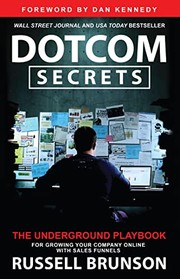
⚡ Quick answerDotCom Secrets by Russell Brunson gets 4.6/5 from me. The technical companion to Expert Secrets: the plumbing behind online funnels. Anyone selling online who has traffic but poor conversion, or only one big offer.
What is DotCom Secrets about?
Brunson lays out how to build sales funnels: the step-by-step online journeys that take a stranger from first click to paying customer, and then to bigger purchases. It is the mechanics behind selling online.
DotCom Secrets summary
Where Expert Secrets is about the message, DotCom Secrets is about the machine. Brunson argues that most businesses do not have a traffic problem or a product problem, they have a funnel problem: no structured path that moves a visitor from curiosity to purchase and beyond.
The book introduces his idea of the value ladder, a sequence of offers that climbs from a cheap or free entry point up to premium products, so each customer can be taken as far as they want to go. Around that he explains different funnel types for different goals, the psychology of the sales pages and emails that hold a funnel together, and the follow-up sequences that keep selling after the first visit.
It is a practical, diagram-heavy book that reads like a manual. Some specifics are tied to his own software world, but the underlying logic of designing a deliberate path rather than hoping visitors work it out for themselves is sound and widely applicable.
Published in 2015 and updated since, it became a foundational text for the online-funnel movement through Brunson's ClickFunnels following. It is aimed at people selling online who want a structured system rather than a static website.
The one idea worth the price: Stop sending people to a website and hoping. Build a deliberate path that takes them from first click to sale, one step at a time.
Key ideas and takeaways
The value ladder. Offer a sequence that climbs from a cheap entry point up to premium.
Funnels over websites. A structured path converts far better than a static site.
Follow-up sequences. Most sales happen after the first visit, so the email follow-up matters.
One funnel to focus on. Pick a single funnel and make it work before adding more.
My honest take
This is the more technical of Brunson's two big books, and the one to reach for once you know what you want to say and need the structure to sell it. For a service business, the value ladder idea alone is worth the read: it stops you offering only one big scary thing and gives people smaller ways to say yes first.
You do have to look past the fact that it steers towards his own software. The concepts stand on their own, and you can build the same funnels with whatever tools you already use. Read it as a blueprint, not an advert.
It works best read after Expert Secrets. That book gives you the message and the belief; this one gives you the sequence of pages and emails that carries the message to a sale. Together they are the full Brunson system.
The honest caveat: It leans heavily towards promoting his own funnel software, and some tactics feel dated as platforms change. Take the funnel logic and apply it with your own tools.
Where it falls short
Strong bias towards the author's own software throughout.
Some specific tactics date quickly as ad platforms and tools change.
How it compares
Expert Secrets is the message and the belief; DotCom Secrets is the funnel that carries it. Read Expert Secrets first, then this for the mechanics.
Who should read it (and who should skip it)
Anyone selling online who has traffic but poor conversion, or only one big offer. Skip it if funnels are not part of how you sell.
Best format: Kindle or paper, because the diagrams and funnel maps matter.
How to actually use it if you are self-employed
Sketch your value ladder from a free or cheap entry offer up to your premium one.
Map the exact steps a stranger takes from first click to buying.
Write one simple follow-up email sequence for people who do not buy straight away.
⚡ The 60-second recap
Build a funnel, not just a website.
Use a value ladder from cheap to premium.
Follow up, because most sales come later.
A book is a shortcut. A second pair of eyes is faster.
Twenty years self-employed, 500+ people coached. If you want help applying this to your own situation, book a free discovery call.
A structured online path that guides a visitor from first click through to a purchase and beyond, rather than leaving them on a static site.
What is the value ladder?
A sequence of offers rising from a cheap or free entry point up to premium, so customers can go as far as they want.
Do I need ClickFunnels to use it?
No. The book leans that way, but the funnel logic works with whatever tools you already have.
Should I read Expert Secrets first?
Yes. Expert Secrets gives you the message; DotCom Secrets gives you the mechanics to deliver it.
Is it still relevant?
The funnel principles are. Some platform-specific tactics have dated, so apply the logic rather than the letter.
Final verdict
DotCom Secrets earns 4.6/5. The technical companion to Expert Secrets: the plumbing behind online funnels. If it is the stage you are at, the cheapest way in is a free Audible trial or Kindle Unlimited.
Disclosure: Some links in this article are affiliate links. If you buy through them I may earn a small commission, at no extra cost to you. Star ratings are my own editorial scores.
In today’s digital world, online advertising has become an essential revenue stream for content creators and website owners. Two of the most popular platforms for monetizing content are Google AdSense and YouTube.
Can you pick what adverts and categories of adverts are displayed on my videos and blogs? – Yes! In fact you can enable, disable and pick the topics and categories yourself within the AdSense settings.
Google AdSense allows website owners to display targeted ads on their sites, while YouTube enables creators to earn revenue from advertisements shown on their videos. Both platforms provide a lucrative way to monetize your online presence, but to truly maximize your earnings and user satisfaction, it’s crucial to target ads by niche.
Targeting ads by niche ensures that the advertisements displayed on your website or videos are relevant to your audience, which in turn leads to better user experience and increased ad revenue. By catering to the specific interests of your visitors, you’re more likely to engage them with the ads and generate higher click-through rates. This not only benefits your earnings but also improves the overall experience for your users, making them more likely to return to your content in the future.
The objective of this article is to provide a step-by-step guide on how to enable and disable ads by niche in both Google AdSense and YouTube.
By following these steps, you’ll be able to optimize your ad targeting, increase your revenue, and enhance the user experience for your audience.
Setting Up Google AdSense Account
Before you can begin enabling and disabling ads by niche, you’ll need to set up a Google AdSense account and verify your website or YouTube channel. Follow these steps to get started:
Click on “Get Started” and sign in with your Google account
Provide the required information, such as your website URL or YouTube channel, email address, and preferred account type (Individual or Business)
Accept the terms and conditions, and click “Create Account”
Verify your site or YouTube channel:
For websites: After creating your account, you’ll receive a verification code. Add this code to your website’s HTML source or use a plugin to insert the code, depending on your site’s content management system. Once you’ve added the code, return to your AdSense dashboard and click “Verify” to complete the process.
For YouTube channels: If you haven’t already, enable monetization on your channel by visiting YouTube Studio (https://studio.youtube.com/), clicking on “Monetization” in the left-hand menu, and following the on-screen instructions. Once monetization is enabled, your channel will be automatically linked to your AdSense account.
Configure ad settings:
After your site or channel is verified, navigate to the “Ads” section in your AdSense dashboard
Choose the ad types you’d like to display on your website or YouTube channel (e.g., display ads, text ads, video ads, etc.)
Set your ad preferences, such as the ad format, size, and style, to best suit your content and layout
Now that you’ve set up your Google AdSense account, you can move on to enabling and disabling ads by niche for a more targeted advertising approach.
Enabling Ads by Niche in Google AdSense
With your Google AdSense account set up and your site or channel verified, you can now enable and disable ads by niche to better target your audience. Follow these steps:
Accessing the Allow & Block Ads section:
Log in to your Google AdSense account
From the left-hand menu, click on “Blocking controls” and then select “All sites” or the specific site you want to manage
Navigating to the “General Categories” tab:
In the Allow & Block Ads section, you will see multiple tabs
Click on the “General Categories” tab to view and manage the niche categories available for your ads
Enabling and disabling specific niche categories:
In the General Categories tab, you’ll see a list of niche categories, each with a corresponding percentage indicating how much of your current ad impressions belong to that category
To enable ads from a specific niche, locate the category in the list and click on the toggle switch to turn it on (green)
To disable ads from a specific niche, locate the category in the list and click on the toggle switch to turn it off (grey)
Saving your settings and monitoring ad performance:
After you’ve enabled or disabled the desired niche categories, your changes will be saved automatically
Monitor the performance of your ads by regularly checking your AdSense dashboard for updates on earnings, impressions, and click-through rates
By enabling and disabling ads by niche in Google AdSense, you can optimize your ad targeting, improve user experience, and potentially increase your ad revenue.
Enabling Ads by Niche on YouTube
Similar to Google AdSense, YouTube also allows you to enable and disable ads by niche to better target your audience and improve user experience. Follow these steps to customize your ad preferences on YouTube:
Accessing YouTube Studio:
Log in to your YouTube account
Visit YouTube Studio (https://studio.youtube.com/) or click on your profile picture in the top-right corner and select “YouTube Studio” from the dropdown menu
Navigating to the “Monetization” tab:
In the left-hand menu of YouTube Studio, click on “Monetization”
This will take you to the monetization overview page, where you can manage your monetization settings and view your estimated revenue
Selecting “Ad Categories” under “Ad Settings”:
In the Monetization tab, find the “Ad Settings” section and click on “Ad Categories”
This will open a new window, where you can enable or disable ad categories for your YouTube channel
Enabling and disabling specific niche categories:
In the Ad Categories window, you’ll see a list of niche categories available for your ads
To enable ads from a specific niche, locate the category in the list and click on the toggle switch to turn it on (blue)
To disable ads from a specific niche, locate the category in the list and click on the toggle switch to turn it off (grey)
Saving your settings and monitoring ad performance:
After you’ve enabled or disabled the desired niche categories, click “Save” at the bottom-right corner of the window to save your changes
Monitor the performance of your ads by regularly checking your YouTube Studio dashboard for updates on earnings, views, and audience engagement
By enabling and disabling ads by niche on YouTube, you can optimize your ad targeting, enhance user experience, and potentially increase your ad revenue while maintaining a relevant and engaging environment for your audience.
Tips and Best Practices
In addition to enabling and disabling ads by niche, there are several other strategies you can employ to optimize your ad targeting and maximize your revenue on both Google AdSense and YouTube. Here are some tips and best practices to help you make the most of your advertising efforts:
Importance of understanding your audience:
Analyze your audience demographics, interests, and behavior using tools like Google Analytics or YouTube Analytics to better understand their preferences and tailor your ad targeting accordingly
Regularly reviewing ad performance:
Keep track of your ad performance metrics, such as click-through rates, impressions, and earnings, to identify trends and make data-driven decisions about which ad categories are most effective for your audience
Making data-driven decisions:
Use the insights gained from your ad performance analysis to fine-tune your ad targeting by enabling and disabling niche categories that are more or less relevant to your audience
Balancing user experience with revenue goals:
Strive to find a balance between user experience and ad revenue by carefully selecting ad categories that are relevant to your audience without being overly intrusive or disruptive
Staying up-to-date with policy changes and industry trends:
Regularly review Google AdSense and YouTube policies, as well as industry trends and best practices, to ensure your ad targeting strategies remain compliant and effective
By implementing these tips and best practices, you can optimize your ad targeting on both Google AdSense and YouTube, leading to increased user satisfaction and higher ad revenue. Keep experimenting and refining your strategies to find the best combination of ad categories that resonates with your audience and drives the best results for your content.
Conclusion
In this article, we’ve provided a comprehensive step-by-step guide on how to enable and disable ads by niche in both Google AdSense and YouTube, allowing you to better target your audience and improve user experience. By following these steps and implementing the tips and best practices discussed, you can optimize your ad targeting and potentially increase your ad revenue.
As you continue to experiment and refine your ad targeting strategies, it’s essential to stay informed about relevant statistics and trends in the digital advertising industry. Here are some key stats to consider:
Digital Advertising Statistics
Statistic
Value
Global digital advertising spending (2021)
$389 billion
Expected global digital advertising spending (2023)
$525 billion
Share of mobile in digital ad spending (2021)
58.9%
Average click-through rate for display ads
0.46%
Average click-through rate for video ads
1.84%
Google AdSense and YouTube Statistics
Statistic
Value
Number of AdSense publishers (2021)
Over 2 million
Google’s share of global digital advertising market (2021)
28.9%
YouTube ad revenue (2020)
$19.77 billion
YouTube’s share of Google’s total ad revenue (2020)
12.5%
By staying up-to-date with industry trends and statistics, you can make more informed decisions about your ad targeting strategies and ensure that your Google AdSense and YouTube advertising efforts remain effective and relevant in the ever-evolving digital landscape.
Remember, the key to successful ad targeting lies in understanding your audience, regularly reviewing your ad performance, and making data-driven decisions to optimize your strategies. So, keep experimenting and refining your approach to find the perfect balance between user experience and revenue generation for your content.
With around 300 million active Social Media users and 500 million tweets per day, Twitter presents a potential that is difficult to ignore. The colossal site is now big news, and savvy businesses are using it to get their message across to the world – for free.
One of the most widely used and accepted internet-marketing strategies in the world today; Twitter offers an inexpensive and highly effective resource for online business enhancement. HD1 Web Design is one of the best services to help you leverage the channel effectively for your business. Whilst Facebook is the major Social Media player and has great role in all business brand awareness but don’t forget Twitter and YouTube in your social media plan.
What’s the point of Twitter? The huge popularity of Twitter can be attributed to its ability to satisfy people’s craving for immediate news. The site also appeals to the vast majority because it is concise, informal and conversational. Most agree that it is less time consuming and the 140-character limit pushes people to be brief and clever.
Showcase your company the best possible way in the virtual world using HD1 Web Design
This online ‘haven for humanity’ boasts of an enormous viral potential. No matter what your reasons are for being in twitter – business, personal or political – it offers the easiest way to spread the word. Twitter can also help you link with other popular social media channels including Facebook, LinkedIn and other networking sites. A distinct “buzz” online can do wonders for your business.
Real Time Connection With Customers
Most twitter users use the micro blogging site to share what is happening around them. We can connect your business message to what is relevant to your customers in real time thereby helping establish a connection with them. Posting great content and engaging with customers helps build credibility, which translates to more business.
Know Industry Trends
Twitter can help a business monitor discussions among customers about the particular industry and get a feel of what their potential buyers are looking for. You can keep abreast of industry trends and note changes in customer preferences. This will give you valuable insights and will aid you in making the right decisions in your business.
A Human Touch To Your Online Brand & Business
When you talk regularly about what your business does, you are giving it a human feel and not just hiding behind a business facade. Customers connect to you more when they are offered a better insight into your business goals, values and everyday dealings. You can trust us to portray your company in a manner that will appeal to your target section.
Brand Building
Twitter lends character to a business. The tone of your tweets can be informative and straightforward, casual or funny – it all depends on what image you want to portray about your brand. Apart from writing in the tone you prefer, we also help identify keywords that are relevant to your market; this helps your business to get into the flow of twitter traffic, making it easier for your potential customers to locate you.
All said, twitter is here to stay and can take your business to the next level. Twitter marketing involves several aspects and is best handled by our expert team of social media professionals at HD1 Web Design, who are well versed with the many nuances of the channel to help you achieve the best possible outcome. All social media sites have strengths for different businesses, we are here to help you make the most of social media and brand building for your business.